
Quick Answer
You do not need a marketing team. A working trades business can produce social posts, website copy, quote emails, customer follow-ups and a monthly content calendar with four tools: ChatGPT (£16 + VAT per month), Claude Pro (around £16 per month), Canva Pro (£10.99 per month) and Make.com (free for low volumes). Total cost is roughly £45 a month. Time saved is the part that pays for itself. UK research from Sage in 2026 shows 76 percent of tradespeople already use AI daily. The ones doing it well treat AI as a junior copywriter, not a replacement for their own voice.
Table of Contents
- Why AI marketing matters for trades right now
- The four-tool marketing stack
- Workflow 1: Writing quote emails and website copy with ChatGPT
- Workflow 2: Social posts with Claude and Canva
- Workflow 3: A monthly content calendar in 20 minutes
- Workflow 4: Automating publishing with Make.com
- Best practices and common mistakes
- What this stack actually costs
- Watch
- Coverage and industry research
- Frequently asked questions
- My verdict
Why AI marketing matters for trades right now
A few years ago, doing your own marketing meant either learning Photoshop or hiring an agency on retainer for £800 a month. Neither option fit a one-van business. So most trades did the bare minimum, a Facebook page, the odd photo of a finished job, and hoped word of mouth filled the diary.
That has changed. Sage research published in April 2026 found 76 percent of UK tradespeople now use AI tools daily to run their business. Builders sit at 73 percent, electricians at 71 percent, plumbers at 63 percent, engineers at 91 percent. The interesting number is not the headline figure, it is how quickly the gap is widening between trades who use these tools and trades who do not.
The reason is simple. A solid AI marketing stack costs less than a single Facebook ad campaign and produces work that, once you learn to direct it properly, looks like it came from a small agency. The skill is not the typing. It is knowing what to ask for.
The four-tool marketing stack
 ChatGPT
 Claude
 Make.com
Different tools do different jobs. Trying to do everything in one of them is the most common mistake I see. Here is what each one is genuinely good at, in plain terms.
ChatGPT
ChatGPT is the all-rounder. It writes quote emails, customer follow-ups, blog posts, FAQs, Google Business descriptions and short ads. The current version is GPT-5.x. ChatGPT Plus is £16 per month before VAT, or roughly £19.20 once VAT is added at the till. The free version is fine for occasional work. The paid version gets you faster responses, image generation, file uploads, and the more capable model that knows how to write rather than just stitch sentences together.
Claude
Claude is built by Anthropic and runs at a similar price point, around £16 per month for Claude Pro (billed in dollars at $20). It is better than ChatGPT at long-form writing and at sounding human. If I am drafting a 1,200 word blog post or a careful customer email, I use Claude. If I am asking for a quick caption, I use ChatGPT. They overlap, but the tone is different. Try both for two weeks and you will quickly know which one fits your voice.
Canva
Canva is the design tool. Free for basic use. Canva Pro at £10.99 per month unlocks Magic Resize (which turns one design into ten platform-sized variants), the brand kit (so your colours and logo are saved once and reused everywhere), and the AI features that draft text and graphics inside the design. The annual plan is £99.99, which works out cheaper. Canva also recently partnered with Anthropic so you can generate full campaign designs from a Claude brief, which closes one of the awkward gaps in this stack.
Make.com
Make.com is the glue. It connects ChatGPT or Claude to your social channels, your inbox, your spreadsheet, your CRM. You build a "scenario" once, switch it on, and it runs in the background. The free plan gives 1,000 operations per month and two active scenarios, which covers most small trades. Paid plans start at $9 per month if you outgrow it.
Pick two tools first, not four
If you are starting from nothing, do not buy all four at once. Get ChatGPT or Claude (one, not both) and the free Canva. Use them for a month. Then add the next tool when you hit a wall. Most trades I know start with ChatGPT and Canva, then add Make.com once their content workflow is consistent enough to automate.
Workflow 1: Writing quote emails and website copy with ChatGPT
This is the workflow that pays for the subscription on its own. Quote emails set the tone of the relationship and most trades rush them. Sending a clear, polite, properly formatted quote within an hour of the site visit wins jobs against competitors who take three days to send a one-line email.
Here is the prompt structure that works. The shape is more important than the words.
- Role: "You are writing a quote email for a UK heating engineer to a residential customer."
- Context: Drop in the job details. Boiler model, work scope, parts, labour hours, price excluding VAT, completion timeline. Use bullet points, do not write prose. Two minutes max.
- Tone: "Friendly, professional, no jargon. The customer is not a tradesperson."
- Format: "Email format with a clear subject line, three short paragraphs, then the quote breakdown as a bullet list."
- Constraint: "Keep it under 200 words. Include a clear call to action at the end."
That five-line structure works for almost any copy task. Replace the role and the format and you have a website page, a Google Business description, a follow-up message, or a refund refusal letter. The two parts people skip are the constraint (length, tone limits) and the context. Skip those and you get the generic AI sludge that everyone complains about.
Never paste real customer data into a free AI tool
The free tiers of ChatGPT and Claude reserve the right to train on your conversations. Paid tiers do not, but you should still strip out customer names, addresses, and phone numbers before pasting. Use "Mr Smith at the address" rather than the real name and postcode. It costs nothing and protects you from a GDPR complaint.
For website copy, the same prompt structure applies, just scaled up. Write the rough version yourself in three sentences. Paste it into ChatGPT with the role, tone, and format. Ask for three variants. Pick the one that sounds most like you. Edit the bits that do not. That is how you end up with website copy that is yours, not the AI's.
Workflow 2: Social posts with Claude and Canva
Social media is where AI saves the most time and where most trades fall into the trap of looking generic. The reason is they ask ChatGPT for "a Facebook post about boiler servicing" and post the first thing it spits out. It reads like a press release. Nobody engages.
The fix is a two-step workflow. Claude writes the words. Canva does the picture.
Step one: caption in Claude
Open Claude. Paste this prompt. Edit only the bits in brackets.
Caption prompt
You are writing a short Facebook post for a UK [TRADE] business. The post is about [SPECIFIC JOB, e.g. "a boiler service we did this morning in a 1930s terrace"]. Write it in the voice of the business owner. Use short sentences. No emojis. No hashtags. Open with something specific to the job (a detail, a small problem, a customer reaction) rather than a generic statement. Under 80 words. End with one clear thing the reader should do.
That prompt produces something usable nine times out of ten. The "open with something specific" line is what stops it sounding like an AI post. The "no emojis, no hashtags" line is what stops it looking like a 14-year-old wrote it.
Step two: image in Canva
Take a real photo from the job. Drop it into Canva. Use the Magic Edit tool to clean up the background if needed. Add your brand colours and logo using the brand kit you set up once. Use Magic Resize to make a square version for Instagram and a vertical version for TikTok or Reels. Three minutes, one photo, three platform-sized assets.

The real trick with Canva is the brand kit. Open it once. Add your logo, your two or three brand colours, and your fonts. Save it. Every new design starts on-brand by default. You stop worrying about whether the blue is the right blue.
If you want a faster route, Canva's Magic Design feature takes a written brief and produces dozens of finished designs. Type "Instagram post for a Manchester boiler service business, friendly tone, blue and orange" and pick the one closest to what you wanted. Then tweak the colours and text.
Workflow 3: A monthly content calendar in 20 minutes
This is the one most trades never get around to doing, and it is the one that quietly compounds. A content calendar is a list of what you are going to post, on which day, on which platform, for the next month. Without it, you post in bursts when you remember, then go quiet for three weeks. Algorithms punish that.
Here is how to do a month in 20 minutes with Claude.
- Open Claude. Tell it: "I am a [trade] in [town]. I want to plan 12 social posts for the next month, three per week. Mix of educational tips, behind-the-scenes from jobs, customer success, and seasonal advice. Output as a table with date, platform, post type, caption, and image idea."
- Review the output. Claude usually nails the structure but the content can be generic. Highlight the three weakest posts and ask it to rewrite them with a specific real example from a recent job.
- Add real photos. Replace every "image idea" with a real photo you already have on your phone. If you do not have one, schedule a photo as part of your next site visit.
- Drop it in a spreadsheet. Google Sheets or Excel. One row per post. Columns for date, platform, caption, image filename, status.
- Schedule the lot. Either post manually each morning while you have your tea, or hand the spreadsheet to Make.com (see next section).
The numbers behind 20 minutes
Twelve posts a month at three minutes per post in Canva works out at 36 minutes of design work. The Claude planning takes 20 minutes if you are slow. Total monthly investment: under an hour, replacing what an agency would charge £400 to do. The cost of getting it wrong is also low, because nobody remembers a Facebook post that flopped.
Workflow 4: Automating publishing with Make.com

Once your content calendar is in a spreadsheet, Make.com can take the rows and post them for you at the scheduled time. This is the workflow that turns "I should post more" into "I post three times a week without thinking about it."
The basic scenario looks like this. It has five modules. Build it once, switch it on, walk away.
- Google Sheets trigger. Watches your content calendar for new rows where the post date is today and status is "ready".
- OpenAI module (optional). If you want to give the AI a final polish, pipe the caption through ChatGPT or Claude with a short "tidy this up" prompt.
- Facebook Pages module. Posts the caption and image to your Facebook business page.
- Instagram for Business module. Same caption, square image, to Instagram.
- Google Sheets update. Marks the row as "posted" with the timestamp.
That whole thing fits inside Make.com's free plan if you are posting a few times a week. A typical run uses about five operations, so 1,000 operations covers 200 posts a month, which is more than any trades business needs.
Facebook and Instagram permissions are awkward
The first time you connect Make.com to Facebook and Instagram you will spend 30 minutes wrestling with permissions. Meta requires you to connect a Facebook Page (not a personal profile) and an Instagram Business or Creator account linked to that Page. Both must be administered by the Facebook account you connect with. If your Instagram is personal, switch it to Business inside the Instagram app first. Save yourself the search-and-rage cycle.
For a working example built around lead capture rather than publishing, our guide to AI-powered lead response with ChatGPT, Make.com and WhatsApp shows the same Make.com pattern applied to inbound messages.
Best practices and common mistakes
Six things I see trades get wrong with AI marketing, ranked by how much they hurt your results.
1. Posting raw AI output
The first paragraph from ChatGPT is rarely good enough to publish. It sounds like ChatGPT. Read it back out loud. If it sounds like a brochure, rewrite the first sentence in your own voice. That single change makes 80 percent of the difference between AI sludge and a post that actually reads like a person.
2. Using ChatGPT for things you should not
ChatGPT will happily produce a quote with prices it has invented. It will write technical advice that sounds authoritative but is wrong. Do not use it for material costs (it does not know your supplier prices), legal advice (it gets UK regulations wrong), or anything safety-critical. Use it for words, not facts.
3. Skipping the brand kit
Half the trades I see in Canva are still picking colours from the colour wheel for every design. Set the brand kit up once. Your designs will look 50 percent more professional without you doing anything else.
4. Trying to automate everything on day one
Make.com is powerful, which means it is also fiddly. Get your content calendar working manually for a month first. Find the bottleneck (usually "I forget to post on time"). Then automate that one bottleneck. Do not try to build a 14-module scenario the first week.
5. Forgetting GDPR
UK GDPR still applies when you use AI. Do not paste customer names, addresses, phone numbers or photos of their property into a free-tier AI tool. The paid tiers do not train on your data but the free ones can. Strip identifying details before you paste.
6. Sounding like everyone else
This is the meta-mistake. If every post on your feed could have been written by any boiler engineer, you have lost. Find one or two things only you say (a phrase, a small obsession, a recurring opinion) and make sure they appear in every fifth post. That is how you sound like a person, not an AI.
What this stack actually costs
Total: around £46 a month if you take Plus tiers of all three writing tools, or about £30 if you pick one of ChatGPT or Claude rather than both. The Canva annual plan brings the total down further. Free tiers exist for every tool except ChatGPT Plus, so you can run this stack for £0 if you accept slower models and fewer features. For most trades, the upgrade from free ChatGPT to ChatGPT Plus is the single best £19 you can spend on marketing.
One thing worth saying. The cost of the tools is rarely the deciding factor. The cost is the 30 minutes a week you spend learning to drive them properly. If that time is not available, the tools will not help you. If it is, the £45 a month pays itself back in the first job you win that you would have missed.
| Tool | Best for | Free tier? | UK monthly cost |
|---|---|---|---|
| ChatGPT | Quick captions, emails, FAQs, image generation | Yes (slower model) | £16 + VAT |
| Claude | Long-form writing, voice matching, planning | Yes (limited messages) | ~£16 (billed USD) |
| Canva | Design, brand kit, social graphics | Yes (limited templates) | £10.99 |
| Make.com | Connecting tools, scheduled posting, automation | Yes (1,000 ops/month) | £0 to start |
If you only have time to learn one, learn Claude or ChatGPT properly first. Designs without good copy fall flat. Good copy without a design still works.
Watch

10 ChatGPT Marketing Strategies to Explode Your Business Growth
Adam Erhart

The Ultimate Guide To Blow Up Your Business With ChatGPT
Wes McDowell

Marketing Your Business with ChatGPT (Masterclass)
Wes McDowell
9 ChatGPT-5 Use Cases to Grow Your Business
Wes McDowell
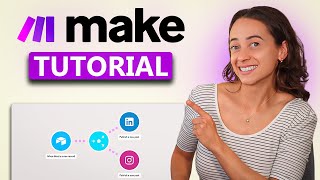
Make.com Tutorial: Social Media Automation
Thalita Milan
How To Automate Social Media Posts with AI (Make.com)
Tutorials by Manizha & Ryan
Coverage and industry research
Quoting forum opinion on AI marketing tends to attract noise. What follows is industry research and trade press coverage with verifiable sources.
Frequently asked questions
For marketing work, pay for it. The paid model writes better, accepts file uploads, and generates images. £19 a month for a tool you use daily is a rounding error against what good marketing costs. The free version is fine if you only use it occasionally.
If you mainly write short content (captions, emails, quote responses), ChatGPT. If you write longer content (blog posts, email sequences, scripts), Claude. Both are around £16 per month so trying each for a fortnight is the cheapest way to decide.
Only if you post raw AI output. If you edit the first sentence into your own voice and cut anything that sounds like a press release, no. The customers who can spot AI writing are the ones who write AI prompts themselves. Most homeowners cannot.
Yes if you strip identifying customer data before pasting into the tool. Paid tiers of ChatGPT, Claude and Canva do not train on your inputs. The free tiers reserve the right to. Either way, do not paste names, addresses, postcodes, or photos of identifiable property without consent.
Yes, and it is one of the highest-value uses. Paste the review into ChatGPT with: "Write a short professional reply, under 50 words, thanking the customer and naming one specific thing they mentioned." Edit one line into your own voice and post. Three minutes per review.
No. Canva does 95 percent of what a trades business needs and costs a tenth of Adobe Creative Cloud. Stick with Canva unless you have a specific reason to leave (you are doing magazine-quality print work, or you already know Adobe).
Within the first month if you use it for quote emails and customer follow-ups. Social media takes three to six months to compound, like all organic marketing. Treat the £45 a month as a fixed cost of being a modern trades business, not a campaign with a measurable ROI by week four.
My verdict
The stack pays for itself the first month you actually use it
AI does not replace good trade work. It replaces the 30 minutes after a job when you should be writing a follow-up and instead are eating chips in the van. For under £50 a month, you get a junior copywriter, a designer, and a scheduler. The catch is you still have to direct them. The trades who win with this stack are the ones who treat it as a tool, edit every output, and refuse to post anything that sounds like a robot. Start with one tool, learn it properly, then add the next. Do not buy all four on day one.
For the natural next step once your content workflow is sorted, read our AI quoting workflow and the guide to building an AI customer service bot in two hours. Both extend the same Claude or ChatGPT setup you are already paying for.