Quick Answer
The best free AI tools for trades in 2026 are ChatGPT, Claude and Gemini. All three help with quotes, emails, and admin - no subscription needed to start.
Table of Contents
- Why AI is exploding in the trades
- The Big Three: free AI tools worth using
- AI for quoting and estimating
- AI for voice notes and dictation
- AI for job scheduling
- AI for RAMS and safety documents
- Comparison: which tool for which job
- What trades are doing with AI
- What tradespeople are saying
- Frequently asked questions
 ChatGPT
 Claude
 Google Gemini
 Microsoft Copilot
Why AI is exploding in the trades right now
Two years ago, the idea of a plumber using ChatGPT on site would have got you laughed out of the depot. Now it’s happening every day. Electricians are using it to look up wiring diagrams. Builders are pasting scope of works in and getting itemised quotes back in seconds. Site managers are dictating voice notes and getting typed risk assessments in under a minute.
The reason it took off so fast: the tools got genuinely good, and they’re free. There’s no software to install, no training course, and no monthly contract required to get started. You open a browser, type what you need, and get a useful answer back. That simplicity is what changed everything.
The shift is also being driven by pressure. Labour costs are up. Margins are tight. The trades that are pulling ahead are the ones cutting admin time, turning quotes faster, and spending more hours on the tools rather than on paperwork. If you are not sure where your business is losing time, an automation audit is the best place to start. AI is not magic, but it is a faster typist and a more patient researcher than most of us.

The Big Three: free AI tools worth using
There are hundreds of AI tools out there. Most of them are wrappers around the same underlying technology with a different logo and a monthly subscription. For most tradespeople, you only need to know about three tools, and all three are free to start.
ChatGPT (OpenAI)
The one that started the revolution. ChatGPT is the most capable general-purpose AI for most trade tasks. The free tier is more than capable for drafting quotes, answering technical questions, and writing customer communications. For a detailed walkthrough, see our guide on using ChatGPT to write quotes that win jobs. The paid tier (ChatGPT Plus at £20/month) gives you access to OpenAI’s most powerful model and includes image analysis, useful for describing a fault from a photo.
Best for: quoting, customer emails, technical research, RAMS drafting.
Claude (Anthropic)
Claude is ChatGPT’s most serious rival. It tends to produce cleaner, more naturally written text, better for customer-facing documents like quotes and handover notes. The free tier is generous. Claude Pro costs around £16/month and includes access to their most powerful models. Many tradespeople find Claude writes more like a human and less like a robot, which matters when you’re sending a quote to a homeowner. For businesses looking to automate customer replies entirely, our guide to AI agents for trades customer communication covers what is possible today.
Best for: customer-facing documents, quote writing, complaint responses.
Google Gemini
Gemini is Google’s AI and it has one major advantage over the others: it’s integrated into Google Workspace. If your business runs on Google Docs, Sheets, or Gmail, Gemini can draft emails, summarise threads, and help write documents without leaving the app. Gemini Advanced costs around £19/month, but the free version is solid for basic tasks. It also has live internet access by default, meaning it can pull in current product prices or regulatory updates.
Best for: teams using Google Workspace, research tasks requiring live data.

AI for quoting and estimating
This is where most tradespeople see the biggest immediate win. Writing a quote takes time. Describing the scope, breaking it into labour and materials, working out how to phrase pricing without spooking the customer. That’s 30 to 60 minutes of evening work per job. AI can cut that to under five minutes once you get the workflow right.
The basic process: take your site notes (even rough, bullet-pointed), paste them into ChatGPT or Claude, and ask it to produce a professional quote breakdown. Then ask it to write the customer-facing version in plain, friendly language. You will still need to check the numbers. But the structure, the wording, and the formatting will be done.
A prompt that works well: "I’m a UK electrician. I’ve done a site survey at a 3-bed semi. Scope: replace consumer unit, install 8 new double sockets, fix a fault on the ring main. Write me a professional itemised quote covering labour, materials, and a brief scope description. Keep it under 300 words and suitable for a homeowner."
The quote will not be perfect first time. You will need to adjust figures and add your own pricing. But the structure will save you 20 minutes per job. Across 10 jobs a week, that is over three hours back in your pocket. Pair faster quoting with an AI-powered lead response system and you can reply to enquiries within minutes, even outside working hours.
AI for voice notes and dictation
On site, nobody wants to type. The AI voice note workflow solves this. You speak your observations, ChatGPT or Claude transcribes and structures them, and you have a proper written record in under a minute.
The workflow: use your phone’s built-in voice-to-text (iPhone: long-press the microphone key; Android: tap the microphone on the keyboard) to dictate your notes into the AI chat. Then ask it to "tidy this up into a clear site report" or "turn these notes into a formal risk assessment."
This is particularly useful for: site diaries, snagging lists, near-miss reports, and job completion notes. Everything you currently scribble on paper and lose, you can now dictate and have back as a structured document.
For a faster setup, the ChatGPT mobile app (iOS and Android) has a built-in voice mode that transcribes directly into the chat. It’s the closest thing to having a secretary on site.

AI for job scheduling
The AI scheduling tools built into job management software are often better than using general AI for this. ServiceM8, Jobber, Tradify, and simPRO all have AI-assisted scheduling features that consider engineer location, job duration, and skill matching. If you’re already on one of these platforms, check whether AI scheduling is included in your plan.
For those not on a job management platform, you can use ChatGPT to help optimise a basic schedule. Paste your list of jobs (postcode, estimated duration, required skills), and ask it to suggest a route order that minimises travel. It is not as good as dedicated software, but it beats scheduling by gut feeling.
Where AI scheduling tools genuinely earn their keep is in handling late cancellations and emergency jobs. Instead of manually reshuffling the whole day, AI tools can suggest which jobs to move, which engineers are nearest to the new job, and what the knock-on impact will be. If you are planning a broader technology upgrade, our digital transformation roadmap for UK trades businesses maps out the full journey.

AI for RAMS and safety documents
Risk Assessments and Method Statements (RAMS) are legally required for most commercial jobs, and writing them properly takes time. AI is genuinely useful here, not to replace your judgement, but to handle the structure and wording so you can focus on the substance.
A practical approach: describe the task in plain language to ChatGPT or Claude. Include the site type, the work being done, the hazards you can see, and the controls you would normally use. Ask it to produce a RAMS document formatted to standard UK construction requirements. You will get a solid draft in under two minutes.
Then you review it, add anything specific to the actual site, print it, and get it signed. The time saving is real. Most tradespeople report going from 45 minutes per RAMS to under 10. On a job with multiple phases, that adds up fast.

Which AI tool for which job
| Task | Best Free Option | Best Paid Option | Time Saved |
|---|---|---|---|
| Quote drafting | ChatGPT (free) | Claude Pro (£16/mo) | 20–40 min/quote |
| Customer emails | Claude (free) | Copilot (M365 users) | 5–15 min/email |
| RAMS documents | ChatGPT (free) | ChatGPT Plus (£20/mo) | 30–45 min/doc |
| Site diary | ChatGPT voice (free) | ChatGPT Plus voice mode | 15–20 min/day |
| Voice notes | Any AI + phone mic | ChatGPT Plus app | 10 min/job |
| Technical research | Gemini (live web) | ChatGPT Plus (browsing) | 15–30 min/query |
| Job scheduling | ChatGPT (basic) | ServiceM8/Jobber AI | 30+ min/day |
| Invoice chasing | Claude (email drafts) | Xero AI + GoCardless | 20 min/week |
Average weekly time saved by AI task type (UK tradespeople, 2025)
What trades are doing with AI
These videos cover AI for trades from different angles: practical ChatGPT prompts, voice workflows, and full automation. Worth 20 minutes of your time if you want to see how other tradespeople are putting this into practice.

AI in Construction: How ChatGPT Is Changing the Trades
Workforce Skills

Contractor Hacks For ChatGPT That 10x Your Productivity
Successful Contractor · 23,554 views

6 ChatGPT Prompts for Construction Project Managers
Construction Brothers · 11,367 views

ChatGPT for Construction Managers: Complete Guide
Tim Fairley · 7,075 views

6 ChatGPT Prompts For Construction Business Success
FootbridgeMedia · 1,251 views

Top 5 AI Tools for Your Business
Dan Martell · 489,725 views

10 Must-Try AI Tools For Your Business
Hostinger Academy · 172,284 views
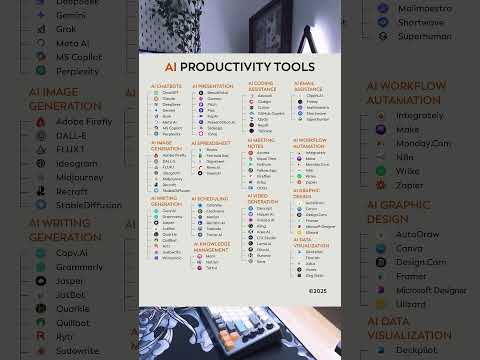
50+ Best AI Tools for Productivity in 2025
Pynade Devs · 485,358 views
What tradespeople are saying about AI
These are real conversations from Reddit, TikTok, and Instagram. UK and international tradespeople sharing their actual experience with AI tools on the job.
Frequently asked questions
Yes. ChatGPT has a free tier that is capable enough for quoting, RAMS drafting, customer emails, and technical questions. You don’t need to pay anything to get started. The paid tier (ChatGPT Plus, £20/month) gives access to OpenAI’s most powerful model and includes image analysis, which is useful but not essential for most trade tasks.
AI can produce a solid first draft of a Risk Assessment and Method Statement in under two minutes. You describe the task, the hazards, and the controls, and the AI structures it correctly. However, you must review and sign off on the final document. AI does not know the actual site conditions, and legal responsibility stays with the competent person who approves the document. Use AI to handle the structure and wording; use your expertise to validate the content.
Both ChatGPT and Claude work well for quote writing. Claude tends to produce more naturally written, customer-friendly text. ChatGPT is slightly better for structured, itemised documents. Either will save you significant time. Start with whichever you are already familiar with, or try both on the same job and see which output you prefer.
As a general rule, do not paste full customer names, addresses, or financial details into AI chat tools unless you have confirmed the platform’s data handling policy. For quote drafting, describe the job without customer-identifying information. For example: "bathroom renovation at a 3-bed semi in Bristol" rather than giving the actual address. All major AI providers (OpenAI, Anthropic, Google) offer enterprise versions with stricter data policies if your business handles sensitive customer data regularly.
No. AI is a drafting tool, like a spell checker or a template. You are responsible for the content of the quote, and you review it before sending. Using AI to help write a quote is no different from using a quoting template. The expertise, the pricing, and the professional judgement are still yours. Most tradespeople who use AI regularly describe it as having a very fast typing assistant. The knowledge and the judgement still come from the tradesperson.
Want to go deeper on AI for your trade?
TrainAR Academy has step-by-step guides on using AI tools, automation workflows, and digital admin solutions built specifically for UK tradespeople. Free to access.
Explore TrainAR Academy