
Quick Answer
You take photos and voice notes on a site visit, drop them into Claude or ChatGPT along with your price list, and a clean itemised quote comes back in under five minutes. The average UK trades quote takes 30 to 45 minutes manually. This workflow does it in five. You still read and sign off every quote before it leaves, but the typing, the maths, and the formatting are done for you. Works on a phone, in the van, on the next job.
Table of Contents
- Why AI quoting is worth your attention
- What you'll need
- Step 1: Build your price list document
- Step 2: Capture the site visit (photos and voice notes)
- Step 3: The five-minute quote prompt
- Step 4: Review, edit, and send
- Which AI tool: Claude vs ChatGPT vs in-app AI
- Common mistakes (and how to avoid them)
- What tradespeople are saying
- Recommended videos
- Frequently asked questions
- My verdict
 ChatGPT
 Claude
 ServiceM8
 Tradify
Why AI quoting is worth your attention
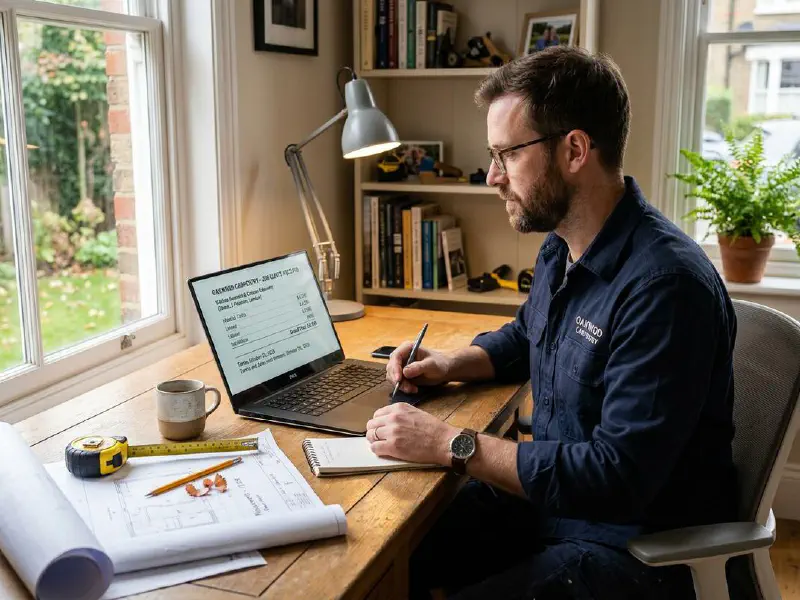
Most UK tradespeople I speak to lose three or four evenings a week to quoting. You finish on the tools, eat, then sit down at a laptop until ten at night turning notes into a Word document. The job ate your day. The quote eats your evening. Then the next morning you wonder why you're tired.
The maths is straightforward. If you write three to five quotes a week and each takes 30 to 45 minutes, you are spending two to three hours weekly on a task you do not get paid for. Convert that to a typical UK trades day rate and you are losing £60 to £100 every week. Spread across a year, that is real money and real lost evenings.
AI changes the shape of the task. You still do the site visit. You still read and sign off the quote. But the bit in the middle, the bit that wastes the evening, gets compressed from 45 minutes to five. The technology is finally good enough to do this reliably in 2026 because models like Claude 4.x and GPT-5 can read images, hold long context windows, and follow detailed instructions without losing the thread.
If you have not yet started experimenting with AI in your business, the complete guide to AI tools for UK tradespeople is a better starting point than this article. Come back here once you have an account set up.
What you'll need
This workflow runs on a phone, but a laptop or tablet is easier the first few times you set it up. Nothing here costs more than £20 a month.
- A ChatGPT Plus account (£19.20/month UK including VAT) or a Claude Pro account ($20/month, billed in USD). Free tiers work but hit limits quickly.
- A phone with a decent camera. Any smartphone from the last five years is fine.
- Your existing price list. A spreadsheet, a Word document, or a PDF. Whatever you already use.
- A quote template. The one you already send. If you do not have one, the free ServiceM8 quote template is a sensible starting point.
- 30 minutes to set this up once. Then five minutes per quote, forever.
Skill level: beginner. If you can attach a photo to a text message, you can do this. If you have never used Claude or ChatGPT, expect the first quote to take 15 minutes while you find your feet. By the third one it is under five.
Step 1: Build your price list document

This is the step most people skip and then wonder why their AI quotes are full of made up numbers. The AI does not know what your local plasterboard costs or what you charge for a Vaillant 825 swap. You have to tell it.
You do not need anything fancy. A simple table with three columns is enough: item name, your typical rate, and a one line description. Build it in Excel, Google Sheets, or even a Word document. Aim for the 50 to 100 items you actually quote most. Everything else can be added as you go.
Here is what a usable plumbing price list looks like:
| Item | Rate | Notes |
|---|---|---|
| Combi boiler swap (like for like, 24-30kW) | £2,200 labour | 1 day, 2 engineers. Excludes flue extension. |
| Magnetic system filter (MagnaClean Pro2) | £185 supplied and fitted | Standard inclusion on boiler swap. |
| Power flush (up to 10 radiators) | £550 | Half day. Add £30 per additional rad. |
| Standard service rate | £65/hour | Minimum 1 hour. London +20%. |
| Day rate (single engineer) | £420/day | 8 hours, materials separate. |
Five rows is plenty to start with. The point is to have something the AI can refer to. Once your list has 30 to 50 items it covers most of what you quote. Save it as a PDF or keep it as a spreadsheet, both upload fine.
Step 2: Capture the site visit (photos and voice notes)
The quote is only as good as what you capture. Most people on a site visit jot two lines in a notebook, take one photo, and then try to remember the rest at the kitchen table that evening. This is why your manual quotes take 45 minutes. Half of it is reconstructing what you saw.
Here is the capture routine I recommend. It adds maybe 90 seconds to the visit and saves you an hour later.
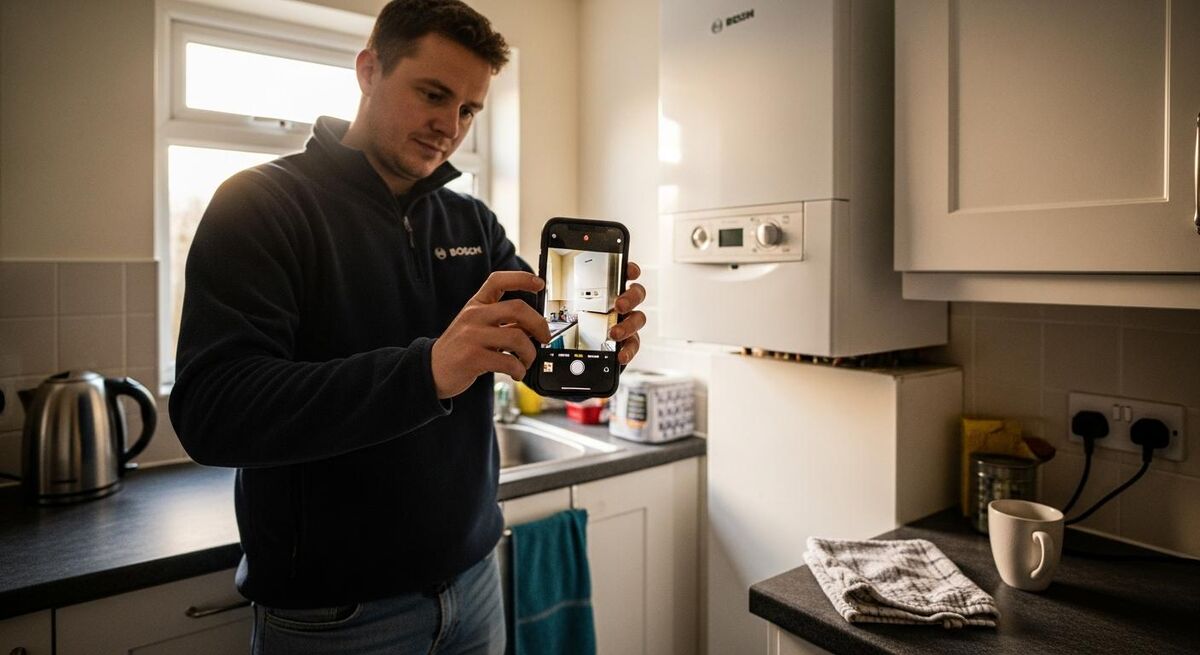
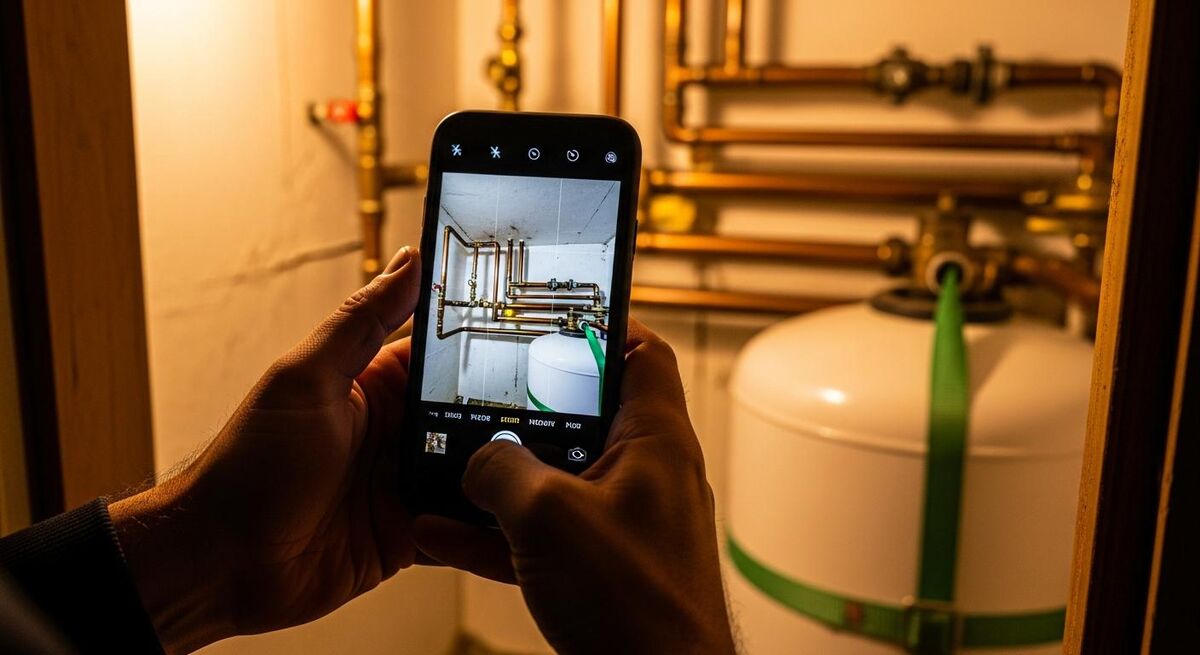
Photos first. Take 8 to 15 photos. Wide shots of the room. Close ups of the boiler badge, the consumer unit, the radiator valves, the existing pipework. If something is awkward or unusual, photograph it. AI vision is good but it cannot guess what is behind a wall.
Then a voice note. Open the voice memo app on your phone and talk for 60 to 90 seconds. Walk through the job in plain English. "Right, we are at 42 Mill Lane. Customer wants a combi boiler swap. The existing is a Worcester Greenstar 28i, ten years old, no faults but she is upgrading. The new location stays the same, airing cupboard. Flue terminates through the kitchen wall, easy access. Customer is asking for a Vaillant ecoTEC plus 832 if we can. Wants a powerflush included. Job is for week of the 15th. Bathroom radiator is corroded at the bottom, replace if budget allows."
That is your brief. Nothing technical, no formatting, no spelling. Just talk. Most phones now transcribe voice notes to text automatically.
Step 3: The five-minute quote prompt
This is where the magic happens. Open Claude or ChatGPT on your phone or laptop. Start a new conversation. Upload your price list, then upload the photos, then paste the voice note transcript and the following prompt.
The prompt below has been refined over dozens of quotes. Copy it exactly. The structure matters more than the exact wording.
You are my quoting assistant. I have attached three things:

1. My price list (PDF/spreadsheet)
2. Photos from a site visit
3. A voice note transcript describing the job

Please draft an itemised quote for the customer using:
- Items and rates from MY price list only. Do not invent prices.
- Photos to confirm what you can see (e.g. "I can see the existing boiler is a Worcester Greenstar 28i").
- The voice note as the brief.

Output format:
- Customer name and job address at the top
- One line summary of the job
- An itemised table: description, quantity, unit price, line total
- A clear labour total and materials total
- A grand total excluding VAT
- A grand total including VAT at 20%
- A short list of inclusions (what is covered)
- A short list of exclusions (what is NOT covered)
- 2-3 assumptions you have made that I should verify

If you cannot price something because it is not on my list, flag it clearly at the bottom under "Items to confirm" and leave the price blank. Do not guess.

Match the voice and tone of a professional UK trades business. No emojis. No marketing fluff. Just clear, helpful, accurate.
Hit send. Wait 60 seconds. A clean itemised quote comes back. The first one will feel uncanny. The fifteenth will feel normal.
If you want the quote to flow into an existing template, you can ask for it in markdown or HTML and paste it straight into Word, Google Docs, ServiceM8, or Tradify. Most field service apps let you import a formatted body of text into a quote draft.
Step 4: Review, edit, and send

The AI is fast. It is also wrong about 5 to 10 percent of the time. So you read every quote before you send it. This is non-negotiable.
Specifically, check three things:
- Did it use your prices? Cross reference two or three line items against your master price list. If they match, the rest probably do. If a number looks off, the AI guessed and needs correcting.
- Did it miss anything? The "items to confirm" section at the bottom is usually where this lives. If the AI flagged an unfamiliar component, decide whether to add it manually or ring the customer for clarification.
- Does the tone sound like you? Read the summary paragraph out loud. If it sounds like a marketing email, ask the AI to "rewrite this in plain UK English, no fluff". One follow-up message fixes it.
Once it reads right, copy the body into your normal quote template, attach your standard terms and conditions, and send. If you use ServiceM8 or Tradify, you can paste the items straight into the line items grid and the totals recalculate. If you are still emailing PDFs, paste into a Word doc and export.
For a more polished customer-facing template, the free ServiceM8 quote template gives you a professional layout that drops straight into your AI workflow.
Which AI tool: Claude vs ChatGPT vs in-app AI

You have three real options. Each has trade-offs.
| Option | Strengths | Weaknesses | Best for |
|---|---|---|---|
| Claude Pro | Excellent at reading long price lists. Strong at structured output (tables, bullet points). Holds context across a long conversation. | Billed in USD. No native phone integration with your field service software. UK customers need a card that handles foreign currency. | Larger jobs with detailed quotes. Anyone already using Claude for other admin. |
| ChatGPT Plus | £19.20/month UK including VAT. Mobile app is excellent. Custom GPTs let you save your prompt and price list once. | Occasionally invents line items if your price list is incomplete. Memory feature can carry old job details into new quotes if not reset. | Sole traders quoting from the van. Anyone who wants the lowest learning curve. |
| In-app AI (ServiceM8 Auto Quote, Tradify suggestions) | Quote sits directly in your job management system. No copy and paste. Inherits your existing customer record, material library, and tax settings. | Requires at least 100 completed jobs in ServiceM8 before Auto Quote generates useful output. Less flexible than general purpose AI for unusual jobs. | Established trades businesses already running ServiceM8 or Tradify daily. |
My honest take: most readers should start with ChatGPT Plus and the prompt above. It is the cheapest, easiest, and most flexible option. If you already use ServiceM8, turn on Auto Quote in parallel, it gets better as your job history grows. Claude is a power user choice for people quoting larger or more complex jobs.
If you want a deeper comparison of how ChatGPT specifically handles UK trades quoting, the dedicated ChatGPT for winning quotes guide goes into prompt variations for different trades.
Common mistakes (and how to avoid them)
Five things go wrong when people first try this. All five are fixable.
If you do not give the AI prices, it will invent them. The numbers it invents look plausible and are usually wrong by 20 to 40 percent. Always attach your price list. Every time. Set up a custom GPT or a Claude Project so it is already attached and you cannot forget.
Better to upload the price list, wait for the AI to confirm it has read it, then upload photos, then paste the voice note, then ask for the quote. Each step gives the AI a chance to flag missing context. The whole conversation still takes under five minutes.
Read every quote line by line before it goes to the customer. AI gets 90 percent right. The 10 percent it gets wrong is usually a missed exclusion or an invented item. Your eyes are still the safety net.
Customer name, address, and phone number are personal data under UK GDPR. Both Claude and ChatGPT have settings to disable training on your conversations. Turn those off in account settings before you upload anything with customer details. For most consumer trades work this is sufficient, but if you handle commercial contracts with NDAs, talk to the customer before using AI on their data.
Supplier prices shift every quarter. If your AI quotes feel slightly out of date, they probably are. Block out 20 minutes on the first of every quarter to refresh your top 30 items. That is the entire maintenance cost of this workflow.
What tradespeople are saying
This workflow is not theoretical. Trades on Reddit, in industry forums, and on Trustpilot have been experimenting with AI quoting throughout 2026. The honest verdict from people doing it: it works, with caveats.
The pattern across all these is consistent: AI works as a fast first draft, not as a replacement for trade knowledge. Use it that way and it earns its keep. Trust it blindly and you will send a quote that misses an obvious exclusion.
Recommended videos
If you prefer to watch this in action, these six videos cover everything from building your first AI quote tool to using ServiceM8's built-in quoting and uploading images to Claude.
Build Your Own AI Quote Tool in Minutes For Builders + Startups
SiteVoice

AI for Builders and Tradies: ChatGPT Basics to Business Transformation
SiteVoice

Make Money With This Make.com and ChatGPT Quote Bot
Daniel Forero

SparkyAI: AI-Powered Quoting for Electricians
Jeremy Dawes
Quick Quotes and Invoices with ServiceM8
ServiceM8

How to Upload Images in Claude AI (Full Guide 2026)
AI Mastery
Frequently asked questions
If you turn off the training and conversation history settings in your ChatGPT or Claude account, your customer data is not used to train the models. Both platforms encrypt data in transit and at rest. For domestic trades work this is sufficient. For commercial contracts with explicit NDAs, check with the customer first or anonymise the data before uploading.
About 90 percent accurate if you give it a complete price list. The 10 percent it gets wrong is usually missed exclusions or unfamiliar items. This is why you read every quote before sending it. It is a fast draft, not a replacement for your judgement.
The free tier works for occasional use but hits message and image upload limits quickly. If you write more than two or three quotes a week, the £19.20 monthly subscription pays for itself in saved time within the first day. Claude Pro at $20 works similarly.
It handles both, but commercial jobs need a more detailed price list and more time spent on the prompt. For one-off bespoke installations or commercial design work, treat the AI output as a starting structure rather than a finished quote.
Both Claude and ChatGPT read PDFs, spreadsheets, Word documents, and even photos of handwritten lists. If you have a paper price book, photograph each page and upload them. The AI will extract the items. Cleaner formats produce cleaner quotes, but anything legible works.
Auto Quote in ServiceM8 draws on your past jobs to draft quote descriptions and material lists. It needs at least 100 completed jobs in your account before the output is useful. If you are already on ServiceM8 with that history, turn it on. If you are starting out or quoting unusual jobs, general purpose AI is more flexible.
Both ChatGPT and Claude have full-featured mobile apps. You can photograph the site, upload directly from the camera roll, paste in your voice note transcript, and have a quote in your inbox before you have left the customer's driveway. Most readers end up using the phone for capture and a laptop or tablet for the final review.
You catch it during the review step. Either correct it manually in the output and resend the corrected version, or reply in the conversation with "the rate for X is actually £Y" and the AI will regenerate the quote with the correct figure. Both take under a minute.
My verdict
AI quoting is not the future. It is what your competitors are already doing. The barrier is not technology, it is the 30 minutes to build your price list document and the first three quotes where you find your prompt rhythm. After that you save two to three hours every week, every week, for as long as you stay in business.
Start with ChatGPT Plus and the prompt above. Treat it as a draft, not a finished product. Read every quote before you send it. Keep your price list current. That is the entire system. The compound effect over a year is hundreds of hours of recovered evenings, and quotes that go out the same day instead of three days later.
If you want to go further with AI in your business, the two-hour AI customer service bot build and the full AI tools guide are the natural next steps.