
Quick Answer
Claude Cowork reads the documents you already have. Emails, notes, toolbox talks, supplier instructions, scribbled procedures on the office wall. It turns them into proper SOPs, safety documents, and skill assessments. It is the desktop version of Claude with access to your local files, released by Anthropic in January 2026. A five-engineer firm can build a full training library in a weekend instead of paying a consultant five thousand pounds and waiting two months. The output is good enough that a new starter can follow it without you standing next to them. You still review every document. The AI does the typing.
Table of Contents
- Why a training library matters in 2026
- What Claude Cowork actually is
- What you will need before you start
- Step 1: Gather what you already have
- Step 2: Set up your training library folder structure
- Step 3: Generate your first batch of SOPs
- Step 4: Build the safety documents (RAMS, COSHH, toolbox talks)
- Step 5: Create skill assessment templates
- Step 6: Review, edit, and version-control everything
- Step 7: Roll it out to your team
- Common mistakes to avoid
- What tradespeople are saying
- Recommended videos
- Frequently asked questions
- My verdict
Why a training library matters in 2026
Training documentation used to be a nice-to-have. It is now a compliance requirement. The Health and Safety at Work Act 1974 has always placed the responsibility on the employer to prove their people are trained and competent, but the way that gets checked has changed. HSE inspectors in 2026 are spending less time on visible site walks and more time asking for records. They want to see a training matrix, signed-off SOPs, evidence the team has read the RAMS, and a paper trail that survives someone leaving.
The problem is the gap between what a five-engineer firm needs and what they can afford. A consultant will quote four to six thousand pounds to write you a starter set of SOPs and safety documents. They take six to eight weeks to deliver. You read them once, file them, and never look at them again because they do not sound like your business. A new starter still asks the boss, because the boss is faster than the binder.
Claude Cowork closes that gap. The procedures are already in your head, in old emails, in the WhatsApp group, in the notebook on the dashboard. Cowork reads all of it. It writes the document for you. You correct the bits that are wrong. You end up with a training library that sounds like your business, costs you a weekend, and is good enough for an HSE inspection.
What Claude Cowork actually is

Claude Cowork is a desktop application from Anthropic. It launched in January 2026 as a research preview and became more widely available in February with enterprise connectors for Google Drive, Gmail and similar services. It is the same Claude model you might already use in a web browser, but with two new abilities.
First, it can read and write files on the folders you point it at. You give it a folder on your computer, it can see the documents inside, and it can save new documents back into that folder. Second, it can run scripts and chain multi-step tasks in one conversation, so a single prompt can read fifteen old emails, summarise them, and produce three SOPs in a row.
You stay in control. Cowork only sees the folders you give it. It asks for permission before writing files. You do not need to install anything beyond the Claude desktop app and switch on Cowork in settings. A paid Claude plan is required.
What you will need before you start
This is a weekend project for a small firm. Allow about ten to fifteen hours of focused time across two days, plus a quiet office. You can do it on your own. You will get a better library if you do it with one engineer who knows the work.
- A Claude paid plan (Pro or Team), with Cowork enabled in settings
- A laptop or desktop with the Claude desktop app installed (Mac, Windows or Linux)
- A single folder on your machine called
training-library - Access to your existing documents: invoices, old quotes, RAMS, toolbox talks, training certificates, WhatsApp exports, supplier PDFs
- A printed list of the jobs your firm actually does (e.g. boiler swap, full system flush, EV charger install)
- One engineer who can answer questions when the AI gets a detail wrong
- Coffee. A lot of coffee.
Step 1: Gather what you already have
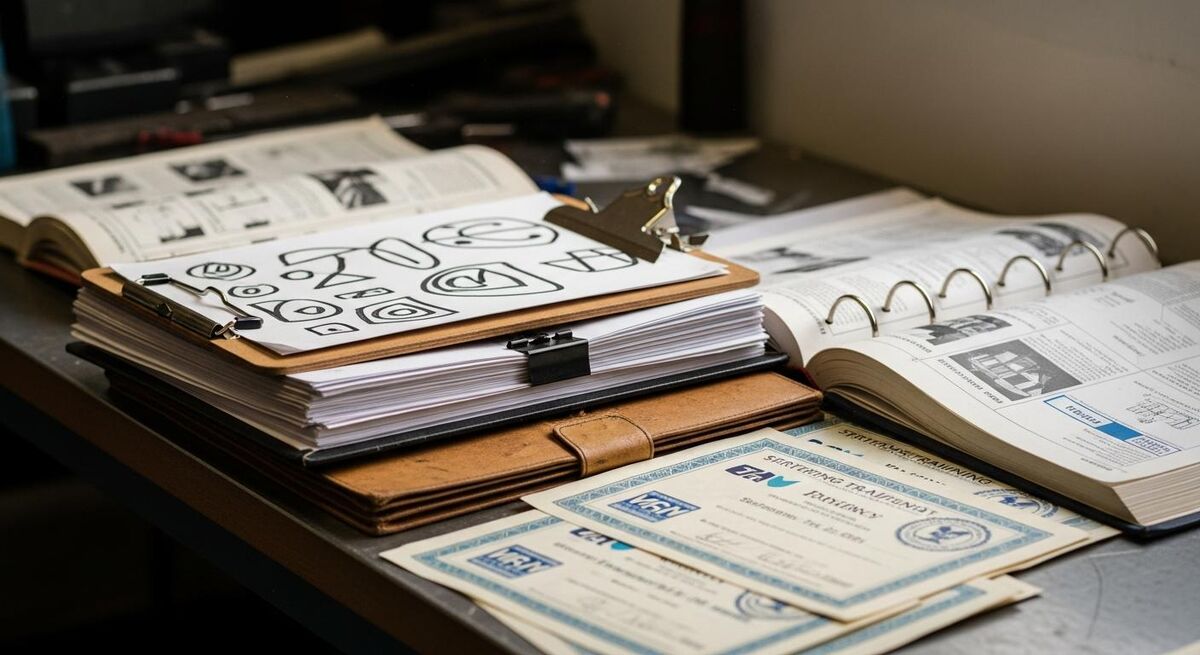
Before you open Cowork, spend two hours collecting source material into one folder. The quality of what comes out is dictated by what goes in. The good news is you do not need much. You need enough to anchor the AI in the way your firm actually works.
Pull these into the training-library folder on your laptop. Do not rename anything yet. Do not tidy up. Just dump.
- Three to five recent invoices from typical jobs
- Any existing RAMS, even if they are old or copied from a free template site
- The last twenty toolbox talk records, scanned or photographed
- Training certificates for every team member (Gas Safe, NICEIC, CSCS, asbestos awareness, manual handling)
- Supplier installation manuals for the kit you fit most often
- An export of the team WhatsApp group from the last three months. WhatsApp lets you export chat history as a .txt file. This is gold.
- A list of every customer complaint you have had in the last two years, even rough notes
If you have nothing written down at all, sit with a voice recorder for one hour and describe how you do a typical full job, start to finish. Use Whisper or any transcription tool to turn it into a text file. Drop the transcript in the folder. That one document will give Cowork enough to anchor everything else.
Step 2: Set up your training library folder structure
A training library is only useful if you can find the document when the new starter asks. Cowork will help you build the structure, but you should agree the shape first. I use four top-level folders. Anything more gets confusing.
| Folder | What lives here | Who reads it |
|---|---|---|
| 01-SOPs | Step-by-step procedures for every routine job (boiler swap, gas safety check, consumer unit change, EV install) | Engineers and apprentices |
| 02-Safety | RAMS, COSHH, toolbox talks, accident reporting, PPE policy | Everyone on site, kept current |
| 03-Assessments | Skill checklists, sign-off sheets, refresher prompts, annual reviews | Supervisors and the person being assessed |
| 04-Reference | Manufacturer manuals, BSI extracts, certificate scans, supplier contact list | Whoever needs it |
Open Cowork. Point it at your training-library folder. Give it this prompt, near enough word for word:
Create four folders inside this directory: 01-SOPs, 02-Safety, 03-Assessments, 04-Reference. Inside each, create a README.md explaining what belongs in that folder, written for a non-technical reader. Move any files I have already added into the most appropriate folder. If you are not sure where something goes, leave it in the root and list it in a file called REVIEW.md.Cowork will do all of that in one pass. You now have the skeleton.
Step 3: Generate your first batch of SOPs

Pick three jobs to start with. Not ten, not twenty. Three. Pick the three you do most often. For a heating firm, that might be a combi boiler swap, an annual gas safety check, and a system flush. For an electrical firm, a consumer unit upgrade, a domestic EICR, and a basic EV charger install.
Open a fresh Cowork session and give it this:
You are helping me build training SOPs for a UK heating firm. Read every file in this folder. Then write a Standard Operating Procedure for a combi boiler swap as the first version. The SOP must:
- Open with a one-paragraph summary of the job
- List the tools and materials needed
- List the safety checks before, during and after
- Have numbered steps with sub-steps, written in plain English
- Reference the relevant Gas Safe and BSI rules where they apply
- End with a sign-off block for the engineer and a customer handover checklist
- Match the way the documents I have given you describe similar work

Save it as 01-SOPs/SOP-001-combi-boiler-swap.md. Then write a one-paragraph summary of how this SOP was built and where the gaps are.
Cowork will produce a first draft in about two minutes. It will not be perfect. It will be eighty percent of the way there. The summary at the end will tell you what it had to guess at. That is your editing list.
Repeat for the other two jobs. By the end of the first afternoon you have three SOPs that reflect your business. They are version one. They are good enough to give to a new starter on Monday.
Step 4: Build the safety documents (RAMS, COSHH, toolbox talks)
Safety documents are where most small firms fall down on inspection. Not because the work is unsafe. Small trades firms are often safer than big ones. The paperwork falls down because the paperwork has not been touched for years. Cowork can rebuild the lot in an afternoon.
For RAMS, point Cowork at one of your existing risk assessments (even an old one) and ask it to do this:
Read the existing RAMS in 04-Reference. Using the same structure and tone, write a new RAMS for [SPECIFIC JOB, e.g. replacing a system boiler in a domestic loft]. Include:
- Description of the activity
- Hazards identified, ranked by likelihood and severity
- Control measures, with PPE and who is responsible
- A method statement broken into numbered steps
- A sign-off block for everyone on site

Save as 02-Safety/RAMS-[NN]-[short-name].md. Flag any control measure you are not certain about so I can check it.
For COSHH, list the substances your team uses. Brake cleaner, flux, jointing compound, contact adhesive, refrigerant. Ask Cowork to produce a one-page COSHH assessment for each, pulling the hazards from the safety data sheets in your reference folder. It will produce them faster than you can find the SDS in your email.
For toolbox talks, the best move is to ask Cowork to read the safety incidents you have logged in the last two years and write a toolbox talk on the two most common causes. That gives you a talk that actually applies to your team, not a generic template lifted off a free site.
Step 5: Create skill assessment templates
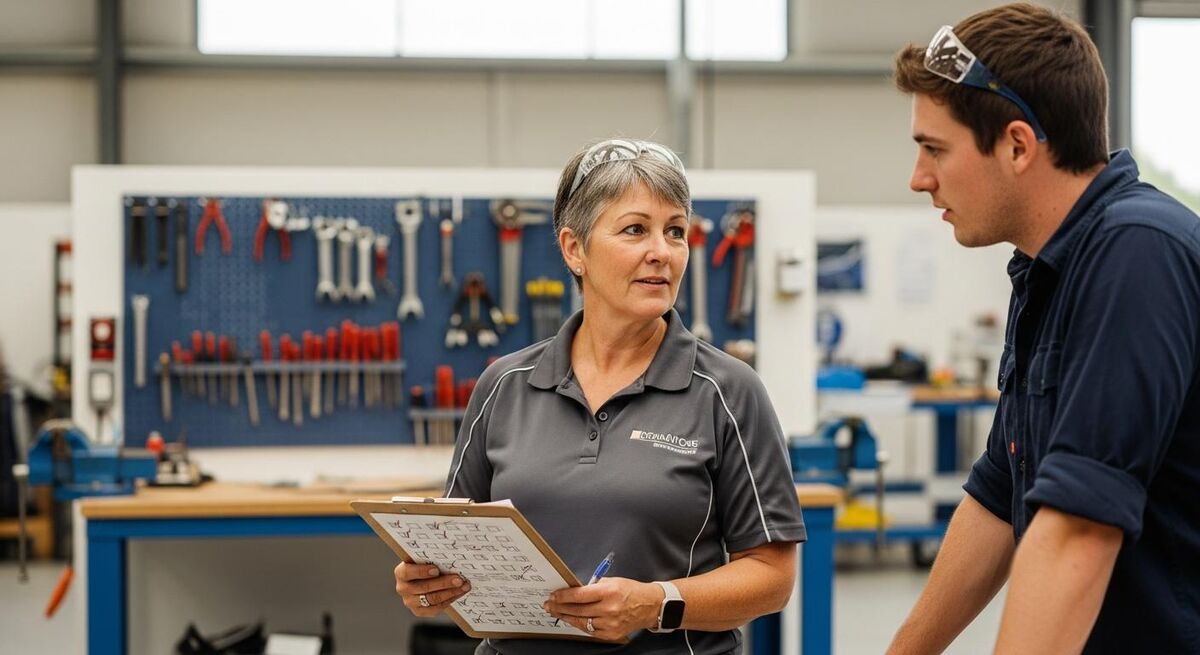
This is the bit most small firms skip. They do not assess. They watch the apprentice for a few weeks and then say "yeah, they are alright". That works until they are not alright and you cannot prove you ever checked.
A skill assessment is a one-page checklist that says: here is the task, here is what good looks like, the person doing the work has demonstrated they can do it, both they and the supervisor have signed. It does not need to be fancy. It does need to exist.
Give Cowork this prompt:
For every SOP in 01-SOPs, produce a matching skill assessment in 03-Assessments. The assessment should:
- Reference the SOP by number
- List ten to fifteen specific things the person should be able to demonstrate
- Include a column for "competent / not yet competent / needs supervision"
- Include a free-text section for examples seen
- End with a sign-off from both parties and a review date

File name format: ASSESS-[SOP NUMBER]-[short-name].md
Cowork will produce one assessment per SOP. Now you have a matched set. New starter gets the SOP, works through the job a few times under supervision, and then sits the assessment. You have proof of competence on file.
For ongoing development, set a calendar reminder to revisit each engineer's assessments every six months. AI-generated does not mean "set and forget". If something changes (new boiler model, new regulation, new method) you re-run the SOP prompt with the updated info and the assessment regenerates from it.
Step 6: Review, edit, and version-control everything
This is the bit you cannot skip. Read every single document Cowork has produced. Yes, all of them. You will catch maybe one detail per document that needs correcting. A wrong torque setting, an out-of-date regulation reference, a step that does not match how you actually do it. Those mistakes happen because the AI is working from imperfect source material. Sometimes yours, sometimes its training data. Catching them is your job.
Version control sounds heavy for a five-person firm but it is just a discipline. Every document gets a version number, a date last reviewed, and a name of who reviewed it. Cowork can add that block to every file in a single prompt:
Add a metadata block at the top of every file in 01-SOPs, 02-Safety and 03-Assessments. Format:
---
Version: 1.0
Last reviewed: [today's date]
Reviewed by: [PROMPT ME for the name]
Next review due: [today's date plus 12 months]
---
From now on, when you update a document, bump the version number and update the review date. If you are comfortable with Git, store the whole folder in a private repository so you have a history of changes. If you are not, a backup to Google Drive or Dropbox with versioning enabled does the same job.
Step 7: Roll it out to your team
The training library is worthless if it lives on your laptop. The next step is making it findable for the team. There are three reasonable options. Pick the one that matches how your team already works.
Option A: A shared cloud folder. Sync the training-library folder to Google Drive, Dropbox or OneDrive. Everyone gets read access. Lead engineers get edit access. Free, simple, fine for a team under ten.
Option B: A read-only company wiki. Tools like Notion or Confluence are overkill for most trades firms, but if you already use one for job tracking, drop the library in there. Search works better than a folder.
Option C: Inside your FSM platform. Some field service platforms have a documents tab attached to each job type. Upload the relevant SOP, RAMS and assessment to each job category. The engineer sees them on their phone when they open the job.
For most small firms, Option A is enough. Do not over-engineer this. The bottleneck is reading and using the documents, not where they live.
Run a one-hour team meeting to walk through the structure. Tell people which folder to look in for what. Explain the review cycle. Ask them to flag anything that does not match how they actually do the job. The library only stays useful if the team treats it as a working document, not a binder on a shelf.
Common mistakes to avoid
I have built training libraries with Cowork for three firms now. These are the mistakes that came up every time.
What tradespeople are saying
Recommended videos
Claude Cowork Clearly Explained (and how to use it for beginners)
YouTube tutorial · Beginner-friendly walkthrough of what Cowork is and how to set it up

Claude Cowork for Beginners: Complete Step-by-Step Tutorial
YouTube tutorial · Full setup and first workflows
Claude Cowork Full Tutorial: How to Use Cowork Better Than 99% of People
YouTube deep-dive · Workflow patterns for power users
How to Use Claude Cowork: Full Workflow Automation Guide 2026
YouTube tutorial · Building repeatable workflows for business use

My Full Claude Cowork Setup (steal my workflows)
YouTube walkthrough · A practitioner shares their own workflow library
Full Claude Cowork Tutorial: The AI That Replaces Your Assistant
YouTube tutorial · Real-world admin and documentation workflows
Frequently asked questions
No. If you can use email and you can drag a file into a folder, you can use Cowork. The setup is one switch in the Claude desktop settings. You type instructions in plain English. There is no code to write.
Cowork sends the contents of the files you reference to Anthropic for processing, in the same way the web Claude does when you paste text. Strip personal data before you load anything by replacing names, addresses and contact numbers with placeholders. Anthropic publishes their data policy on the Claude site; read it before you use it for sensitive work. If you handle sensitive customer data, look at Claude Team or Enterprise plans which have stronger commitments.
The inspector does not care who wrote it. They care that it is suitable and sufficient, current, and that the team has read and understood it. AI-generated RAMS, signed off by a competent person and dated, are fine. AI-generated RAMS, untouched, with last year's date on them, are not.
About two weekends of focused work for a starter library covering five SOPs, the matching safety documents, and a first set of assessments. Add a third weekend if you want to cover every job your firm does. The big saving is at version two and onwards, when re-running the prompts on updated source material takes minutes, not days.
A Claude Pro plan is about £18 per month. A consultant to write a starter training library is four to six thousand pounds, plus six to eight weeks. Even if you only do this once, you pay back the AI cost in week one.
You can. The reason I push Cowork specifically is the file-system access. ChatGPT and Gemini can produce SOPs from text you paste in, but you have to do the file plumbing manually. Cowork reads the folder, writes back to the folder, and chains tasks. For a one-off SOP, any of them works. For a whole library, Cowork is faster.
Yes. Give them the SOPs, the safety policy and the company handbook a week before day one. Most apprentices will read it. The ones who do not at least had the chance. It cuts the "what do I do now" questions in week one by half.
My verdict
A training library used to be a privilege of firms that could afford a consultant. It is not any more. Cowork puts proper documentation within reach of a one-van outfit, never mind a ten-engineer firm. Spend a weekend on it. Edit what comes out. Roll it to your team. Set the review reminder. You will spend less time training, less time worrying about inspections, and your apprentices will get to confident faster. That is worth a weekend of anyone's time. For more on how the next generation of trades workers responds to proper documentation, read our guide on what Gen Z workers expect from employers, and our piece on attracting young people to the trades. If you are also wrestling with the legal side of employment, our article on common dismissal mistakes covers what documentation you need on file.