

Quick answer
Cash flow forecasting doesn't have to be the thing you keep putting off. In thirty minutes you can have a working six-week forecast on a single spreadsheet, with an AI overlay on top to catch what your eye misses. This guide walks you through the exact setup we use with TrainAR partners and the four mistakes that wreck the file by week three.
Table of contents
- Why most trades cash flow forecasts collapse in week three
- What you need before you start (15-minute prep)
- Step 1: Build the skeleton (5 minutes)
- Step 2: Pour in your fixed outgoings (5 minutes)
- Step 3: Map your job pipeline (15 minutes)
- Step 4: Add the AI overlay (5 minutes)
- The numbers behind UK trades cash flow
- The four mistakes that wreck a 30-minute forecast
- What real tradespeople do
- Recommended videos
- Frequently asked questions
- My verdict
Why most trades cash flow forecasts collapse in week three

I have lost count of the cash flow templates I have started and abandoned. Either they're built for a finance department, or they're a one-page printable that tells you nothing. The version that survives in a real trades business is short, ugly and updated on a Friday morning before the kettle boils.
The reason most attempts collapse is the same every time. The owner builds something too clever in week one, then the second invoice goes late and the whole sheet stops matching reality. By week three the file sits in a tab that nobody opens, and you're back to checking the bank balance and hoping.
Late payment is the engine behind that drift. Construction is consistently the worst-performing sector in the UK for late payment, with average actual payment times of around 61 days against typical 30-day terms, according to the Small Business Commissioner. A 2026 King's Speech-confirmed reform will cap commercial payment terms at 60 days for large firms, but the day-to-day reality on a domestic boiler or a kitchen rewire is still you, the customer, and a 14-day invoice that nobody pays on time.
So the forecast has to be built for that world. Six weeks ahead, not twelve months. Updated weekly, not quarterly. And realistic enough that when a customer slips a fortnight, you spot the dip before payroll lands. If you want the strategic version, the 90-day rolling forecast is the next step up. This guide is the on-ramp.
What you need before you start (15-minute prep)
Open four things in tabs before you sit down. If you have to go hunting halfway through, the half hour turns into a Saturday afternoon.
- Your business current account online banking (last 30 days statement)
- Your accounting software dashboard, or your most recent profit and loss
- Your jobs calendar, diary, or pipeline view in your field service app
- Your standing orders and direct debits list (one screen from online banking)
Skill level: beginner. You need to be able to type a number into a cell. There is no Excel formula in this build that is more complicated than a SUM.
Tools we'll touch on but won't force you to install: Xero's built-in short-term cash flow, Float, Fluidly, Agicap, plus a chatbot for the AI overlay at the end. None of them are required for the spreadsheet build. If you are still picking your bookkeeping platform, the Xero vs QuickBooks vs Sage trades comparison covers the trade-off.
Step 1: Build the skeleton (5 minutes)
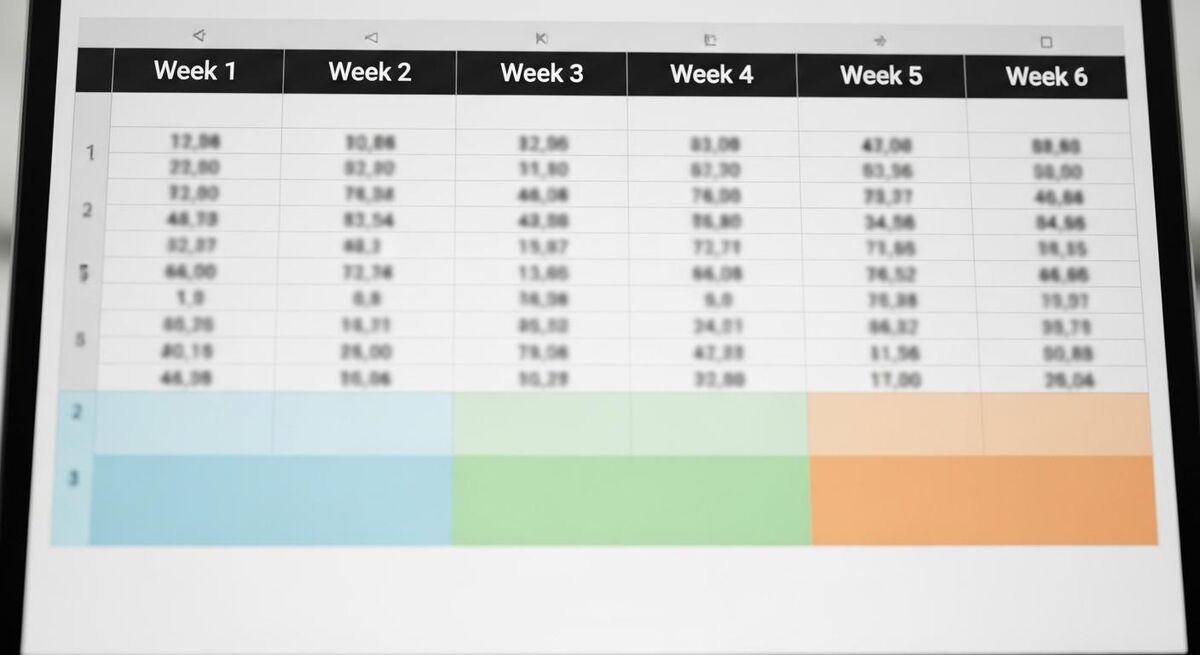
Open Google Sheets or Excel. New blank file. Save it as cashflow-2026.xlsx in the same folder as your quotes and invoices.
You want six columns across, each headed with the Monday of an upcoming week. Today, then next Monday, then the four Mondays after that. Six weeks gives you long enough to spot a problem, short enough that your numbers still mean something.
Now three blocks of rows down the page. Block one: Opening balance. Block two: Money in (one row per type of income, such as domestic jobs paid in cash, BACS from invoices, stage payments, finance company drawdowns). Block three: Money out (one row per type of outgoing). Then a final row at the bottom: Closing balance.
That is the entire skeleton. Resist the urge to add a chart, a colour code or a separate scenarios tab. You can always upgrade the file later. The number one reason trades cash flow forecasts die is over-engineering on day one.
Step 2: Pour in your fixed outgoings (5 minutes)
This is the part you can do from memory plus a glance at your bank. Anything that leaves your account on a schedule, drop it in the matching week.
For most one-van trades, that list is short. Rent or mortgage on the unit, van lease, fuel float, mobile and broadband, accounting software subscription, public liability and tool insurance, your own salary or drawings, and the standing order to whoever does your bookkeeping. Then anything quarterly: VAT to HMRC, corporation tax instalment if you're a limited company, and the trade body subscriptions that sting once a year.
Two cells get forgotten every single time. The VAT quarter due date, even if you are on quarterly cash accounting. And the National Insurance and PAYE on the 22nd of every month if you have a staff payroll. Put them in now, mark them in red, and they stop being a horrible surprise.
One more line. If you are paying down a director's loan, an equipment finance agreement, or that bounce back loan, those instalments live here too. They feel like profit when they go missing from the forecast.
Step 3: Map your job pipeline (15 minutes)

This is the bit that takes the longest, and it is the bit that matters most. Open your jobs calendar, your CRM, your Tradify, Fergus, BigChange, ServiceM8, or the back of an envelope. Go job by job for the next six weeks and ask one question: when will the money actually land in my bank?
The answer is almost never the invoice date. Domestic customers usually pay within seven days on smaller jobs, two to three weeks on larger ones. Commercial customers run on their own payment runs, often the last Friday of the month. Main contractors will pay you between 30 and 60 days after their certification window, regardless of what your invoice says.
Put each expected receipt in the week you actually think the money will hit, not the week you sent the invoice. If you are not sure, ask yourself: has this customer ever paid me on time before? If the honest answer is no, push it back two weeks.
For longer installs, split the receipts. A heat pump install that quotes at £14,000 might land as £3,000 deposit on week one, £8,000 staged payment on week three when the kit is signed off, and £3,000 final balance somewhere between week five and week eight depending on the customer. Three rows, not one. The free 3-month rolling template has worked examples for this if you want to copy the layout.
For materials deposits on the buy side, the same principle in reverse. If a kit lands on week two, the supplier's invoice usually drops at the same time but you have 30 days on account. Put the cash out in week six, not week two.
Step 4: Add the AI overlay (5 minutes)

The spreadsheet is now doing the heavy lifting. The AI overlay is what catches the assumptions you've made without realising. You have two routes: the bolt-on platforms and the chatbot.
If you live inside an accounting platform, the bolt-ons are quick wins. Xero has a built-in short-term cash flow projection covering the next 7 or 30 days for free. Float sits on top of Xero, QuickBooks Online and FreeAgent at roughly $59 a month for the Essential tier and $99 a month for Premium, with scenario planning out to three years. Agicap integrates with Xero, QuickBooks, Sage and Oracle if you have layered systems. Fluidly uses AI for predictions and ties in credit control. None of them magically fix late payment, but they automate the bit where you would otherwise be re-keying invoice dates.
The faster, cheaper route is the chatbot. Paste your forecast (just the numbers, not the names) into GPT-5 or Claude 4.7 and ask three questions. What is the lowest balance across the six weeks? Which week am I most exposed if my biggest customer slips 14 days? Which fixed cost line, if removed, would put the lowest balance back into the black?
The answers take seconds and they catch the things you've been too close to see. A useful follow-up is "what is the one assumption in this forecast that, if wrong, would break it the hardest?" The answer is almost always a specific customer or a specific stage payment. That is the cell you double-check next week. If you want to build the chatbot habit into a wider admin routine, the Claude Cowork weekly admin guide sets it up properly.
The numbers behind UK trades cash flow
The reason this thirty minutes is worth the time is in the data. UK trades sit at the worst end of every late payment statistic in the economy.
The April 2026 reforms cap commercial payment terms at 60 days for large firms and ban retentions in construction contracts, with statutory interest set at 8% above base rate. That helps if you sub to a Tier 1 contractor. It does nothing for the domestic kitchen rewire where the customer is having a bad month. Forecast for the world you actually trade in.
The four mistakes that wreck a 30-minute forecast
If you have read this far and recognised yourself in any of those, you are not alone. There is a particular trap where the busiest quarter of the year actually leaves you the most exposed, because your materials bills land before the customer pays. The Expansion Trap covers it in detail and is required reading once your forecast is up and running.
What real tradespeople do
The opinions on UK trade forums and business communities almost always land in the same place. Deposit early, invoice fast, chase faster, treat domestic credit with caution.
Recommended videos
The half-hour build is faster if you watch someone else do it once. These are the explainers I send to RAFT apprentices and TrainAR partners when they ask where to start.

Create Your Own Cash Flow Financial Forecast Using Excel
Basics of Business UK

Cash Flow Forecast for Your Business in Under 16 Minutes
Avalon Accounting
13 Week Cash Flow Forecast Template
Hands-On-Data

Off The Tools with Aaron McLeish
Wayne Bettess & Andrew Jones

Cash Flow Forecast Explained
The Finance Storyteller

Why Aaron McLeish Talks About Plumbing and Heating Businesses
Together We Count
Frequently asked questions
Six weeks is the window where your numbers still mean something. Pipeline beyond six weeks is mostly guesswork in trades. Once you have the six-week forecast running weekly, build the 90-day rolling forecast on top of it for the strategic view. Both have a job.
No. This is a job for the business owner, not the accountant. Your accountant runs the year-end and the tax return. Cash flow is a daily decision and it belongs in your hands. If you have a bookkeeper, share the file with them so they catch missed VAT and PAYE dates.
Only once your spreadsheet habit is solid. The tools are excellent but they are not magic. If you cannot maintain a six-cell weekly update on a spreadsheet, an automated dashboard will not save you. Start free, upgrade when the spreadsheet stops scaling.
Yes, with one rule. Paste the numbers, not the customer names. There is no business benefit to feeding identifiable customer data into a chatbot for a forecast review, and there is a small data-protection cost. Anonymise it and the analysis is just as good.
That is the forecast telling you something useful. Either your lead time is short and that's normal, or your pipeline is properly thin and the sales push needs to happen now. The honest answer here is more valuable than a fudged number.
MTD Phase 2 changes how often you submit numbers to HMRC. It does not change the need to forecast cash separately. The cash flow file is for you and your decisions. The MTD-compliant accounting platform is for HMRC. They feed each other, but they are different jobs.
The 2026 reforms ban retentions in construction contracts under the new payment legislation, but the ban is not retroactive on existing contracts. Where retention applies, treat it as a separate row at the bottom of money-in, with the expected release date set to the defect liability period end. Often that is 12 months out.
Especially if you're a sole trader. There is no payroll buffer, no other director to lean on, no finance team to spot a problem. You are the finance team. Half an hour now and ten minutes a week is a tiny investment for the visibility it gives you.
My verdict
Build the file today. Update it next Friday before you start work. Do it the Friday after. By the third week you will know which customers slip and which jobs land early, and you will be making business decisions on a number instead of a feeling. That is the whole point.
The AI layer is worth the time, but only on top of your own numbers. Tools are an extension of you, not a substitute. Get the spreadsheet right first, then bolt on Float or a chatbot or both. The order matters.
If you do nothing else this week, build the skeleton. Six columns, three blocks. Save it. Open it on Friday. That is enough to start.