
Quick Answer
If you run jobs through Fergus and do your books in Xero, you can wire up n8n to automatically sort every expense into the right tax category. CIS labour deductions, vehicle costs, tool purchases, materials. The whole setup costs under £30 a month on top of what you already pay for Fergus and Xero. It takes about two hours to build, and it means your accountant gets a clean, categorised expense ledger every single month instead of a shoebox of receipts at year-end.
Table of Contents
- Why automate tax deductions
- How the three-layer stack works
- Setting up the Fergus to Xero connection
- Configuring Xero for CIS and tax categories
- Building the n8n automation layer
- AI-powered expense classification
- CIS deductions: what you can claim by category
- Manual vs automated: the comparison
- Making Tax Digital: why this matters now
- Cost breakdown and ROI
- What tradespeople are saying
- Recommended videos
- Frequently asked questions
- My verdict
 Fergus
 Xero
Xero n8n
n8n HMRC
HMRCWhy automate tax deductions

Most trades businesses I talk to handle tax deductions the same way. Receipts go in a drawer, maybe a folder if they are organised. At year-end, everything gets dumped on the accountant's desk. The accountant sorts it, charges for the time, and the business owner finds out months later how much they overpaid.
The numbers back this up. UK small businesses spend an average of 120 working hours per year on admin according to Sage research from 2025. That is the equivalent of working 13 months but getting paid for 12. Financial admin alone accounts for roughly 24 of those days. And the Construction Industry Scheme adds another layer of complexity on top.
CIS subcontractors typically have between £3,000 and £8,000 in legitimate annual deductions. But a significant portion of self-employed workers miss claims they are entitled to, around vehicle costs, tool depreciation, and training expenses. That is real money left on the table because filing it properly takes time nobody has.
The fix is not to hire a full-time bookkeeper. It is to connect the tools you already use so the categorisation happens automatically. Fergus tracks your jobs and supplier costs. Xero handles the accounting. n8n sits in the middle and makes sure every transaction lands in the right tax bucket without you touching it.
A sole trader missing just £2,000 in legitimate deductions at the basic rate pays £400 more tax than they need to. Over five years, that is £2,000 in unnecessary payments, plus the time spent manually sorting what an automation could handle in seconds.
How the three-layer stack works
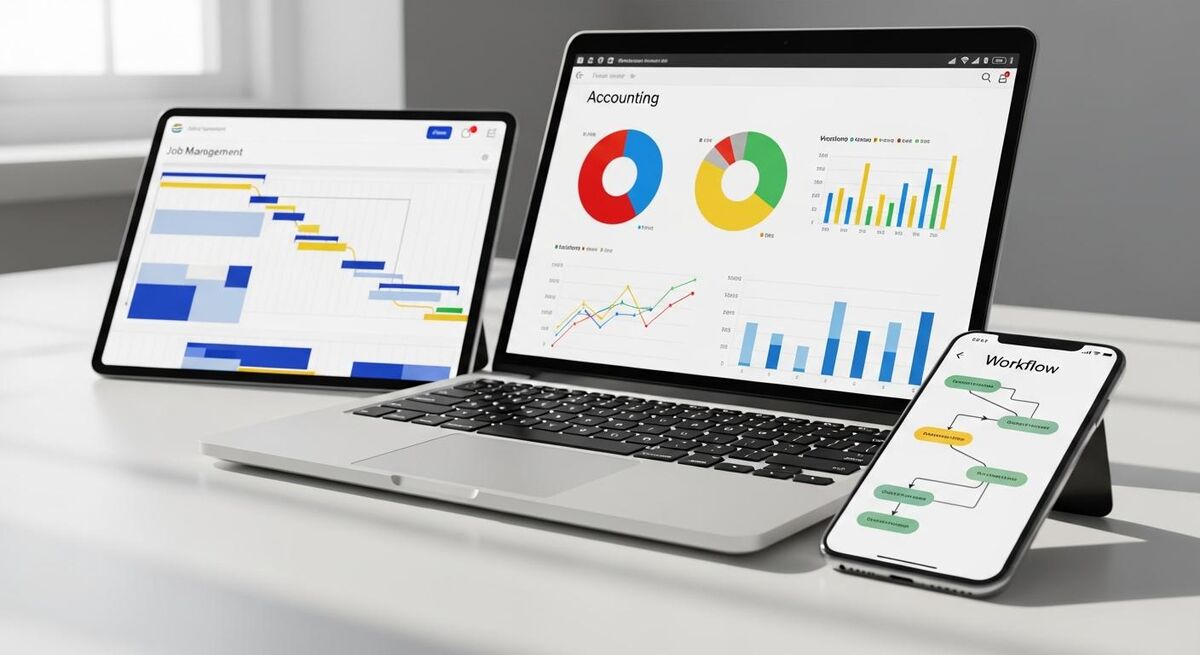
This integration has three layers, each doing what it does best. Fergus is the front end where your team logs jobs, tracks time, and processes supplier invoices. Xero is the accounting engine that holds your chart of accounts, CIS settings, and tax categories. n8n is the automation glue that watches for new transactions in Xero and applies the right category based on rules you set once.
The data flow is straightforward. When a job completes in Fergus, the invoice syncs to Xero automatically through the native integration. Customer invoices, supplier costs, and labour charges all flow across. n8n then picks up those transactions via the Xero API, analyses the line items, and assigns them to the correct tax category. CIS labour goes to one code, fuel to another, tools to a third, materials to a fourth.
The beauty of this approach is that each tool stays in its lane. You are not asking Fergus to be an accounting package or Xero to manage jobs. You are using a purpose-built connector to handle the bit that neither tool does well on its own: intelligent, automatic expense classification.
If you have read our guide to building automated P&L dashboards with Commusoft, Sage and n8n, the architecture here is similar. Same principle, different tools, different outcome. That one gives you profitability by job category. This one gives you a clean tax position by deduction type.
Setting up the Fergus to Xero connection

The Fergus-to-Xero connection is native. No middleware needed for this part. Fergus has a built-in Xero integration that handles bidirectional syncing of invoices, payments, and customer records.
Here is what syncs automatically once you connect the two:
- Customer and supplier invoices sync to Xero after you approve them in Fergus
- Payment data flows back from Xero to Fergus so your job cards show payment status
- Customer records can be imported from Xero into Fergus during initial setup
- Supplier documents including CSVs and PDFs sync across for bank reconciliation
- Account codes are mapped during setup so every line item hits the right Xero account
To set this up, go to Settings in Fergus, find the Integrations page, and select Xero. You will need to authorise the connection with your Xero login. During setup, map your Fergus revenue and cost categories to the corresponding Xero account codes. This mapping is critical because it determines which chart-of-accounts bucket each transaction lands in.
One thing Fergus does well that saves time later: it integrates with over 100 material suppliers. When a supplier invoice comes in, Fergus can auto-match it to the right job. That matched data then flows to Xero with the job reference attached, which means your n8n automation has context about what the expense was for.
Spend 30 minutes getting your Fergus-to-Xero account code mapping right during initial setup. If materials hit one Xero code and labour hits another from day one, the n8n automation layer has clean data to work with. Fixing miscategorised transactions after six months is far more painful than getting it right upfront.
Configuring Xero for CIS and tax categories
Before n8n can sort expenses, Xero needs the right structure. You need account codes that map to your actual deduction categories, and if you are a CIS contractor, you need the CIS module enabled.
Step 1: Set up your chart of accounts. Create or adjust expense accounts for each deduction type you want to track:
- CIS Labour (Subcontractor Payments) with the CIS account code enabled
- Vehicle Running Costs for fuel, insurance, road tax, servicing, repairs
- Vehicle Mileage if you use the simplified mileage method (45p per mile for the first 10,000 miles, 25p after that)
- Tools and Equipment for hand tools, power tools, and small equipment purchases
- Capital Equipment for larger purchases qualifying for the Annual Investment Allowance
- Materials and Consumables for construction materials, fixings, adhesives, paint
- Professional Development for training courses, professional subscriptions, certifications
- Insurance for public liability, professional indemnity, employer's liability
Step 2: Enable the CIS module. If you are a contractor making payments to subcontractors, add the Xero CIS Contractor add-on at £5 per month. This lets you verify subcontractors with HMRC, apply the correct deduction rate (20% for registered, 30% for unregistered, 0% for gross payment status holders), and file monthly CIS returns directly to HMRC from within Xero. For a deeper look at CIS mechanics, our complete CIS guide covers the full scheme.
Step 3: Set up bank rules. Xero's bank rules auto-categorise recurring transactions by payee name, amount, or reference. For the big suppliers you use every month, set a bank rule so Fergus-synced invoices from Toolstation always hit "Materials and Consumables" and Shell fuel always hits "Vehicle Running Costs". This handles the predictable 40-60% of transactions. n8n picks up the rest.
If you are weighing up Xero against other options, our Xero vs QuickBooks vs Sage comparison breaks down MTD readiness and CIS support across all three.
Building the n8n automation layer

This is where it gets interesting. n8n is an open-source automation platform that connects to Xero via OAuth2. It has a native Xero node for creating and updating invoices and contacts, plus an HTTP Request node that can call any Xero API endpoint including bank transactions, expense claims, and tracking categories.
The core workflow has four stages:
1. Trigger on new Xero transactions. Set up a scheduled trigger in n8n that polls Xero every hour (or every 15 minutes if you want near-real-time). The HTTP Request node calls the Xero Bank Transactions API filtered to "unreconciled" status. Each new transaction comes back with the payee name, amount, reference, and date.
2. Check against known suppliers. A Switch node compares the payee name against a lookup table you maintain in n8n (or in a Google Sheet). If the payee matches a known supplier, the category is assigned immediately. Travis Perkins goes to Materials. BP goes to Vehicle Costs. Screwfix goes to Tools. No AI needed for the predictable ones.
3. AI classification for unknowns. Transactions that do not match a known supplier get routed to an AI classification node. More on this in the next section.
4. Update Xero with the category. Once a category is assigned (by rule or by AI), n8n calls the Xero API to update the transaction with the correct account code. The expense lands in the right bucket. Your chart of accounts stays clean.
For self-hosting, n8n is free. You need a VPS (around £3 to £7 per month from providers like Hetzner or DigitalOcean) and about an hour to set up. If you prefer managed hosting, n8n Cloud starts at €24 per month for 2,500 executions. A typical trades business processing 200 to 400 transactions per month will use roughly 1,000 to 2,000 executions, well within the Starter plan.
Fergus does not currently offer a public API or webhook system. The integration path runs Fergus to Xero (native sync), then Xero to n8n (API). All of the automation logic operates on the Xero side, using the rich data that Fergus has already pushed across. This is actually cleaner because Xero is your single source of truth for financial data.
AI-powered expense classification

The AI node in n8n is what makes this system handle the 40% of transactions that do not match a simple rule. Instead of building hundreds of if-then conditions for every possible supplier, you give a language model a description of your expense categories and let it classify each transaction based on the payee name, amount, and any reference text.
Here is how to set it up in n8n:
Use the Basic LLM Chain node. Connect it to an OpenAI, Google Gemini, or Anthropic (Claude 4.5 Sonnet) endpoint. The prompt looks something like this:
You are a UK construction expense classifier. Given a bank transaction with payee name, amount, and reference, classify it into exactly one of these categories: CIS_LABOUR, VEHICLE_FUEL, VEHICLE_MAINTENANCE, VEHICLE_INSURANCE, TOOLS_SMALL, TOOLS_CAPITAL, MATERIALS, INSURANCE, TRAINING, OFFICE, OTHER. Respond with only the category code.
The model sees "Jewson Ltd, £347.20, Ref: timber order" and returns MATERIALS. It sees "Halfords, £89.99, Ref: brake pads" and returns VEHICLE_MAINTENANCE. It sees "NICEIC, £350.00, Ref: annual subscription" and returns TRAINING.
In practice, this approach classifies around 90 to 95% of transactions correctly out of the box. For the edge cases, add a confidence threshold. If the model is uncertain, route the transaction to a "needs review" queue instead of auto-categorising. You check those manually once a week, which usually means reviewing 5 to 10 transactions rather than 200.
The cost is minimal. At current API pricing, classifying 300 transactions per month through Claude 4.5 Haiku or a similar fast model costs well under £1. Even with more expensive models, you are looking at £2 to £5 per month for the AI processing.
Over time, the system gets smarter. Every manually reviewed transaction can be added to your supplier lookup table, so the same payee gets auto-categorised next month without hitting the AI node at all.
CIS deductions: what you can claim by category
If you work in construction, the CIS layer adds specific rules about what you can deduct and how. Here is the breakdown by category, with the tax treatment for each. Our guide to CIS return errors covers the compliance pitfalls in more detail.
Materials (exempt from CIS deduction, fully deductible)
Construction materials are not subject to CIS deductions at all. Only the labour element of a payment to a subcontractor attracts the 20% or 30% deduction. So if you pay a subcontractor £5,000 and £2,000 of that is for materials they supplied, the CIS deduction only applies to the £3,000 labour portion.
All materials you purchase directly are fully deductible as a business expense: cement, bricks, timber, plaster, fixings, adhesives, paint, plumbing fittings, electrical components. In the n8n workflow, these get tagged as MATERIALS and mapped to your Materials and Consumables account in Xero.
Tools and equipment
Small tools (hand tools, clamps, drill bits, measuring equipment) are deductible as an allowable business expense in the year you buy them. Larger equipment qualifies for capital allowances under the Annual Investment Allowance, which currently allows 100% first-year deduction up to £1,000,000. For most trades businesses, that cap is never going to be an issue.
From January 2026, there is also a new 40% First Year Allowance available for main-pool assets. This applies to new purchases only, not second-hand equipment.
Vehicles
You have two options. The simplified mileage method gives you 45p per mile for the first 10,000 business miles and 25p per mile after that. The actual cost method lets you claim fuel, insurance, road tax, MOT, servicing, repairs, and parking, but you must apportion for business versus personal use. If your van is used 80% for business, you claim 80% of the costs.
Vans qualify for the Annual Investment Allowance (100% first-year deduction). Cars do not. Cars go through the Writing Down Allowance: 100% for zero-emission vehicles, 18% (dropping to 14% from April 2026) for low-emission cars, and 6% for everything else.
Other deductible categories
Phone and internet (business proportion), accountancy fees, professional subscriptions (NICEIC, Gas Safe, NAPIT), public liability and professional indemnity insurance, protective clothing and PPE, travel to temporary work sites, and accommodation when working away from your normal base.
HMRC can go back six years on tax investigations. Your n8n workflow should archive categorised transaction data somewhere permanent, whether that is a Google Sheet, a database, or simply relying on Xero's own record-keeping. Do not delete old data just because the tax year has closed.
Manual vs automated: the comparison
| Task | Manual process | Fergus + Xero + n8n |
|---|---|---|
| Expense categorisation | Sort receipts by hand, type into Xero | n8n AI node reads transaction data and auto-assigns category |
| CIS deduction tracking | Calculate 20% manually, reconcile each month | Xero CIS module applies correct rate automatically |
| Vehicle cost logging | Paper logbook or spreadsheet, manual entry | Fuel and maintenance suppliers auto-categorised by n8n rules |
| Tool purchase recording | Save receipts, enter in Xero manually | Supplier invoice syncs from Fergus, n8n tags as Tools |
| Materials allocation | Match supplier invoices to jobs by hand | Fergus auto-matches 100+ suppliers, syncs to Xero with job ref |
| Monthly tax position | Wait for accountant at year-end | Running total in Xero updated continuously |
| MTD quarterly submission | Scramble to compile records each quarter | Records always current, submit from Xero in minutes |
| Time spent per month | 8 to 12 hours | Under 1 hour (reviewing edge cases only) |
Making Tax Digital: why this matters now

MTD Phase 2 for Income Tax Self Assessment went live on 6 April 2026 for anyone with qualifying income over £50,000. This is not optional. If your combined self-employment and property income exceeds the threshold, you must keep digital records and submit quarterly updates to HMRC through compatible software.
The timeline is rolling out in stages. The £30,000 to £50,000 bracket follows in April 2027. The £20,000 to £30,000 bracket in April 2028. If you are a CIS subcontractor earning decent money, you are almost certainly caught by one of these waves.
What quarterly submissions actually mean in practice: you send HMRC a digital summary of your income and expenses every three months. Due dates are 5 August, 5 November, 5 February, and 5 May. Then an End of Period Statement, then a Final Declaration by 31 January following the tax year.
The penalty system for 2026/27 has a soft landing. No penalties for late submissions in the first year. From 2027/28, it switches to a points-based system where each late submission earns a point, and at four points you get a £200 fine. Late payment penalties are harsher: 3% of the outstanding tax from day 16, rising to an annualised 10% daily rate after day 30. For the full penalty breakdown, see our MTD penalty calculator article.
The Fergus-Xero-n8n stack makes MTD compliance almost effortless. Because every transaction is categorised as it happens, your quarterly summary is always ready. You are not spending a weekend pulling records together before each submission. You open Xero, check the summary, and submit. Done.
If your income is between £30,000 and £50,000, you have until April 2027 to get your digital records in order. That sounds like plenty of time. It is not, if you are still running on spreadsheets and paper receipts. Start building the automation now while you have breathing room.
Cost breakdown and ROI
Here is what the full stack costs per month for a typical sole trader or small team:
For a sole trader on Fergus Essentials, that is roughly £55 to £59 per month all in. If you already pay for Fergus and Xero, the only new cost is the n8n hosting at £3 to £7 per month.
Prefer not to self-host? n8n Cloud Starter at €24 per month (roughly £20) covers 2,500 executions, which is more than enough for most trades businesses processing a few hundred transactions monthly.
The return is straightforward to calculate. If this system saves you 8 hours of admin per month (conservative, based on the comparison above), and your time is worth £40 per hour on a job, that is £320 per month in recovered productive time. Add the £400 to £1,000 per year in deductions you were previously missing, and the system pays for itself several times over.
Your accountant fees may drop too. A clean, pre-categorised Xero ledger takes far less time to process than a folder of unsorted receipts. Some accountants will reduce their fee by £200 to £500 per year if your records are already in order when they start the year-end work.
What tradespeople are saying
Recommended videos

Connect Xero to Fergus | Setting Up The Xero Integration
Fergus

Xero Integration With Fergus Explained
Fergus
How to operate the Construction Industry Scheme (CIS) using Xero
Jason Blackman

Construction Industry Scheme (CIS) Explained | Complete 2025-26 Guide
Pro Tax Accountant
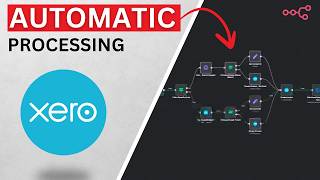
I Automated Xero Invoice Processing with OpenAI + n8n
Kris Turk
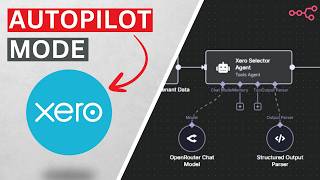
I Fully Automated Xero Multi-Client Bookkeeping (in n8n)
Kris Turk

Automate Your Expense Reports: n8n Workflow for Finance Teams
The AI Explorer

The NEW Tax System Coming in 2026 for Sole Traders: Making Tax Digital
Kiran Kaur
Frequently asked questions
No. The Essentials plan at £19 per user per month includes the Xero integration. The Pro plan adds advanced features but the core job-to-Xero sync works on Essentials.
Fergus integrates with Xero and MYOB. It does not currently support QuickBooks or Sage directly. If you are on QuickBooks, you would need to export from Fergus and import manually, which defeats much of the automation. For this stack, Xero is the right choice.
The visual workflow builder is drag-and-drop. If you can use Fergus, you can use n8n. The Xero OAuth connection takes about 10 minutes. The actual workflow logic is maybe an hour of clicking nodes together. Plenty of YouTube tutorials walk through the exact steps.
Build in a confidence threshold. Transactions the AI is unsure about get routed to a review queue. You check those once a week. And every correction improves the lookup table, so the same mistake does not happen twice. In practice, misclassifications drop to near zero within the first two months.
No. This replaces the data entry and categorisation that your accountant currently charges you for. Your accountant still handles the year-end return, tax planning, and advisory work. They just get clean, pre-sorted data instead of a mess. Most accountants prefer clients who use systems like this.
No. You must choose one method per vehicle and stick with it. The simplified mileage allowance (45p per mile for the first 10,000, 25p after) or actual running costs apportioned for business use. You cannot switch once you have started using one method for a specific vehicle.
My verdict
This is not a complicated integration. Fergus and Xero already talk to each other. n8n is the missing piece that turns raw transaction data into a categorised tax ledger. The total new cost is £3 to £20 per month depending on how you host n8n. The time saved is 7 to 11 hours per month. The deductions you stop missing could be worth hundreds or thousands per year. With MTD Phase 2 now live and quarterly submissions mandatory for higher earners, having clean, categorised records is not a nice-to-have any more. It is a requirement. Build this once, maintain it occasionally, and let it run. Your accountant will thank you. Your tax bill will shrink. And you will spend your evenings doing something more useful than sorting receipts.
Want more automation guides for your trades business?
TrainAR Academy publishes practical integration guides, tax compliance walkthroughs, and automation workflows built specifically for UK tradespeople.
Explore TrainAR Academy