

Quick Answer
A 3-month rolling cash flow forecast is the single most useful spreadsheet a trades business can keep. You list expected cash in and cash out across the next 13 weeks, by week. Each Monday you delete the oldest week, add a new one at the end, and update the numbers based on what actually happened. You always have a 13-week view of how much money is in the bank. Download the free Google Sheets and Excel template below. It is built for UK trades, with rows for CIS deductions, VAT, plant hire, and fuel, and the formulas are already in place.
Table of Contents
- Download the free template
- Why 13 weeks, and why rolling
- What is inside the template
- How to use the template, week by week
- UK trades specifics: CIS, VAT, retentions
- Using AI to auto-populate the template
- Common mistakes we see
- What other trades businesses are saying
- Videos that walk through 13-week forecasting
- Frequently asked questions
 Google Sheets
 Microsoft Excel
 Xero
XeroDownload the free template

The template is a single spreadsheet with three tabs: Forecast, Actuals, and Settings. You open it, copy it to your own Google Drive or download the Excel version, and start typing numbers in. No macros. No paid plugins. Nothing to install.
Two download options. Both are identical apart from format.
The TrainAR 3-Month Rolling Cash Flow Forecast opens in any browser. In Google Sheets, choose File > Make a copy to save your own private version in Google Drive. To use it in Excel, open the Sheets copy then choose File > Download > Microsoft Excel (.xlsx). Both versions include a worked example using a fictional UK plumbing firm so you can see how the rows and formulas behave before you clear them and add your own numbers.
If you would rather build your own from scratch, the rest of this article explains every formula, every row, and the order to fill it in. We also have a wider monthly business financial tracker for the longer-term picture and a job costing sheet for per-project profit.
Why 13 weeks, and why rolling
13 weeks is a quarter. Three months. Long enough to see VAT quarters, corporation tax payments, and the seasonal lull that hits most domestic trades in January and August. Short enough that the numbers are still meaningful. A 12-month forecast is a planning document. A 13-week forecast is an operations tool.
Rolling means you do not start over each quarter. Every Monday morning you delete week 1 and add a new week 13 at the right-hand end of the sheet. You shift everything along by one column. The forecast horizon stays at 13 weeks, always.
That weekly discipline is the point. The forecast is only useful if it is current. A spreadsheet you opened in March and forgot about by May is worse than no spreadsheet, because it gives you a false sense of safety.
What is inside the template
The Forecast tab is a grid. 13 columns down the top, one per week. Rows down the side, grouped into cash in, cash out, and balance.
Cash in rows:
- Domestic invoices (customers paying within 7 days)
- Commercial invoices (Net 30, Net 60)
- Main contractor payments (with CIS deducted, applies to subcontractors)
- Retention releases (typically 5% held back for 12 months, see the retention row)
- VAT refunds (if you are on the construction reverse charge)
- Insurance claims, grants, loans, owner contributions
Cash out rows:
- Materials and merchant accounts (Travis Perkins, Plumb Center, Wolseley)
- Subcontractor payments (with CIS withheld on labour element)
- Wages and PAYE (typically week 1 of the month, PAYE due 22nd)
- VAT bill (every quarter)
- Corporation tax (annual, 9 months after year-end)
- Fuel and van costs
- Plant hire
- Software subscriptions (job management, accounting, CRM)
- Insurance, rent, utilities
- Drawings or director loan repayments
The balance section sits at the bottom. Opening balance for the week. Plus cash in. Minus cash out. Equals closing balance. That closing balance becomes the opening balance for the next week. The formula is already wired in.
The Actuals tab has the same structure. Once a week ends, you copy the actual numbers in next to the forecast. The variance column at the right shows where the forecast was wrong. That feedback is how you get better at forecasting.
The Settings tab holds your starting bank balance, your usual payment terms, your VAT scheme, and your CIS deduction rate. Change these once and the rest of the spreadsheet updates.
How to use the template, week by week

The whole point is that this is a quick weekly job. Not a quarterly board exercise. Block 15 minutes every Monday and do these five steps in order.
Step 1. Update your opening balance. Log in to your bank account, take the cleared balance from this morning, and type it into the first week of the Forecast tab.
Step 2. Mark last week as actual. Copy the actual figures from your bank statement into the Actuals tab. Compare to the forecast. Note the variance. If you forecasted £4,200 from Mrs Patel and she paid £3,800, that is a £400 miss. Look at why.
Step 3. Shift the forecast. Delete the column for the week that has just ended. Add a new column at the right-hand end, 13 weeks out. The formulas roll along automatically.
Step 4. Update expected payments. Look at every outstanding invoice. For each one, decide which week it is likely to land in. Push commercial customers out to Net 30 or Net 60 based on their pattern, not what their terms say. Domestic customers usually pay within a week if the work was done well.
Step 5. Update expected payments out. VAT is the big one. PAYE the 22nd. Corporation tax, if it falls in the next 13 weeks. Any large material orders you know about. Plant hire bookings. Subscription renewals.
The whole job takes about 15 minutes once you are used to it. The first time will take 45 minutes because you will have to find your real numbers. After that it is rapid.
UK trades specifics: CIS, VAT, retentions

Generic small business templates miss the things that make trades cash flow different. This template is built for the UK construction and home services industries. Three areas matter most.
CIS deductions. If you subcontract under the Construction Industry Scheme, the main contractor withholds 20% or 30% of your labour element. Materials are paid in full. The template has separate rows for the gross invoice, the materials portion, and the CIS withheld. The cash you actually receive is the net figure. CIS refunds come at the end of the tax year, which is why a 13-week view often shows nothing arriving from HMRC, even though you might be owed thousands.
The construction reverse charge. Since March 2021, B2B construction services have used the domestic reverse charge for VAT. You do not charge VAT on a CIS-affected invoice. The contractor accounts for it. The cash impact is that you lose the working capital benefit of holding VAT for up to 90 days. The FSB estimated this took roughly £40,000 of rolling working capital off a £200,000-turnover firm overnight. The template has a tickbox in Settings for "construction reverse charge applies". When ticked, VAT does not flow into your cash in rows on those invoices.
Retentions. Commercial contracts often hold back 5% of the contract value as retention, released 6 to 12 months after completion. The template has a separate retentions row. You log the retention amount when the original invoice is raised, then schedule it in the right week 6 to 12 months ahead. The number is small. The pattern matters. Retentions are easy to forget, and they add up.
| Item | Where it goes | Common mistake |
|---|---|---|
| 20% CIS deduction | Reduces cash in on the week the main contractor pays | Forecasting the gross invoice as cash in |
| Reverse charge VAT | Excluded from cash in on CIS contracts | Treating the invoice value as VAT-inclusive |
| 5% retention | Logged on the invoice week, scheduled 6 to 12 months later | Showing the full invoice as cash in immediately |
| VAT bill (quarterly) | Cash out, week the VAT return is due | Setting up direct debit then forgetting it in the forecast |
| PAYE | Cash out, 22nd of each month | Lumping PAYE in with wages |
| Corporation tax | Cash out, 9 months and 1 day after year-end | Forgetting it entirely until HMRC writes |
For a deeper look at the late payment side of the picture, see our payment terms and late payment notice template. It pairs well with this forecast.
Using AI to auto-populate the template

Filling in 13 weeks of forecast figures by hand is the bit that puts people off. There is a faster way. AI tools can read a CSV from your bank, a list of outstanding invoices from Xero or QuickBooks, and produce a populated 13-week forecast in the same structure as this template.
The workflow is straightforward. Export the last three months of bank transactions as a CSV. Pull your outstanding sales and purchase invoices from your accounting software. Drop both into a chat with Claude 4.7 or GPT-5.1, along with the template structure. Ask for a 13-week forecast that follows the template's rows.
What you get back is a draft. It will be roughly right on the regular bills (rent, insurance, software). It will be approximately right on payroll. It will probably be wrong on the timing of commercial invoice receipts because the AI does not know how each of your customers actually pays. You correct those last by hand.
The point is not full automation. The point is to remove the 30 minutes of typing recurring lines into the template. The forecast is still your forecast. You still own the variances. The AI just gives you a head start.
"You are a UK trades business accountant. I am pasting my bank transactions for the last 3 months and my outstanding invoices below. Build me a 13-week rolling cash flow forecast starting next Monday. Use these row categories: [paste the template rows]. CIS deduction is 20%. Reverse charge applies to commercial construction. Output as a Google Sheets CSV with weekly columns."
If you want to go further and chain this into a regular workflow, look at our client communication template for the upstream automation. Faster invoicing means a more accurate forecast.
Common mistakes we see
We have built dozens of these for trades businesses over the years. The same handful of mistakes come up every time.
1. Using invoice date, not expected payment date. An invoice raised on the 30th of the month for a Net 30 commercial customer does not show up as cash until at least the 30th of the next month. Often later. Putting the invoice on the wrong week is the single most common mistake. Always model expected payment date, then track when it actually lands.
2. Forgetting VAT. If you are not on direct debit, the VAT return is due 1 month and 7 days after the end of the VAT quarter. Most people remember the deadline. Few model the cash out in advance.
3. Treating the bank balance as available cash. The bank balance is not your cash position. It is the bank balance. The 13-week forecast is your cash position, because it tells you what is going to happen, not what already has.
4. Not separating drawings from wages. Owner drawings or director loan repayments behave differently from PAYE wages. They are flexible. PAYE is not. Keep them on separate rows.
5. Updating only when it is bad news. The discipline only works if the Monday review happens every Monday. Including the weeks where everything is fine.
What other trades businesses are saying
Videos that walk through 13-week forecasting

UK Cash Flow Forecast Template in Excel
A step-by-step Excel forecast built for UK small business owners.
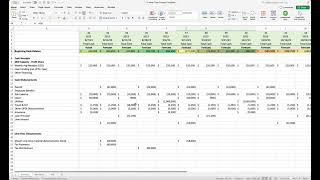
13-Week Cashflow Forecast for Small Business
Walks through the rolling forecast template for managing growth and tight cash.

Build a Cash Flow Forecast in Google Sheets
Free template included. Sixteen minutes from blank sheet to working forecast.
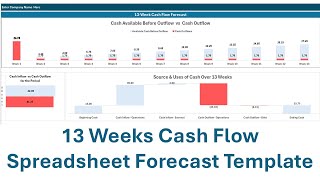
13 Weeks Cash Flow Forecast Template
Step-by-step guide for using a 13-week template to manage finances.
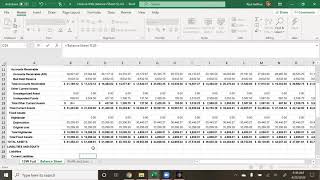
How to create a 13-week cash forecast
Covers the template, customer forecast and accounts receivable forecast.
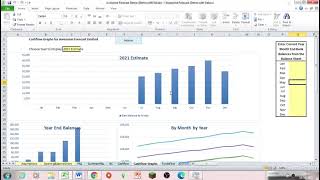
13-Week Forecast plus Daily Cash
Combines weekly forecasting with daily cash visibility for tighter control.
Frequently asked questions
13 weeks is a quarter. It is the standard treasury planning horizon and lines up with VAT quarters. 12 weeks misses one week of the quarter, 16 weeks is a full month past the quarter end, and the accuracy degrades fast past 13 weeks. Stick with 13.
Yes. The whole value of a rolling forecast is the weekly discipline. An old forecast is misleading. If you can only commit to fortnightly, run it fortnightly, but the further apart your reviews, the less useful the tool becomes.
Xero and QuickBooks both produce cash flow reports. They are based on what has already happened. A rolling forecast is forward-looking. The two are not the same thing. Use both. The accounting software gives you Actuals. The template gives you Forecast.
Both, depending on your scheme. On standard VAT, VAT comes in with customer payments and goes out quarterly to HMRC. On reverse charge contracts, neither applies because you do not charge VAT. The template has a Settings switch for this.
Most accountants recommend three months of operating costs. For a trades business, that usually means 3 to 6 weeks of wages, materials, and overheads in the bank at any time. The forecast tells you whether you are above or below that line.
Yes. The Google Sheets version is shareable with view or edit permissions. Most accountants will be happy to look over your forecast quarterly and flag the bits that look off. Send it before VAT return time, not after.
Yes. Sole traders use the same template. Skip the corporation tax row, add Self Assessment payments on account in late January and late July, and put owner drawings on a separate row from PAYE wages.
Final word
A 13-week rolling forecast is not glamorous. It is a quiet discipline that very few trades businesses keep, and the ones that do are almost always the ones that survive a slow quarter or a big late payment. Download the template, copy the worked example, and put a recurring 15-minute slot in your diary for Monday morning. Six months from now you will know exactly how much cash you have, where the squeezes are, and what to do about them, all before they happen.