
Quick Answer
Let me cut to the chase: if you are not tracking your margins on every job, you are guessing whether you are actually making money. I see this all the time at Together We Count. This free spreadsheet template auto-calculates your labour costs, materials markup, VAT, and gross profit margin in one place. Download the Excel file or open it in Google Sheets, fill in your figures, and send a professional quote in under 10 minutes. No formulas to write yourself.
Table of Contents
Download the Free Template
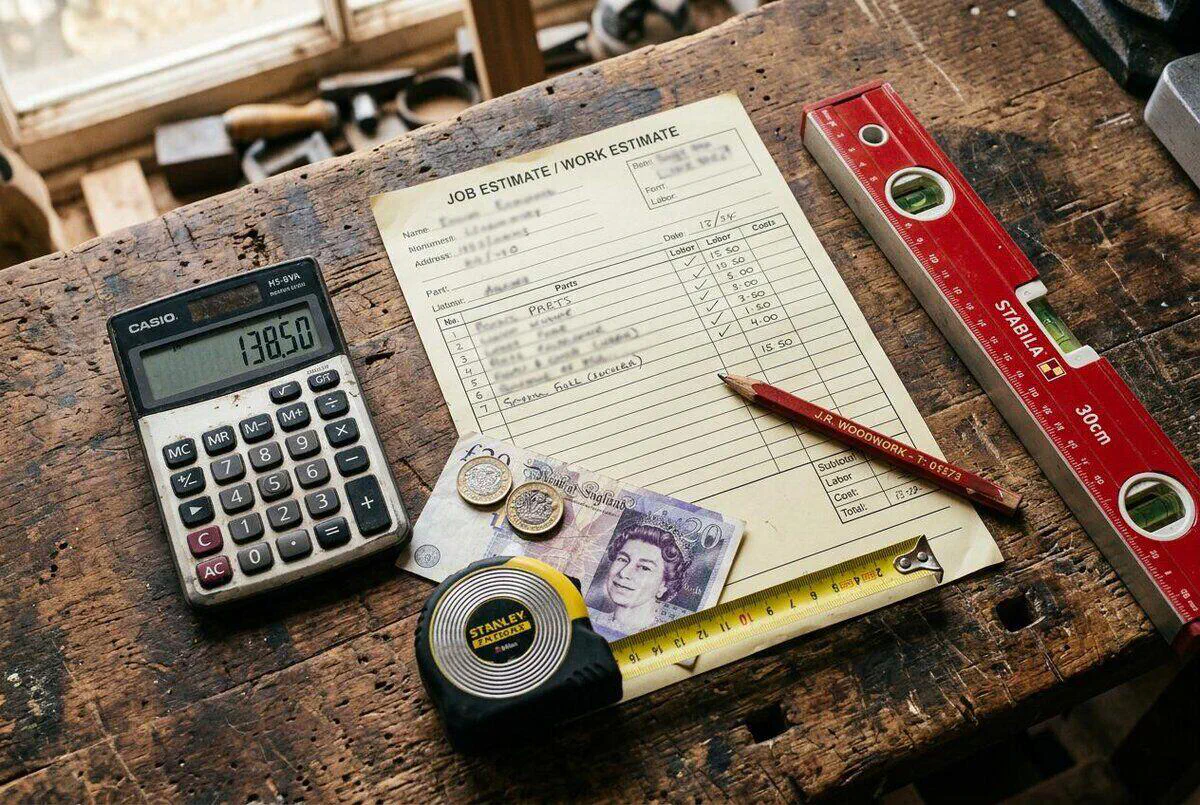
I built this template because I was tired of seeing tradespeople email rough numbers from their vans and then wonder why they were not making a profit. This template gives you a professional quote sheet that automatically totals up your labour hours, applies your rate, adds a materials markup, calculates VAT, and shows your gross profit margin at the bottom. You fill in the numbers. The spreadsheet does the rest.
The template works in both Excel and Google Sheets. One file, two options.

Google Sheets & Excel Compatible
Upload to Google Drive or open directly in Microsoft Excel
Excel / Google Sheets Template
Auto-calculates labour, materials, VAT, and profit margin. Includes a "How to Use" tab with step-by-step instructions. Download once, use for every job.
Download Free Template (.xlsx)Open in Google Sheets
Already use Google Sheets? Download the .xlsx file then upload it to Google Drive and open it there. All formulas carry over automatically.
Download & Open in SheetsHow to Open in Google Sheets
Download the .xlsx file above. In Google Drive, click "New" then "File upload" and select the file. Once uploaded, right-click it and choose "Open with Google Sheets". All the formulas work identically to Excel.
Why Most Estimates Cost You Money
In my eyes, a badly written estimate is the number one profit killer for small trades businesses. It costs you real money. Price too high and you lose the job. Price too low and you finish the job out of pocket. Most tradespeople underprice because they forget to account for their time travelling, picking up materials, or fixing snags on a previous job before they start a new one.
According to a 2025 survey, 85% of UK tradespeople said customers had pressured them to reduce their quote in the past year. That pressure only works on estimates that don't clearly break down what you're charging for. When a client sees a single number, they haggle. When they see a detailed breakdown of labour hours, rates, and materials with markup, they understand exactly what they're paying for. Our guide to project-based, day-rate, and per-square-metre pricing explains how to choose the right model before you even start filling in the estimate.
The fix is simple: stop quoting off the top of your head. A structured estimate template forces you to think through every line item before you send a number. It takes five more minutes to fill in properly, and it can be worth hundreds of pounds on a single job. If you are still running your quoting out of WhatsApp and spreadsheets, our cost comparison of WhatsApp vs job management software lays out where the breakeven point sits.

What's Inside the Template
The spreadsheet is split into three main sections: Labour, Materials, and a Summary with a profit margin checker. Here's what each one does.
Section 1: Labour
Add a description of each piece of work, the number of hours, your hourly rate, and how many workers are involved. The spreadsheet automatically calculates the sub-total, applies VAT at 20% (which you can change to 5% or 0% for qualifying work), and shows the VAT amount and total per line. Add up to 8 labour lines per estimate.
Section 2: Materials
List every material item, the supplier, the quantity, and the unit cost you paid. The spreadsheet calculates the sub-total and applies a markup percentage (defaults to 15%) to cover your handling time, van stock, and supplier account risk. You can adjust the markup per line, so a specialist part you had to order specially can carry a higher margin than standard fittings you keep in the van.
Section 3: Summary and Grand Total
The summary section pulls together your labour total (ex VAT), materials total (ex VAT), total VAT, and the gross total including VAT. Below that is the Profit Margin Checker, which shows your gross profit in pounds and as a percentage of the total revenue. This section updates instantly as you change any line item above it. Once the job is complete, you can turn the estimate into an invoice using our free UK VAT-ready invoice template.
Business Details and Quote Reference
Fill in your business name, address, phone, and email at the top, along with a unique quote reference number (e.g. Q-001). These details make your quote look professional and give you an audit trail when the customer accepts. If you are subcontracting work out, pair this estimate with our free UK subcontractor agreement template to keep the paperwork tight. The template also has a field for the quote validity date. Set it to 30 days by default, shorter if material prices are volatile.

How to Use the Template
Open the file and start on the "Job Estimate" tab. The "How to Use" tab has step-by-step notes, but here's the quick version.
- Fill in your business details: Add your business name, address, phone, and email in the header section. These appear on every estimate you send, so fill them in once and leave them.
- Add a quote reference: Give each quote a unique reference number (e.g. Q-001, Q-002). This lets you track which quotes have been accepted, rejected, or are still pending without keeping a separate spreadsheet.
- Enter client details: Fill in the client name, address, and phone number. If they came via referral, note that here too.
- Write a clear job description: Be specific. "Full bathroom refurb including new shower enclosure, floor tiling, and plastering" is better than "bathroom work". Vague descriptions get challenged.
- Complete the Labour section: For each piece of work, enter a description, how many hours (or days), your rate per hour, and the number of workers. Check the VAT rate column, which defaults to 20%, but some work qualifies for 5% or 0%. The sub-total and totals calculate automatically.
- Complete the Materials section: List every item by name, supplier, quantity, and the unit price you paid. The default markup is 15%. Increase it for specialist or ordered parts, reduce it for materials the client has priced themselves.
- Check your profit margin: Look at the Profit Margin Checker at the bottom. Healthy margins for UK trades are typically 20–35%. If yours is under 20%, either your labour rate is too low, your materials markup is too thin, or you've forgotten to include something. Feeding your completed estimates into accounting software like Xero, QuickBooks, or Sage lets you track actual margins against estimated margins over time.
- Save and send as PDF: Rename the tab with the client name and date (e.g. "Smith Kitchen March 2026"), then save as PDF (File > Download > PDF in Google Sheets, or File > Save As > PDF in Excel). Email the PDF directly from the spreadsheet or attach it to a message.
One Tab Per Job
The easiest way to organise your estimates is to keep one copy of the template as your master file and duplicate the "Job Estimate" tab for each new job. In Google Sheets, right-click the tab and choose "Duplicate". In Excel, hold Ctrl and drag the tab to copy it. Rename each tab with the client name and date so you can find them quickly.
Getting Your Margins Right
Most tradespeople focus on their day rate and forget about margin. At Together We Count, I wrote about the difference between mark-up and margin because so many of our clients were confusing the two and losing money without realising it. Your day rate covers your time. Your margin covers your van, your tools, your insurance, your accountant, sick days, quiet months, and the parts that went wrong. If you are running on a 10% margin you are one bad job away from losing money.
The Profit Margin Checker in the template shows you two numbers: Gross Profit (pounds) and Gross Margin (percentage). Gross margin is the percentage of your total quote that is profit after costs. For UK trades, here's a rough guide:
UK Trade Margin Benchmarks (2026)
Under 15%: Too thin. Review your labour rate and materials markup.
15–20%: Acceptable for high-volume, lower-skill jobs.
20–30%: Healthy range for most specialist trades.
30%+: Strong. Achievable in specialist niches, emergency work, or high-demand areas.
To improve your margin, start by raising your materials markup. Many tradespeople charge cost price on materials out of habit. A 15–20% markup on materials is entirely standard and expected. If you're currently charging zero markup on materials, adding 15% to a typical job can add £50–£200 to your margin without touching your labour rate.
The second lever is your labour rate. The National Living Wage from April 2026 is £12.71/hour. If you're paying a second-fix carpenter or apprentice, that's your floor before you've added your employer NI, pension contributions, van costs, and overhead. Your charge-out rate needs to be well above your cost rate. Most experienced tradespeople in London and the South East charge £45–£75/hour, while rates in the North and Midlands typically run £35–£60. With MTD Phase 2 penalties starting in April 2026, keeping accurate records of every estimate and invoice is more important than ever.

Using AI to Speed Up Your Quotes
The spreadsheet handles the maths. AI can handle the words. If you're spending time typing up job descriptions, itemising material lists, or writing terms and conditions, large language models like ChatGPT and Claude can cut that time in half. Our step-by-step guide on using ChatGPT to write quotes that win jobs walks through the exact prompts to use.
Here's a practical example. Take a photo of the job, describe it to ChatGPT ("600mm shower enclosure, new tiles, replace shower valve, patch plaster"), and ask it to produce a line-by-line description of the work broken down by task. Paste the descriptions into your Labour section, then fill in your rates. This works especially well for jobs with lots of small tasks that are easy to forget.
AI Prompt for Estimate Line Items
Try this in ChatGPT or Claude: "I'm a UK plumber quoting a job to replace a shower enclosure, retile a bathroom floor (5m²), and replace the shower valve. Break this into individual labour tasks with typical hours for each task for a single tradesperson. Include prep, fix, test, and clean-up."
You get a ready-made list of labour lines. Add your rates and you have a professional quote in minutes.
AI is also useful for standardising your terms and conditions. Instead of copying from an old quote and forgetting to update the payment terms, ask an AI to generate a standard set of T&Cs for a UK sole-trader electrician, plumber, or builder. Review them yourself (don't send anything you haven't read), but it's a solid starting point.
The AI angle being developed by quoting tools like Jobber and ServiceM8 takes this further by integrating with your job history to suggest materials lists based on similar past jobs, auto-filling supplier prices from your account, and generating quote text based on job photos. That level of integration is still emerging, but the free template in this article gives you the structure you need to take advantage of it when you're ready.
My Verdict
If you're still quoting jobs in your head or sending a single number via WhatsApp, this template will immediately make you look more professional and help you stop underpricing. The built-in profit margin checker alone is worth it. Most tradespeople who use it for the first time find they've been charging too little on materials.
Best for: Any sole trader or small trade business sending 2–20 estimates per month who wants a professional, structured quote without paying for software.
Time saved: 10–20 minutes per estimate versus writing one from scratch. More importantly, it forces you to think through every line item before you send it.
Money saved: Even adding a 15% materials markup to jobs where you previously charged cost price can add several hundred pounds per month in recovered margin.
When to upgrade: When you're sending more than 30 estimates per month, look at dedicated quoting tools like Jobber, Tradify, or ServiceM8 which automate client follow-up, job booking, and invoicing alongside quoting. Our free ServiceM8 quote template is a good stepping stone.
What the Community Says
UK and international tradespeople have been sharing job estimate templates and quoting tips on Reddit, TikTok, and Instagram for years. Here's what the community actually thinks about getting estimates right.
Learn From the Pros: Videos
The best way to get your estimates right is to see how experienced contractors approach the process. These videos cover everything from building your first spreadsheet to setting your rates and protecting your margins.

How to Write a Construction Estimate
Jesse Lane
419K views · 26:49

Job Cost Estimate Spreadsheet Tutorial
Cost Engineering Professional
349K views · 13:17
Project Cost Estimation Methods Explained
Cost Engineering Professional
195K views · 35:11

Create a Quote Spreadsheet in Excel
Eric Barstow
126K views · 10:09

How to Estimate Jobs as a Contractor
Cody Cockroft
64K views · 4:35

Quoting and Invoicing with Jobber
Jobber
34K views · 8:20

Construction Estimating for Beginners
SoCal Contracting Academy
52K views · 7:09
Build Better Estimates, Win More Jobs
The TrainAR Academy has free templates, pricing guides, and AI workflow tutorials built for UK tradespeople. Browse the full library and start running a tighter business today.
Explore TrainAR AcademyJob Estimate Spreadsheet FAQ
A quote is a fixed price that you're contractually bound to deliver the work for. An estimate is an approximate price that may change based on what you find on the job. In the UK, calling something an "estimate" gives you more flexibility to adjust the final invoice if the scope changes. If you're unsure of what's involved, use "estimate" rather than "quote" and note any assumptions or exclusions clearly.
Only if you're VAT registered. The VAT threshold in the UK is currently £90,000 annual turnover. If you're below this, you don't charge VAT and you should note this on your estimates. If you are VAT registered, you must charge VAT at the correct rate: 20% for standard-rated work, 5% for qualifying energy-saving work (such as heat pumps, insulation, and solar panels), and 0% for some new-build residential construction. If you work as a subcontractor in construction, remember that CIS deductions are calculated on the labour element only, not on materials or VAT. Check with HMRC or your accountant if you're unsure about the rate for a specific job.
There's no single right answer, but 15–20% is the standard range for most UK trades. The markup covers your time ordering and collecting materials, any wastage, the cost of holding stock, and the risk that prices change between ordering and invoicing. Some tradespeople charge higher markup on specialist or long-lead-time materials (25–35%) and lower on standard fittings they buy in bulk. Never charge zero markup on materials. You're providing a service that includes procurement, not just installation.
Yes. Download the .xlsx file, upload it to Google Drive, then right-click it and choose "Open with Google Sheets". All the formulas convert automatically and work identically to the Excel version. Once it's open in Sheets, you can save it as a Google Sheets file if you prefer (File > Save as Google Sheets), which means it's stored in your Google account and accessible from any device.
The easiest way is to save it as a PDF before sending. In Google Sheets, go to File > Download > PDF document. In Excel, go to File > Save As and choose PDF. Email the PDF as an attachment. If your client expects a formal quote in a specific format (for insurance or grant applications, for example), you may need to print and sign it. Always keep the original spreadsheet so you can refer back to your breakdown if there's a dispute.