

Quick Answer
Most callbacks are not caused by bad workmanship. They are caused by a small step that got skipped on a busy day. A pre-job and post-job checklist fixes that, and ServiceM8 has checklists built into the job card at no extra cost. Below is a free template pack you can copy, paste into a ServiceM8 Job Template, and have running on every job by this afternoon. It protects your margin, and it protects the thing that is far harder to rebuild than a bank balance: your reputation.
Table of Contents
- Why callbacks cost more than the rework
- What a good checklist actually does
- The free template pack
- How to import the checklists into ServiceM8
- Customise the checklists for your trade
- Turn a finished checklist into proof for the customer
- What tradespeople say
- Recommended videos
- Frequently asked questions
- My verdict
Why callbacks cost more than the rework

Ask most tradespeople what a callback costs and they will tell you the price of the part. That is the smallest number in the whole equation. The real cost is the half day you cannot bill, the job you had to push back to make room, and the customer who now watches your work a little more closely than they did before.
There is a quieter cost on top of that, and it is the one I care about most. Trust is slow to build and quick to dent. A customer who has to phone you back is a customer weighing up whether to leave a review, and whether that review has stars in it or a paragraph of frustration. The data backs this up. Research from ReviewTrackers found 45 percent of people are more likely to use a business that responds to negative reviews, which tells you how much weight buyers now put on how you handle problems. The cheaper path is not handling the problem well. It is not creating the problem in the first place.
Here is the part that should give you some hope. When you look honestly at where callbacks come from, most of them are not a skill problem. They trace back to a step that got missed because the day was hectic. The test that never got run. The isolation valve nobody double-checked. The photo that was not taken, so there is no record of how the job looked before you started. A checklist is not a comment on your ability. It is a safety net for the human day you are actually having.
What a good checklist actually does

A checklist does three jobs at once, and they all feed the same outcome. First, it makes the standard the same on every visit, whether it is you on site or the newest member of the team. Consistency is what customers actually mean when they say they trust a firm. Second, it slows people down at exactly the two moments that matter, the start and the end of a job, which is where corners get cut when you are running late. Third, it creates a record. Once an item is ticked, ServiceM8 logs who ticked it and when, straight into the job diary.
That last point is the one people underestimate. A finished checklist is not just a to-do list that went green. It is evidence. When a customer rings six weeks later convinced you never tested the boiler, you have a timestamped record that you did, with a photo attached. That single habit turns a dispute into a two-minute phone call. It is the difference between defending your work and proving it.
Checklists are built in, not an add-on
You do not need to buy anything extra. ServiceM8 checklists sit inside the standard job card. The paid Forms add-on is a separate thing for full documents like certificates and safe working method statements. For pre-job and post-job checks, the built-in checklist is all you need.
If you are already capturing detail well on the first visit, this is the natural next step. My guide on building a digital site survey in ServiceM8 covers what to capture before you quote. Checklists carry that same discipline through to the moment you pack the van.
The free template pack
Here are the two checklists. They are deliberately generic so they fit most trades, and short enough that nobody resents ticking them. Copy each block exactly as it is written. The format matters, and I will explain why in the next section, but the short version is that ServiceM8 reads the title line and the dashes and turns them into a proper checklist for you.
Pre-job checklist
Pre-Job Checks:
- Confirm the job address, access and parking with the customer
- Check for congestion or clean air zone charges on the route
- Confirm the scope of work matches the quote
- Photograph the work area before you touch anything
- Isolate services and confirm they are safe (water, gas, electric)
- Lay dust sheets and protect the customer's property
- Check the materials on the van match the job
- Agree and price any likely variations before you start
Post-job checklist
Post-Job Checks:
- Test the repair or installation and confirm it works
- Photograph the finished work from the same angle as the before shot
- Clean the work area and take all waste away
- Walk the customer through what you did and why
- Capture the customer signature on the job card
- Book the follow-up or service date if the job needs one
- Send the completion summary, then the invoice
- Log parts used, warranty details and any snags for next time
Grab the whole pack in one file
Prefer to keep a copy on your machine? The button below saves both checklists as a plain text file you can paste from whenever you build a new template.
How to import the checklists into ServiceM8

There are two ways in. The quick way puts a checklist on a single job. The clever way bakes it into a template so it appears on every job of that type without you lifting a finger. Do the clever one. Setting it up takes five minutes and then it runs itself.
- Open a Job Template: In the online dashboard, go to Settings, then Job Templates, and open or create the template for your common job type, for example a service call or a repair.
- Paste into the Description: In the template Description, paste the checklist block exactly as written above. Keep the title line ending in a colon, and keep every task on its own line starting with a dash.
- Add both lists if you want them: You can stack the pre-job and post-job blocks in the same description. ServiceM8 reads each colon title as the start of a separate, named checklist, so you get two tidy lists on the job card.
- Save the template: From now on, every job you create from that template lands with the checklists already built in.
- Or add to a single job: On any job card, open the Details tab, find Checklist, tap New Item and type your tasks. On the iOS app, save the job first, then add items the same way.
- Assign and set reminders: Tap a task to add an assignee or a reminder such as Check In, Check Out or a custom date, so the right person is nudged at the right moment.
The colon and the dash are doing the work
The title line must end in a colon, and every item must begin with a dash on its own line. Get that right and ServiceM8 builds the checklist automatically. Get it wrong and it stays as plain text. It is the fiddliest part of the whole job, so slow down for that one paste.
If ServiceM8 itself is still new to you, do not run before you can walk. My weekend setup guide on getting ServiceM8 running as a sole trader takes you from a blank account to your first invoice, and templates slot in neatly once the basics are in place.
Customise the checklists for your trade
The template is a starting point, not scripture. The best checklist is one your team helped write, because they will actually follow it. Here is how I would tailor it.
- Add the two or three items that cause your callbacks: Look at your last handful of return visits and be honest about the pattern. If it is always the same missed step, that step earns a line on the list.
- Keep each list under ten items: A checklist nobody finishes is worse than no checklist, because it teaches people to ignore it. Ruthless beats thorough here.
- Split by stage or room for bigger jobs: Because you can have multiple named checklists on one job card, a bathroom refit might have a first-fix list and a second-fix list rather than one enormous one.
- Bake in the compliance items: If your trade needs a specific test or certificate, put the reminder in the post-job list so it is never the thing that gets forgotten in the rush to the next job.
- Review it every quarter: Once a callback stops happening, that item has done its job and can sometimes come off. Checklists should breathe with the work.
Do not let the list replace the conversation
A checklist keeps the work consistent. It does not keep the customer happy on its own. The tick is for you. The two minutes walking the customer through what you did is for them. Never let the admin quietly push out the human part of the visit.
Turn a finished checklist into proof for the customer

This is where I get slightly evangelical, because it is the part most firms leave on the table. A completed checklist is a small piece of proof, and proof is what quietly builds a reputation. ServiceM8 stamps each ticked item with the staff member and the time, and it sits in the job diary alongside your before and after photos. That record is yours forever.
Use it. Before you leave, show the customer the finished work and tell them what you tested. Attach the photos to the completion summary and send it. You have just bridged the gap between the digital and the personal, and that is the bit that customers remember. The software did the remembering. You did the reassuring. Customer service like that shows you care, and caring is what gets you recommended down the street.
It also protects your cash. A job that is signed off, photographed and summarised is a job that gets paid without a fight. If you want the payment itself to run on rails too, my guide on setting up Direct Debit in ServiceM8 closes that loop. And if you want to understand why the human touch beats the automated one every time, that is a hill I will happily die on in my piece on live chat versus chatbots for trades websites.
The record settles disputes before they start
When a customer questions a job weeks later, a timestamped checklist with photos turns a potential argument into a calm, evidenced reply. That is proactive reputation management, and it costs you nothing but the discipline of ticking as you go.
What tradespeople say
These are real reviews from public software listings. I have kept the good and the bad in, because a checklist habit only helps if the tool underneath it earns its place, and no tool is perfect.
Recommended videos
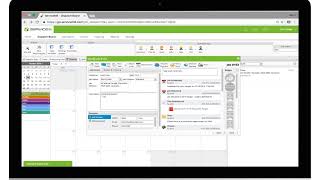
How To Create Job Checklists in ServiceM8
ServiceM8
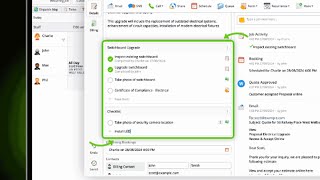
Checklists & Tasks in the Enhanced Job Card
ServiceM8
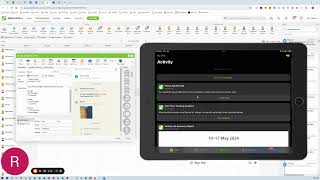
How to create Multiple Checklists
TradiePad
ServiceM8 Walkthrough: Checklists & Templates
Electrical Innovations

The ServiceM8 Setup 90% of Tradies Never Do
David List
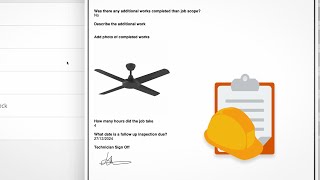
DIY Forms & Reports with ServiceM8
ServiceM8
Frequently asked questions
No. Checklists are part of the standard job card, so they cost you nothing extra. The Forms add-on is a separate paid feature for full documents like certificates and method statements. For pre-job and post-job checks, the built-in checklist does everything you need.
Yes, and this is the whole point. Paste the checklist into a Job Template's Description using the title-and-dash format, and every new job created from that template starts with the list already built in. Set it once, then forget about it.
It does. When someone marks a checklist item complete, ServiceM8 logs the staff member and the time in the job diary. That timestamped record is exactly what you want when a customer queries a job weeks later.
Not by default. The checklist is for your team. What you choose to share is the completion summary, the before and after photos, and a quick walkthrough on site. That mix of internal discipline and personal reassurance is what wins the review.
Yes. Since the 2024 update you can add multiple named checklists to a single job card, so a larger job can carry a first-fix list and a second-fix list rather than one unwieldy one. Split by stage, room or team member, whatever suits the work.
Worth knowing before you commit. ServiceM8's field app is strongest on iOS, and Android users work through the web dashboard rather than a full native app. Checklists still work, but if your team is on Android, test the day-to-day feel first.
Key Takeaways
- Most callbacks are missed steps, not bad work. A checklist is the cheapest fix you have.
- ServiceM8 checklists are built into the job card at no extra cost.
- Paste the free template into a Job Template Description and it runs on every job automatically.
- Every ticked item is timestamped in the job diary, which is proof, not just a to-do list.
- Pair the finished checklist with photos and a two-minute walkthrough to turn a good job into a five-star one.
My verdict
Set it once, protect your name forever
A checklist is not glamorous and it will not double your revenue overnight. What it does is quieter and more valuable. It stops the small mistakes that erode trust, and it hands you the evidence to defend your work when someone doubts it. Paste the template in this afternoon, tailor two lines to your own callbacks, and let it work in the background on every job. The digital record keeps you honest and covered. The human walkthrough at the end keeps the customer loyal. Get both right and the callbacks fade, the reviews climb, and your reputation looks after itself.