
Quick Answer
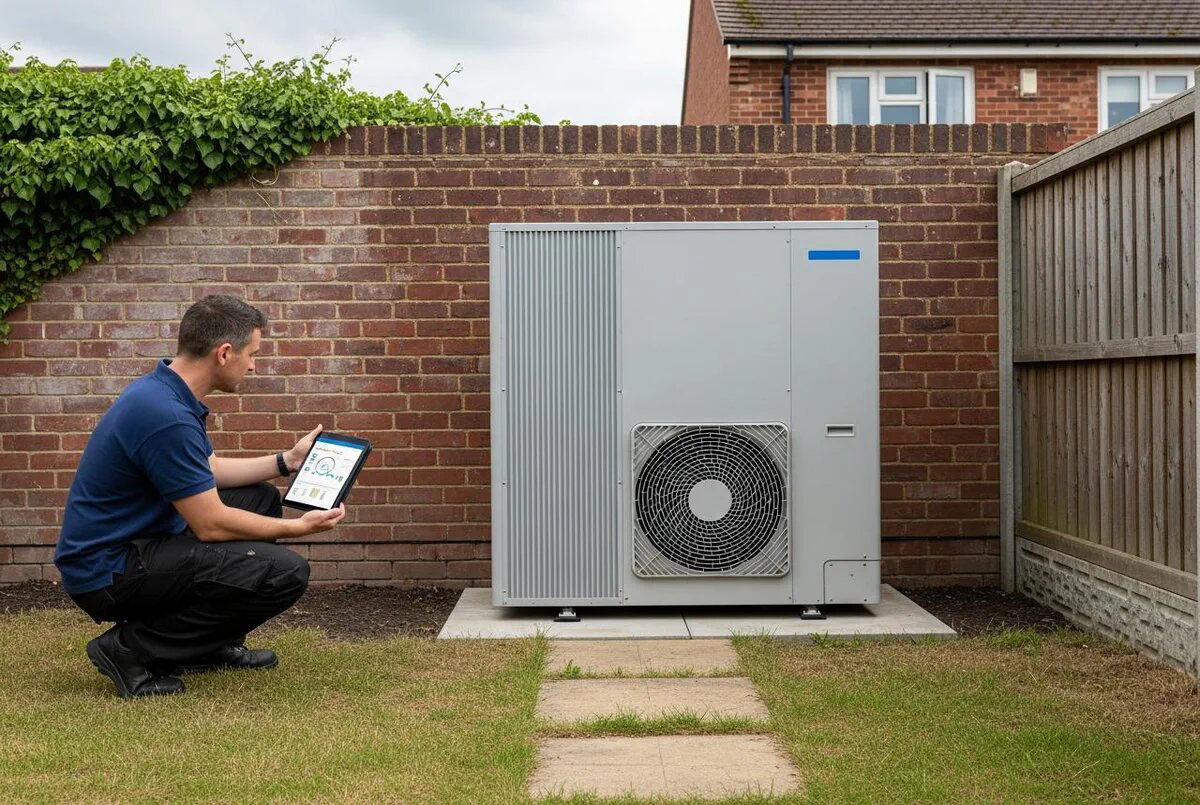
Heat pump installs are climbing fast and the warranty tail is going to bury anyone who runs maintenance reactively. The fix is to connect the manufacturer's monitoring API (myVAILLANT, Daikin ONECTA, or Mitsubishi MELCloud) into your field service platform (Commusoft or ServiceM8) through n8n. Sensor data flows in every few minutes, an AI layer flags anomalies before the homeowner notices, and the workflow drops a pre-diagnosed job onto the right engineer's schedule. Set up properly, you turn a £180 callout into a £40 planned visit and stop your callbacks running you ragged through January.
Table of Contents
- What this integration actually does
- Why the install boom makes this non-negotiable
- The three monitoring APIs you will connect to
- Hooking the data into Commusoft or ServiceM8
- Building the n8n workflow end to end
- Where AI fault prediction earns its keep
- Setting thresholds that don't cry wolf
- What this looks like in practice
- What heating engineers are saying
- Recommended videos
- Frequently asked questions
- My verdict
 Vaillant
 Daikin
 Mitsubishi
 Commusoft
 ServiceM8
 n8n
n8nWhat this integration actually does
The integration is a quiet, always-on pipeline. The heat pump sends flow temperatures, return temperatures, electrical input, defrost cycles and error codes to the manufacturer's cloud every few minutes. An n8n workflow polls that cloud, applies rules (and these days, an AI model too) to spot the patterns that lead to a fault, and pushes a pre-diagnosed job into Commusoft or ServiceM8. By the time the customer would normally pick up the phone, the engineer is already booked.
The opposite of this is the way most installers run today. Heat pump owner notices something is wrong. Hot water has gone cold, or the radiators feel lukewarm, or there is an error code on the controller. They phone the office, leave a voicemail, get a callback hours later. An engineer is dispatched without knowing what is wrong. They arrive, diagnose, often have to come back a second time with the right part. That is two visits, two trips, two invoices that customers do not want to pay.
The monitoring integration collapses that whole chain. You see the COP drift downward over four days before it becomes a fault. You see refrigerant pressure climbing. You see defrost cycles getting longer. You book the visit at a sensible hour with the right kit on the van. The customer hears from you before they would have called you.
Why the install boom makes this non-negotiable
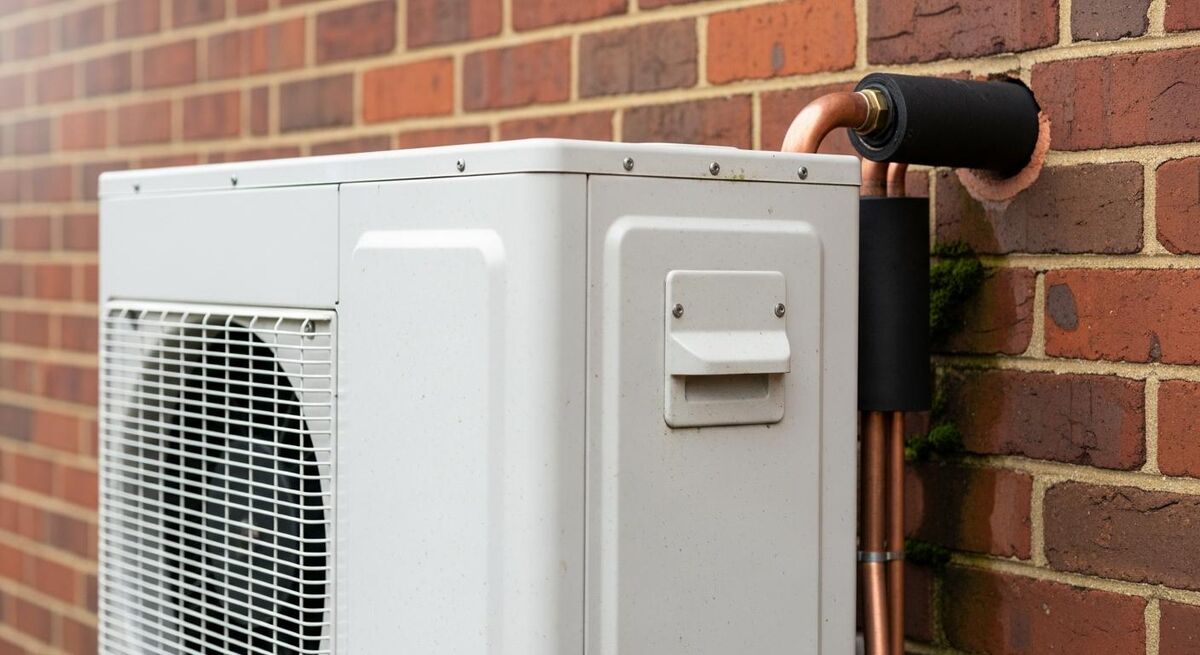
I spent fifteen years as a gas engineer before any of this technology was a serious option. The reactive maintenance model worked, just about, when boilers had two failure modes and could be fixed in a single visit. It breaks the moment you bolt a more complex system to it.
The numbers are clear. MCS certified more than 60,000 heat pump installs in 2025, a 7% rise on 2024, and the Boiler Upgrade Scheme has now paid out for over 67,000 installations since 2022. October 2025 alone produced 3,350 paid redemptions, the highest single month so far. The Warm Homes Plan published in January 2026 holds the target at 450,000 a year by 2030. Whatever you think of those numbers being met, the trajectory is upward.
Every one of those installs is a customer who will, at some point in the next two decades, need somebody to come and look at it. A heat pump has more moving parts than a boiler, more software, more sensors, and a much wider range of failure modes that are not obvious from the controller. The engineers who installed them are not, in the main, scaling their maintenance teams at the same rate as their install teams.
Remote monitoring is how you bridge that gap. You do not need more engineers in vans. You need the ones you have to be in front of the right job, with the right parts, at the right time. That is what this integration does.
The three monitoring APIs you will connect to
Each manufacturer does this differently. The three you will hit most often are Vaillant's myVAILLANT API, Daikin's ONECTA Cloud API, and Mitsubishi's MELCloud. None of them was designed for field service integration, but all three can be made to do the job.
Vaillant myVAILLANT (aroTHERM and aroTHERM Plus)
Vaillant runs a developer programme at developer.vaillant-group.com. You apply for credentials, get OAuth tokens, and poll the API for system data including flow and return temperatures, COP estimates, error codes and consumption. The catch: Vaillant has tightened API quotas hard. Some endpoints are now limited to one call per hour, and aggressive polling will get you rate-limited fast. Tune your polling to once every five to ten minutes per unit and turn off the optional data streams you do not need.
Daikin ONECTA (Altherma range)
Daikin's developer portal is at daikin.eu's developer area. You need a Daikin Onecta account first, then accept either the Developer Terms (private use) or sign the ONECTA Cloud API License Agreement (business). The API gives you flow temperatures, setpoints, mode states and energy used. What it does not give you is heat produced, which means you cannot calculate a true COP from API data alone. To do that, you need a separate heat meter, which is worth installing on commercial sites anyway. The ONECTA Cloud API is EMEA-only, which is fine for UK work.
Mitsubishi MELCloud (Ecodan)
MELCloud is the consumer app, but the same backend runs an installer portal. There is no official public REST API documented for installers in the same way Vaillant and Daikin do it, but the platform supports installer-level access for systems registered to your business. Mitsubishi's documented fault codes (F3 low-pressure switch, F5 high-pressure switch, L3 circulation overheat, E6 indoor/outdoor communication) are easy to parse and act on once you can read them. Several integrators use a polling-based shim against the consumer API endpoints, but for a serious deployment talk to your Mitsubishi rep about installer-tier access.

The reality is that most installers running a mixed portfolio end up with all three feeding into the same n8n instance. That is fine. n8n handles credential storage per workflow, and you can run a separate trigger node per manufacturer feeding into a shared processing pipeline.
| Capability | myVAILLANT | Daikin ONECTA | Mitsubishi MELCloud |
|---|---|---|---|
| Public developer portal | Yes (formal programme) | Yes (formal programme) | No (installer access by request) |
| Flow and return temps | Yes | Yes | Yes |
| True COP available | Estimate only | No (needs external heat meter) | Estimate only |
| Error codes | Yes | Yes | Yes (F, L, E series) |
| Polling quota | Tight (1/hour on some endpoints) | Moderate | Moderate |
| OAuth tokens | Yes | Yes | Username/password proxy |
Hooking the data into Commusoft or ServiceM8
The field service platform is the destination, not the source. The job of the FSM is to take the structured alert that comes out of n8n and turn it into a scheduled, dispatchable job with the right engineer, the right parts, and the right priority.
Commusoft route
Commusoft's API is good. You can create jobs, attach diagnostics notes, assign to engineers based on skills, and trigger their Customer Journey workflows automatically. For a heat pump portfolio, you want a Customer Journey plan or above (around £55 per user per month) because that unlocks the asset tracking, planned maintenance scheduling, and reporting features that make the rest of this work. The asset side is critical: each heat pump becomes a record in Commusoft, linked to the customer, with its serial number, install date, warranty status, and maintenance history all in one place. When the n8n workflow fires a new job, it attaches to that asset, not just the customer.
ServiceM8 route
ServiceM8 is leaner, cheaper, and very strong on the mobile side. The Premium Plus plan at £119 a month (unlimited users) includes the smart inbox, asset management, and badges that you need to make this work. ServiceM8's webhooks are excellent: register for job.created, job.updated and queue.changed events, and n8n can react in either direction. The asset model is a bit lighter than Commusoft's but it does the job, especially if you tag each unit with the manufacturer and model so the workflow knows which API to query.
For a business with a portfolio under about 150 units, ServiceM8 is probably the right answer. Cheaper per month, faster to set up, and the mobile experience is excellent for engineers on site. Above that, Commusoft's reporting, asset tracking and integration depth start to matter more, and the per-user pricing actually works in your favour because you have more engineers using it.
If you already have one of these platforms in place, do not switch just for this integration. Both can be made to work. The decision is about your existing ecosystem, not the monitoring side.
Building the n8n workflow end to end
The workflow has five logical stages. Trigger, fetch, classify, decide, dispatch. Build them as separate function blocks in n8n and you can swap any one of them later without rewriting the others.
- Schedule trigger: Set the trigger to fire every five minutes for premium customers, every fifteen minutes for standard. Per-customer schedule rules keep API quotas under control and let you charge higher service tiers a real differential.
- Manufacturer API fetch: Three branches, one per manufacturer. Each one authenticates with stored OAuth credentials, pulls the current state for every asset tagged to that manufacturer in the FSM, and outputs a normalised JSON payload (flow temp, return temp, COP, error codes, last update timestamp).
- Anomaly classification: The decision logic. Hard fault codes from the manufacturer go straight through to dispatch. Soft anomalies (COP drift, flow temperature deviation, defrost frequency) go through an AI node or a rules engine to decide whether they need a callout, a flag, or nothing.
- Severity routing: A switch node maps the classification to one of four severities: emergency (no heating in winter, hot water failure with vulnerable customer), urgent (degraded performance, short cycling), planned (efficiency drift, calendar-driven service due), informational (logged but no action).
- FSM job creation: POST to Commusoft or ServiceM8's API to create the job. Include the diagnosis summary, the suggested parts list, the priority, and a link back to the n8n execution log. Trigger an SMS or email to the customer for the higher severities only.
One small thing that matters: build a kill switch. A toggle in n8n that pauses all FSM job creation while still logging incoming data. The first time the manufacturer pushes a buggy firmware update and 60 of your units throw spurious error codes at 2am, you will be glad you have it.
Where AI fault prediction earns its keep
The hard fault codes are the easy part. F3 means low pressure, you book the visit, you fix it. The interesting work is in the soft signals: the things that say a system is degrading but is not yet broken. That is where an AI layer earns its keep.
The pattern that matters most is COP drift. A well-installed aroTHERM or Altherma should sit consistently around a seasonal COP of 3.5 to 4.5 depending on emitter temperature. If you see that number drop from 3.8 to 3.3 over three weeks with no change in outside temperature, something is wrong. It might be the filter, it might be air in the system, it might be a refrigerant issue. By the time it manifests as a fault code, you have lost months of efficiency and the customer has lost confidence.

What works for us at TrainAR is feeding seven days of per-unit telemetry into a Claude 4.x or GPT-5 call once a day, with a structured prompt that asks for anomaly detection and a confidence score. The model gets the COP trend, the flow temperature curves, the defrost frequency, the error code history, and a baseline of what a healthy unit on the same site type should look like. It returns a short structured response: green, amber, red, with reasoning.
That is the bit that gets logged into Commusoft or ServiceM8. Amber gets surfaced to the customer service team to triage. Red creates an urgent job. Green is logged for the audit trail.
The output is not magic. Half the time the AI flags something that turns out to be the homeowner changing the setpoint. The other half, it catches things a human would not have spotted across a 200-unit portfolio. For the cost (around 30 to 50 pounds a month at current OpenAI and Anthropic pricing for a portfolio that size) it is some of the highest-return AI work you can do in a trades business right now.
Setting thresholds that don't cry wolf
The fastest way to kill this integration is to fire too many alerts. Engineers stop trusting them within a fortnight. The customer service team starts ignoring tickets. The whole thing becomes noise.
Three rules I have learned the hard way. First, no alerting for the first 48 hours after install. New systems throw all sorts of error codes while they settle in, the homeowner is still learning the controller, and most "faults" in week one are user behaviour. Second, deduplicate within rolling windows. If the same unit throws three separate alerts within 24 hours, that is one job, not three. n8n handles this neatly with a Function node that tracks recent alert IDs per asset.
Third, and most important, separate the engineer-facing alerts from the customer-facing ones. An engineer should see every amber and red. A customer should only ever hear from you when there is something they need to know, and they should hear it from a human (or a well-written automated message in your brand voice), not from a raw machine-generated string.
If you want a quick, broader playbook on building automation that does not annoy people, the 10 essential zaps every trades business should run piece covers the principles. The same logic applies whether you are using Zapier, Make.com or n8n; this integration just sits at the more technical end of that spectrum.
What this looks like in practice
A medium-sized installer in the south-west with 220 units under maintenance moved their full Vaillant and Daikin portfolio onto this kind of pipeline late in 2025. Their starting point was the typical mess: paper service records, a Google Sheet of MCS install dates, and one engineer who knew most of the customer histories in his head.
The first month was a triage exercise. The AI flagged 14 units with COP drift outside of expected ranges. Six turned out to be airlocks or under-filled systems left over from install. Three were filters. Two were genuine refrigerant issues caught well before the manufacturer's warranty triage process would have noticed. The remaining three were homeowner setpoint changes that did not need an engineer at all.
By month three, the team had moved from a 70/30 reactive-to-planned ratio to 30/70. Three engineers who were running ragged in January became two who were comfortable. The third was redeployed to install work, which is where the margin is anyway.
If you want the broader playbook on hooking field service data into accounting and operations, the automated profit-and-loss by job category guide is the natural companion to this one. And if you are using ServiceM8 and want to layer in an AI-driven dispatch assistant, the OpenClaw + n8n + ServiceM8 build walks through that side of the stack.
What heating engineers are saying
Recommended videos
sensoAPP vs myVAILLANT App for aroTHERM Plus
Heat Geek
myVAILLANT app dashboard overview
Vaillant UK
Daikin Altherma + Home Assistant via Onecta Cloud
Smart Home Junkie
Getting started with the Daikin Onecta app
Daikin

Commusoft tutorial for beginners
Commusoft

The ServiceM8 setup most installers never do
Tradies Success

Custom Heat using Commusoft Customer Journey
Commusoft
Frequently asked questions
For Vaillant and Daikin, yes. Both have formal developer programmes and you need credentials. For Mitsubishi, talk to your account manager about installer-tier MELCloud access; there is no public self-service portal in the same way. None of these are expensive, but they take a few weeks of back-and-forth to get set up properly, so start that process before you build anything.
Around 50 units is the lower bound where the time saved beats the time spent building. Below that, you are better off relying on the manufacturer's installer portal and a strong planned-maintenance schedule. Above 200 units, it is hard to imagine running maintenance reactively at all.
Yes, and most installers' portfolios are mixed. Each manufacturer becomes a separate fetch branch in n8n, but the classification, severity routing and FSM dispatch all share the same downstream nodes. The asset record in Commusoft or ServiceM8 carries the manufacturer tag so the workflow knows which API to query.
It catches roughly two thirds of real degradation issues before they become hard faults, in the installers we have worked with. The false positive rate sits around 30 to 40% in the first month, then drops to under 20% once you have refined the prompt with engineer feedback. That is still not perfect, but it is well above what you can do with fixed thresholds alone.
It will happen. Vaillant tightened their quotas in 2024, Daikin restructured their developer portal in early 2025. Build the fetch branches as isolated function blocks so a single one can be swapped without touching the rest of the pipeline. Subscribe to each manufacturer's developer mailing list and budget half a day every quarter for maintenance on this side.
Yes, and you should. A tiered maintenance contract that includes remote monitoring is an easy sell, especially to customers who are nervous about their new technology. £15 to £25 a month on top of an annual service contract is a sensible price point. The MCS-certified install plus a monitored maintenance plan also strengthens any future warranty claims, which homeowners appreciate.
My verdict
The technology to do this has been mature for about 18 months. The install volumes that justify it have just arrived. The installers who build this pipeline now spend the next three years pulling ahead of the ones who carry on running maintenance reactively, and the gap compounds with every install. Start with one manufacturer, the platform you already use, and a small subset of your portfolio. Get the pipeline working end to end before you scale it. Build the kill switch. Capture the engineer feedback. Then expand.