

Quick Answer
A digital site survey is a form you build once in ServiceM8 and run on your phone or tablet during the first visit. It captures the measurements, the photos, the access notes, the existing kit and a customer signature in one pass, then turns your answers into a professional PDF that saves to the job diary. Do it properly and you walk away from that first visit holding everything you need to price the work the same day, while the customer still remembers you and nobody else has quoted yet. That is the whole game. The job usually goes to whoever gets a clear, professional quote in front of the customer first, and a good survey form is how you get there before the next trade has even found their notepad.
Table of Contents
- Why the first visit decides the job
- What a digital site survey actually does
- What you need before you build it
- Step 1: create the form and set the badge
- Step 2: add the fields that capture the job
- Step 3: add photos, conditions and the signature
- Step 4: run it on site and turn it into the quote
- Your first-visit survey, start to finish
- What it costs and the plan you need
- Common mistakes that cost you the job
- What tradespeople are saying
- Recommended videos
- Frequently asked questions
- My verdict
Why the first visit decides the job

Picture the customer's Tuesday. They have asked three trades to come and look at the same job. You turn up, have a good look, say you will get a quote over, and drive off. So does the next one, and the one after that. Now the customer waits. Whoever gets a clear, professional quote back first, while the memory of a tidy, confident visit is still fresh, tends to walk away with the work. Speed-to-lead research puts it bluntly: the contractor who responds first wins the job around 78% of the time.
The problem is that most quotes do not go out fast, because the survey was never captured properly. You get back to the van, or worse, back home at nine that night, and you are squinting at a photo you half remember taking, trying to recall whether the run was six metres or eight, and where exactly the meter was. So the quote sits in the "I will do it at the weekend" pile, and by the time it lands the customer has already said yes to someone else.
This is the pattern I keep coming back to in my own work. The right technology should bridge the gap between the digital and the personal, not widen it. A digital site survey does not replace the human part of the visit, the reading of the room, the reassurance, the honest advice. It clears away the admin around it, so the survey you do with your eyes and your experience actually gets written down once, cleanly, and turns into a quote while the customer is still keen.
What a digital site survey actually does
In ServiceM8, a Form is a structured set of questions your field staff step through on the app. You build it once. From then on, every survey follows the same path: the same questions, in the same order, with nothing forgotten. When the questions are answered, ServiceM8 turns them into a professional PDF, branded with your details, and saves it straight to the job diary where you can email it to the customer or keep it as a record.
The point of a site survey form, specifically, is to capture everything a quote needs in a single visit. Measurements, the type of system already installed, access and parking notes, photos of the meter or the boiler or the loft hatch, and the customer's sign-off on what they actually asked for. Get all of that on the form and you never have to make a second trip because you forgot to check the fuse board. You price from a complete picture, which means the quote is accurate, and an accurate quote is one you do not have to walk back later.
There is a quieter benefit too. A customer who watches you work through a proper digital survey, snapping photos and capturing their signature on a tablet, forms a view of you before you have said a word about price. You look like a business that has its act together. That impression is doing a lot of the selling, and it costs you nothing but the twenty minutes it takes to build the form in the first place.
What you need before you build it
Have these in place before you start, because two of them decide whether the Forms feature even shows up in your account.
- A ServiceM8 account with the job side working. Forms sit on top of a running system, so get the basics solid first. My guide on setting up ServiceM8 in a weekend without paying a consultant takes you from a blank account to your first invoice.
- A plan that includes electronic Forms. Forms are a paid feature. They are fully unlocked on the Growing plan, which is around fifty-nine pounds a month excluding VAT. If you are on the free or entry tier, you will need to move up before the Form editor appears.
- The Forms add-on installed. Once you are on the right plan, install Forms from the Add-ons area. It takes one click.
- A clear idea of your own quote. Before you build the form, write down every single thing you need to know to price a typical job. That list is your form. Skip this and you will build a survey that misses the one measurement you always need.
Step 1: create the form and set the badge
Open the Add-ons area, go into Forms, and create a new Form. When ServiceM8 asks how you want to produce the PDF, choose the automatic option. This uses an auto-generated template, which means you get a clean, professional PDF out of the box without touching Microsoft Word or fiddling with merge fields. You can always upload a fully branded Word template later once the form earns its place. For now, automatic gets you live fastest.
Give the form a name your team will recognise on the app, something like "First-Visit Site Survey". Then set the Badge. This is the part people skim past, and it matters more than the questions. A Badge is how the form attaches to a job, and you can set it to be optional, mandatory when the engineer checks in at the start of the job, or mandatory when they check out at the end. For a first-visit survey, set it to mandatory at check-in. Now the form cannot be quietly skipped. The moment your engineer starts the job on the app, the survey is sitting there waiting to be done.
That single setting is what turns a nice-to-have into a habit. A form that staff have to go looking for gets used when they remember. A form that is mandatory at check-in gets used every single time, which is the only way the data is worth anything.
Step 2: add the fields that capture the job
Now build the questions. ServiceM8 gives you a handful of field types, and each one does a specific job on a survey. Use the right type for each question and the form flows quickly on site instead of turning into a typing exercise in someone's kitchen.
- Multi-line text for the things that need describing: scope of works, the condition of what is already there, access and parking notes.
- Number for anything you measure: cable runs, pipe lengths, load, radiator counts, distances. Numbers price the job, so give each measurement its own field.
- Date for the survey date and the proposed start date, so the paperwork stamps itself.
- Multiple choice for the recurring decisions: property type, consumer unit type, system type, single or three phase. A tap beats typing, and it keeps the answers consistent across every survey.
Then mark the questions that actually decide the price as mandatory. If you cannot quote without knowing the consumer unit type, make that question compulsory. The form will not submit until it is answered, which means the "I will check that later" moment never happens, because the app will not let it.
Step 3: add photos, conditions and the signature
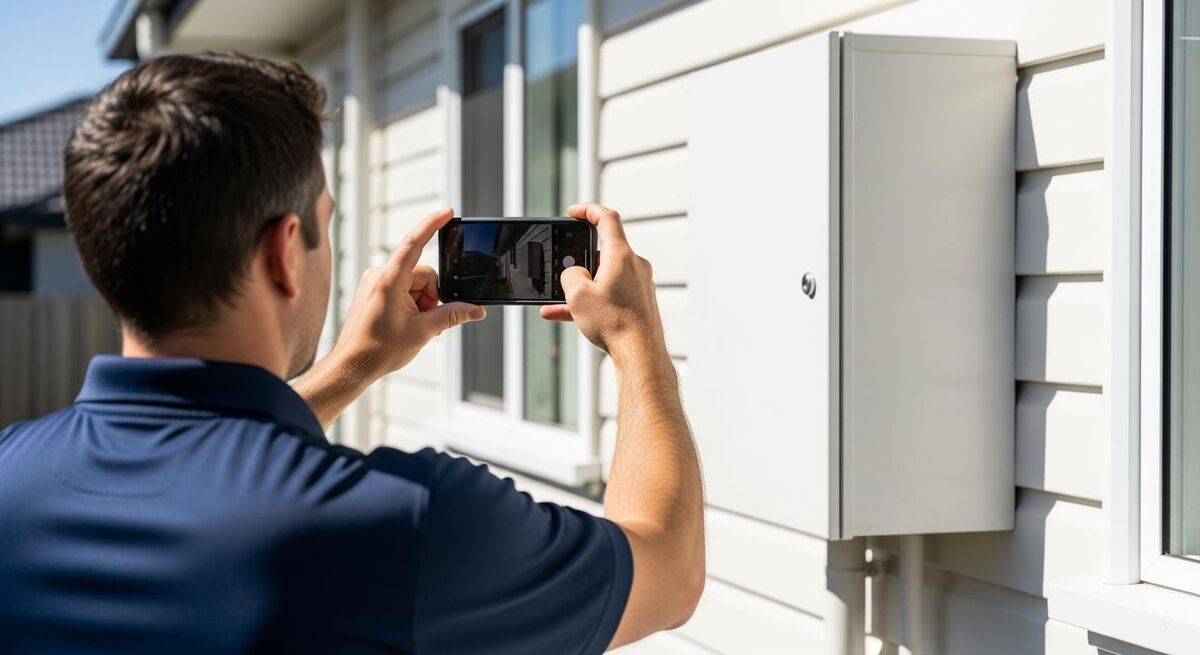
Photos are where a digital survey pulls ahead of a notepad, so use them properly. Add a Photo field for every single thing you would want to see again when you are pricing at your desk: the meter position, the consumer unit, the boiler and its flue, the proposed unit location, the loft, the parking, and anything that is already damaged before you touch it. Photos embed straight into the PDF, so whoever builds the quote is working from what was actually in front of you, not from memory.
If your survey covers more than one type of job, use conditional logic to keep it fast. You can set questions to appear only when they are relevant, so a heat-pump siting section only shows up when the system type is heat pump. On a mixed-trade survey this is the difference between a form that adapts to the job and one that makes the engineer scroll past ten questions that do not apply.
Finish with a Signature field. At the end of the visit the customer reviews the generated PDF, taps to sign, and acknowledges what was surveyed and what they asked for. This does two things. It gives you a record of the scope agreed on the day, which is worth its weight the first time a job turns into a "but I thought that was included" conversation. And it draws a clean line under the visit, so the customer leaves feeling something was decided, not that another bloke came and looked and vanished.
Step 4: run it on site and turn it into the quote

Test the form on one real visit before you roll it out to the whole team. Open the job on the app, run the survey badge, work through the questions, take the photos, and capture the signature. Watch the PDF land in the job diary and check it reads the way you want a customer to see it. Fix anything clumsy while it is only affecting you, not five engineers.
Here is where the survey pays for itself. Because everything is captured and in one place, you can build the quote on site, there and then, from your ServiceM8 price list. ServiceM8 is clear on this in its own guidance: quoting through the app on site, while the client is keen to get the job done, gives you a far better chance of winning the work. You show the price on the tablet, the customer agrees it, and you have a signed job before you have left the drive. Even if you would rather price back at the office, the survey data means the quote goes out that same afternoon, not next week.
And this is the bit people miss. Automating the survey does not mean going quiet on the customer. It means the opposite. When you are not losing your evenings to half-finished quotes, you have the time and the goodwill for the proactive outreach that actually wins repeat work: the follow-up call, the quick message to confirm the start date, the check-in a week after the job. The essential human touch is what customers remember, and admin is exactly what crowds it out. I have written before about how the human touch still converts better than automation, and the same rule holds on the doorstep. Let the form handle the record so you can handle the person.
Your first-visit survey, start to finish
Building the form is a one-off afternoon. Running it is a few minutes per visit. Here is what both look like.
List what you price on (15 minutes)
Write down every measurement, photo and answer you need to quote a typical job. That list becomes the form.
Create the form and set the badge (10 minutes)
New Form, automatic PDF, name it, and set the badge to mandatory at check-in so it can never be skipped.
Build the questions and photos (20 minutes)
Add your field types, mark the price-critical ones mandatory, and add a photo field for everything you need to see again.
Add the signature and test it (10 minutes)
Add the sign-off field, then run the whole form on one real job from the app and check the PDF reads well.
Run it on every first visit
From now on, survey on site, quote the same day, and let the professional PDF do the talking.
What it costs and the plan you need

Forms are not a separate bolt-on you pay for per use. They come bundled into the ServiceM8 plan, which means once you are on a tier that includes them, every survey you run is already paid for. The thing to get right is which tier you are on, because Forms only appear once you are high enough up. Here is how the plans line up.
| Plan | Price a month (ex VAT) | Jobs a month | Electronic Forms |
|---|---|---|---|
| Free | £0 | 30 | Not included |
| Starter | £25 | 50 | Purchased forms only |
| Growing | £59 | 150 | Fully unlocked |
| Premium | £119 | 500 | Fully unlocked, plus job costing |
For most trades businesses building their own survey forms, the Growing plan is the one to be on. It is where electronic Forms are properly unlocked, and the jobs allowance suits a busy sole trader or a small team. Prices exclude VAT and ServiceM8 bundles jobs, texts and add-ons into the one figure, so there is no per-user fee stacking up as you grow.
Common mistakes that cost you the job
Most survey forms that fail do so for the same few reasons. Know them and you skip the painful version of learning them.
Building the form too long. The most common one by a mile. Every question you add is a few more seconds on every visit forever. If the answer does not change the quote or cover you legally, cut it. A survey your engineers actually complete is worth more than a perfect one they skip.
Leaving the badge optional. A form nobody is required to run is a form that gets run on the good days and forgotten on the busy ones, which are exactly the days you needed it. Set it mandatory at check-in and the decision is made for everyone.
Skipping the photos. A survey with no photo fields is just a slower notepad. The photos are what let you quote confidently from your desk and what protect you when a customer's memory of the site does not match yours. Add more photo fields than you think you need.
Treating the survey as the quote. The survey captures the job. It is not the price. Do not let a signed survey lull you into thinking the customer has agreed a number they have not seen. Follow it with a clear quote, fast, and get that agreed properly. The survey wins you the chance; the quote wins you the job.
What tradespeople are saying
Recommended videos

How to Create and Complete Digital Forms with ServiceM8
ServiceM8
How to Create a ServiceM8 Form
ServiceM8
How to Build Your First Form with the Forms Add-on
ServiceM8
DIY Forms and Reports with ServiceM8
ServiceM8
Create Forms in ServiceM8 and Use Room Scan AI on Solar Surveys
Mark The Sparky Allison

Master ServiceM8 Forms, Then Automate Them with AI
David List
Frequently asked questions
No. Electronic Forms are fully unlocked on the Growing plan, around fifty-nine pounds a month excluding VAT, which is where most sole traders and small teams sit anyway. You do not need Premium to build a first-visit survey. You just need to be off the free and entry tiers, where the Form editor does not appear.
Yes, and you should build that in. Add a signature field, and at the end of the visit the customer reviews the generated PDF and signs on your phone or tablet. One thing to know: the review-and-sign flow works in the ServiceM8 app, not the desktop dashboard, so run first visits from a mobile device.
They will. A photo field captures the image on site and embeds it straight into the generated PDF, which saves to the job diary. That is the whole reason a digital survey beats a notepad: whoever builds the quote is looking at exactly what you saw, not trying to picture it from a scribbled note.
An hour, give or take, if you have first written down what you actually price on. The build itself is quick. The thinking is the part worth doing properly. Get the question list right and the form will serve you for years; rush it and you will be adding fields for months.
Yes, through the Badge. Set the form's badge to mandatory at check-in and it appears the moment the job is started on the app, and cannot be skipped. Combine that with a few mandatory questions inside the form and the survey gets done properly every time, not just when someone remembers.
Indirectly, and it is the biggest reason to bother. A complete survey lets you quote the same day, often on site, and the contractor who quotes first wins most of the time. It also makes you look organised in front of the customer before you have said a word about price. The form does not close the job; it gets you to the quote fast, which is what closes it.
My verdict
A digital site survey in ServiceM8 is one of those small changes that quietly fixes three problems at once. You stop making second trips for things you missed, you stop losing evenings to half-remembered quotes, and you start getting a clean price in front of the customer while the other two trades are still finding their notepads. Build it from your own worst quoting days, keep it tight, make it mandatory at check-in, and run it from the app so the signature works. Then let the same-day quote do what it does. If you would rather have it built and dialled in for your trade specifically, that is exactly the kind of work I do at Mills Consulting Group. Either way, get your ServiceM8 foundation solid first, then make the first visit count. And once the job is won, my guide on setting up Direct Debit in ServiceM8 keeps the payment side just as tidy. For more of my guides on running a leaner trades business, see my author page.
Ready to run a smarter trades business?
TrainAR Academy has more guides on the tools and systems that help trades and construction businesses work less and earn more, from job management to winning more of the work you quote for.
Explore TrainAR Academy