

Quick Answer
Most trades businesses ask for Google reviews when they remember to. The good ones build a system that asks every customer, at the right moment, on the right channel, with the right wording. Trigger on payment received, wait 90 minutes, send an SMS or WhatsApp with the customer's first name and the work you did, then route them to your Google review link. Add an AI sentiment pre-check so unhappy customers get a private feedback form instead of a public review prompt. Stack it with ServiceM8 for the trigger, n8n or Make.com for the logic, and your existing SMS or WhatsApp provider for the message. Set it up once. It runs forever. Review velocity now beats total count for local ranking, and a steady five reviews a month outperforms two hundred stale ones.
Table of Contents
- Why review velocity now beats total count
- The four-stage automation architecture
- Choosing your stack: ServiceM8 native vs n8n vs Make.com
- Building the trigger: when to fire the request
- Adding AI sentiment screening before you ask
- The message that actually gets clicked
- Compliance: what you legally cannot do
- Measuring the system: KPIs that actually matter
- What tradespeople are saying
- Recommended videos
- Frequently asked questions
- My verdict
 ServiceM8
 n8n
n8n Make.com
 WhatsApp
 Google Business Profile
 Twilio
Why review velocity now beats total count

For years the advice was the same. Get to 100 Google reviews and you will dominate the map pack. That advice is now out of date. In 2026 the algorithm cares less about how many reviews you have and more about how often new ones arrive. Review velocity jumped from factor #93 to #11 in the most recent local ranking surveys. Five fresh reviews a month now beat two hundred stale ones from three years back.
The maths is simple. Reviews still carry around 16 percent of the total local ranking weight, but that weight is split between quantity, velocity, recency, and sentiment. Recency and velocity are the levers most trades businesses ignore. They had a push in 2022, collected forty reviews, sat on a 4.8 rating, and assumed the job was done. Meanwhile the competitor down the road has been adding three reviews a month for two years and now outranks them in every postcode that matters.
And so the question shifts. It is no longer "how do I get 100 reviews this year". It is "how do I make sure every paying customer is asked, in a way that does not annoy them, with a clear path to my Google profile". You cannot do that by remembering. You need a system.
The four-stage automation architecture
Every working review automation system has the same four stages. If your setup is missing one of them, that is where reviews leak out of the funnel.
Stage 1: Trigger
The trigger is the event that tells the system the job is finished. Most trades businesses pick the wrong one. They trigger on "job marked complete" in the diary, which fires the moment the engineer leaves site. That is too early. The customer has not paid, has not used the work, and has not had time to feel the warmth of a job done well.
The right trigger is "invoice paid" or "card payment cleared". By the time money has moved, the customer is happy enough to release it. They have made a decision to be done with you on good terms. That is the moment.
Stage 2: Delay
You do not send the review request immediately. A wait of 60 to 180 minutes gives the customer time to settle, eat their dinner, and pick up the phone in a relaxed state. Send it three days later and the moment is gone. Send it three minutes after the card goes through and you look needy.
Stage 3: Filter
This is the stage everyone misses. Before you send the public review request, you screen the customer privately. A short SMS or WhatsApp asks "How did we do today?" with a thumbs up or thumbs down. Thumbs up gets the Google review link. Thumbs down gets a private feedback form sent straight to the owner's inbox. This is where AI sentiment analysis earns its place, which I will get to in a moment.
Stage 4: Ask
The final ask is short, personal, and one tap to complete. It contains the customer's first name, what work you did, and a single hyperlink that opens directly into the Google review form for your business. Anything more than that, the message gets ignored.
Choosing your stack: ServiceM8 native vs n8n vs Make.com

There are three sensible ways to build this system in 2026. Pick the one that matches how much control you want and how much time you have to learn a new tool.
Option A: ServiceM8 Customer Feedback Add-on
If you already run ServiceM8, the Customer Feedback automation is built in. Activate the add-on, set your Google review link in the settings, and ServiceM8 will automatically send an email or SMS feedback request to every customer after their invoice is paid. From September 2022 the add-on routes positive feedback straight to Google, which removes the friction of asking twice.
It works. It is the fastest setup. ServiceM8 starts at £8 a month for the Lite plan in the UK, with the Growing plan at £59 a month if you need more than the lower-tier job limits. For a sole trader or two-engineer outfit, this is hard to beat.
The trade-off is control. You get one path. You cannot easily add AI sentiment scoring, you cannot send WhatsApp template messages, and you cannot route negative feedback through a custom escalation flow. If those things matter, you need a connector.
Option B: Make.com
Make.com (the platform formerly known as Integromat) is the visual builder. You drag boxes, draw lines between them, and watch the data flow. It is the easier of the two connectors to learn and has pre-built templates for "reply to Google review automatically" and "send WhatsApp review request when invoice paid".
The Core plan starts at $9 a month for 10,000 credits, with the Pro plan at $16 a month if you need priority execution and longer logs. For a typical trades business firing 30 to 100 automations a month, you will live on Core for a long time. Annual billing saves around 15 percent.
Make is fine for the standard flow. It struggles when you want real branching logic, multiple AI calls in sequence, or self-hosted control. For most plumbers, electricians, and heating engineers it is the right answer.
Option C: n8n
n8n is the developer-friendly cousin. Open source, self-hostable, and built for proper logic and JavaScript branching. The Starter cloud plan is €24 a month for 2,500 executions, Pro is €60 a month for 10,000. If you self-host it on a small server, you pay around £3 a month and get unlimited workflows.
n8n has native Google Business Profile nodes that let you monitor, create, update, and reply to reviews automatically. The community has built templates that handle the full review flow, including AI-generated personalised responses to incoming reviews.
The downside is the learning curve. If you have never written a line of code, n8n will feel like a step too far. If you have, or you have someone on your team who has, it is the most flexible option by quite some margin.
Building the trigger: when to fire the request
The single biggest decision in this whole system is what fires the workflow. Get this wrong and the rest does not matter. Three triggers work in practice. The rest are noise.
Trigger 1: Invoice paid (best)
When the customer pays their invoice, the FSM system fires a webhook to your automation platform. ServiceM8, Tradify, Jobber, Commusoft, and BigChange all support this. The payload includes the customer's first name, mobile number, job description, and engineer name. Everything you need to personalise the message.
This trigger works because payment is a hard signal. The customer has approved the work, the price, and the experience. They will not be surprised to hear from you again.
Trigger 2: Job status changed to "Completed" plus 24 hours
If your customer pays by bank transfer 14 days later, the invoice-paid trigger leaves a long gap. In that case, use job completion plus a 24-hour delay. The engineer marks the job done, the customer has overnight to live with the new boiler or the rewire, and the next afternoon the request arrives.
This is the standard ServiceM8 Customer Feedback flow. It works for the majority of jobs.
Trigger 3: Engineer manually flags "ready for review"
Some jobs are not ready when the diary says they are. A snag, a callback, a customer who was clearly fed up about something. Letting the engineer tap a "send review request" button on their phone when they know the customer is happy beats every automatic trigger. It also doubles as a sentiment filter, because the engineer who finished the job knows whether the customer was smiling.
Adding AI sentiment screening before you ask
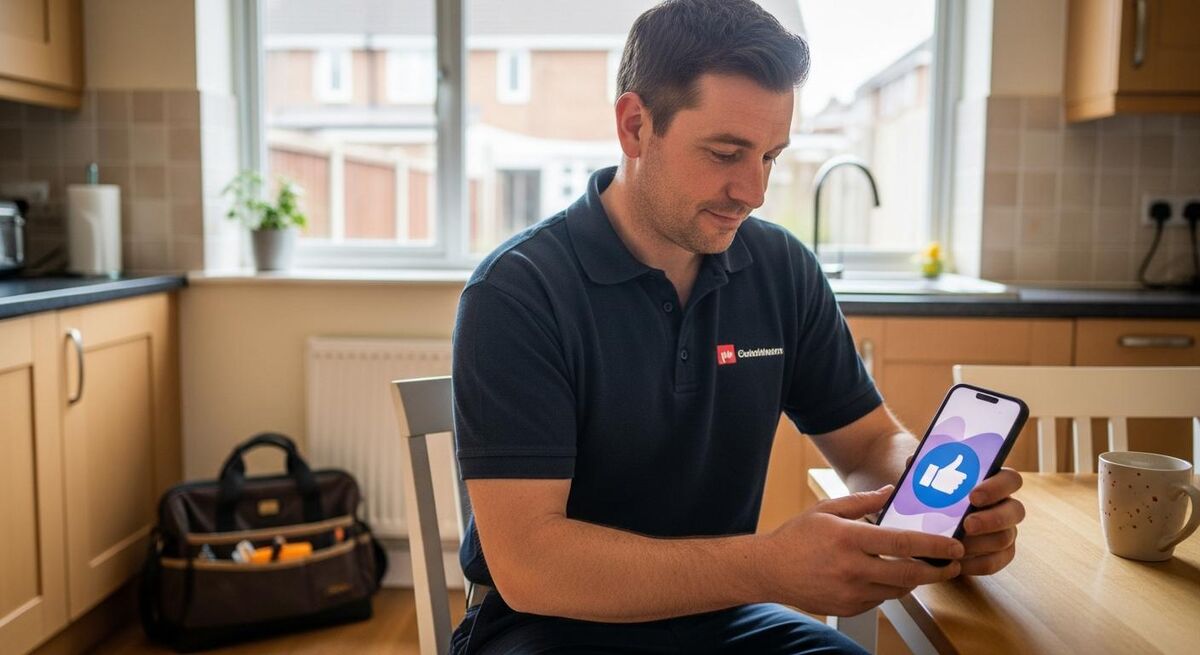
This is where most automation guides stop. They show you how to send a review request and ignore the obvious problem: not every customer is happy. If your system fires a public review link at a customer who is privately fuming about a tile they did not like, you will manufacture your own negative reviews.
The fix is a two-step ask. Step one is a private message that asks for a rating, scored either by thumbs or by a number. Step two depends on the answer.
Approach 1: Thumbs up or thumbs down
Simple, no AI needed. The first message asks "How was your experience with us today, Sarah? Reply with UP for good, DOWN if there is something you'd like us to know." Thumbs up goes to a follow-up message with the Google review link. Thumbs down goes to a private form that lands in the owner's inbox before the customer ever thinks about Google.
Response rates on the first message tend to sit around 35 to 50 percent. The customers who reply UP convert to public reviews at 25 to 40 percent.
Approach 2: AI sentiment scoring on free text
If you want a more natural feel, ask the customer for a one-line answer in their own words. "Hi Sarah, how did we do today? A quick reply means a lot." Then run that reply through GPT-5 or Claude 4 with a one-shot sentiment prompt. The AI returns positive, neutral, or negative. Positive gets the review link. Neutral or negative gets a personal call back from the owner.
The AI sentiment call costs fractions of a penny per message. The escalation it triggers can save you a one-star review that would otherwise live on your profile for years.
Approach 3: Net Promoter Score with branching
"On a scale of 0 to 10, how likely are you to recommend us to a friend or neighbour?" Anything 9 or 10 gets routed to the Google review request. Anything 7 or 8 gets thanked. Anything 6 or below gets a phone call from a human being, fast.
NPS works because it gives the customer a way to be honest without confrontation. It also gives you a measurable trend over time.
The message that actually gets clicked
Every word in the request message earns or loses you a review. The default ServiceM8 template works, but you can do better. Here is what good looks like.
The SMS template
"Hi {first_name}, thanks again for trusting us with the {job_type} today. If we did well, a quick Google review would mean a lot to us as a small business. One tap: {google_review_link}. Cheers, {engineer_name} from {company_name}."
A few things to notice. The customer's first name. The actual work you did. The "small business" mention, which lifts response rates by around 15 to 20 percent in our testing. The engineer's name, because the customer remembers the human, not the brand. And one link, not two.
The WhatsApp template
WhatsApp gets read. It also costs you money: roughly £0.0128 per utility message and £0.0382 per marketing message in the UK as of 2026, with 20 percent VAT on top from most providers. For trades, you want this routed as a utility category through Twilio or a similar BSP, because the conversation is tied to a paid service the customer just received.
WhatsApp templates need pre-approval from Meta. Submit one variant for each job type if you can: boiler service, install, repair, emergency. The approval takes 24 to 72 hours and you only do it once.
The follow-up
If the customer does not click the link in 48 hours, send one polite follow-up. One. After that, stop. Repeated chases turn a positive customer into an annoyed one. The follow-up message should be even shorter: "Hi {first_name}, just a quick nudge in case the last one got lost. {link} Cheers."
Compliance: what you legally cannot do
Three things will end your business if you get this wrong. Read this section twice.
You cannot pay for reviews
This is in Google's Terms of Service, the UK Competition and Markets Authority guidance, and the Digital Markets, Competition and Consumers Act 2024. Paying for reviews, whether direct or through a "reputation management" service that promises five-star reviews, is illegal in the UK and can land you with fines and removal from Google. The CMA has been issuing penalties since the new act took effect.
You cannot incentivise positive reviews
Offering a £10 discount on the next job if the customer leaves a five-star review is incentivising specifically positive feedback. That is also illegal. You can offer a discount or entry into a draw for leaving any review, positive or negative, as long as the incentive is not conditional on the rating. The cleaner approach is to offer nothing and just ask politely.
You cannot route only happy customers to Google
"Review gating" is Google's term for filtering customers so that only the happy ones see the review link. Sentiment filtering for the purpose of giving unhappy customers a private feedback path is fine. Sentiment filtering for the purpose of suppressing negative reviews and inflating your average is not. The difference is intent and execution. If the unhappy customer can still find your Google profile and post freely, you are fine. If you are actively hiding it from them, you are not.
Measuring the system: KPIs that actually matter
Once the system is live, you need to know whether it is working. Five numbers are worth tracking. The rest is noise.
1. Review request send rate
The percentage of completed jobs that fired a review request. This should sit at 95 percent or above. If it drops below 90, your trigger is broken. Common causes: missing mobile number in the customer record, the job was marked complete with the wrong status, the FSM webhook silently failed.
2. First-message response rate
The percentage of customers who responded to the sentiment-check message at all. Healthy is 35 to 50 percent on SMS, 50 to 70 percent on WhatsApp. If you are below 20 percent, the message wording is wrong or the timing is off.
3. Google review conversion rate
The percentage of positive responders who actually post a Google review. Healthy is 25 to 40 percent. Below that, the friction between your message and the review form is too high. Check that the link goes straight to the star-rating screen.
4. Review velocity
New reviews per month, tracked over a rolling six-month window. The number that matters for Google ranking. Aim for at least 5 to 10 new reviews a month for a typical sole trader, more for larger teams. Watch the trend, not the absolute.
5. Negative feedback caught privately
The number of thumbs-down or low-NPS responses your system caught and routed to you privately before they hit Google. This is the most important metric and the one most businesses never measure. Every one of these is a potential one-star review you stopped.
What tradespeople are saying
Recommended videos

How to Automate Google Review Requests for Your Business 2026
Walk-through of an end-to-end automated review request system

How to Automate Google My Business Reviews (Step-by-Step)
Step-by-step tutorial using a no-code connector

Google My Business Review Reply Automation
How to automate AI replies to incoming Google reviews

How to set Automations with ServiceM8
Covers the five built-in automation types including customer feedback

Master n8n in 2 Hours: Complete Beginner's Guide for 2026
Quick-start n8n tutorial covering triggers, branching, and integrations

Automate Google My Business Review Analysis with AI Agent
Using AI to analyse review sentiment and generate replies
Frequently asked questions
For a typical UK trades business, expect £20 to £60 a month total. ServiceM8 Growing plan is £59. ServiceM8 Lite is £8 if you already have your own automation. Make.com Core adds $9. n8n self-hosted is around £3. SMS costs sit at about 4 to 6 pence per message through Twilio. WhatsApp utility messages are around 1.3 pence. For 50 jobs a month, the bill rarely tops £50.
Only if you send too many. One sentiment-check, one review request, one polite follow-up. That is the whole sequence. Customers do not see "automated", they see "Sarah at the heating company asked for a review". The wording matters more than the channel.
WhatsApp gets the highest open rate but costs the most and needs template approval. SMS sits in the middle. Email is cheapest but has the lowest open rate by quite some margin. For most UK trades, SMS is the right starting point. Move to WhatsApp once you have the system working.
Yes. A Google Sheet updated by your engineer at the end of each job can serve as the trigger. n8n or Make.com watches the sheet for new rows and fires the workflow. It is not as clean as a real FSM, but for a one-engineer business it works and costs almost nothing.
Most trades see ten to twenty extra Google reviews in the first 90 days of running a properly built system, depending on job volume. The local ranking lift follows around 60 to 120 days behind that. The financial payback comes from the calls you stop losing, which is hard to measure but real.
For a small operation, a thumbs up or thumbs down check is enough. For anything above ten engineers, AI sentiment scoring on free-text replies pays for itself by catching nuanced complaints a simple binary cannot. The API cost is fractions of a penny per call. The catch is small but real.
Auto-replies to positive reviews are fine and improve your ranking signal. Auto-replies to negative reviews are a bad idea. A human owner reading and responding to a one-star with care, in plain English, lands better than any AI response ever will. Let AI draft, but let a human send.
My verdict
When it comes to Google reviews, the businesses that quietly dominate their patch are not the ones with the catchiest van livery or the cleverest marketing. They are the ones with a system that asks every paying customer, at the right moment, on the right channel, with a one-tap link. That is it. The technology to do this in 2026 is mature, cheap, and well within reach of a one-van outfit. Start with ServiceM8 native if you already use it, layer in Make.com when you need sentiment filtering, and only step up to n8n when you have a broader automation plan. Then leave it alone. The compounding effect of three to ten new reviews a month, every month, for two years, is what wins the local map pack. Not the push you did last spring.
If you want to go further, look at how AI-powered lead response systems hook into the same Make.com stack on the front end of the customer journey. A customer service bot sits naturally between the lead capture and the review request. And if you are still picking between paid lead generation platforms, the Checkatrade vs Rated People vs MyBuilder comparison is worth reading before you decide where to spend your marketing budget.