

Quick Answer
Most UK trades businesses leave 10 to 20 percent of margin on the table because they price by gut feel. AI tools like ChatGPT and Claude do not set your prices for you. They strip out the part you hate (research, market comparisons, breaking down a job into billable units) so you can price each quote on real numbers instead of memory. Feed the model your actual cost base, current Checkatrade and MyBuilder benchmarks for your region, and your last twelve months of job data. It will give you a defensible price in minutes, not days. The numbers below show what to do, in what order, with which prompts.
Table of Contents
- Why trades businesses keep underpricing in 2026
- The data you need before you open an AI tool
- Using ChatGPT for competitive market analysis
- Using Claude Cowork to crunch your own job data
- The five-step AI pricing workflow
- Prompts to copy and paste
- What AI cannot do for your pricing
- What tradespeople and pricing experts are saying
- Recommended videos
- Frequently asked questions
- My verdict
 ChatGPT
 Claude
 Google Sheets
 Microsoft Excel
 Checkatrade
 Payaca
Why trades businesses keep underpricing in 2026

Ask ten UK plumbers, electricians or builders how they priced their last big job. About four will tell you they used a number they had in their head from a similar job two years ago. Three will tell you they matched what they think their competitor charged. Two will admit they undercut the last quote because they wanted the work. One, maybe, will say they costed it properly.
That is not laziness. It is the maths catching nobody in a sole-trader business. There is no quoting team, no commercial manager and no time at 9pm on a Sunday to model overheads when you have got a 7am start. So you guess. And the guess is almost always low.
The Federation of Master Builders said 98 percent of UK builders absorbed material price increases in 2025 and 81 percent passed them on, which means roughly one in five firms ate the cost themselves. FMB's State of Trade survey shows the same pattern every quarter: workloads up, margins squeezed. The thread running through both: businesses that price defensively lose first. We covered the financial distress numbers in detail in our warning-signs guide for distressed construction firms.
AI changes the time problem. It does not change the maths. You still need the inputs (cost base, region, market rate, job complexity), but the work of comparing them goes from two hours to fifteen minutes. That is the difference between a priced job and a guessed one.
Independent research from the Association of Plumbing and Heating Contractors and Tradesman Saver consistently shows that the majority of UK sole-trader trades businesses operate 10 to 20 percent below the rate they should charge to cover true overheads and a 20 percent profit margin. AI does not fix the pricing problem on its own. It removes the excuse for not running the numbers.
The data you need before you open an AI tool

This is where most tradespeople trip up. They open ChatGPT, type "what should I charge for a boiler install?" and get a generic answer pulled from blog posts. The output is only as good as the inputs. Before you ask any AI tool for a price, you need five things on hand.
One. Your true hourly cost. That is your annual overhead (van, fuel, insurance, registrations, accountancy, tools, training, holiday pay, NI, pension) divided by your realistic billable hours. Most sole traders bill 1,200 to 1,400 hours a year out of a possible 1,920. Use the lower number if you are honest.
Two. Material markup baseline. The Screwfix Community and UK Plumbers Forums settle around 15 to 25 percent. Some specialists go higher. Decide yours and stick to it.
Three. Local market rates for your trade. Checkatrade and MyBuilder publish these. Checkatrade's 2026 cost guide shows electricians at £45 to £60 per hour and plumbers at £40 to £70, with London 30 to 45 percent above the national midpoint and the North East and Wales 15 to 20 percent below.
Four. Your last twelve months of actual job data. Quoted price, time taken, materials used, final invoice. If you have not been tracking this, start now. The most useful thing AI can do is spot patterns in jobs you have already completed.
Five. Your target net margin. Most healthy trades businesses run 15 to 25 percent net. If you do not know yours, default to 20 percent and work back.
If you cannot answer those five questions in under five minutes without opening another tab, your pricing is being run on memory. That is the leak. Spend an evening building a one-page reference document with these numbers. Then save it. ChatGPT and Claude both let you paste it at the start of every pricing prompt as context.
Using ChatGPT for competitive market analysis

ChatGPT is best at the part of pricing that involves the outside world: what your competitors charge, what customers in your area expect, what a job like the one in front of you typically costs. It is a research assistant who never sleeps and does not bill you by the hour.
The trick is giving it real data to chew on rather than asking it to guess. You can paste Checkatrade cost guide tables, screenshots from MyBuilder, anonymised quotes you have lost, and ask it to identify pricing patterns in your area. The current model (GPT-5.x at time of writing) handles tables, regional breakdowns and percentile analysis well. It runs about £20 a month for ChatGPT Plus, which is one decent quote on a single job.
What it is good at:
- Breaking down a competitor's quote line by line to expose where they are cutting corners (or cutting their own margin)
- Pulling regional pricing benchmarks from Checkatrade, MyBuilder, Trades Day Rates and Hamuch into a single comparison table
- Drafting customer-facing price justifications that explain why your number is what it is
- Spotting price tiers in your historic job data you did not know you had (typically a "small fix" tier, a "standard install" tier, and a "complex multi-day" tier)
- Suggesting tiered pricing language for proposals (good, better, best) without sounding salesy
What it is bad at:
- Anything specific to your supplier prices, your van running costs, or the patch you actually cover
- Live data that requires looking up today's price at City Plumbing or Edmundson Electrical
- Knowing whether your customer is a friend, a repeat client, or a one-off who wants the cheapest number
The line is clear. Use it to research the market and structure your thinking. Do not use it to set the final number on its own.
Build a single ChatGPT project (Plus and above lets you save persistent context). Paste in your cost base, your region, your trade and your target margin. From then on, every pricing question you ask uses that context automatically. You stop having to explain who you are.
Using Claude Cowork to crunch your own job data

Where ChatGPT shines on market analysis, Claude Cowork is the right tool for analysing your own job data. Anthropic released Cowork in late 2025. It embeds Claude directly into Excel, Google Sheets, Slack, Gmail and Google Drive with a shared context layer, so it can read across all of them at once. For trades, the spreadsheet integration is the part that matters.
If you have twelve months of jobs in a Google Sheet (date, customer, job type, quoted price, time taken, materials, invoiced total, paid/unpaid), Cowork can run the analysis you have never had time to do. Things like: which job types are eating your time without paying for it, which customers consistently take three follow-ups to pay, what your true effective hourly rate looked like for each month, and where your pricing is drifting low. We walked through a full example of this kind of workflow in our Claude Cowork weekly admin guide.
Cowork runs on Anthropic's enterprise tier. For solo traders it is overkill. For firms with a few engineers and a back-office person it pays for itself in saved hours within a month, assuming you have your data in one place. Claude.ai Pro at around £18 a month still gives you the underlying model for ad-hoc analysis if you upload your spreadsheet to a conversation.
What it is good at:
- Reading a workbook with twelve tabs and explaining what each one tells you about pricing health
- Finding the jobs you priced low (compared to the patterns in your own historic data) without you needing to write a single formula
- Variance analysis between quoted and invoiced totals, with cell-level citations so you can verify
- Writing the narrative section of a monthly pricing review for your accountant in your own words
You do not need a perfectly tidy spreadsheet. Get the last twelve months of jobs into one sheet with eight columns. Ask Claude to identify the bottom 20 percent by margin and explain what they have in common. The answer is usually one of three things: same customer, same job type, or same time of year. That insight alone is worth more than most pricing courses.
The five-step AI pricing workflow
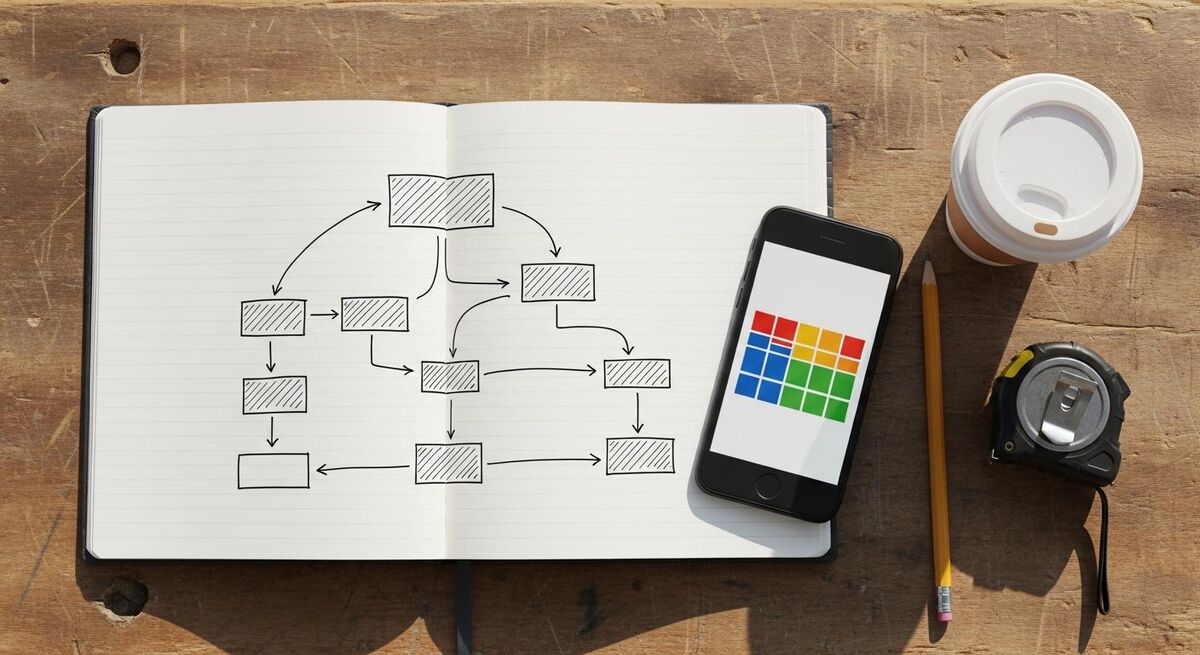
This is the workflow I run every time a new pricing question lands. It takes 20 to 30 minutes for a standard job and an hour for a multi-day project. Compare that to the alternative of pricing in your head while sat in the customer's kitchen.
Step 1: Capture the scope properly. Use your phone to record voice notes on site or take photos of the work. Drop them into ChatGPT (Plus accepts images and audio) and ask it to write a structured scope of works. Five minutes. You now have the same scope description you would have spent 30 minutes typing out.
Step 2: Benchmark the market. Open ChatGPT with your saved pricing context. Paste Checkatrade and MyBuilder rate ranges for your trade and region. Ask for the realistic price band for a job of this scope. You will get a low, mid and high number.
Step 3: Cost the job from your numbers. Take the scope and your true hourly cost into Claude or a spreadsheet. Itemise labour hours, materials with your standard markup, and add your overhead recovery and target margin. This produces your bottom-up price.
Step 4: Compare and decide. Hold your bottom-up price against the market band. If you are sitting at the low end of the band, you are leaving money on the table. If you are above the high end, you need a clear value reason (faster turnaround, higher accreditation, planned maintenance bundle). If you are in the upper-mid range, that is the sweet spot for most trades.
Step 5: Write the quote in plain language. Ask ChatGPT to draft the customer-facing quote using your structured scope, your final price, and a short justification. Three paragraphs, no jargon, no salesy padding. Read it, edit anything that does not sound like you, and send. The whole cycle, scope to send, can be done inside 30 minutes for a standard job.
Every quote should pass under your eye before it goes out. AI gets numbers right far more often than it gets relationships right. A customer you have known for ten years should not get the same tone as a one-off enquiry from an estate agent. Read every quote. Edit one sentence at minimum. Send.
Prompts to copy and paste

These are the four prompts I would print and laminate if I were starting again. Paste them into your AI tool of choice. Swap in your own numbers where the brackets are.
The benchmark prompt.
"You are helping me price a [trade] job in [region of UK]. The job is: [paste scope]. Based on Checkatrade and MyBuilder rate ranges for [trade] in [region] in 2026, give me a realistic low, mid and high price for this job. Show your working including assumed hours, materials and a 20 percent net margin."
The pattern-finder prompt. Paste your last twelve months of jobs as a table.
"Here are my last 12 months of completed jobs. Identify the bottom 20 percent by net margin. What do they have in common? Suggest three changes to my pricing or job acceptance rules that would lift the bottom-quartile margin without losing more than 10 percent of the work."
The competitor-quote breakdown. Paste a competitor quote you lost (anonymised).
"Here is a quote a customer received from another firm for [job type]. Break it down line by line. Where is the price likely coming from? What corners might be cut to hit that number? How would I justify a price that is [X percent] higher in a customer conversation without slagging off the competitor?"
The customer-facing quote draft.
"Draft a customer quote for a [trade] job. Scope: [paste]. Total price: £[number]. Include three short paragraphs: scope summary in plain English, what is included and excluded, payment terms (50 percent deposit, balance on completion). Tone: warm, professional, no jargon, no sales language. Sign off from [your name and trading name]."
For more on how this connects to the wider AI-first business model, our piece on why operating costs decide who survives goes deeper on the maths.
What AI cannot do for your pricing

This is the bit that nobody selling you AI tools wants to mention. There are four things AI is bad at when you are pricing trades work. Knowing where the line sits matters more than knowing all the clever things it can do.
It cannot judge the customer in front of you. A nervous first-time homeowner needs a different conversation than a landlord with eight rentals. AI does not see body language, does not hear the catch in someone's voice when they hear a number, does not know that the customer's neighbour just paid more for the same work. You do.
It cannot price for relationship value. A 20-year repeat customer with three other properties is worth a different price than a Checkatrade enquiry. AI will give you the technically correct number. You have to decide whether the relationship justifies a discount, a premium or holding the line.
It cannot live-quote at your supplier. Today's copper pipe price at your nearest City Plumbing branch is what it is. Yesterday's training data is not. Always cross-check materials against a live supplier price before sending a quote that depends on volatile stock.
It cannot stand by the quote when the customer pushes back. That is the bit only you can do. The maths gives you the confidence. The conversation closes the work. The numbers are useful precisely because they make the conversation easier, not because they replace it.
Never send an AI-generated quote without (1) reading it line by line and (2) cross-checking the materials total against a live supplier price. The first protects your tone with the customer. The second protects your margin against stock price drift since the model's last training update. Both take five minutes and have saved more jobs from going bad than any pricing course.
What tradespeople and pricing experts are saying
Pricing is the most-discussed topic on UK trades forums. The pattern of advice is consistent across platforms: stop competing on price, build your costs from the ground up, and learn to walk away from work that does not pay. Here is what the most-cited sources actually say.
Recommended videos
A short selection of videos worth your time on AI-supported pricing, quoting and trades business pricing fundamentals.
How to use ChatGPT For Your Trades Business
Profitable Tradie - Business Coaching

The EASIEST way to get more quotes converted
Paul Tinker

Sleepless Tradesman: Quote Jobs in 60 Seconds
Sleepless Tradesman

Why Aaron McLeish Talks About P&H Pricing
TWC

#59 Off The Tools With Aaron McLeish
Off The Tools with Wayne Bettess & Andrew Jones

How to Master a Niche: Aaron McLeish Interview
Value Pricing Academy
Frequently asked questions
Not on its own. It can give you a defensible market price band based on Checkatrade and MyBuilder data, and it can help you structure the costing. The final number still needs your true cost base, your target margin and your read of the customer. Think of it as a research assistant, not a quoting tool.
For most sole traders and small firms, Claude.ai Pro at around £18 a month is enough. Upload your spreadsheet to a conversation and ask for the analysis. Cowork only pays off when you have a back-office person who spends meaningful time inside Excel or Google Sheets every week. Start with Pro, upgrade if you need the integration.
Tell it explicitly. "UK only, 2026 prices, in pounds sterling, using Checkatrade and MyBuilder data not Angie's List or HomeAdvisor." Repeat the constraint at the top of every pricing prompt. If you paste in actual UK data tables, it will anchor on what you give it.
Start with what you have. Three months of jobs is enough to show patterns. Pull the data out of Payaca, Tradify, Commusoft or whatever you use. If you are running paper invoices, spend two evenings building a sheet. The discipline of writing your jobs down is half the pricing fix on its own.
Use anonymised data. Strip names, addresses and contact details before pasting. Most paid plans give you the option to turn off model training on your data; turn it on. For anything covered by your GDPR responsibilities, treat AI tools like any other third party and consult the ICO guidance on processing.
ChatGPT Plus is around £20 a month. Claude.ai Pro is around £18 a month. Google Sheets is free with a Google account. If you already use Payaca, Tradify, ServiceM8 or similar for jobs, the spreadsheet export is free. Total: under £40 a month for a full pricing stack. The first job you re-price upward by 10 percent covers a year of subscription.
Once a quarter for a full review of your hourly cost and margin against actuals. Once a month for a quick pattern check on jobs completed. Every quote on the fly. The quarterly review is the important one. It is the difference between drifting and steering. Our trades benchmarking guide covers the seven metrics that belong in that review.
My verdict
The single biggest pricing problem in UK trades is not that owners are bad at money. It is that pricing takes time, and time is the thing nobody has. AI tools like ChatGPT and Claude take the boring part (research, market comparisons, breaking a job into billable units) and compress it from hours into minutes. That removes the only good excuse for pricing badly.
But the price is still yours to set. The customer in front of you, the relationship, the patch you work in, the year-on-year trust you have built, none of that lives in a model training data. Use the tools for the maths, the market context and the first draft of the quote. Read the final price with your own eyes. Send it with your name on it. That is the workflow that wins more work at better margins. The numbers prove it.