
Quick Answer
ServiceM8 runs your jobs. GoCardless collects the money. Zapier connects the two, so once a customer signs a single Direct Debit mandate, their invoices get paid on the due date without you lifting a finger. Setup takes about twenty minutes. You need an active ServiceM8 account, a GoCardless account, and a free Zapier account to bridge the gap between them. From that point on, the worst part of running a trades business, chasing people for money you have already earned, quietly goes away.
Table of Contents
- The real cost of chasing invoices
- How the ServiceM8 and GoCardless setup works
- What you need before you start
- Step 1: open GoCardless and understand the mandate
- Step 2: connect ServiceM8 and GoCardless in Zapier
- Step 3: build the mandate request and the collection
- Step 4: send the first request and keep the human touch
- Your 20-minute setup timeline
- What Direct Debit actually costs
- Common problems and how to avoid them
- What tradespeople are saying
- Recommended videos
- Frequently asked questions
- My verdict
The real cost of chasing invoices

How many hours did you spend last month sending a second reminder, then a third, then working out how to word the awkward one without losing the customer? The average UK small business spends around 30 hours a month chasing late payments. GoCardless merchants spend closer to 2.6 hours. That gap is a working week you are handing back to yourself every couple of months.
The money side is only half of it. When you chase a customer for payment, you change the relationship. You stop being the electrician who did a tidy job and become the person emailing about an overdue balance. I have watched good tradespeople undo weeks of goodwill in one badly timed reminder. Direct Debit takes that conversation off the table entirely, because the money moves on a date the customer already agreed to.
This is the pattern I keep coming back to in my own work: the right technology should bridge the gap between the digital and the personal, not widen it. Automating the collection is not about being cold or hands-off. It is about clearing away the admin so the human part, the service, the follow-up, the relationship, gets your attention instead.
How the ServiceM8 and GoCardless setup works
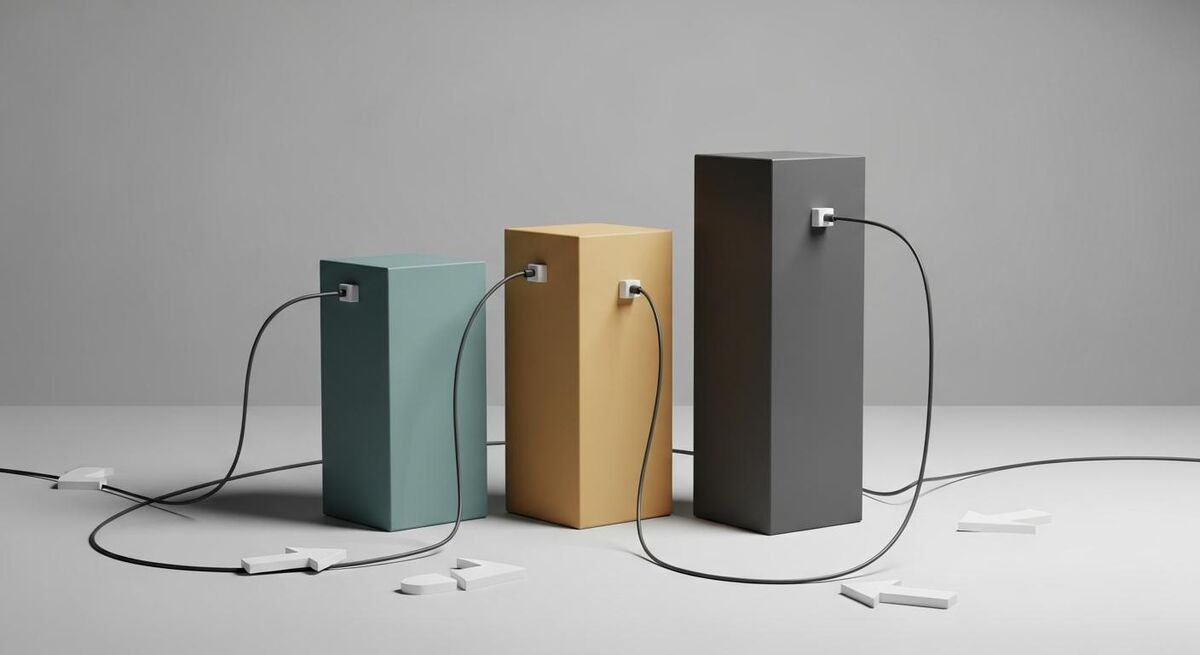
There are three moving parts, and each does one thing. ServiceM8 is where the work lives: the quote, the job, the on-site checklist, and the invoice. GoCardless is the collection engine. It is FCA regulated, it runs on the Bacs Direct Debit scheme, and every payment is covered by the Direct Debit Guarantee, which matters when you are asking a customer to hand over bank details. Zapier is the bridge. It watches ServiceM8 for something to happen, then tells GoCardless what to do.
Why Zapier? Because ServiceM8 does not have a built-in GoCardless button. The two were not designed to talk to each other directly, so you need a small piece of plumbing in the middle. Zapier is a no-code tool that does exactly that, and for this job the free tier is usually enough to get started. If you have used Zapier for anything else, this will feel familiar. If you have not, the setup below walks through every click.
One thing to be clear about from the start: a Direct Debit mandate is a one-time authorisation. Your customer signs it once, online, and from then on you can collect what you are owed when an invoice falls due, without asking again. That is the whole point. You are not taking a card number that expires, you are setting up a standing arrangement that keeps working until someone cancels it.
What you need before you start
Setup goes smoothly when the accounts already exist. Have these ready before you open Zapier, because two of them need a verification step that can hold you up if you leave it to the last minute.
- An active ServiceM8 account. If you are not on ServiceM8 yet, get the job management side working first. My guide on setting up ServiceM8 in a weekend without paying a consultant takes you from a blank account to your first paid invoice.
- A GoCardless account. Sign up at gocardless.com with your business details. You will need your bank account and basic company information to hand for verification.
- A free Zapier account. This is the bridge. The free plan covers a simple two-step automation, which is all this needs to begin with.
- Ten quiet minutes. One step involves an email or phone verification, so pick a moment when you can actually check your inbox.
Step 1: open GoCardless and understand the mandate

Create your GoCardless account and complete the business verification. This asks for your trading name, your bank details for payouts, and enough information to satisfy anti-money-laundering rules. It is the same checklist any regulated payment provider has to run, and it is worth doing properly, because an account that fails verification later is a genuine headache to unpick.
While that processes, get your head around the mandate, because it is the concept the whole system turns on. A mandate is your customer authorising you to pull payment from their account by Direct Debit. They complete a short online form once. After that, you can raise a collection against that mandate whenever an invoice is due. There is no card to re-enter, no annual renewal, and no need to ask again. The mandate simply sits there, ready.
Spend a minute in the dashboard so you recognise the two things you will be creating through Zapier: a mandate, and a payment against that mandate. Everything downstream is one of those two actions. Once you can picture them, the Zapier steps stop feeling abstract.
Step 2: connect ServiceM8 and GoCardless in Zapier
Log in to Zapier and create a new Zap. A Zap has two halves: a trigger, which is the thing that starts it, and an action, which is the thing it does in response. For this build, ServiceM8 is the trigger and GoCardless is the action.
Set ServiceM8 as the trigger app. The most useful trigger for most trades businesses is a completed job or a new invoice, because that is the moment you actually want to collect. Zapier will ask you to connect your ServiceM8 account, which is a case of logging in and approving access. Then choose GoCardless as the action app and connect that account the same way. When both show a green tick, the two systems are talking.
This is the part that feels like magic the first time, and then feels obvious forever after. You have just built a link that did not exist a moment ago, with no code and no developer. Take a breath here and make sure both connections tested cleanly before you move on, because a wobbly connection at this stage causes most of the problems people run into later.
Step 3: build the mandate request and the collection
Now you tell GoCardless what to do when a ServiceM8 job triggers the Zap. There are two actions, and the order matters.
The first action is create a Direct Debit mandate. This sends your customer the short authorisation form. You map the fields Zapier pulls from ServiceM8, the customer name, email address, and any reference, into the GoCardless mandate request. When this fires, your customer gets an email inviting them to set up the Direct Debit. Nothing is collected yet. You are just getting permission on file.
The second action is create a payment against the mandate. Once a mandate is active, this is what actually pulls the money. You map the invoice amount from ServiceM8 into the payment, and set a description so the customer recognises it on their statement. For recurring work, you can point this at a subscription so it repeats on schedule. For a one-off job, a single payment against the mandate does the trick.
The key rule: you cannot collect a payment against a mandate that is not active yet. On a brand new customer, the mandate has to be authorised first, and then the payment follows. On an existing customer who already signed a mandate, you skip straight to the collection. Build for both cases and you will not get caught out.
Step 4: send the first request and keep the human touch

Test it with one real customer before you switch it on across the board. Pick someone you have a good relationship with, complete a job, and let the Zap fire. Your customer receives the mandate request, sets up the Direct Debit in a couple of minutes, and from then on their invoices get paid automatically. Watch it land in your GoCardless dashboard so you know the whole chain works end to end.
Here is the part people miss. Automating the money does not mean going quiet on the customer. It means the opposite. When you are not spending your evenings chasing balances, you have the time and the goodwill to do the things that actually win repeat work: the follow-up call, the quick message to check the boiler is behaving, the proactive outreach that most trades never get round to. The essential human touch is what customers remember, and it is exactly what the admin was crowding out. I have written before about how the human touch still converts better than automation on trades websites, and the same principle holds here. Let the machine handle the money so you can handle the people.
Your 20-minute setup timeline
Start to finish, this is what the build looks like when the accounts are ready. Verification aside, the active work is around twenty minutes.
Create and verify GoCardless (10 minutes, plus checks)
Sign up, enter your business and bank details, and submit for verification. The verification itself runs in the background.
Connect both apps in Zapier (5 minutes)
Create a new Zap, set ServiceM8 as the trigger, connect GoCardless as the action, and confirm both show a green tick.
Build the mandate request (3 minutes)
Add the create-mandate action and map the customer name, email, and reference across from ServiceM8.
Add the collection (2 minutes)
Add the create-payment action, map the invoice amount, and set a statement description your customer will recognise.
Test with one customer, then switch on
Run it once with a real job, confirm the mandate and payment appear, then let it work across your invoices.
What Direct Debit actually costs

GoCardless charges per collection, with no monthly fee and no contract on the standard plan. The fee is a small percentage plus a fixed pence amount, and, importantly for trades, it is capped. That cap is what makes Direct Debit sensible for the larger invoices where card fees would sting. Here is how the three plans compare.
| Plan | Fee per collection | Cap | What you get |
|---|---|---|---|
| Standard | 1% + 20p | £4.00 | Core Direct Debit and one-off Instant Bank Pay. No monthly fee. |
| Advanced | 1.25% + 20p | £5.00 | Adds Success+, which automatically retries and recovers 70 to 76% of failed payments. |
| Pro | 1.4% + 20p | £5.60 | Adds Protect+ fraud screening for higher-risk collections. |
Put a real number on it. On a £300 invoice, the standard fee is 1% plus 20p, so £3.20. On a £900 invoice it would be £9.20 on the raw percentage, but the £4 cap kicks in, so you pay £4. Compare that to the failure rate: Direct Debit fails on about 2.2% of collections against 10 to 15% for cards, so you are not just paying less, you are getting a far higher proportion of your money first time.
A couple of extras to know about. Displaying your business name on the customer's bank statement is an optional branding add-on at around £50 a month, which is worth it once you are collecting from a lot of people who might otherwise not recognise the entry. International collections and very high-value transactions carry small additional charges. For a standard UK trades business collecting in pounds, the capped fee is the number that matters.
Common problems and how to avoid them
Most issues with this setup come from the same handful of causes. Know them in advance and you will sail past them.
Collecting before the mandate is active. This is the big one. On a new customer, the payment action fails if it runs before they have authorised the mandate. Build your Zap so the mandate request goes first, and only collect once you can see it is active. For existing mandates, this is a non-issue.
Failed payments. Direct Debit fails far less than cards, but it still happens, usually because of insufficient funds on the day. On the Advanced plan, Success+ retries automatically and recovers most of these without you touching anything. On the standard plan, GoCardless flags the failure so you can retry manually. Either way, decide in advance how you want failures handled rather than reacting to each one.
Accounting drift. If ServiceM8 raises the invoice and GoCardless collects it, make sure your accounting reconciliation accounts for both. Where your invoices sync to Xero or QuickBooks, check that the GoCardless payout matches off cleanly. A few minutes getting the reconciliation right at the start saves confusion at year end.
What tradespeople are saying
Recommended videos

How GoCardless Works: Collect Payments using Direct Debit
GoCardless

GoCardless Tutorial: Set Up Direct Debit Payments for Your Business
Mindible

How do Direct Debit timings work with GoCardless in the UK?
GoCardless

How to Explain GoCardless and Direct Debit to Your Customers
GoCardless

How to Set Up GoCardless Direct Debit in Xero
Xero Accounting Software
How to Use GoCardless for Direct Debits
Caseron Cloud Accounting
How to Take Card Payments with ServiceM8
ServiceM8

How Does the Processing of Card Payments Work in ServiceM8?
ServiceM8
Frequently asked questions
Yes. Every collection is covered by the Direct Debit Guarantee, the same protection that sits behind your customers' utility and mortgage payments. If anything is ever taken in error, their bank refunds it. GoCardless is FCA regulated, so you are asking customers to use a system they already trust for their own bills.
The first collection from a new mandate is held for about seven working days while compliance checks run. After that, standard collections clear in two to three working days. It is slower than a card tap on the day, but it is reliable, and once a customer is set up the timing becomes predictable.
ServiceM8 has no native GoCardless connector, so you need something in the middle, and Zapier is the simplest no-code option. The alternative is to collect the Direct Debit from inside Xero or QuickBooks if your ServiceM8 invoices already sync there. For most people, the Zapier bridge is the quickest to stand up.
Direct Debit fails on roughly 2.2% of collections, usually insufficient funds. On the Advanced plan, Success+ retries automatically and recovers most of them. On the standard plan you get a flag and retry manually. Either way it is a far cry from the 10 to 15% you lose to failed card payments.
Both. For recurring work, point the payment at a subscription and it repeats on schedule. For a one-off job, take a single collection against the mandate, or use Instant Bank Pay for a same-day one-off without setting up a mandate at all. The mandate approach pays off the moment a customer becomes a repeat one.
On the standard plan, 1% plus 20p, capped at £4. A £300 invoice costs £3.20 to collect. A £900 invoice hits the cap and costs £4. There is no monthly fee and no contract, so on a quiet month you pay nothing at all.
My verdict
Direct Debit through GoCardless is not the right tool for every single transaction, and I would not pretend otherwise. For a one-off cash job it is overkill. But for anyone running maintenance contracts, service plans, or simply the same customers coming back, this quietly removes the single most draining part of the week. Build the ServiceM8 side properly first, add the GoCardless collection on top, and let the twenty minutes of setup pay you back for years. If you would rather have it configured for you, that is exactly the kind of work I do at Mills Consulting Group. Either way, get your ServiceM8 foundation solid, then stop chasing money you have already earned. For more of my guides on running a leaner trades business, see my author page.
Ready to run a smarter trades business?
TrainAR Academy has more guides on the tools and systems that help trades and construction businesses work less and earn more, from job management to payment automation.
Explore TrainAR Academy