

Quick answer
Tag every asset on your customer's site with a QR code, link each one to a Joblogic asset record with make, model, install date and service history, then attach a planned preventative maintenance contract that auto-generates visits at the right frequency. Done properly, you go from chasing reactive callouts at 15 to 25 percent gross margin to running planned visits at 40 to 60 percent, and emergency callouts drop by around 30 percent because problems get spotted before they fail. The setup is two or three weekends of work for a small firm, and the payback is recurring monthly revenue you can forecast.
Table of contents
- Why asset tracking pays for itself
- Before you touch the software
- Step 1: Set up sites and customer hierarchy
- Step 2: Build your asset register
- Step 3: Tag everything with QR codes
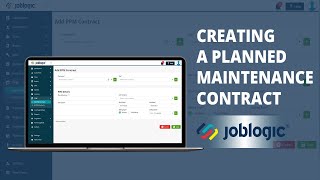
- Step 4: Create a planned maintenance contract
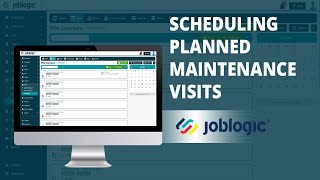
- Step 5: Schedule the visits
- Step 6: Brief your engineers on the mobile app
- Step 7: Layer predictive scheduling on top
- Step 8: Sell the contract to existing customers
- What contractors are saying
- Recommended videos
- Frequently asked questions
- My verdict
 Joblogic
 Commusoft
 BigChange
 ServiceM8
Why asset tracking pays for itself

Reactive work runs your business. You know the pattern. Phone rings on a Friday afternoon, you scramble an engineer, you charge a callout fee, the customer grumbles, and you start again on Monday. Margin lands somewhere between 15 and 25 percent once you have paid the engineer, the diesel and the parts.
Planned maintenance is different. The visit is scheduled. The parts are on the van. The customer knows it is coming. Margin on a properly priced PPM visit sits at 40 to 60 percent, and the visit value compounds because you are also catching small problems before they become emergencies. UK industry data shows planned contracts cut emergency callouts by roughly 30 percent across the customer base.
Joblogic is the FSM platform I see facilities maintenance, HVAC and plumbing firms using most often for this in the UK. It has been around since 1998, it is built for service contracting, and the asset and PPM modules are mature. The reason no one has written a proper walkthrough is that the setup involves seven or eight moving parts and most articles stop at "click the Asset tab". This one will not.
Before you touch the software
Three things to sort before you log in. Skip them and you will redo the setup twice.
One: decide what counts as a tracked asset. Not every piece of kit on a customer site needs a QR code and a service record. For heating, you want boilers, cylinders, heat pumps, gas meters and pressurisation units. For air conditioning, indoor and outdoor units. For facilities, the long list: AHUs, fans, fire dampers, water boosters, lifts, smoke vents. Aim for the items that fail, the items that need certification, and the items the customer is contractually responsible for. Forty assets per medium-sized commercial site is normal. Five hundred is overkill on day one.
Two: standardise your naming. Pick a format and stick to it. I use Site code, asset type, location, sequence number. So a Worcester Bosch 35CDi in the plant room at the Manchester office becomes MAN-BOIL-PLANT-01. Two-word names will haunt you when you have 4,000 assets and you are searching for "boiler 2".
Three: pick a PPM frequency that matches the contract value. Gas safety is annual, by law. Commercial boilers usually go twice a year. F-Gas units are quarterly. Cooling towers monthly. Match the visit frequency to what the customer is paying for, not to what the engineer thinks looks tidy.
Step 1: Set up sites and customer hierarchy

In Joblogic the structure goes Customer, then Site, then Asset. A single customer can have many sites, and each site has its own asset register. This matters more than it sounds because reporting, invoicing and PPM visits all roll up to the customer record. Get this wrong and your billing breaks.
Go to Customers, click New Customer, fill in the legal billing entity at the top of the tree. For a facilities management firm running 12 buildings, that is the FM company. The 12 buildings sit under Sites. For a single-location plumber's commercial customer, the customer and the site can be the same name, but you still need both records.
On each site record, fill in the full address, the parking notes, the site contact, and the access requirements. Joblogic shows these to the engineer on the mobile app, so anything you skip is something the engineer will phone the office to ask about at 7:30 in the morning.
If you have an existing customer list in a spreadsheet, use the Import function under Settings. The CSV template is straightforward. Map the columns, run the import, fix the dozen rows that fail validation. Most of those failures will be missing postcodes or invalid email formats. Sort them and re-run.
Step 2: Build your asset register
This is where the work is. You can either import the asset register in bulk or build it as you go. For a new contract with a customer you have never visited, the engineer logs each asset on the first commissioning visit using the mobile app. For an existing customer with 300 assets, you bulk import.
The minimum fields on each asset record are: asset type, make, model, serial number, install date, location on site, and the parent site. Joblogic also lets you store warranty expiry, last service date, F-Gas charge size, and any custom fields you need. For a gas boiler I add Gas Safe number of the last engineer to touch it. For a commercial AC unit I add the refrigerant type and charge weight, because F-Gas reporting depends on it.
To bulk import, go to Setup, Asset Imports, and download the CSV template. The order of columns matters. Fill in your data, save as CSV, upload. Joblogic will validate every row and flag the failures. Common ones: duplicate serial numbers, asset types not in the master list, and dates in the wrong format. Add new asset types under Setup before you import or every row that uses them will fail.
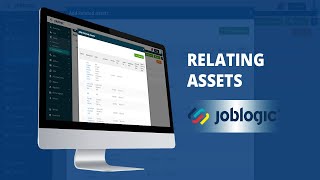
If you want assets to relate to each other, for example a hot water cylinder that is fed by a specific boiler, use the Related Assets function. When the engineer scans the boiler on a service visit, the related cylinder shows up automatically. This is the kind of detail customers notice when they are deciding whether to renew.
Step 3: Tag everything with QR codes

Joblogic generates a unique QR code for every asset record. The engineer prints them on adhesive labels and sticks them to the kit. Scanning the QR with the mobile app pulls up the full asset history in two seconds. Without it, the engineer types in the asset name, scrolls a list and gets the wrong one.
Print the codes in batches. Go to the Asset list, filter by site, select all, click Print QR Labels. Joblogic produces a PDF you send to a label printer. For outdoor or plant room use, get waterproof polyester labels. Avery thermal labels last about six months in a damp boiler house. Polyester labels with an over-laminate last five years. The cost difference is pennies per label.
Get the engineer to stick the label somewhere visible but out of the way of moving parts. On a boiler the front casing is fine. On an AC condenser, the inspection panel. On a fire damper, the access hatch. Then they scan it once on the install visit to confirm it is the right asset and you are done.
Joblogic claims their QR scan saves dozens of office hours a week on data entry across a small fleet. That is generous, but the real win is on site. An engineer who can pull up the full service history in two seconds gets through a PPM visit 15 percent faster, and that is 15 percent more visits per week.
Step 4: Create a planned maintenance contract
This is the bit most firms skip and lose money on. A PPM contract in Joblogic is not just a price. It is a structured record that tells the system how often to generate visits, what tasks to put on each visit, how to bill, and when to renew.
Go to Maintenance, then PPM Contracts, then New Contract. Pick the customer and the site. Set a start date, an end date and a contract value. Then attach the assets you want covered. If you are doing a full site, select all assets. If the customer wants a partial contract, just on the gas plant, select those.
For each asset, set the service frequency. Annual, biannual, quarterly, monthly. Joblogic stores this against the asset and generates the visit dates automatically when you save the contract. You can also override at the contract level. So a customer who wants every boiler done in March and September gets that, even if your default is "six months apart".
The contract value is what the customer pays you over the contract period. Joblogic supports fixed price, fixed price per visit, and time and materials. For PPM, fixed price annual with monthly billing is the standard. Set the billing as Regular Invoicing and pick a monthly cycle. The system will raise an invoice on the same date every month with no admin involvement.
Set the renewal action to Auto-renew. Six weeks before the contract expires, Joblogic flags it for review. You either renew it as-is, adjust the price, or let it lapse. Auto-renewal is the difference between 90 percent retention and 60 percent retention. Customers who have to actively renew drop off at two to three times the rate of auto-renew customers.
Step 5: Schedule the visits

Once the contract is saved, Joblogic generates the visit calendar. For a 12-month contract with two visits per year on 40 assets you might get 80 individual asset visits. The system groups them by site, so a single field visit can cover multiple assets at once.
Go to the Scheduler. The unscheduled PPM visits show up in a separate queue. Drag each one onto an engineer at the date and time you want them done. Joblogic will check engineer availability, travel time from the previous job, skill match and asset forecast time, and it will warn you if you are over-committing.
For large contracts, use the Bulk Schedule function. Select the visits, pick an engineer, pick a date range, and let the system distribute them across the working days. You can always drag individual ones to a different day if a customer asks.
Suspending a contract is one click. If a customer goes on hold, for example a tenant has moved out of a building and the site is closed for refit, hit Suspend on the contract. The visits stop generating, the invoices stop raising, and when the customer reactivates, you click Resume and the calendar picks up where it left off. This bit alone saves you the four-hour annual scramble where someone manually deletes calendar entries.
Step 6: Brief your engineers on the mobile app
The PPM contract is only as good as the engineer who arrives on site. Joblogic Mobile is the app they use. Get this set up properly and you remove the office bottleneck.
On the morning of the visit the engineer opens the app, sees the day's jobs, drives to site, opens the customer record, scans the QR on the first asset and starts the task list. The app shows the service history, the previous engineer's notes, the warranty expiry, the gas certificate, the photos from last time. Nothing has to be radioed back to the office.
When the task list is complete, the engineer signs off, takes a photo of the asset showing the work done, gets a customer signature, and submits. The visit closes, the invoice triggers if it is per-visit billing, and the asset's last service date updates automatically. If a fault is found, the engineer raises a follow-up quote from the same screen. The customer gets that quote on their email within an hour of the engineer leaving site.
Brief every engineer on three things. One, always scan the QR before starting work. Two, complete every task list item before submitting. Three, take a photo of every asset they touch. If they do those three, your asset history stays clean, your certification documents stay current, and your office team stops chasing them for paperwork.
Step 7: Layer predictive scheduling on top

This is the part that is changing fastest. Joblogic and the FSM market in general are moving towards AI-driven scheduling that learns from your asset history. The principle is simple. If you have three years of service records on 4,000 boilers, the system can spot the patterns that precede a failure. Pressure dropping. Burner cycling more often. Service intervals being missed. It then nudges the scheduler to bring forward a visit before the kit fails.
I have written about this for Commusoft, where the Ai:den scheduler is the leading example in the UK market. For Joblogic specifically, the AI angle is currently most useful in route optimisation and SLA management. The system looks at the engineers' positions, the open jobs, the customer SLAs and the travel times, and it auto-suggests the optimal sequence. On a 50-engineer day, that saves three to four hours of travel across the team. At an average labour cost of £35 an hour, that is £140 a day, or £35,000 a year.
To get the AI features working properly, you need clean data. Three years of complete asset history is the sweet spot. If you are starting from scratch, the AI will not have enough to work with for 18 months. Get the asset register clean, get every visit logged with proper task lists, and the predictive scheduling becomes useful as the data builds.
For now, the practical AI win is the chatbot you put in front of customers for booking. If you want to wire one up alongside Joblogic, the free customer service bot setup takes a couple of hours and handles the bookings that would otherwise come in by phone. You can also feed your photos straight into an AI quoter using the photo-to-quote workflow for the follow-up work your engineers find on PPM visits.
Step 8: Sell the contract to existing customers
You have the platform set up. Now you have to sell the contract. This is where most firms stall, so I will be specific.
Start with your top 20 reactive customers. Pull the report from Joblogic showing how much each one has paid you in callouts over the last 24 months. Take the worst offenders, the ones who phone three times a year at panic prices, and offer them a planned contract at slightly less than their annual reactive spend. They get cheaper visits and predictable cover. You get recurring revenue and a calendar full of profitable work.
The pitch in one paragraph: "You spent £2,400 with us last year on emergency callouts. We can put your three boilers on a planned contract for £1,800 a year, paid monthly. Two scheduled services per boiler, priority response if anything goes wrong, no callout fee on contract jobs. Your bill drops, our schedule fills, the boilers get looked after properly." It is not complicated. Most customers say yes.
For sustained PPM growth, build the offer into your standard quote template. Every reactive job gets a "convert to contract" option at the bottom of the invoice. Some firms put it on the engineer's tablet with a one-tap signup. Even at a 10 percent conversion you are adding contracts every week without a sales call.
For more on the contract-building side, the dedicated planned maintenance contracts guide walks through pricing tiers, SLA structures and the 90-day rollout. If you are weighing platforms, the Commusoft PPM walkthrough sits alongside this one for direct comparison. And if emergency work is still the bulk of your turnover, the emergency callout playbook shows how to keep that side of the business profitable while you build the PPM book.
What contractors are saying
Recommended videos

Asset management: smarter, safer and simpler
Joblogic
Creating a planned maintenance contract
Joblogic
Scheduling planned maintenance visits
Joblogic
Relating assets on a customer site
Joblogic
Importing assets in bulk
Joblogic

Joblogic review and full walkthrough 2026
The Sales Site
Frequently asked questions
For a small heating or facilities firm with a dozen customers, two weekends. The first weekend you import customers, sites and the asset register. The second weekend you build PPM contracts, task lists and engineer profiles. Add a third weekend if you have more than a thousand assets to import.
Probably not. It is built for service firms with three or more engineers running planned contracts. For a one or two person operation, ServiceM8 or Tradify is a better fit on cost and complexity. Joblogic earns its keep once you are running multiple engineers across multiple sites with structured PPM work.
Joblogic does not publish UK prices on their site. The Standard tier starts at around £45 per user per month based on what users have shared in reviews. Premium adds PPM contracts, route scheduling and engineer tracking. Enterprise adds advanced compliance and the custom form builder. Get a quote direct from sales rather than working off a published number, because pricing depends on user count and modules.
Yes. You import the SFG20 task schedules against asset types and Joblogic generates the right task list for each visit. This is the standard FM benchmark for commercial maintenance and it is the bit that wins you facilities management contracts in tenders.
Two reasons engineers push back. The app is slow on their old phone, or they have not been trained properly. Issue every engineer a current-generation work phone, do a one-hour group training where they each complete a real visit on the app, and pay a small bonus for the first month of clean digital paperwork. After 30 days of digital records the office staff will not let them go back to paper.
Yes. Each refrigerant-charged asset stores the gas type and charge weight. When the engineer logs gas added or removed on a visit, Joblogic updates the running total and flags any unit that crosses the F-Gas leak check thresholds. That keeps you compliant with the UK F-Gas Regulation without a separate spreadsheet.
BigChange is the heaviest of the three, strong on vehicle tracking and large fleets, and priced accordingly. Commusoft is the closest competitor on PPM and is moving fastest on AI. Joblogic sits between them, with the most mature asset and SFG20 tooling. Pick on whether your business is built around assets and PPM (Joblogic), service jobs and AI scheduling (Commusoft), or vehicles and large fleets (BigChange).
If you price properly, 40 to 50 percent gross in year one and 50 to 60 percent by year three as you tighten visit times and convert callouts. The firms that lose money on PPM are the ones who under-priced because they were scared to lose the bid, then ate three free callouts on every contract. Price for two scheduled visits plus a sensible allowance for breakdown cover, and stick to it.
My verdict
If you maintain physical kit on commercial sites, Joblogic gives you the cleanest path from reactive callouts to recurring revenue I have seen in the UK FSM market. The asset register is mature, the PPM module is built for the way maintenance contractors actually work, and the SFG20 integration is the bit that wins you facilities tenders. It is not the right tool for a small domestic plumber. It is the right tool for a 5 to 50 engineer firm with commercial customers and a book of equipment that needs servicing on a calendar. Get the asset register clean, get the engineers on the mobile app, and the contracts sell themselves. That is the route from chasing the phone to forecasting the year.