Quick Answer
Let me cut to the chase: I wrote The Quote Handbook through Together We Count because tradespeople were losing jobs on poorly written quotes. Here is a hard truth: most of you are still doing it wrong, and now there is no excuse. Paste your rough job notes into ChatGPT with a structured prompt and you get a professional, itemised quote back in 30 seconds flat. The free tier handles this perfectly. Below I give you five copy-paste prompt templates for different trade scenarios, plus how to make the output sound like you actually wrote it.
Table of Contents
- Why Tradespeople Are Turning to AI for Quoting
- What You Need for AI Quoting
- Step 1: The Basic Quote Prompt (Copy-Paste Ready)
- Step 2: Advanced Prompt Templates by Trade
- Step 3: Turn a Photo Into a Quote
- Step 4: Polish the Output So It Sounds Like You
- Step 5: Common Mistakes to Avoid
- ChatGPT vs Claude for Quoting
- My Verdict
- What UK Tradespeople Say About AI Quoting
- ChatGPT Quoting Videos and Tutorials
- ChatGPT Quoting FAQ for UK Trades
 ChatGPT
 Claude
Why Tradespeople Are Turning to AI for Quoting
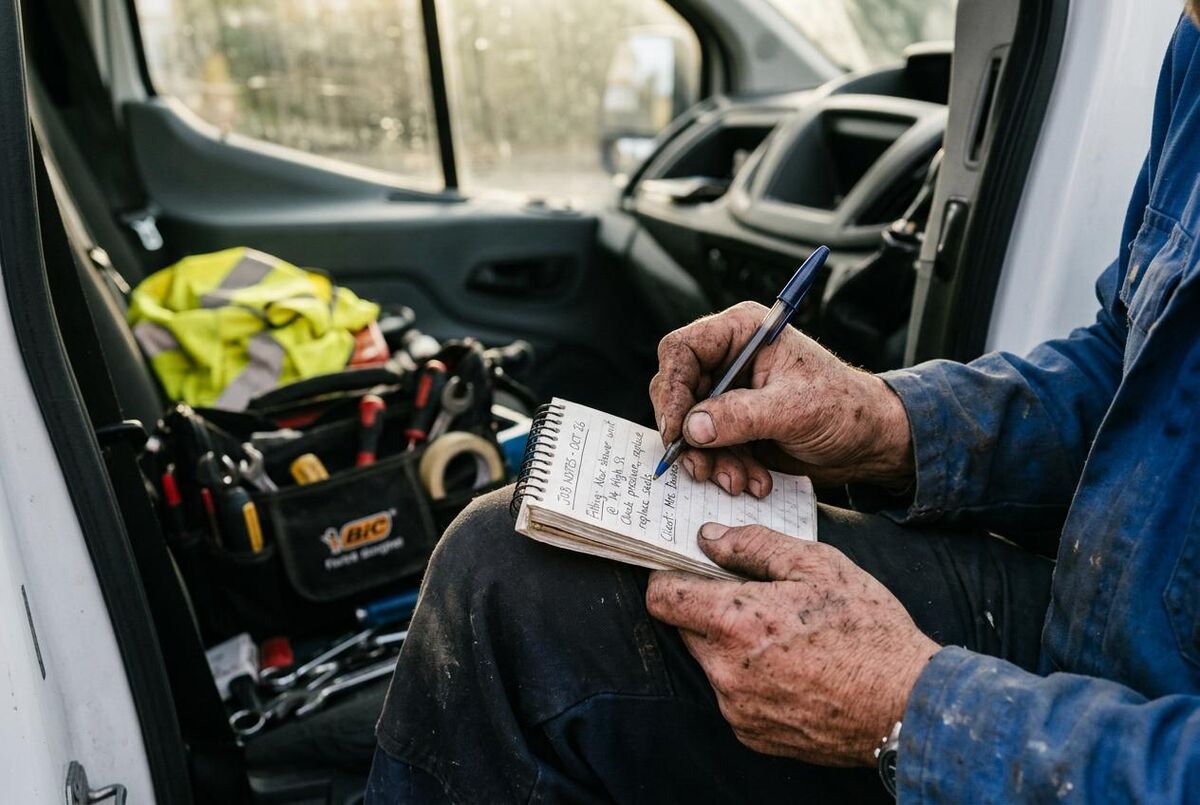
Sound familiar? You get back from a site visit, scribble some notes on the back of a receipt, and then spend an hour trying to turn that into something professional enough to email. I spent years coaching tradespeople on their quotes through Together We Count and my book The Quote Handbook, covering everything from personalised opening paragraphs to structured tables and clear calls to action. Those principles still matter, but now AI lets you apply them in seconds rather than hours.
In The Quote Handbook I lay out 18 improvements that turn a basic price list into a document that actually wins work: a personalised opening paragraph, structured tables, clear calls to action, three-option pricing. Those fundamentals have not changed. What has changed is that AI lets you apply them in seconds rather than hours. The quote still needs your knowledge behind it; the formatting is no longer your problem.
According to a 2025 Housecall Pro survey of 400+ contractors, over seven in ten have now tried AI tools in some capacity, and two in five are actively using them in their businesses. The biggest use case? Admin tasks like quoting, invoicing, and customer communications. Our complete guide to AI tools for tradespeople covers the full landscape, but quoting is where most people start. AI adopters report reclaiming an average of 3.2 hours per week, and more than half say it has directly helped grow their business.
The shift is real. Dan Callies, president of Oak Creek Plumbing and Remodeling in Milwaukee, equips his 20 plumbers with tablets running ChatGPT. They use it to automatically create invoices, work proposals, and even brainstorm solutions to complicated plumbing problems. As he told CNN Business: "It's definitely been worth the investment."
UK Adoption Is Still Low
While over seven in ten contractors globally have tried AI, only about one in ten UK construction firms currently use it (McKinsey Global AI Survey, 2024). That means early adopters in the UK trades have a real competitive advantage right now. Your competitors probably are not doing this yet.
What You Need for AI Quoting
You do not need a paid subscription. You do not need any technical skills. You do not even need a laptop. Here is what you need:
- A ChatGPT account: Visit chat.openai.com and sign up for free. The free tier runs GPT-5.3 and handles quoting perfectly.
- Your job notes: Whatever you scribbled down during the site visit. Messy is fine. That is the whole point.
- A prompt template: We provide five ready-made ones below. Copy, paste, fill in your notes, and hit enter.
Free vs Paid: What Is the Difference?
The free ChatGPT tier (GPT-5.3) handles quoting brilliantly. You get 10 messages every 5 hours, which is plenty for most sole traders. ChatGPT Go (approximately £8/month) removes ads and gives more messages. ChatGPT Plus (approximately £20/month) adds the latest GPT-5.4 model and photo analysis. For quoting alone, free is enough.
Step 1: The Basic Quote Prompt (Copy-Paste Ready)
This is the prompt that works for any trade, any job. Copy it exactly, replace the bits in square brackets with your own details, and paste it into ChatGPT.
Copy-Paste Prompt: Basic Quote Generator
You are a professional UK tradesperson writing a quote for a customer. Write a clear, itemised quote based on these job notes. Use British English, include VAT at 20% as a separate line, and keep the tone friendly but professional. Do not use any jargon the customer would not understand.
Trade: [your trade, e.g. plumber, electrician, carpenter]
Customer name: [name]
Job description from my notes: [paste your rough notes here]
Estimated materials cost: [rough figure or "estimate for me"]
Estimated labour: [hours or days]
My day rate: [your rate]
ChatGPT will return a properly formatted quote with an introduction, itemised breakdown, VAT calculation, payment terms, and a professional sign-off. The whole thing takes about 30 seconds.
Here is an example. Say you are a plumber and your notes read: "Mrs Johnson, 14 Willow Road, Bristol. Leaking bath tap, need new basin mixer, check under sink for damp. About 2 hours work plus parts." Paste that into the prompt above with your day rate and ChatGPT will give you a complete, professional quote with itemised labour, materials, and VAT. If you want a ready-made spreadsheet to plug those figures into, grab our free job estimate template with auto-calculated margins.
And if you are quoting for a ServiceM8-based workflow, our free ServiceM8 quote template gives you a Word/PDF starting point you can pair with these AI-generated drafts.
Step 2: Advanced Prompt Templates by Trade
The basic prompt works for simple jobs. But for bigger projects or specific trades, a more detailed prompt gets better results. Here are four trade-specific templates:
Electrician: Rewire or Consumer Unit Upgrade
Electrician Quote Prompt
You are a qualified UK electrician (BS 7671 compliant) writing a detailed quote. Include: a brief scope of works, itemised materials with approximate costs, labour broken down by task, certification costs (EICR/Part P notification), VAT at 20%, payment terms (50% deposit, balance on completion), and a 30-day validity period. Use British English throughout. Keep technical terms but explain them in brackets where a homeowner might not understand.
Job notes: [paste your notes]
Property type: [house/flat/commercial]
My hourly rate: [rate]
Plumber: Bathroom or Boiler Work
Plumber Quote Prompt
You are an experienced UK plumber writing a customer quote. Include: scope of work in plain English, itemised parts list with approximate costs from a UK merchant (Screwfix, Toolstation, or plumbing wholesaler), labour hours by task, any waste removal or making good, Gas Safe registration number placeholder if gas work is involved, VAT at 20%, and a professional sign-off. Keep it warm and reassuring.
Job notes: [paste your notes]
My day rate: [rate]
Carpenter/Joiner: Fitted Furniture or Structural
Carpenter Quote Prompt
You are a UK carpenter/joiner writing a detailed quote. Include: design brief summary, itemised timber and materials list with approximate costs, finish options (paint-grade, hardwood, etc.), labour broken down by phase (measure, fabricate, install, finish), any subcontractor costs (if applicable), VAT at 20%, and estimated completion timeline. Mention that final dimensions will be confirmed after a detailed site measure.
Job notes: [paste your notes]
My day rate: [rate]
General Builder: Multi-Trade Project
General Builder Quote Prompt
You are a UK general builder writing a quote for a multi-trade project. Include: a brief project summary, phase-by-phase breakdown (demolition, structural, first fix, second fix, finish), materials estimate per phase, labour costs per phase, any specialist subcontractor allowances (electrician, plumber, etc.), skip hire and waste disposal, building control fees if applicable, contingency allowance of 10%, VAT at 20%, and a realistic timeline. Make it clear which items are provisional sums vs fixed prices.
Job notes: [paste your notes]
Project budget indication: [if customer mentioned one]
Step 3: Turn a Photo Into a Quote
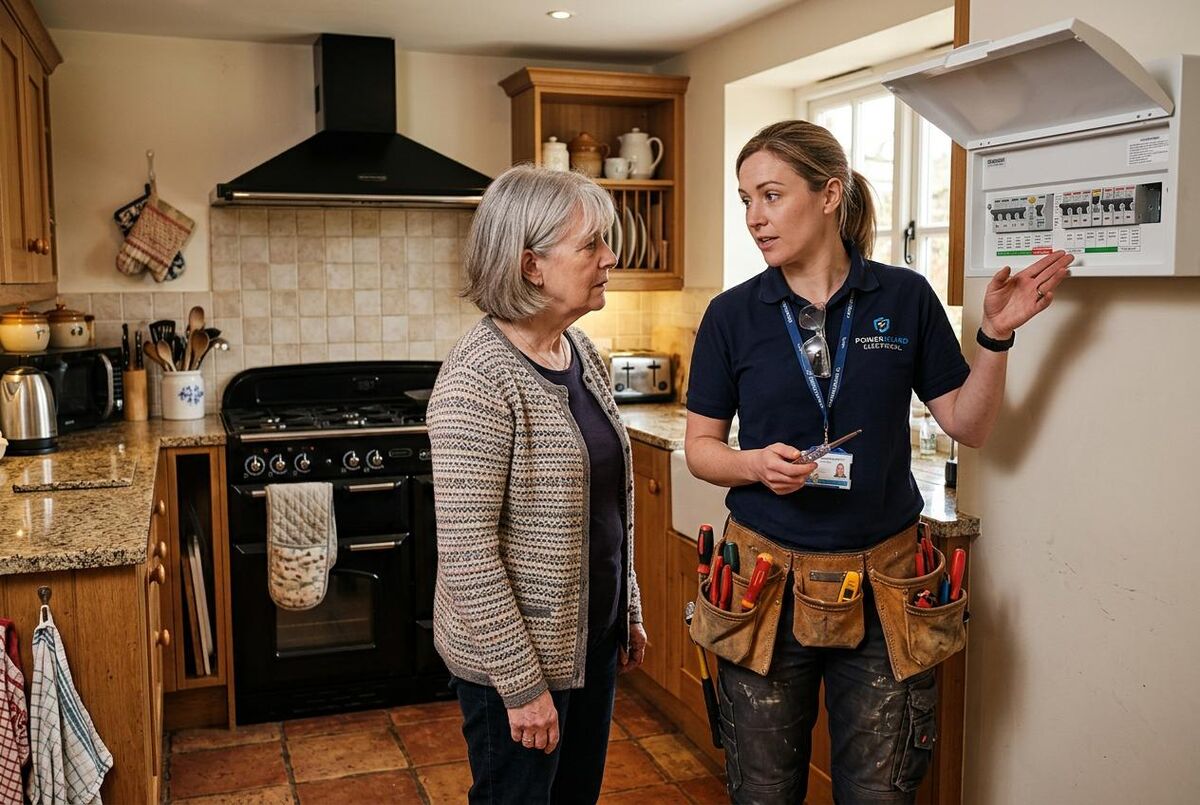
If you have ChatGPT Plus (approximately £20/month), you can upload photos directly. Take a picture of the job, the existing installation, or even your handwritten notes, and ChatGPT will analyse them.
- Take photos on site: Snap the area that needs work, any existing fittings, damage, or access issues.
- Upload to ChatGPT: Tap the camera icon in the chat and attach your photos.
- Add your prompt: "Based on these photos, write me a detailed quote for [describe the job]. I am a [your trade] based in [your area]. My day rate is [rate]."
- Review and adjust: ChatGPT will estimate the scope and suggest materials. Always check the quantities and prices against your own knowledge.
Always Double-Check the Numbers
ChatGPT is brilliant at formatting and structuring quotes, but it does not know your local material prices or your specific mark-up. Always verify quantities, prices, and labour estimates against your own experience before sending any quote to a customer. Think of it as a first draft, not a final document.
Emma Locarnini, office manager at Arizona Building Contractors, tested ChatGPT on a large commercial project. It generated a budget within a small margin of their actual figure, and a scope of work that would normally take her team a day or two was produced in 30 seconds. But she is clear about its role: "ChatGPT helps me move faster and catch issues earlier, but it does not replace any of our roles."
Step 4: Polish the Output So It Sounds Like You

The biggest risk with AI-generated quotes is that they sound generic. Your customers chose you because of how you communicate, not because you sound like a corporate brochure. If you want to take customer communication further, our guide to AI agents for trades customer communication shows how to automate replies while keeping your personal tone. Here is how to make ChatGPT output sound like you wrote it:
I have reviewed hundreds of quotes through Together We Count. The ones that win work are not the cheapest. They are the ones where the customer can hear the tradesperson's voice in the writing. A personalised opening, your own terminology, your guarantee wording at the bottom. That is what separates a quote from a price list.
- Add a personal opening: Replace ChatGPT's generic "Thank you for the opportunity" with something you would actually say. "Hi Sarah, lovely house! Here is what I am thinking for the kitchen rewire."
- Use your own terms: If you call it a "consumer unit" and ChatGPT says "fuse box", change it. Or tell ChatGPT in the prompt: "I call it a consumer unit, not a fuse box."
- Add your guarantee: Drop in your standard warranty or guarantee wording at the end.
- Include your branding: Copy the text into your headed paper template or quoting software. If you are already using job management software, our automation playbook for small plumbing businesses shows how to connect the whole pipeline.
- Read it out loud: If it does not sound like something you would say to a customer's face, reword it.
Pro Tip: Train ChatGPT on Your Style
In my eyes, this is the single most important step. Paste in two or three of your previous quotes and tell ChatGPT: "This is how I write. Match this tone and style for all future quotes." Your voice is what wins trust with customers, not generic AI text. It will remember your preferences within the conversation. If you use ChatGPT Plus, the memory feature remembers your style across sessions.
Step 5: Common Mistakes to Avoid
After speaking with tradespeople who use AI for quoting, these are the mistakes that keep coming up. Getting the structure right matters, but so does choosing the right pricing model for your trade:
- Sending without reading: At Together We Count, we tell every client the same thing: never send a ChatGPT quote without reading every line. It might estimate materials too low, miss a task, or use American spelling.
- Trusting the prices: ChatGPT does not know what Screwfix charges this week. It gives rough estimates that might be months out of date. Always check material costs yourself.
- Being too vague: "Write me a quote for a bathroom" gives a vague result. "Write me a quote for removing an existing suite, fitting a new P-shaped shower bath, wall-mounted basin, and close-coupled WC in a first-floor bathroom with existing soil stack access" gives a much better one.
- Forgetting VAT: Unless you tell ChatGPT your VAT status, it might not include it. Always specify "include VAT at 20%" or "I am not VAT registered" in your prompt.
- Not specifying British English: ChatGPT defaults to American English. Always include "Use British English" in your prompt, or your quote will say "labor" instead of "labour" and "aluminum" instead of "aluminium".
Never Rely on AI for Regulatory Compliance
ChatGPT does not know the current edition of BS 7671, Gas Safe requirements, or your local building control rules. Any regulatory references in a quote should come from your own knowledge, not from AI. Use ChatGPT for the writing; use your brain for the compliance.
ChatGPT vs Claude for Quoting
ChatGPT is not the only option. Anthropic's Claude (currently on version Opus 4.6) is a strong alternative for quote writing. Here is how they compare for this specific task:
Trying both with typical plumbing and heating job notes, Claude tends to produce British English more naturally without being prompted, and its longer context window handles detailed multi-room quotes better. ChatGPT wins on the ecosystem side: Custom GPTs let you save a quoting assistant that remembers your day rate, your preferred terms, and your company details. If you are not sure which to try, start with ChatGPT's free tier and switch to Claude if the tone feels off.
| Feature | ChatGPT | Claude |
|---|---|---|
| Free tier | GPT-5.3, 10 messages/5 hours | Claude Sonnet 4.6, limited messages |
| Paid price | Plus: ~£20/month | Pro: ~£16/month |
| Photo analysis | All plans (Plus for unlimited) | Free tier (with limits), Pro for higher usage |
| Quote formatting | Excellent, well-structured | Slightly more natural tone |
| British English | Needs prompting | Better by default |
| Memory across chats | Yes (Plus plan) | Limited |
| Mobile app | iOS + Android | iOS + Android |
| Best for | Photo-based quoting, Custom GPTs | Longer, more detailed quotes |
I call a spade a spade here: for most tradespeople, ChatGPT is the better starting point because of the free photo analysis and the larger ecosystem of Custom GPTs (pre-built assistants for specific tasks). But if you find ChatGPT's writing a bit stiff, Claude often produces more natural-sounding text straight out of the box. For a broader look at how automation can take the admin off your plate, see our ultimate n8n automation stack for trades.
My Verdict
ChatGPT is a useful tool for writing quotes, and for most tradespeople it is the best place to start. It will not replace your trade knowledge or your ability to price a job accurately, but it will turn your scribbled notes into professional documents that customers take seriously. The free tier handles quoting perfectly well. Start with the basic prompt, try it on your next three quotes, and see how it feels. If the output reads like a corporate letter, feed it two of your old quotes and tell it to match that tone. That one step makes all the difference.
Once quoting is sorted, consider pairing it with an AI-powered lead response system so every enquiry gets a fast, professional reply. And if you want to understand where your quote fits in the bigger picture of your numbers, our Xero MTD setup walkthrough covers getting your accounting in order.
Best for: Turning rough job notes into professional, itemised quotes quickly
Time saved: 20-45 minutes per quote (from hours to minutes)
Cost: Free. Paid plans (from £8/month) add convenience, not necessity
Learning curve: Under 10 minutes. Copy a prompt, paste your notes, review the output
What UK Tradespeople Say About AI Quoting
From Screwfix forums to TikTok, UK tradespeople are sharing their experiences with AI quoting tools. Here is what the conversation looks like across different platforms.
ChatGPT Quoting Videos and Tutorials

7 Ways Remodelers are ACTUALLY Using ChatGPT
Contractor Growth Network

Contractor Marketing Blueprint That Actually Works in 2025
Hook Agency

Smarter Blogging for Contractors: AI + Human Strategy
Hook Agency
AI for Work: Task and Evaluation Framework
AI for Work

Selling HVAC Online vs In Person: Pros and Cons
Hook Agency

5 Ways to Rank on ChatGPT and Google SGE
Hook Agency
Level Up Your Trades Business
AI quoting is just the start. Explore our full library of guides on automating your plumbing business and the digital transformation roadmap for UK trades.
Explore TrainAR AcademyChatGPT Quoting FAQ for UK Trades
Yes. The free tier runs GPT-5.3 and handles quote writing well. You get 10 messages every 5 hours, plenty for most sole traders.
No. Never trust it for exact pricing. It gives rough estimates that might be months out of date. Always check material costs yourself against Screwfix, Toolstation, or your local wholesaler. Use ChatGPT for the words, not the numbers.
Not if you personalise it. Swap the generic opening for your own greeting, adjust terminology to how you actually talk, and add your guarantee wording at the end. Five minutes of editing turns a ChatGPT draft into something that sounds like you. Our AI customer communication guide covers this in more detail.
Yes, iPhone and Android both have free apps. Dictate your notes in the van, run the prompt, done.
Both work well. ChatGPT has better photo analysis on the free tier and more Custom GPTs. Claude often produces more natural British English. Try both with the same prompt and keep whichever output you prefer. Lots of tradespeople use ChatGPT for photo-based quoting and Claude for longer written quotes.