
Quick Answer
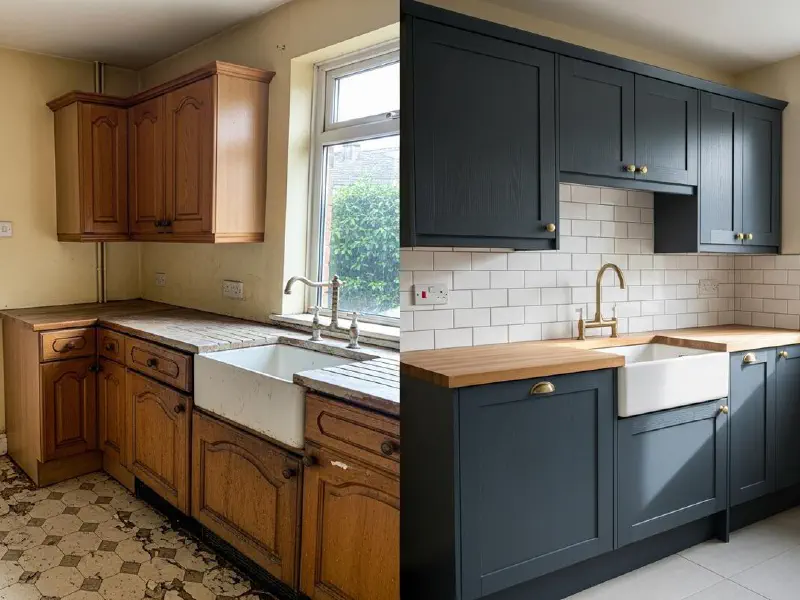
Build one Make.com scenario that watches your job management software for completed jobs, pulls the after-photo and your short completion note, runs them through an AI module to draft a caption and hashtags, and posts the result to Instagram, Facebook, and your Google Business Profile. The whole build takes one focused afternoon. Running cost is under £15 a month. Once it is live, every finished job becomes three social posts without you opening an app.
Table of Contents
- Why bother automating posts at all
- What you need before you start
- The build, step by step
- The AI prompt that does the heavy lifting
- The Instagram posting trap, and how to avoid it
- Why I always add a human approval step
- Running costs and operation budgeting
- What tradespeople and operators are saying
- Recommended videos
- Frequently asked questions
- My verdict
 Make.com
 ServiceM8
 Instagram
 Facebook
 Google Business Profile
 ChatGPT
Why bother automating posts at all
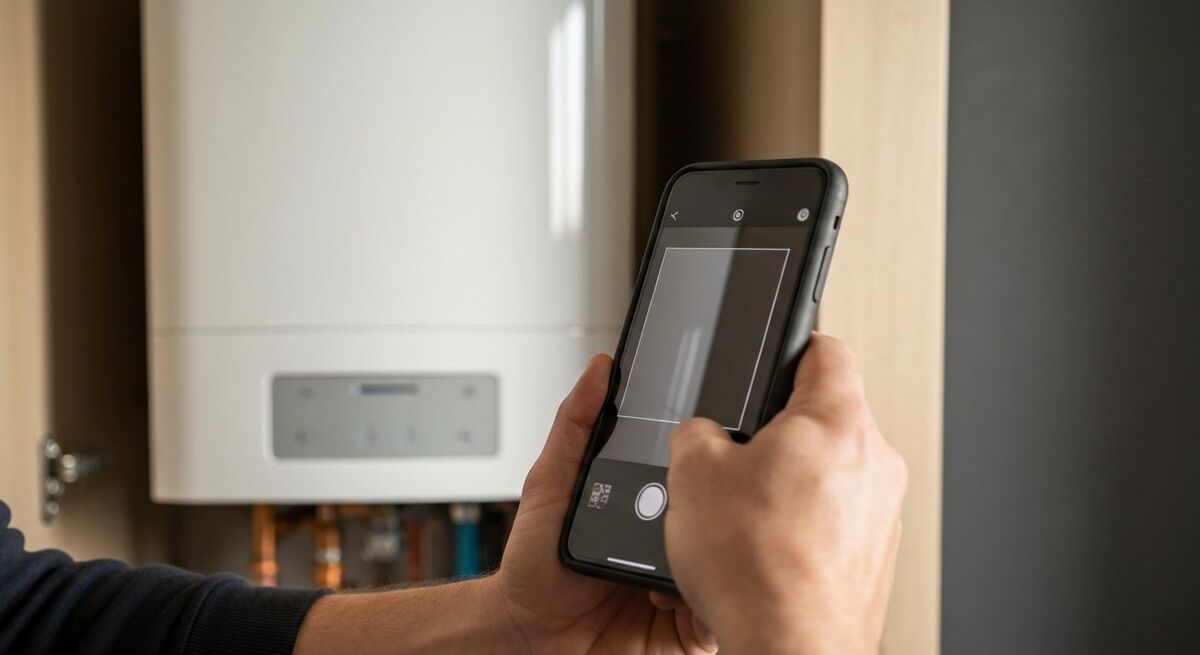
The numbers are uncomfortable. A MyJobQuote study of 2,825 UK homeowners found that 67% use social media as their primary research tool when choosing a tradesperson, and 71% will check a company on Facebook before they ever pick up the phone. The same study found 10% will not hire a tradesperson with no social media presence at all.
Then there is the other side of that ledger. Most independent trades businesses post once a month if they are lucky. I have seen Instagram pages from busy heating engineers that have not been touched in two years. The job gets done, the photo gets taken on the phone, and then the day moves on. The phone fills up with images that never go anywhere.
This is not a discipline problem. It is a workflow problem. Asking a sole trader to write a caption, pick hashtags, post to three platforms, and remember to do it after a 12-hour day is unrealistic. Automation is the only honest answer.
What you need before you start
This build assumes you are running a job management system that holds the photo and the completion note. ServiceM8 is the example I use throughout because it has a clean Make.com integration and a properly documented webhook system. If you are on Tradify, Fergus, Payaca, or BigChange the structure is identical, you swap the trigger module.
You need five accounts in place before you open Make:
- A job management system with photos saved to the job (ServiceM8, Tradify, Fergus, Commusoft, BigChange, Payaca, or similar)
- A Make.com account, free tier to start (1,000 operations per month gets you a long way)
- An OpenAI API account with a few pounds of credit, or a Claude API key
- A Facebook Business Page connected to your Instagram Business or Creator account
- A Google Business Profile you own and control
The Instagram piece matters and trips most people up. Personal Instagram accounts cannot be posted to via any API. You must convert your account to a Business or Creator account, then connect it to a Facebook Page. Make's own documentation spells this out and it is non-negotiable.
The build, step by step

The scenario has eight modules. I will walk through each in plain order. You can build the full thing in a focused afternoon if you have the accounts ready.
Module 1: ServiceM8 Watch Jobs (trigger)
Add the ServiceM8 module and select Watch Jobs. Set the status filter to Completed. Set scheduling to every 15 minutes, which is the minimum on the free Make plan. The module will fire every time a job is marked complete in ServiceM8.
One word of caution from the Make community. When Olaide_Bello posted in May 2026 that the Watch Jobs module was not picking up new jobs, the fix was a simple scheduling setting. If your scenario looks live but never fires, check that scheduling is set to Immediately or to a sensible interval, and check the status filter is actually catching the status you mark jobs as.
Module 2: ServiceM8 List Job Attachments
The trigger gives you a job UUID. This second module uses that UUID to list every attachment on the job. We want the photo. Configure it to filter by file extension so you only pull image files, not PDFs of the invoice.
Module 3: Iterator
The attachments come back as an array. You only want the first photo (or, if you want to post a carousel, the first three). An Iterator module lets you walk through the array. Add a Limit module after it, set to 1 for a single post or 3 for a carousel.
Module 4: ServiceM8 Download Attachment
For each photo in the iterator, download the binary. This is the image file that gets attached to the post later. Store it somewhere stable. I send it to a dedicated folder in Google Drive named "Auto-posted job photos" so I have a permanent archive separate from the ServiceM8 job records.
Module 5: OpenAI Create Chat Completion (the brain)

This is where the work happens. The module takes two inputs: the job description and the completion notes from ServiceM8, plus a system prompt that tells the AI what tone, length, and format you want. I cover the exact prompt in the next section because it is worth its own slot.
Use GPT-5 mini or Claude Haiku 4.5 for this. Both are cheap enough that 100 captions a month costs under £1 in API fees. GPT-5 mini handles the structure cleanly, Claude Haiku tends to write in a warmer voice. Try both, pick the one that sounds like you.
Module 6: Instagram Business Upload Photo
The output from the AI module gets parsed into three fields: caption, first-comment hashtags, and a short summary for Google. The Instagram module takes the photo from Module 4 and the caption from Module 5. Set "Publish post" to true and you are done.
Module 7: Facebook Pages Create Photo Post
Same input, different platform. Facebook accepts longer captions and supports multiple photos in a single post, so if you want to vary the platforms you can send a slightly longer version of the AI output here. I usually just send the same caption and trust the algorithm to do its work.
Module 8: Google Business Profile Create Post
The third destination is the one most trades businesses ignore, and it is the one that actually moves the needle on local search. A weekly post on your Google Business Profile keeps the listing fresh, which feeds the Local 3-Pack algorithm. The module takes a 1,500-character summary, a photo, and an optional call-to-action button. The AI module is set up to spit out a 200-word summary specifically for this destination.
The AI prompt that does the heavy lifting
The prompt is where this build lives or dies. A weak prompt produces generic AI slop that any homeowner can spot in two seconds. A focused prompt produces captions that read like you wrote them on a tea break.
Here is the prompt I use as a starting point. Adapt the voice notes to your own business. Paste it into the System message of the OpenAI module:
You are writing social media posts for {YOUR BUSINESS NAME},
a {TRADE} business based in {TOWN}. You write the way the
owner talks: plain, direct, no marketing fluff, no exclamation
marks, no emojis except a single relevant one at the end if
it fits.

Input: a job description and completion notes from ServiceM8.

Output exactly this JSON structure, no markdown, no commentary:

{
  "instagram_caption": "string, 80 to 150 words, opens with the
    job type, ends with a single sentence call to action",
  "instagram_hashtags": "string, 8 to 12 hashtags, mix of local
    ({TOWN}, postcode area) and trade-specific tags, separated
    by spaces",
  "facebook_caption": "string, 100 to 200 words, slightly more
    conversational than the Instagram version",
  "gbp_summary": "string, 150 to 250 words, includes the work
    type, the area you covered the job in, and a one-line
    invitation to get in touch",
  "post_topic": "string, one of: BOILER, HEAT_PUMP, ELECTRICAL,
    BATHROOM, GENERAL"
}

Do not invent prices. Do not name the customer. Do not describe
anything not in the job notes. If the job notes are empty,
return all fields with the string "SKIP" and we will not post.
The "SKIP" instruction is important. If a job has no completion notes the AI will not invent any, the scenario will catch the SKIP value with a filter, and the post simply will not happen. Better to skip a post than to invent details about a customer's home.
The Instagram posting trap, and how to avoid it

There is a wall you will hit if you try to automate Instagram Reels directly via the API. Buffer's documentation spells it out: only Business accounts can publish certain content types via the API, and Instagram limits carousel posts to 10 images even though the app allows 20.
The practical translation for trades businesses: stick to single-photo posts or carousels of up to ten images in your first build. They post directly. They look professional. They take one module to publish. Reels and Stories need a middle layer like Buffer or Publer to handle the API quirks, and that complicates the build without much return on investment for a job-photo workflow.
The other Instagram trap is the Business account requirement. If your Instagram is set to Personal, the Make module simply will not work. The fix takes two minutes in the Instagram app: Settings, Account, Switch to Professional Account, choose Business, connect it to your Facebook Page. Do that before you start building.
Why I always add a human approval step
The version of this scenario that I run for my own businesses never posts directly to social media. Instead, Module 5 (the AI) writes the caption, and Module 6 sends the caption and photo to a WhatsApp Business message or a Telegram bot for me to approve. If I tap the thumbs-up emoji within four hours, a second scenario picks it up and publishes. If I do not respond, nothing happens.
The reason is simple: AI can be wrong, and there is no undo on a published Instagram post. A caption that says "another boiler swap in Leeds" is fine. A caption that says "another boiler swap for the Smith family in Leeds" is a privacy problem you cannot un-publish. The five-second human check catches the one in fifty post that needs editing.
Setting up the approval flow adds two modules and roughly £2 a month in WhatsApp Business API charges if you use Twilio. It is the single best investment you can make in this build. I would rather post twice a week with a human gate than five times a week without one.
Running costs and operation budgeting

Make.com charges per operation, where an operation is one module running once. The eight-module scenario above uses eight operations per completed job, plus a few extra for the trigger polling. If you complete five jobs a day and the scenario runs on each, that is roughly 1,200 operations a month.
The current Make pricing tiers, verified on their pricing page, look like this for the typical sole trader or small team:
| Plan | Monthly cost | Operations included | Good for |
|---|---|---|---|
| Free | £0 | 1,000 | Sole traders posting 3 to 4 jobs a week |
| Core | £8 (annual) | 10,000 | Two or three people posting most jobs |
| Pro | £15 (annual) | 10,000 plus extras | If you want priority support and operation rollover |
Add OpenAI API costs. GPT-5 mini at current pricing handles roughly 1,000 captions per £5 of credit. Claude Haiku is similar. A typical small trades business will spend under £2 a month on AI calls.
Add the WhatsApp Business API if you go the approval route. Twilio charges a small amount per message, and a couple of pounds covers a month of approvals for most businesses.
Total cost: £10 to £20 a month all in. Half a callout fee. The maths on this is not the hard part.
What tradespeople and operators are saying
Recommended videos

Using ServiceM8 Custom Fields with Make.com
Walks through the field mapping that the scenario in this article depends on.
Introduction to ServiceM8 Automation
Background on what ServiceM8 can trigger and how the platform thinks about job state changes.
Make.com Tutorial for Beginners (2026)
A full beginner walkthrough if you have never opened Make before.

The Complete Instagram For Business Tutorial 2026
Covers the account-type switch you need to make before any automation will work.

Essential Digital Marketing Tips for Tradespeople
Useful baseline on what content actually performs for trades on social.

How to Make Before and Afters for Instagram (The Fast Way)
If you want to add a before/after step to the scenario, this is the quickest visual approach.
Frequently asked questions
Yes. The trigger module is the only thing that changes. Make has native integrations for Tradify, Fergus, Payaca, and BigChange. If your software is not in the Make app library, you can usually trigger from a webhook your job management system sends on completion. The middle six modules stay the same.
Two ways. The clean way is to add a custom field to your ServiceM8 jobs called "Auto-post" with a yes/no toggle, then filter the scenario on that field. The lazier way is to tag jobs with a keyword in the completion note ("private", "no-share") and filter on that string. I use the custom field approach. It is invisible to the customer and obvious to whoever is closing the job.
The Make scenario will log an error and stop that branch. The other platforms in the fan-out still post. Set up email alerts on scenario failures in your Make profile settings so you get a notification rather than silently missing posts. The most common rejection cause is an Instagram account that is still set to Personal rather than Business.
Legally, you should not name customers, show identifying features of their property (door numbers, postcodes, family photos), or quote prices without explicit permission. The prompt in this article tells the AI never to invent details or name customers. The human approval step catches anything that slips through. If in doubt, ask the customer when you book the job and add a tickbox to your job sheet.
One post per completed job that has a photo and notes attached. A working sole trader completes 5 to 15 jobs a week, so realistically you are looking at 3 to 10 posts a week depending on your filtering. The point is not volume, it is consistency. Posting three solid Instagram photos a week with proper captions puts you ahead of 95% of your local competitors.
Yes, but as a second project. Reels need video, which means you need a step that converts the photo into a 15-second slideshow with music. Creatomate has a Make integration that does this in one module. TikTok direct posting is restricted to verified businesses, so most people post via Buffer or Publer as a middle layer. Build the photo scenario first, get a month of clean output, then add the video layer.
Worth adding if you do commercial work, residential lettings, or property management contracts. LinkedIn's API is more restrictive than Facebook's so you may need to post via your personal profile rather than a company page. Add it as a ninth module once the rest is stable. For domestic-only sole traders, LinkedIn is rarely worth the operations.
My verdict
The whole point of this kind of automation is that you do the thinking once and then it just works. An afternoon of setup, twenty quid a month, and your social media goes from neglected to consistent. Add the human approval step, point it at three platforms, and forget about it. Your competitors are not posting at all. You only have to post twice a week to win the comparison, and this scenario gets you there without changing how you finish a job.
If you want to learn more about how the platforms compare before you build, our Instagram vs TikTok vs Facebook platform comparison is a useful starting point. If you want to push further on the AI side, our guide to AI-generated marketing content for trades covers the prompt-engineering side in more depth. And if you want to get the photos themselves right before you automate, the before-and-after photography guide is the foundation everything else builds on.