

Quick Answer
Most trades businesses lose a day a week to invoicing admin and then wait 37 days to get paid. This playbook fixes both. You connect ServiceM8 to Xero so finished jobs become invoices automatically, you add a Stripe pay-now button so customers can settle on their phone, and you let Zapier handle the reminder chasing. Done properly, the whole pipeline runs while you sleep. The average tradesperson who completes it saves between five and ten hours a week and shaves two weeks off their payment cycle.
Table of Contents
- The invoicing tax no one talks about
- The four-tool stack that runs the pipeline
- Stage 1: From completed job to draft invoice
- Stage 2: Adding a pay-now button to every invoice
- Stage 3: Automated reminders and escalation
- Stage 4: Reconciliation that takes minutes
- The numbers: what this actually saves
- Common implementation mistakes
- What tradespeople are saying
- Recommended videos
- Frequently asked questions
- My verdict
The invoicing tax no one talks about

I ran a heating and plumbing firm before I ever wrote a line of software. I know the Sunday night ritual. The kitchen table covered in job sheets, the spreadsheet open on the laptop, the second mug of tea going cold while you try to remember whether the boiler in Bromley was £180 or £240 for parts. Then Monday morning you find out the customer from Tuesday has been waiting nine days for their invoice and now they want to query it.
That is the invoicing tax. It is the gap between finishing the work and getting the money. For most UK trades, the gap is enormous. According to Xero Small Business Insights, the average small business waits 29 days for payment and is still being paid 8 days late on top of that. The Federation of Small Businesses reports that late payments close 38 small businesses every single day.
The reason this tax exists is not that customers are slow. It is that the invoice goes out late, the reminder goes out later, and the only payment option is a manual bank transfer with a 14-digit reference number that no one wants to type into their banking app at 9pm.
Automation fixes all three. And once you set it up, it runs forever.
If you turn over £200,000 a year and shorten your average payment cycle by ten days, you free up roughly £5,500 of working capital. That is the cost of a van service, a CITB Site Safety Plus card refresh for the whole team, and a long weekend away. Every year.
The four-tool stack that runs the pipeline
I have tested a lot of combinations over the years. Some firms try to do everything inside one platform and get frustrated when the accounting side is weak. Others wire up six or seven separate tools and spend more time managing the wiring than the work. The stack below is the sweet spot for any trades business doing between £80,000 and £800,000 a year.
 ServiceM8
 Xero
Xero Stripe
 Zapier
Each tool does one job. ServiceM8 is the field hand. It captures the job, the photos, the materials and the labour. When you mark a job complete, it knows what to bill. Xero is the accountant. It receives the invoice, files it, tracks the payment status and feeds your VAT return. Stripe is the payment lane. It puts a pay-now button on the invoice email and processes the card. Zapier is the glue. It triggers reminders, flags exceptions and chains the steps that the native integrations cannot.
You do not need all four on day one. The most common starting point is just Xero plus Stripe, which removes about half of the pain. Adding ServiceM8 next gets you the job-side automation. Zapier comes last when you want to push past the defaults.
Stage 1: From completed job to draft invoice
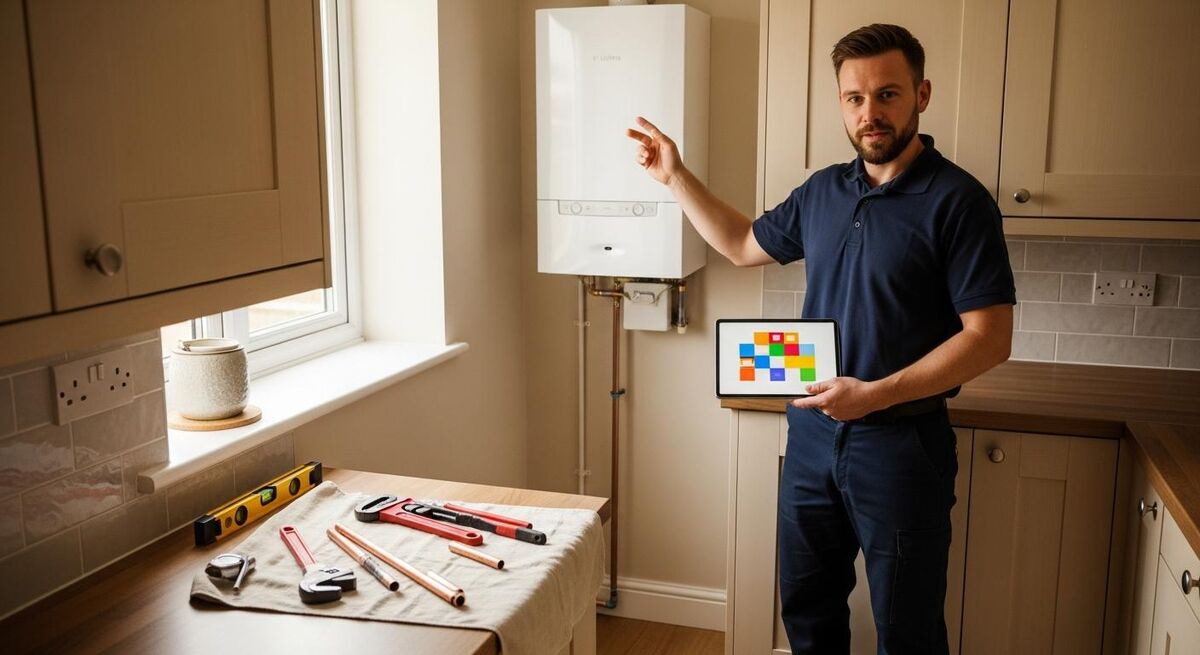
The single biggest win in this whole playbook is removing the manual step between finishing the work and creating the invoice. Right now, your process probably looks like this: engineer finishes the job, scribbles materials on a job sheet, drives to the next job, hands you a stack of paper at the end of the week. You type it up. You guess at one or two numbers. You email a PDF. The customer queries the price. You start again.
The fix is to make the engineer the last person who touches the invoice. In ServiceM8's Xero integration, when a job is marked complete, the materials and labour the engineer logged on site become a draft invoice in Xero. The customer record is matched. The line items are populated. The VAT is calculated. You review it, approve it, and it goes out.
Setup is simple. In ServiceM8, go to Settings, then Add-ons, then enable Xero. Authorise the connection. Map your VAT rates and your default revenue account. Test it with one job before you switch the team over.
Train the team to do two things on every job before they leave site: tick "Complete" and snap a photo of the finished work. The photo lives on the job in ServiceM8 and is attached to the invoice. It kills 90% of price queries before they happen.
The ServiceM8 to Xero sync is genuinely two-way. Payments received in Xero come back to ServiceM8 so the engineer can see the job is paid. Customer record changes flow in both directions. This matters because you should only update each piece of information in one place. Pick where you maintain customers (I recommend Xero, because the accountant lives there) and let the sync do the rest.
If you are running Tradify, Commusoft, Powered Now or Jobber instead of ServiceM8, the principle is identical. They all have native Xero integrations. The mechanics differ but the goal does not. See our companion quote-to-invoice playbook for the step-by-step on each platform.
Stage 2: Adding a pay-now button to every invoice
If your customer has to go and find their bank login, copy a sort code and account number, and type a 14-digit reference, they will pay you next weekend. If they can tap a button in the email and use Apple Pay, they will pay you in the next ninety seconds. Xero's own data shows that adding pay-now options can reduce payment delays by up to 54 days.
Stripe is the one I recommend for trades. The fees are 1.5% plus 20p for UK cards, which on a £400 invoice is £6.20. That is less than the cost of one chased phone call.

To set it up, log into Xero, go to Business, then Invoices, then Settings, then Payment Services, then Add. Select Stripe. Follow the prompts to create or connect your Stripe account. Apple Pay and Google Pay come on automatically. You can choose to absorb the fee or surcharge it (I absorb it; the cash flow win is worth more than the 1.5%).
For larger invoices, give the customer a deposit option. Set up an invoice template in Xero with a 25% deposit line and a balance line, both with Stripe payments enabled. Customers pay the deposit on acceptance, you start the job, and the balance link sits in their inbox ready for the day the work is done.
Some commercial clients refuse to pay by card on principle (it costs them their cashback or breaks their internal process). For accounts over £2,000, offer card and BACS side by side. Do not lose a paying customer because you tried to force the rails.
If you also do counter sales or deposits taken on site, look at Tap to Pay on iPhone, which is now built into Xero on iOS. It turns the engineer's phone into a card reader. No extra hardware, no extra app.
Stage 3: Automated reminders and escalation
The third pain point is the chasing. Most tradespeople I know hate doing this. They put it off, they soften the wording, they leave it until the situation is awkward. So the invoice ages, the cash flow stalls, and you end up making a phone call you should not have to make.
Xero has built-in invoice reminders. Settings, then Invoice Settings, then Invoice Reminders. Enable them. The defaults are reasonable: a polite nudge 7 days before due, a firmer one on the due date, then one 7 days after. Customise the wording to sound like you, not like a chartered accountant.
For most jobs, the built-in reminders are enough. Where Zapier earns its keep is on the edge cases. A few examples I use in my own work and in client setups:
- Big invoice escalation. If an invoice over £1,000 goes 14 days overdue, Zapier sends you a Slack message with the customer name and a draft phone script. You make one call instead of avoiding it for a week.
- Repeat customer warning. If the same customer has had three invoices go overdue in 90 days, Zapier flags them in Xero with a custom tag. Next time they call for a quote, you know to ask for a deposit up front.
- Reminder pause when payment lands. If a payment is logged manually in Xero, Zapier checks that no outstanding reminders are scheduled for that invoice. Stops the awkward "you have already paid this" follow-up.
- WhatsApp nudge. Some customers ignore email. Zapier sends a WhatsApp Business message with the invoice link 21 days after due. This usually works on the first attempt.
You do not need all four. Pick the two that match your actual problems. Zapier's Professional plan is around £79 a month for the volume most trades businesses need, and the reminder Zaps will pay for it in a single recovered invoice.
Stage 4: Reconciliation that takes minutes

Reconciliation is the part most owners hate the most. It is the bit where you find out whether the engineer remembered to invoice for the part, whether the Stripe payout matches the invoice, and whether the customer who said they paid actually paid. Done manually, it is a half-day a week. Done properly, it is fifteen minutes.
Three things make reconciliation fast in Xero. First, connect your business bank feed directly. Most UK business banks (Barclays, NatWest, Lloyds, HSBC, Starling, Monzo) feed Xero overnight. Second, switch on bank rules so that recurring transactions (van fuel, materials suppliers, software subscriptions) auto-categorise the moment they land. Third, let the Stripe connector handle the payouts. Stripe deposits net of fees, and Xero matches the deposit to the underlying invoices automatically.
The whole stack creates a quiet feedback loop. ServiceM8 sends the invoice. Stripe collects the payment. Xero matches the payment to the invoice. ServiceM8 sees the job as paid. The engineer sees the job as paid. The customer record updates. No one types anything twice.
Cash and cheques still come through on smaller domestic jobs. Pay them into a single dedicated business account on the same day, and use a bank rule in Xero to allocate them to a holding account that you reconcile manually once a fortnight. Do not let cash live in a tin in the van. It always ends badly.
The numbers: what this actually saves
Numbers from real trades businesses, not from software vendors' marketing decks. A two-engineer firm doing roughly 30 invoices a week, with average admin time of 10 minutes per invoice, spends 5 hours a week typing invoices and another 2 hours chasing them. That is a working day. Automating it saves the working day.
On the cash flow side, a customer paying by card after a polite reminder pays an average of 16 days faster than a customer paying by bank transfer with no reminder. For a £200,000 turnover business, that is about £8,500 of working capital that stops being trapped in unpaid invoices and starts being available to pay suppliers, take on jobs, or sit in a deposit account.
Software cost for the full stack, as of early 2026:
| Tool | Plan | UK cost | What it does in this stack |
|---|---|---|---|
| Xero | Ignite | £16/month + VAT | Invoicing, bank feeds, reminders, VAT return |
| ServiceM8 | Growing | $79/month (about £63) + VAT | Field job management, materials, photos, invoice trigger |
| Stripe | Standard | 1.5% + 20p per UK transaction | Pay-now button, card processing, instant payouts |
| Zapier | Professional | £79/month (or skip until you need it) | Escalation rules, WhatsApp nudges, exception handling |
Total fixed cost: under £160 a month for the full stack. For a business that turns over £200,000 to £400,000 a year, that is one half of one percent of revenue, and it pays for itself in the first month from a single recovered invoice.
Common implementation mistakes
I have helped a lot of trades businesses set this up. The mistakes are predictable.
Trying to migrate everything in one weekend. Do not. Pick one new job that starts on a Monday morning, run it end to end through the new stack, see what breaks. Fix it. Add the next job. By week three the old workflow is dead and no one noticed it die.
Not training the engineers properly. The stack only works if the engineer enters the materials and ticks the job complete on site. If they go back to the van and scribble it on paper, you have a digital tool running a paper process. Set the standard at the toolbox talk, not in an email.
Leaving customer records in two places. Decide once where the master customer record lives (I say Xero) and let the others sync from it. Two engineers updating two systems will create three versions of every customer.
Zapier is brilliant when the data flowing into it is clean. It is a disaster when it is not. Get ServiceM8 to Xero to Stripe running smoothly for at least four weeks before you add the Zapier layer. Otherwise you are debugging three systems at once.
Pricing the work the same way you always have. Automation is a chance to fix the prices that are too low. When you are typing invoices by hand, you discount because you feel awkward. When the system bills exactly what the engineer logged, the awkward stops. Make sure the prices in ServiceM8 are the prices you actually want to charge.
For the broader audit of where else admin is bleeding hours out of your business, take an hour with the automation audit playbook. Invoicing is usually the biggest single line, but it is rarely the only one. The same logic applies to the rest of the pipeline; if you are still in the manual-to-digital phase, the small plumbing business automation playbook walks through the broader transition.
What tradespeople are saying
Recommended videos

The ServiceM8 Setup 90% of Tradies Never Do
David List

How To Create a Payment Link on Stripe (Tutorial)
Brennan Valeski

How the Xero Bank Reconciliation Works (Match, Create, Automate)
Xero Accounting Software

How to Do a Bank Reconciliation in Xero
BookkeepingMaster

How to Easily Reconcile Accounts in Xero (2025 Guide)
AzazelTutorial

How I'd Automate a Plumbing Company in 15 Steps
Nick Saraev
Frequently asked questions
About a weekend if you do it yourself, less if you have an accountant who knows Xero. Most of the time is spent mapping your VAT rates and revenue accounts correctly, not on the integration itself. Start with one job, run it end to end, then expand.
No. Simple does not support third-party integrations like ServiceM8 or Stripe. You need Ignite at £16 a month minimum. For most trades, Grow or Comprehensive is the right tier once you have a couple of employees and a VAT return to file.
No. You can absorb it, surcharge it, or split it. I absorb it on domestic work and surcharge it on larger commercial invoices over £2,000. The 1.5% plus 20p cost is worth it for getting paid two weeks faster on the average job.
Stripe fees in the UK are zero-rated for VAT. The fee comes out of the payout before it hits your bank, and Xero records it correctly when the Stripe connector reconciles. Check the categorisation once a quarter to be sure.
No. The native ServiceM8 to Xero to Stripe chain handles 80% of what most trades businesses need. Add Zapier in month three or four, once you know what your remaining manual workarounds actually are.
Stripe handles disputes through its dashboard. You get notified, you submit evidence (the job photos from ServiceM8 are gold here), and Stripe decides. Disputes on completed trades work are rare and almost always resolved in your favour if you have job-completion photos and a signed acceptance.
Yes. Xero is fully MTD-ready and files your VAT return directly to HMRC. The cleaner your invoicing data is (which this stack delivers), the easier the quarterly VAT return becomes. By 2028, MTD for Income Tax also applies to most sole traders, so getting onto a proper cloud accounting stack now is sensible regardless of automation.
Most accountants love Xero. The few who do not are usually still running clients on desktop Sage from 2014 and may not be the right accountant for a growing trades business. Ask the question before you switch.
My verdict
Invoice automation is one of the few business decisions where the payoff is both immediate and compounding. You get the time back this week and the cash flow back this month, and the system keeps working while you focus on the actual trade. The four-tool stack here is what I have seen work for trades businesses from one-van plumbers up to teams of fifteen engineers. Start with Xero plus Stripe, add ServiceM8 next, leave Zapier for when you have the bandwidth to use it properly. The goal is to make the engineer the last person who touches every invoice and the customer's phone the place where every payment happens.