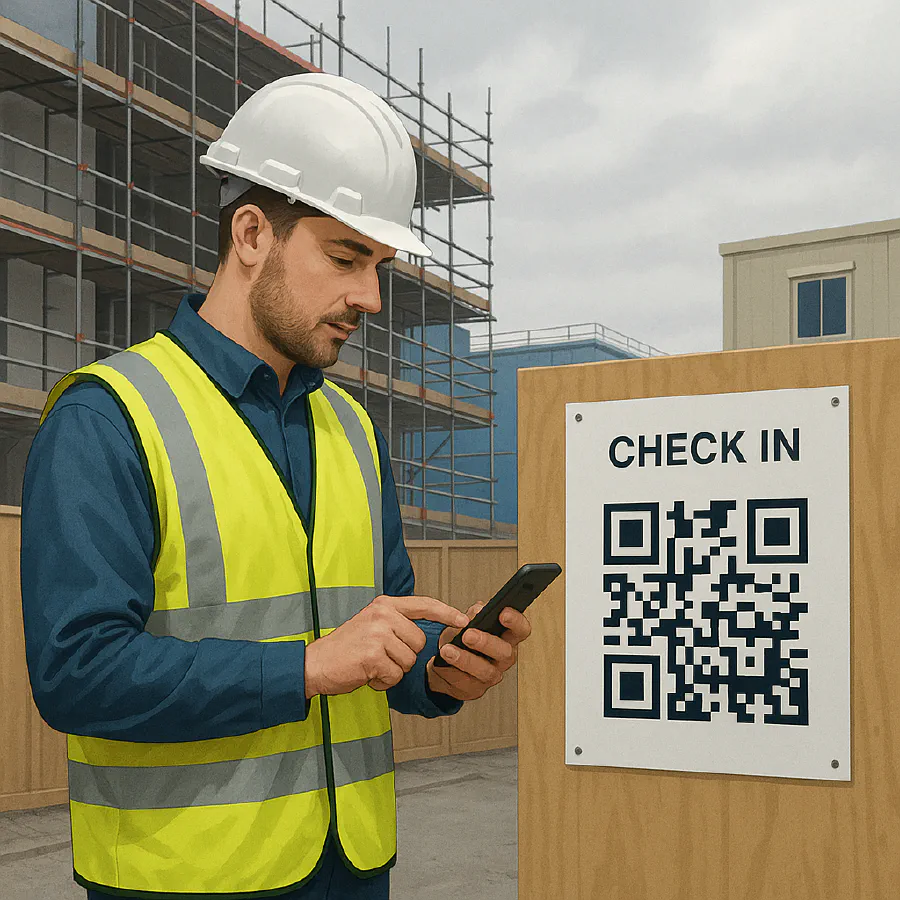
Lone worker check-in system for construction: QR and WhatsApp setup, intervals and HSE rules
Jump To...
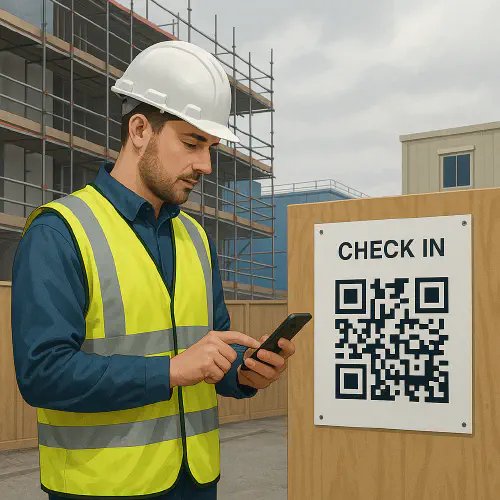
Engineer on a UK construction site completing a lone worker check-in on a smartphone beside a QR code sign
Quick answer
You must plan, manage and monitor lone working. HSE doesn’t mandate a fixed interval. Your check-in frequency, method and escalation must follow risk assessment and be written into your site rules and construction phase plan. A practical approach for small sites is a QR code that opens a simple form for the worker to log location, task and expected duration, plus a WhatsApp or SMS alert if they miss a check-in.
Useful HSE pages: Manage the risks of working alone, Training, supervision and monitoring, CDM 2015 roles.
When lone working is allowed
- Don’t permit lone work for activities HSE excludes, such as confined spaces needing a standby, working near exposed live conductors, diving, vehicles carrying explosives and fumigation. See HSE guidance for examples.
- For other tasks, allow lone work only if the risks are assessed and you can keep in touch and respond quickly if something goes wrong.
Links: HSE lone working overview.
What HSE expects for check-ins
HSE expects a risk-based system, not one-size-fits-all. Build your procedure around:
- Agreed contact intervals that reflect the task, location, duration and signal reliability.
- A reliable start and end confirmation, plus missed check-in alerts.
- Supervisory spot checks for higher-risk work or new workers.
- Escalation that’s clear and tested. If contact is lost, somebody must act.
Roles under CDM 2015:
- Principal Contractor plans, manages, monitors and coordinates the phase and sets site rules and emergency arrangements.
- Each contractor plans, manages and monitors the work they control and ensures workers follow the system.
Sources: Principal contractors, Contractors.
Simple setup: QR and WhatsApp check-ins
- QR on site hoarding or vans opens a mobile form. Worker submits name, location, task, expected duration and next check-in time.
- Form posts to a sheet. A simple time-based rule starts a timer.
- If the next check-in is missed, auto-send a WhatsApp or SMS to the supervisor group. If still no response, escalate to the site manager.
This approach is low cost, quick to roll out and easy to evidence in audits.
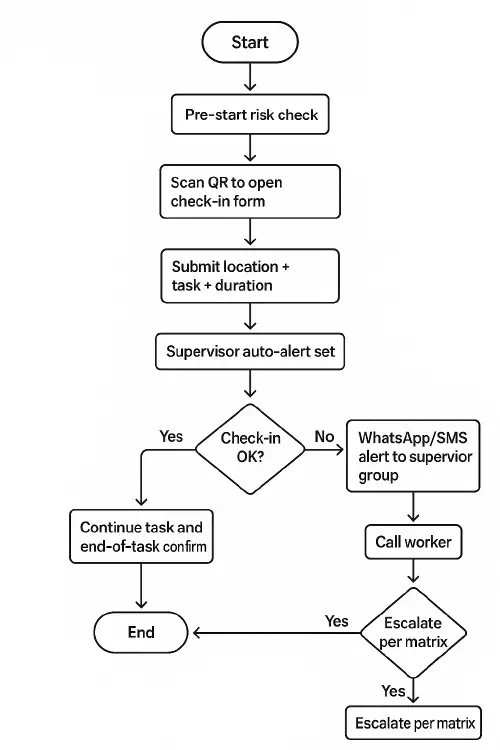
Flowchart of a lone worker check-in process with QR, timer and WhatsApp escalation
Step-by-step: build it in 45 minutes
What you need
- A Google Form and Sheet, or Microsoft Forms and Excel.
- A QR code pointing to the form.
- A WhatsApp group for supervisors, or use SMS if preferred.
- Create the form
- Required fields: Name, Company, Mobile, Task description, Exact location, what3words, Start time, Next check-in time, End of task confirm (Yes when done), Hazards today, PPE checked.
- Privacy note: explain how you’ll use and retain the data. See HSE on training, supervision and monitoring and follow general data protection rules.
- Generate the QR
- Use any QR generator to create a code for the form URL and print it on A4. Place at sign-in, welfare and vehicle dashboards. Add a short URL in case the camera can’t scan.
- Build the alert rule
- In Google Sheets, add a column for status. Use a simple time comparison to flag rows where now is later than Next check-in time and no new check-in has been logged.
- Use an automation tool to send a WhatsApp message to your supervisor group when a row is flagged, including the worker name, last known location and task.
- Set your intervals
- Low risk, short tasks in a busy area: 60 to 90 minutes.
- Medium risk or remote area: 30 to 60 minutes.
- High risk or changing environment: 15 to 30 minutes plus spot checks. Document your rationale in RAMS.
- Test and brief
- Run a missed check-in drill during induction and toolbox talks. Record what happened and fix gaps.
Related Academy guides
- Near miss reporting on construction sites: simple steps, examples and a QR code setup
- Toolbox talk attendance QR code: set it up with Google Forms and Sheets
- Hot works permit template: UK checklist, fire watch times and how to use it on site
Escalation matrix that actually works
Write this into site rules and your construction phase plan. Example:
- Missed by 5 minutes: WhatsApp alert to Supervisors group. Phone call to worker.
- Missed by 10 minutes: Second call. Supervisor attends last known location if onsite.
- Missed by 15 minutes: Escalate to Site Manager. Pause related high-risk activities nearby.
- Still no contact at 20 minutes: Follow emergency plan. Call 999 if justified by risk and information available.
Record all actions in the Sheet. Review after any incident.
Example messages you can copy
Worker check-in message Name: Sam Patel Location: what3words lamp.piano.roofs Task: 1st fix in Unit 3, bay 4 Next check-in: 12:30
Missed check-in alert to supervisors Missed check-in: Sam Patel Last known: Unit 3 bay 4. what3words lamp.piano.roofs Due: 12:30. Action: call now and attend if onsite.
End of task confirmation Ended: Sam Patel. 1st fix bay 4 complete. Leaving site 13:10.
Tip: add what3words to forms so responders can find the worker quickly.
Fit it into your CPP, RAMS and inductions
- Construction Phase Plan: describe the lone working system, intervals by risk level, escalation roles and how alerts are tested. See HSE planning guidance.
- RAMS: state when lone working is permitted for each task and the check-in interval. Note prohibited activities if any.
- Induction and toolbox talks: show workers how to scan the QR, submit a check-in and what to do if they will overrun a time window.
- Contractor control: make lone working check-ins part of your subcontractor onboarding and weekly coordination.
FAQ
How often should a lone worker check in on a construction site?
HSE doesn’t set a fixed interval. Set intervals by risk: 60 to 90 minutes for low risk, 30 to 60 for medium, 15 to 30 for high risk with added spot checks. Document your reasoning in RAMS and the construction phase plan. See HSE training, supervision and monitoring.
Can I use WhatsApp for lone worker check-ins?
Yes, if it’s part of a planned system with a reliable trigger for missed check-ins and a clear escalation. Make sure numbers are current, the group is monitored during working hours and you keep a record of actions in your sheet or site diary.
Who is responsible for monitoring lone workers?
Under CDM 2015, the Principal Contractor sets site rules and arrangements and must plan, manage, monitor and coordinate. Each contractor must plan, manage and monitor the work they control and ensure workers follow the system. Sources: Principal contractors, Contractors.
What should my lone working form include?
Name, company, mobile, task, exact location and what3words, start time, next check-in time, hazards today, PPE checked, end of task confirmation.
When is lone working not acceptable?
Don’t allow lone work for tasks HSE lists as unsuitable, such as confined spaces needing a standby, work near exposed live conductors, diving, vehicles carrying explosives and fumigation. See HSE guide.
Do I need to brief agency or subcontractor workers?
Yes. The system must cover everyone on site. Add the QR check-in to inductions, display the code at sign-in and welfare, and include it in subcontractor packs.
Ready to Transform Your Business?
Turn every engineer into your best engineer and solve recruitment bottlenecks
Join the TrainAR Waitlist