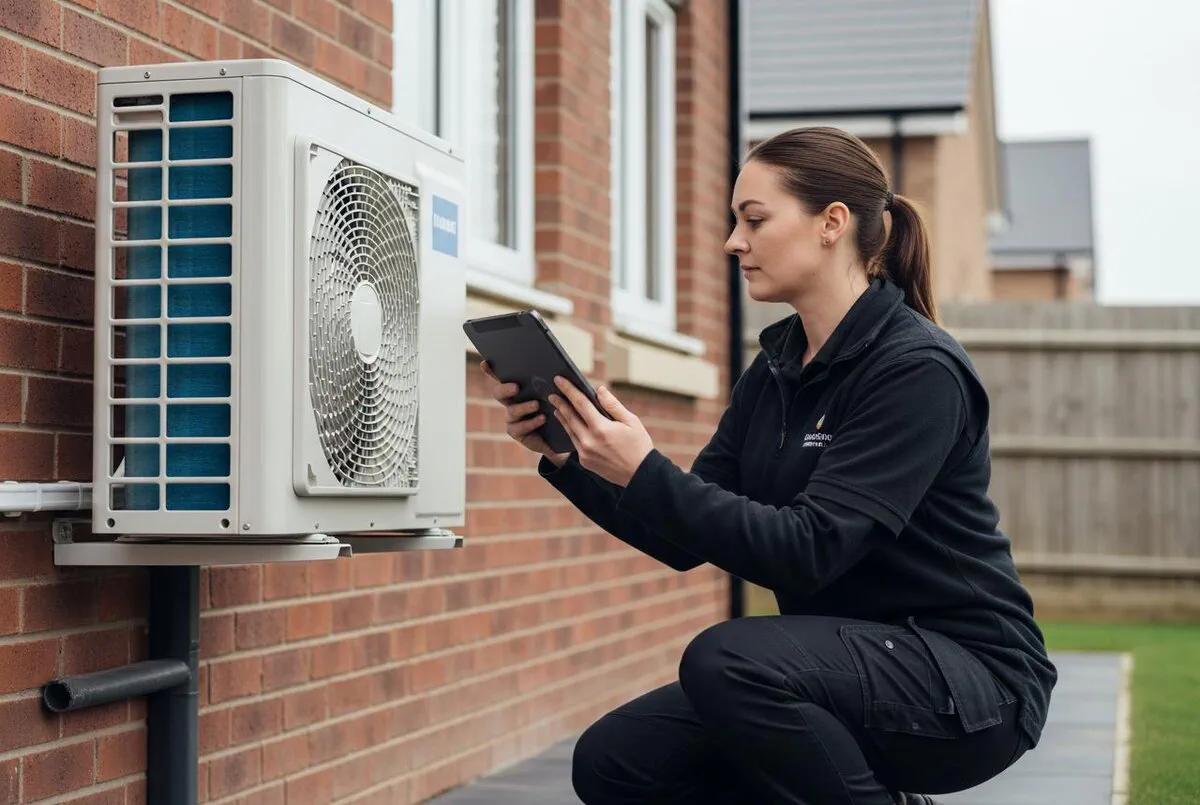

Quick Answer
MCS documentation is the paperwork that turns a good install into a certified one, and it is where most renewables firms lose two to four hours per job. Payaca pulls the whole chain into one system: the quote, the design import, the DNO application through ENA Connect, the handover pack, the commissioning certificate and the customer sign-off. Enter the job details once and the compliance documents build themselves. You still lodge the MCS certificate on the MID within 14 days, but the evidence is already assembled. For a busy solar or heat pump installer, that is the difference between paperwork owning your evenings and paperwork taking minutes.
Table of Contents
- Why MCS paperwork slows every install
- What MCS documentation actually involves
- Is Payaca actually MCS compliant?
- Before you start: what to have ready
- Step 1: Set up your company and MCS details
- Step 2: Build the quote and pull in the design
- Step 3: Submit the DNO application through ENA Connect
- Step 4: Auto-generate the handover pack and commissioning certificate
- Step 5: Customer sign-off, EPC and the 14-day MID deadline
- The AI piece: document generation and compliance checks
- What it actually costs (and what you save)
- Common mistakes that fail MCS audits
- What renewables installers are saying
- Recommended videos
- Frequently asked questions
- My verdict
 Payaca
 Xero
XeroWhy MCS paperwork slows every install

Ask any solar or heat pump installer where the day goes and the answer is rarely the roof or the plant room. It is the paperwork after. The MCS certificate, the DNO notification, the EPC, the commissioning sheet, the customer declaration and the handover pack. All of it has to line up before the customer can claim their grant and before your certification body signs you off at audit.
The numbers behind this matter. The Boiler Upgrade Scheme pays a homeowner £7,500 towards an air source or ground source heat pump in England and Wales, and from 21 July 2026 that rises to £9,000 for off-gas-grid homes on oil or LPG. That money only exists if the installer is MCS certified and the certificate is lodged correctly. No certificate, no grant. So the paperwork is not admin for the sake of it. It is the thing that unlocks the sale.
Most firms budget two to four hours of admin per install for this. Some of it is on site, filling in pre and post-installation forms on a phone. The rest is back at the desk in the evening, re-keying the same address, the same serial numbers and the same customer details into four different systems. It is slow, it is repetitive, and it is exactly the kind of work that software should have killed off years ago.
This guide walks through how to run that whole chain inside Payaca, a platform built specifically for solar, heat pump, battery and EV charger installers. The goal is simple. Enter each piece of information once, let the documents assemble themselves, and keep every record in one place for when the audit comes. If you already run digital certificates for gas work, the logic here will feel familiar; our guide to Gas Safe digital certificates in Powered Now covers the same idea for the gas side.
What MCS documentation actually involves
Before automating anything, it helps to be clear on what the full document set is. MCS is the Microgeneration Certification Scheme, and it certifies small-scale renewable installations. A single domestic heat pump or solar job pulls together more separate documents than most people expect.
Here is the chain for a typical install:
- The design and calculations. Heat loss calculations for a heat pump, or a shading and yield assessment for solar. This is the technical case that the system is sized correctly.
- The DNO notification. Every grid-connected system needs the Distribution Network Operator told. Small systems go through a G98 notification after connection; larger ones need a G99 application and approval before you connect.
- The commissioning certificate. Proof the system was set up and tested properly on the day.
- The handover pack. The bundle the customer keeps, covering the system, the warranty and how to run it.
- The customer declaration and financial protection. Since February 2026, every installer must buy an MCS-approved financial protection product on the customer's behalf, and the customer signs to confirm they understand the install.
- The MCS certificate itself. Created on the MCS Installation Database, the MID, within 14 days of commissioning. This is the record that governments use for policy and that the homeowner needs for their grant.
- The EPC. For heat pumps in particular, a lodged Energy Performance Certificate often sits behind the grant claim and the system's paper trail.
Seven strands, several different portals, and a lot of the same data typed again and again. When the information lives in seven places, it goes out of step. A serial number on the commissioning sheet does not match the one on the MID certificate, and that is precisely the sort of gap an auditor pulls you up on.
Is Payaca actually MCS compliant?

This is the right question to ask first, because a piece of software cannot make you compliant. You make yourself compliant. What the software does is assemble and store the evidence so the compliant install is also a documented one.
Payaca is built for renewables. It auto-generates handover packs, customer declarations and commissioning certificates designed to meet MCS audit requirements. It submits DNO applications directly through ENA Connect. It imports designs from tools like EasyPV, OpenSolar and Heatpunk so the numbers on the paperwork match the numbers in the design. In other words, it covers the documentation strands that sit around the MID.
What it does not do, and should not claim to do, is replace the MID. The MCS certificate is still created on the Installation Database itself, under your MCS certification number. Payaca gets you to that point with every supporting document already in order, so the final lodgement is a data-entry job of minutes rather than a scramble through email attachments. Keep that distinction clear in your head and you will use the tool correctly.
Before you start: what to have ready
Set aside an hour before your first job in the system. Getting the foundations right once means every job afterwards runs clean. Have these to hand:
- Your MCS certification number and the technologies you are certified for, whether that is air source heat pumps, solar PV, battery storage or a combination.
- Your MID login, so you can lodge certificates when the job is done.
- Your consumer code membership, RECC or HIES. You need one of these alongside MCS to redeem Boiler Upgrade Scheme vouchers.
- Your MCS-approved financial protection product details, since this is now mandatory on every certified install.
- Your ENA Connect account, the national portal for DNO applications, which Payaca links to.
- Your design tool, whether that is Heatpunk for heat loss, or EasyPV or OpenSolar for solar, so the technical figures flow straight through.
- Company branding, logo and standard terms, so quotes and handover documents look like they came from you.
None of this is unusual. If you are already MCS certified and installing, you hold all of it. The point is to have it in front of you rather than hunting for the MID password halfway through your first certificate.
Step 1: Set up your company and MCS details
Sign up and pick the plan that fits your size; there is more on pricing further down. Once you are in, the first job is your company profile. Add your registered details, your logo, your standard payment terms and your VAT position. This is the header on every quote and every document, so it is worth getting right.
Next, enter your MCS certification number and the technologies it covers. This is what tells the system which document templates apply. A heat pump job needs a different commissioning set to a solar job, and the platform uses your certification scope to serve the correct forms. Add your consumer code membership and your financial protection product here too, so those references appear automatically on customer declarations rather than being filled in by hand each time.
Set up your team while you are there. Each engineer gets their own login, which means the commissioning sheet records who actually did the work. At audit, that traceability matters. It is the same principle as recording the engineer on a gas certificate, just applied to renewables.
Step 2: Build the quote and pull in the design

The compliance chain starts at the quote, not at commissioning. Get the data in cleanly here and it carries all the way through. Create the customer, log the property, and build a multi-technology quote if the job spans solar, battery and an EV charger together.
This is where the design integrations earn their keep. Import the system from Heatpunk, EasyPV or OpenSolar and the specification, the panel count, the heat loss figure and the equipment list land in the quote without re-keying. That single import is quietly one of the biggest time savers in the whole process, because those exact figures are what the commissioning certificate and MCS certificate will need later. Type them once, at design stage, and they follow the job to the end.
Offer the customer options in the quote, good, better and best if that suits, and let them accept online. The moment they accept, you have a live project with the property, the equipment and the design all attached. Nothing has been entered twice. If you want to see how far this quote-to-completion idea can go, our quote-to-invoice automation playbook follows the same thread through to the money.
Step 3: Submit the DNO application through ENA Connect

Every grid-connected renewable system has to be notified to the local Distribution Network Operator. Get this wrong and the job stalls, because you either cannot legally connect or you cannot export what you generate.
The two routes are worth knowing. A G98 covers smaller systems, usually a single-phase install up to 16 amps per phase, and it is a notification you make after connecting. A G99 covers larger systems and generally needs the DNO's approval before you connect, which can take weeks. Knowing which one a job needs, early, is half the battle.
Payaca submits G98 and G99 applications directly through ENA Connect and tracks the approval status inside the project. So instead of one person managing a spreadsheet of pending DNO applications and chasing email threads, the status sits next to the job. When a G99 comes back approved, you can see it, and you can schedule the connection knowing the paperwork is clear. For a firm doing volume, that visibility alone removes a whole category of dropped balls.
Step 4: Auto-generate the handover pack and commissioning certificate
This is the step that used to eat the evening. On the day of commissioning, your engineer records the test results and system details on site, on the app. Because the design and equipment were imported back at quote stage, most of the certificate is already populated. The engineer is confirming and completing, not starting from a blank page in the van.
From that single set of on-site data, Payaca builds the commissioning certificate, the handover pack and the customer declaration together. The customer's details, the equipment serial numbers, the design figures and your company information all flow from what is already in the project. One entry, several documents, and they agree with each other because they came from the same source.
That internal consistency is the real prize. When an auditor cross-checks the commissioning sheet against the handover pack against the MID certificate, the numbers match, because there was only ever one number. Compare that to the old way, where the same serial got typed into three systems on three different evenings and one of them was always wrong.
Step 5: Customer sign-off, EPC and the 14-day MID deadline
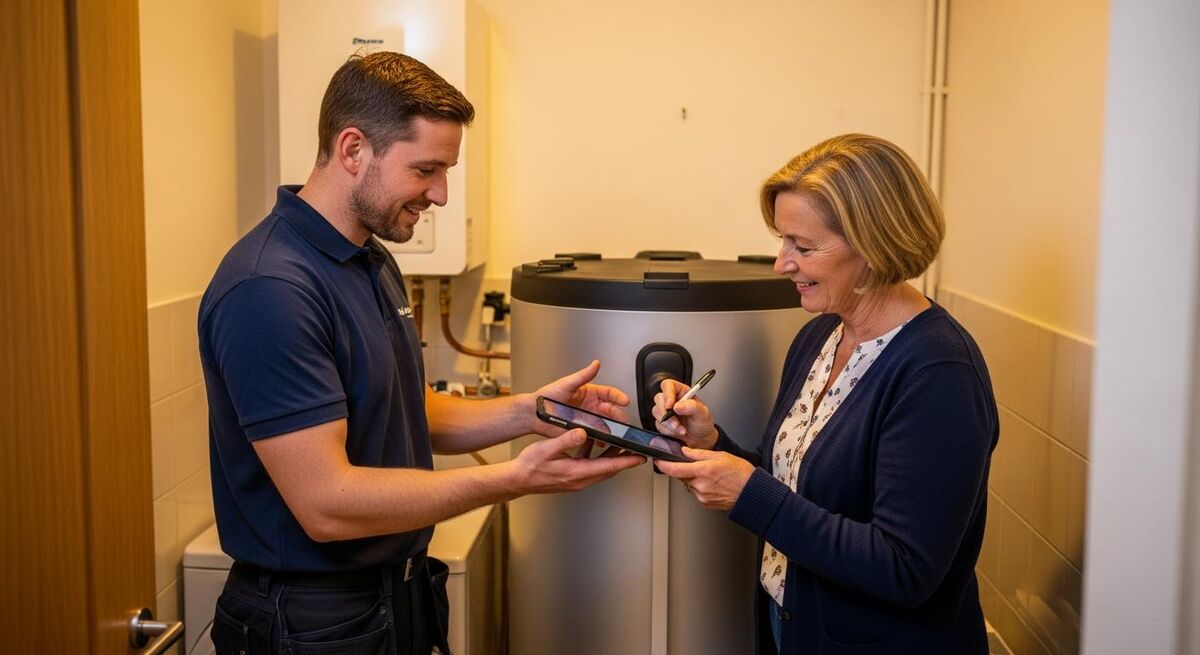
With the documents built, the customer signs. Capturing that signature on the tablet at handover, while you are stood in front of them, is far easier than emailing a PDF and waiting a week for it to come back. The signed declaration and the handover pack land with the customer straight away, and a copy stays on the project.
Then come the two time-sensitive jobs. The EPC needs lodging where the grant or the install record depends on it, and the MCS certificate must be created on the MID within 14 days of commissioning. Miss that 14-day window and you are into a declaration explaining why the certificate is late, which is not where you want to be with an auditor or a customer waiting on their grant money.
Payaca does not lodge the MID certificate for you; that is done on the Installation Database under your certification number. What it does is have every supporting figure assembled and consistent, so the lodgement is a short, clean transfer rather than an archaeology dig through your sent folder. The 14-day clock stops being a source of stress and becomes a routine end-of-job task.
The AI piece: document generation and compliance checks
The part that has moved fastest lately is the automation of the writing itself. Payaca's Growth plan includes an AI assistant, Agent Dave, along with an MCP server that connects tools like Claude directly to your job data. That is a meaningful shift, because it means the compliance documents can be drafted and checked by AI working from your actual project records, not a blank template.
In practice this shows up in a few ways. Draft customer-facing copy for a handover pack from the job details. Flag where a required field is empty before a document goes out. Cross-check that the figures on one document match another. None of it replaces the engineer's judgement or your responsibility as the certified installer. It removes the dull, error-prone typing that sits between doing the work and proving you did it.
I am optimistic about where this goes. The best use of AI in trades is not flashy. It is quiet, it takes the admin nobody wanted, and it hands you back your evenings. When it comes to MCS paperwork, that is exactly the job at hand. If you want the wider picture on where these tools help, our Future Homes Standard guide sets out why renewables volume, and the paperwork that comes with it, is only going one way.
What it actually costs (and what you save)
Payaca is not the cheapest tool a small firm will look at, and it is worth being straight about that. It is priced as an all-in operating system for a renewables business, not a single-purpose form filler. All prices below exclude VAT.
| Plan | Price | Who it suits | Key inclusions |
|---|---|---|---|
| Accelerator | £299/month, or £2,990/year | Newly incorporated firms (under 24 months old), up to 8 employees, MCS-registered | Everything in Growth for 12 months, up to 25 users, two funded support sessions |
| Growth | £1,199/month, or £999/month billed annually | Established renewables installers running volume | Agent Dave AI assistant and MCP server, custom automations, customer portal, 25 users then £30/seat up to 50, plus a £1,500 one-off onboarding fee |
| Scale | Custom pricing | Operators and franchise networks above 50 users | Everything in Growth plus support SLAs, onsite consulting, data warehouse sync and franchisee management |
The Accelerator plan is the one to notice if you are a newer firm. At £299 a month for the first year, with the full Growth feature set behind it, it is priced to get young MCS-registered installers onto proper systems before bad habits set in. Text messages are billed separately at 4p each, which is worth factoring in if you send a lot of automated updates.
Now the saving. Payaca's own customers report cutting admin resource by more than 60% after moving their workflow into one system. Put that against the two to four hours per install this article started with. If you run eight heat pumps a month and shave two hours of admin off each, that is sixteen hours back, every month, on a single technology. On a full order book across solar, batteries and heat pumps, the arithmetic gets more compelling, not less. The subscription is real money; so is the time it buys back, and so is the grant income you protect by never lodging a certificate late.
Common mistakes that fail MCS audits
The tool removes a lot of risk, but it does not remove the need to work tidily. These are the errors that still catch renewables firms out, whatever system they run.
- Inconsistent data between documents. A serial number or design figure that differs across the commissioning sheet and the MID certificate. Importing the design once and letting it flow through is the fix, but only if nobody hand-edits one document in isolation afterwards.
- Missing the 14-day MID deadline. The single most common self-inflicted wound. Lodge within a couple of days while the job is fresh.
- Skipping the financial protection product. Now mandatory on every install. Hold it in your setup so it is never forgotten on a document.
- Booking installs before DNO approval. A G99 that needs prior sign-off can take weeks. Submit early and watch the status.
- Weak record keeping ahead of audit. The redeveloped scheme rewards clean records with lighter assessment. Keep everything in one place and you make that easier on yourself.
- Treating the software as the certifier. It assembles the evidence. You still own the competence and the sign-off. Never let the neat paperwork paper over a rushed install.
The MCS documentation you keep is not just a hoop for audit. It is what proves, later, that the job was done properly when a homeowner, a surveyor or a certification body asks. That is the same reason the record trail matters in every other part of compliance work, from building control notifications to test certificates.
What renewables installers are saying
The thread through all of it is that the certificate is the currency. It is what lets a homeowner export their solar, claim their grant and trust the install. The documentation is not bureaucracy for its own sake; it is the proof that carries the value.
Recommended videos
Payaca Workflow Demo: A Core Process for Renewable Installers
Payaca

MID Development Sessions 3: How to Create a Heat Pump Certificate
MCS

The Ultimate Guide To MCS (Microgeneration Certification Scheme)
Heat Geek
MCS Compliance Certificate Tutorial
Heat Engineer Software

How to Get MCS Approved as a Solar Installer
Mark The Sparky Allison
Payaca Integration with Spruce: Streamline Your Heat Pump Installations
Payaca
Frequently asked questions
No, and be wary of any tool that claims it does. The MCS certificate is created on the Installation Database under your own certification number. Payaca assembles every supporting document so the lodgement is quick and the figures are consistent, but the final step on the MID is yours.
Yes. Software organises the paperwork; it does not grant certification. You need MCS certification for the technologies you install, plus membership of a consumer code such as RECC or HIES, before a homeowner can claim the Boiler Upgrade Scheme grant on your work.
You can still create the certificate, but you have to complete a declaration explaining why it is late, and repeated lateness draws audit attention. The simple answer is not to let it happen. Lodge within a day or two of commissioning and the window is never a problem.
Yes. Payaca submits G98 and G99 applications through ENA Connect and tracks the approval status against the job. That keeps the grid-connection paperwork in the same place as everything else, so nothing gets managed on a separate spreadsheet and forgotten.
It depends on your volume. If you are a newer MCS-registered firm, the Accelerator plan at £299 a month for the first year is priced to make that an easy yes. If you are only doing the occasional install, a full operating platform may be more than you need. Weigh the fee against the admin hours and the grant income you protect.
It integrates with design tools including Heatpunk for heat loss and EasyPV and OpenSolar for solar. Importing the design means the technical figures flow into the quote and then into the compliance documents, so you enter them once rather than three times.
My verdict
MCS documentation is not the glamorous part of a renewables business, but it is the part that decides whether the grant lands, whether the audit passes and whether your evenings belong to you. Payaca will not make you compliant; nothing can do that except a good install and a competent installer. What it does is make sure the compliant install is also a fully documented one, with the quote, the design, the DNO application and the certificates all built from a single set of data. Enter it once, and it follows the job to the end. For a firm putting through real volume of solar and heat pumps, that is time back, fewer mistakes, and grant income you stop losing to late or missing certificates. Set the foundations up properly, lodge every certificate inside the 14 days, and let the software carry the admin it was built for.