
Quick Answer
Three different beasts. OpenClaw is free, self-hosted, and talks to you through WhatsApp or Telegram. ChatGPT is the £16 a month workhorse most of us already pay for, brilliant at quotes, customer emails, and quick diagnostic chat. Claude Pro is the same money but its new Cowork feature can actually point and click around your laptop and finish admin while you are on the tools. For a UK trades business in 2026, most owners want ChatGPT for daily work, Claude when you need real automation, and OpenClaw only if you have a tech-minded mate willing to set it up.
Table of Contents
- The three tools, the real differences
- OpenClaw, the self-hosted lobster
- ChatGPT, the trades workhorse
- Claude, the one that does the typing
- Head to head, feature by feature
- Pricing reality check
- Which one for which job?
- Setup time and learning curve
- Where each one saves you money
- Recommended videos
- What tradespeople and developers are saying
- Frequently asked questions
- My verdict
The three tools, the real differences
 OpenClaw
 ChatGPT
 Claude
Let me start with the bit nobody else says clearly. These three tools are not the same product wearing different jumpers. They are completely different categories. Compare them on price alone and you will pick the wrong one.
OpenClaw is open-source software you install on a server or an old laptop. It then sits there listening to your WhatsApp, Telegram, Discord, or Signal account, replies on your behalf, and can be given memory, tools, and instructions. The model behind it can be Claude, GPT, Gemini, or a local model. The repo crossed 378,000 GitHub stars by June 2026, which is faster growth than any project before it.
ChatGPT is the app and website you already know. Free for basic chat, £16 a month plus VAT for Plus, and that gets you the latest GPT-5.x models, image generation, voice mode, file uploads, and custom GPTs. It is by quite some margin the most used AI tool in UK trades right now.
Claude is the closest direct rival on writing quality, with a roughly identical £20 a month Pro plan. The thing that makes it different in 2026 is Cowork. You schedule a task, walk away, and Claude actually controls your Mac or Windows machine. It clicks buttons, fills forms, and ticks off admin while you are under a boiler.
That last number is the one that should worry you. UK construction adoption is at six per cent, while information and communications is at over forty. We are the slowest sector in the country. If you want a wider view of what to layer on top of an AI assistant, the Payaca vs ServiceTitan vs Commusoft comparison covers the FSM stack most trades pair them with. If you start using one of these tools properly this year, you are already ahead of ninety-four out of a hundred competitors.
One thing to clear up first
Claude Cowork is Anthropic's branding for the desktop control feature. It is also called computer use in their documentation. Both names point at the same thing, an AI that drives your mouse and keyboard inside Claude Desktop. Source, Anthropic's Cowork help article.
OpenClaw, the self-hosted lobster
OpenClaw, formerly ClawdBot, is an open-source orchestration layer that turns any large language model into a personal AI agent on WhatsApp, Telegram, Discord, Slack, Signal, Google Chat, iMessage, and a handful of others. You install it, scan a QR code with WhatsApp Web, and the assistant is live on your number.
The genius is the channel. Tradespeople are on WhatsApp all day anyway. You do not need to teach yourself a new app, learn a new shortcut, or convince a fitter who is fifty-five and grumpy that AI is worth bothering with. You message your bot from the cab of the van and it replies inside the same group thread you use for quote photos and missing keys.
Underneath, OpenClaw is doing real work. It has persistent memory, so if you tell it on Monday that your gas safe number is 559123 and your standard call-out is £85, it remembers that on Friday. It has tools, so it can read your Google Calendar, fire a webhook into Make.com, or scrape a supplier price list. Multi-agent mode means a quoting bot in one WhatsApp group and a customer-support bot in another, with completely separate memories.
Meta cracked down in January 2026
Meta banned open-ended AI chatbots from the WhatsApp Business Cloud API in January 2026. The official paid API can no longer be used for general-purpose AI conversation. OpenClaw sidesteps this by using the multi-device protocol that powers WhatsApp Web, so the bot acts as a linked companion device on your personal number, not a Meta-approved business number. It works, but read Meta's terms and decide for yourself.
The downsides are honest. You need a server somewhere. A £4 a month VPS works fine. You need to set up environment variables, manage credentials, and pick an LLM provider. Most lads I know who tried it gave up at the Docker step. One Hacker News user wrote, "I tried to install it and it was a shitshow", and he was not wrong if you are not technical. The setup video from Thetips4you takes fifteen minutes if you know what you are doing, and a Sunday afternoon if you do not.
OpenClaw is also still LLM-cost-bearing. The software is free. The Claude or GPT API calls underneath are not. Budget twenty to fifty pounds a month for the model itself if you use it heavily. So "free and self-hosted" really means "free of subscription fees but you still pay for the petrol".
ChatGPT, the trades workhorse

ChatGPT is the boring sensible pick, and that is meant as praise. About forty per cent of tradespeople who have tried AI now use it actively, per the Housecall Pro 2025 survey, and most of them are using ChatGPT specifically. CNN ran a piece in October 2025 about Oak Creek Plumbing in Wisconsin, whose twenty plumbers carry tablets running ChatGPT into customers' kitchens. Dan Callies, the company president, said, "It's definitely been worth the investment".
Why is it the workhorse? Because it does everything competently. You upload a photo of a busted Vaillant flue and ChatGPT-5 will identify it, give you a likely cause, and draft an email to the customer in your tone. You paste in a job description and it spits out a 1,200 word quote in seconds. Voice mode means you can drive between jobs and talk through your day. Custom GPTs let you bake in your standard pricing, your tone of voice, and your warranty wording so it is not generic.
The trades-specific custom GPTs are improving too. "Plumber's Companion" and the various electrician GPTs on the marketplace are passable for code lookups, although you must sense check anything they say about UK regulations because most are trained on US data. The Screwfix Community Forum has an active thread on using AI to draft posts, and the rule there is the same one I would apply to your business: only use the output if you have the experience to spot when it is talking rubbish.
The £16 versus £16 plus VAT confusion
OpenAI lists ChatGPT Plus at £16 a month in the UK. With VAT added at checkout the bill is roughly £19.20. If you are VAT registered, that VAT is reclaimable on your next return, so the real cost back to your bottom line is the £16 base. Plenty of trades have a Plus subscription and a Claude Pro subscription running side by side because they do different jobs well, total cost about £40 a month and a serious time saving against that.
What ChatGPT does not do is touch your computer. Cancel that customer that ghosted you, file your VAT return, log the job in Commusoft, none of that. You can describe what you want and it can write the steps for you, but you are still the one clicking through.
Claude, the one that does the typing
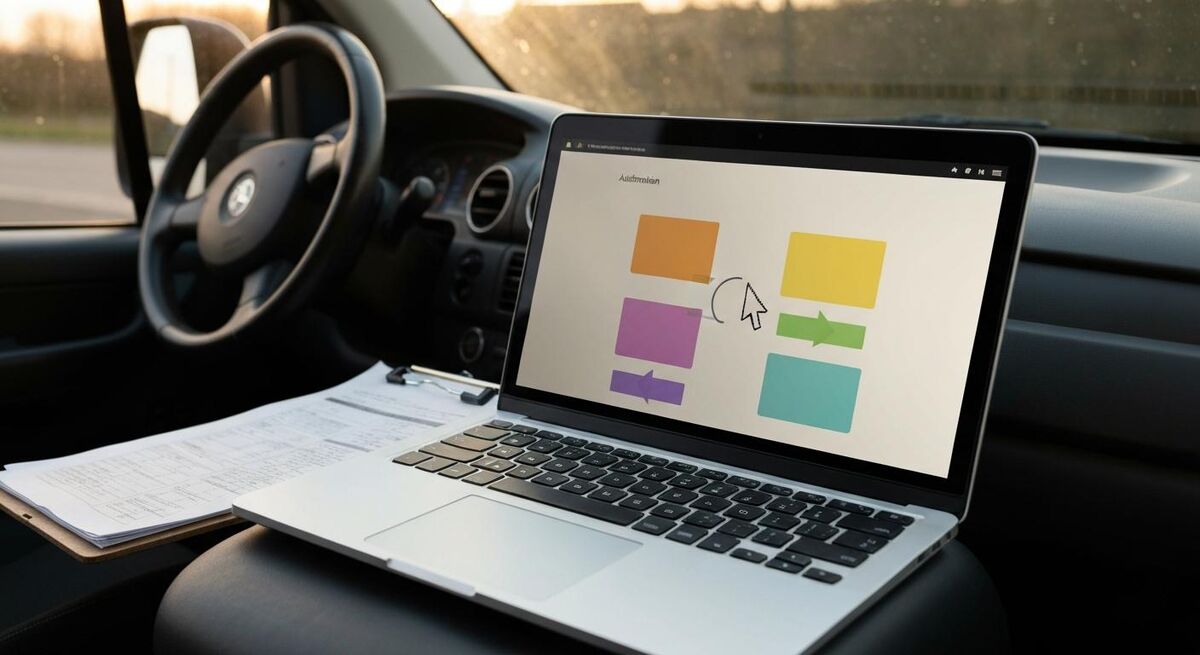
Claude is the same money as ChatGPT, with two real differences. First, the writing is better. If you compare a customer email written by Claude Sonnet 4.6 with the same prompt sent to GPT-5.2, the Claude one sounds like a person and the ChatGPT one sounds like a brochure. That is subjective but it is also the consensus on every comparison I have read in 2026.
Second, and this is the headline, Claude has Cowork. On 23 March 2026 Anthropic released Cowork for Pro and Max plans, and what it does is let Claude actually use your computer. It is in research preview, macOS-first, with Windows support in beta. You tell it, "go log into my Xero account, pull the last 90 days of invoices, find anyone over 30 days outstanding, draft a polite chase email to each of them, save the drafts in my Gmail", and it goes and does it. Cursor moves on its own. It clicks. It types. You watch it work.
Is it perfect? No. The All About AI YouTube test of Cowork doing real work showed it stumbling on captchas, getting confused by pop-ups, and taking five minutes to do something a human does in thirty seconds. But for any task you would have outsourced to a virtual assistant for £15 an hour, Cowork is in the ballpark already. And in six months it will be twice as good.
The maths on Cowork for one job
A typical UK trades business spends ninety minutes a week chasing late invoices, manually. At a notional rate of £45 an hour billable, that is £67.50 of opportunity cost a week, £3,510 a year. If Cowork does that for you on Sunday night while you sleep, the £20 a month subscription pays for itself in the first week of January.
Claude also has the larger context window, 200,000 tokens, which means you can paste a full 100-page tender pack into the chat and ask it questions about clause 47. ChatGPT will struggle on documents that size. If you do commercial work or work with HAs and councils, that matters.
Head to head, feature by feature
| Feature | OpenClaw | ChatGPT Plus | Claude Pro |
|---|---|---|---|
| Monthly cost (UK, ex VAT) | £0 software, plus £4-£10 hosting, plus LLM API | £16 | ~£16 to £18 depending on FX |
| Reaches you on WhatsApp | Yes, native | No | No |
| Drafts a customer quote | Yes, via underlying LLM | Yes, excellent for trades | Yes, writes the most natural English |
| Reads a photo of a faulty boiler | Depends on the model | Yes, GPT-5 vision is very strong | Yes, Claude 4.x vision works |
| Generates a marketing image | Via image API only | Yes, native | No, text and code only |
| Voice mode for driving | No | Yes, advanced | Limited |
| Long document context | Up to LLM limit | ~128k tokens | 200k tokens |
| Drives your computer for you | No | No | Yes, Cowork in preview |
| Setup time | 2-6 hours if technical | 5 minutes | 5 minutes |
| Data stays on your hardware | Yes, if you self-host the LLM too | No, OpenAI servers | No, Anthropic servers |
| Multi-agent setup | Yes, native | Custom GPTs, limited | Projects, limited |
| UK trades community using it | Tiny, technical lads only | Largest by far | Growing fast in 2026 |
Pricing reality check
Let us be honest about what these things actually cost when you put them in a UK trades business.
That bottom bar is what most serious users end up at. Roughly thirty-four pounds a month, both subscriptions running. The reasoning is simple. ChatGPT is better for image generation, voice while driving, and the deepest library of trade-specific custom GPTs. Claude is better for writing, long documents, and now Cowork. The strengths do not overlap, so paying for both costs less than a single hour of an accountant.
Watch the hidden API costs on OpenClaw
If you self-host OpenClaw and point it at Claude's API, expect to pay between £10 and £60 a month in API charges depending on how chatty you are. A boiler-fault diagnosis conversation will cost a few pence. A bot that replies to every WhatsApp message in three customer groups all day might cost £40 a month in API fees alone. The "free" headline only stays true if you self-host an open model like Llama 3.1 locally as well, and that needs a beefy machine.
Which one for which job?

Here is the way I think about it, after a year of running these tools alongside my own business.
Use OpenClaw if
- You have a technical mate, an apprentice doing IT at college, or you fancy a Sunday afternoon project.
- Your customers message you on WhatsApp constantly and you need a way to give first-line answers before you get back to the van.
- You care about data sovereignty. Self-hosted means the conversations never leave a server you control.
- You want a family group bot. One user on Hacker News, brtkwr, has it asking his family for stories every day. Lovely use, no commercial value, but a brilliant way to learn the tool.
Use ChatGPT Plus if
- You write a lot of customer-facing material. Quotes, emails, follow-up messages, marketing posts.
- You want voice mode while you are driving between jobs. It is the best voice AI right now.
- You upload photos. Boiler labels, fault codes, damage from a leak, supplier invoices. GPT-5 vision is the strongest of the three.
- You want to use trades-specific custom GPTs and you do not want to build them yourself.
Use Claude Pro if
- You want the AI to actually do the admin while you are on the tools. Cowork is unique to Claude right now.
- You read long documents. Tender packs, lease agreements, manufacturer manuals, government guidance PDFs.
- Customer-facing writing matters and you want it to sound human, not corporate.
- You are pulling together a complex spec, schedule of works, or a method statement and you want a tool that holds the thread across a long conversation.
Setup time and learning curve

Setup is where most of the dropped attempts happen. I have seen owners pay for ChatGPT Plus, never use it, and cancel three months later because they could not work out what to ask. So plan the first hour properly.
ChatGPT and Claude are both five minutes to install on your phone and laptop. Sign up, pay, done. The real time investment is the first hour of using them. Sit down with a coffee, open the app, and ask it to write a quote for your last completed job. Then ask it to write a follow-up email to a customer who ghosted you. Then ask it to summarise the warranty terms on your last boiler. Do twenty real tasks and you will have a feel for what it does well and where it falls over.
OpenClaw is a different commitment. Best case, two hours if you are comfortable with terminal commands, a VPS provider like Hetzner, and reading documentation. Worst case, you give up halfway through and the £4 a month VPS sits there empty for a year. The Hacker News user michaelbuckbee was blunt about it, "I tried to install it and it was a shitshow". That has improved since, especially via managed offerings like OneClaw which cost £5 to £20 a month and remove the setup pain, but you are still trading money for the hassle of self-hosting.
Don't enable Cowork on a Mac that has anything sensitive open
Cowork has access to whatever is on your screen. If you have your online banking open in one tab and ask Claude to "tidy up my email", it could in theory click somewhere it shouldn't. Anthropic blocks finance and crypto apps by default and asks permission per-app, but treat it like a remote-control session. Close everything you don't want it touching. Run it in a separate user profile if you can.
Where each one saves you money

The real test of any of these tools is the same question. How many hours a week does it save you, and how much is that worth? Let me break it down by the four big admin tasks every UK trades business does.
Drafting quotes
All three tools can draft a quote from a job description. ChatGPT gives you the most detailed structured output by default. Claude writes the most natural customer-facing tone. OpenClaw, if pointed at either underlying model, gives you the same quality but inside WhatsApp, which means you can do it from the van while the customer is still standing on the doorstep. Time saved per quote, fifteen to twenty minutes. If you do five quotes a week, that is over an hour back every week.
Customer follow-ups
This is where Claude Cowork shines. ChatGPT can draft each one. Claude with Cowork can draft them and put them in your Gmail drafts folder, ready for you to hit send Monday morning. OpenClaw can do it inside WhatsApp if your customer is on WhatsApp, which most are. Time saved, ninety minutes a week, maybe more.
Diagnostic chat in the field
This is ChatGPT's home turf. You take a photo of a control board, paste in the fault code, and you get a list of likely causes with the reasoning. GPT-5 vision is excellent at reading tiny text on labels. Claude is good but slightly behind. OpenClaw works if you have the photo on WhatsApp, but the voice mode and image upload flow on ChatGPT is the slickest. Time saved, ten minutes per tricky callout, but the bigger win is doing fewer wasted second visits because you ordered the wrong part.
Marketing and social posts
ChatGPT for the image, Claude for the caption. Both together is the answer here. Claude alone cannot generate the photo. ChatGPT alone writes captions that sound a bit corporate. Pair them up. Half an hour of social content for the week in ten minutes.
Bookkeeping and admin
This is where Cowork pulls ahead. Categorising invoices in Xero, chasing payments, replying to low-priority emails, updating job statuses in your FSM tool. All things you would never trust a chat-only AI with, because the work is in the clicking around. Claude Cowork is the only one of the three that can actually do this. It is slow, it is imperfect, but it is the future direction and the early time savings are real. For broader software stack decisions on what to feed it, see the complete guide to trades business software stacks.
Recommended videos

OpenClaw Full Setup Tutorial, AI Agent on WhatsApp in 15 Minutes (2026)
Thetips4you
OpenClaw Full Tutorial for Beginners: How to Setup Your First AI Agent
Bart Slodyczka

Claude Computer Use TESTED, This is VERY Promising!
All About AI

4 HARD Challenges for Claude Computer Use, Very Promising Results
All About AI

How to Use ChatGPT to Generate Accurate Plumbing Quotes in Minutes
The Plumbing Gurus

I Built a $5000 AI Automation for Plumbing Companies You Can Copy
Hamza Automates

How I'd Automate a Plumbing Company in 15 Steps (AI & More)
Nick Saraev

The Electrician with an Expert in Their Pocket
Master The NEC
What tradespeople and developers are saying
Frequently asked questions
No. OpenClaw is the messenger, not the brain. You still need to plug it into an LLM, usually Claude's API or OpenAI's, and pay for that usage. Think of it as the routing layer that puts whichever model you chose onto WhatsApp.
It is a real risk, especially if you message strangers at high volume. OpenClaw uses the same protocol as WhatsApp Web so it behaves like a linked device on your personal number. Use it inside your own business groups and customer threads, not for cold outreach, and the risk drops a lot. Meta's January 2026 crackdown was aimed at the official API, not at multi-device clients.
Cautiously, yes. It runs locally on your machine, asks permission per app, and blocks finance and crypto apps by default. Do not run it while you have online banking or HMRC open in another tab. Set up a separate macOS user profile for Cowork sessions if you can. Treat it like handing the laptop to an assistant who doesn't know your business yet.
Claude, by a small margin. Its 200,000-token context lets you paste in the actual PDF of a Part of the regs and ask questions about specific clauses. ChatGPT is close. Both will make confident mistakes on edge cases though, so cross-check anything regulatory with the source document or a qualified peer. Both are excellent at summarising. Neither is a substitute for actually knowing the regs.
If you run a trades business and you use AI more than three times a day, yes. They cost about £34 a month combined after VAT, and they do quite different things. ChatGPT for image generation, voice while driving, and visual diagnosis. Claude for writing quality, long documents, and Cowork automation. If you can only afford one, start with ChatGPT.
No, none of them work offline. ChatGPT and Claude need an internet connection to query their servers. OpenClaw needs a connection to talk to its model and to WhatsApp's servers. On a site with no signal you are back to a paper notepad. Voice memos on your phone, then ask the AI to transcribe them when you are back to signal, is the workaround most of us use.
Both are credible. Copilot is GPT under the hood, with deep Microsoft 365 integration if your business runs on Outlook and Word. Gemini is excellent at images and getting more competitive on writing every quarter. We focused this article on the three tools tradespeople most often ask about. If you already pay for Microsoft 365 Business, Copilot is the easiest thing to switch on tomorrow.
Most FSM platforms now have their own AI features built in, like Commusoft's Ai:den or BigChange's Lightning. For a deeper look at how those compare, read the Commusoft vs BigChange vs Job Logic showdown. The general rule is, use your FSM AI for things that touch the job record, and use ChatGPT or Claude for everything else. They complement each other rather than replacing each other.
My verdict
My pick for a UK trades business in 2026: ChatGPT Plus first, Claude Pro second, OpenClaw only if you have a tech-minded mate
If you run a UK trades business and you want to start today, get a ChatGPT Plus subscription. Spend an hour every Sunday for a fortnight using it on real tasks from your week. Once you have that habit, add Claude Pro and try Cowork on your most boring repeating admin task. That second tool will surprise you. OpenClaw is brilliant in the right hands, but the right hands are technical hands. If you have an apprentice doing IT at college or a son who codes, give them a Sunday afternoon and a £5 VPS and see what they build. If you are on your own with a phone and a transit, stick to the two paid tools and put the time savings back into the business.
One last thing. The construction sector is at six per cent AI adoption. The trades who get good at this in 2026 will be quoting faster, replying faster, and looking more professional than the ones who do not. The cost is a tank of diesel a month. The upside is hours of your evening back. That is not a hard call, mate, and it is the same logic that always applies when a new tool lands. The lads who pick it up first end up running the bigger businesses. The ones who say "I'll see what everyone else does" end up working for them.
For more on building the broader tech stack around these tools, see the complete guide to trades business software stacks or pick a related read below.