

Quick Answer
You can set up ServiceM8 and run your first job in a single weekend. The free plan gives you 30 jobs a month with quoting, invoicing, scheduling, and accounting integration built in. Saturday morning: account setup, templates, and Xero connection. Saturday afternoon: build your services and online booking page. Sunday: run a test job from quote to paid invoice. By Monday morning, you are managing jobs from your phone instead of a notepad.
Table of Contents
- Why ServiceM8 suits sole traders
- What you need before you start
- Saturday morning: account and settings
- Setting up quote and invoice templates
- Connecting Xero (or QuickBooks)
- Saturday afternoon: services and online booking
- Sunday: your first test job
- Weekend setup timeline
- Pricing breakdown for sole traders
- What tradespeople are saying
- Recommended videos
- Frequently asked questions
- My verdict
Why ServiceM8 suits sole traders

Most job management platforms charge per user. When you are a one-person operation, that pricing model works in your favour on paper, but the software itself is often built for teams of fifteen with features you will never touch. ServiceM8 takes a different approach. It charges by job volume, not headcount, and the free plan gives a solo operator 30 jobs a month at no cost whatsoever. If you are still weighing up whether dedicated software is worth it, our comparison of WhatsApp and spreadsheets versus proper job management software breaks down the real cost difference.
I have been a ServiceM8 UK Gold Partner since 2020, and the majority of the businesses I help are sole traders or micro teams of two to three people. Plumbers, electricians, locksmiths, cleaners, pest controllers. The pattern is always the same: they are brilliant at their trade and drowning in admin. Quotes scribbled on the back of envelopes. Invoices sent three weeks late. Customer details stored across four different notebooks and a WhatsApp thread.
ServiceM8 fixes that without requiring a computer science degree. The iOS app handles scheduling, quoting, invoicing, and payments from your phone. The online dashboard covers the bits you do at the kitchen table on a Sunday evening. And the whole thing connects to Xero or QuickBooks so your bookkeeper does not chase you for receipts every quarter.
The free plan (30 jobs/month) suits most sole traders doing 5 to 7 jobs per week. If you accept card payments through ServiceM8 and Stripe, you earn bonus job credits with no monthly cap, so you can stretch well beyond 30 without upgrading.
What you need before you start
Before you sit down on Saturday morning, gather a few things. This saves you rummaging through drawers mid-setup and losing momentum.
You need an iPhone or iPad. ServiceM8 runs natively on iOS, and that is where you will do most of your daily work. There is a lighter Android version called ServiceM8 Lite for field staff, but the full experience is iOS. If you are on Android only, this is worth knowing before you commit a weekend to it.
You also need your business logo in a reasonable resolution, your current hourly rate or a list of standard service prices, your Xero or QuickBooks login details if you use cloud accounting, and a Stripe account if you want to take card payments on site. If you do not have a Stripe account, you can set one up in about twenty minutes during the process.
ServiceM8 Lite for Android improved considerably in late 2025. It covers the basics for field work, but the full platform still requires iOS for complete functionality. If you run your business from an Android phone, check the current feature comparison on ServiceM8's website before committing.
Saturday morning: account and settings

Go to servicem8.com and sign up. The free plan does not require a credit card. You will have an account inside two minutes.
First, open Settings on the online dashboard and fill in your business details. Trading name, address, phone number, ABN or company number, VAT registration if applicable. This information populates your quotes and invoices automatically, so get it right now rather than fixing it on your first live job.
Next, upload your logo. ServiceM8 places this on every quote, invoice, and email that goes to your customers. If you do not have a logo, a clean text version of your business name works fine. Do not let the absence of a graphic designer slow you down.
Set your working hours and service area. This matters more than you might think, because ServiceM8 uses these settings when calculating available booking slots for online customers. If you work Monday to Friday, 8am to 5pm, set that. If you do Saturdays, include them. Be honest about your actual availability rather than aspirational.
The AI features are available from day one on the free plan, limited to 10 assists per day. These include smart quote drafting, invoice generation from job notes, and an assistant that can help compose customer emails. These features are worth exploring once you've got the basics up and running, but they're not essential for the initial setup.
Setting up quote and invoice templates

This is the step most people rush through, and it is the one that makes the biggest difference to how professional your business looks to customers. ServiceM8 comes with default templates, but spending thirty minutes customising them pays dividends.
Go to Settings, then Invoice and Quote Templates. You can edit the layout, add your logo placement, adjust the footer text, and include your payment terms. For sole traders, I always recommend including your bank details directly on the invoice template. It removes the awkward phone call where the customer asks where to send payment.
Add your standard line items. If you are a plumber who regularly fits taps, services boilers, and clears blockages, create these as preset items with your standard pricing. When you quote a job on site, you select from your presets rather than typing everything from scratch. A quote that took ten minutes now takes ninety seconds.
Add a "payment within 14 days" note to your invoice template footer. It sounds obvious, but I have worked with hundreds of trades businesses and you would be surprised how many send invoices with no payment terms at all, then wonder why customers take six weeks to pay.
ServiceM8 also supports quote options, where you present the customer with multiple tiers (basic, standard, premium) on a single quote. This is powerful for upselling but can wait until your second week. If you want a head start on layout, we have a free ServiceM8 quote template you can download and adapt. Get the basics working first.
Connecting Xero (or QuickBooks)
If you use Xero or QuickBooks Online, connecting them to ServiceM8 takes roughly five minutes. Go to Settings, then ServiceM8 Add-ons, select Xero Integration (or QuickBooks), and follow the wizard. It asks you to log into your accounting package and authorise the connection.
Once connected, customers and items sync automatically between the two platforms. Tax rates and income account codes import from Xero. When you complete a job and send an invoice in ServiceM8, it appears in Xero without you lifting a finger. Payments received in either system sync back to the other.
This single integration eliminates the most tedious part of being a sole trader: manually entering invoices into your accounting software at the end of every week. Our playbook on automating quote-to-invoice workflows explores this further for trades businesses. I have seen business owners reclaim entire Sunday evenings just from this one connection.
The Xero App Store lists ServiceM8 with a 4.6 out of 5 rating from over 300 reviews, which tells you how well this particular integration works in practice. It is one of the most reliable accounting connections in the field service space.
Saturday afternoon: services and online booking

With your account configured and accounting connected, turn your attention to the Services add-on. This is where ServiceM8 starts to feel less like a digital notepad and more like a proper business system.
Create each service you offer as a separate item. A plumber might create "Boiler Service", "Tap Installation", "Emergency Callout", and "Bathroom Installation Consultation". For each service, you set the price (fixed or variable), the estimated duration, and which questions the customer needs to answer when they book.
These services feed directly into the online booking system. ServiceM8 hosts a booking page for your business where customers can select a service, answer your qualifying questions, see available time slots, and book straight into your schedule. You can embed this on your website or share the link on your social media profiles.
The booking system checks your calendar automatically, factors in travel time between appointments, and only shows slots when you are actually available. Customers who book receive an automatic confirmation email. No phone tag. No missed messages.
You can configure ServiceM8 to generate instant quotes based on the answers customers give in the booking form. Teach the system your pricing logic once, and it handles the rest. You can also require a deposit or full payment at the point of booking, which is useful for reducing no-shows.
Sunday: your first test job
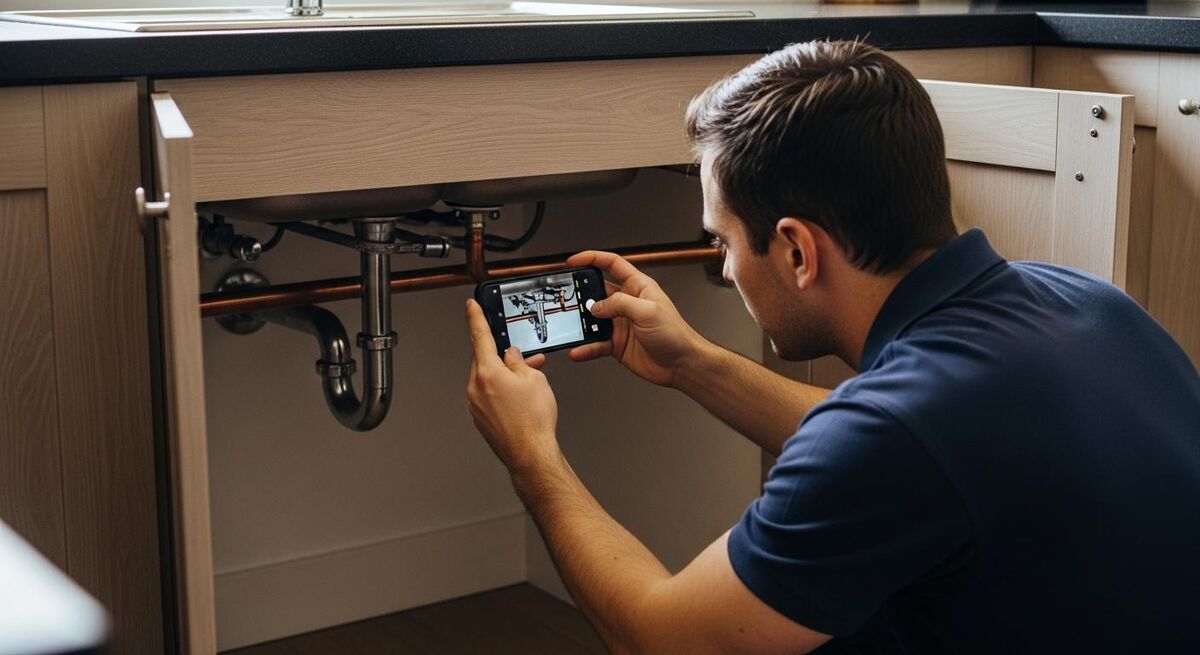
Before you go live on Monday, run a complete test job through the system. Use yourself or a friend as the test customer. This catches any issues with your templates, pricing, and workflow before a real customer sees them.
Create a new job from the app on your phone. Add the customer details, write a brief description of the work, and allocate the job to yourself. Open the job card, add a few line items from your presets, and generate a quote. Email the quote to yourself and check how it looks. Is the logo in the right place? Are the payment terms showing? Does the total calculate correctly?
Now mark the job as "Work Order" (accepted). Pretend to complete the work. Add some notes, take a photo of something (your kitchen tap will do), and change the status to completed. Generate an invoice from the job and send it. Check it arrives in Xero. Check the formatting.
The entire cycle, from creating the job to seeing the invoice in your accounting software, should take about fifteen minutes. If something looks wrong, fix it now while there is no pressure. Adjust the template, correct a line item price, tweak the confirmation email wording.
By Sunday evening, you have a fully tested system. Monday morning, you open the app and start managing real jobs.
Weekend setup timeline
Saturday 9:00am, Create your account
Sign up at servicem8.com, enter business details, upload logo, set working hours. Takes about 20 minutes.
Saturday 9:30am, Quote and invoice templates
Customise templates with your branding, payment terms, and bank details. Add standard line items for your most common services. Allow 30 to 45 minutes.
Saturday 10:30am, Connect Xero or QuickBooks
Link your accounting software using the built-in wizard. Verify tax rates and account codes sync correctly. Five to ten minutes.
Saturday 11:00am, Set up Stripe for card payments
Connect or create a Stripe account for on-site card payments. Configure payment settings. Twenty minutes if creating a new account.
Saturday 1:00pm, Build your services
Create each service you offer with pricing, duration estimates, and qualifying questions. One to two hours depending on how many services you provide.
Saturday 3:00pm, Configure online booking
Set up your booking page, embed on your website or share the link. Test a booking to confirm it appears in your schedule. Thirty minutes.
Sunday morning, Run a full test job
Create a test job, generate a quote, complete the work, invoice the customer, and verify everything syncs to your accounting software. One hour including adjustments.
Pricing breakdown for sole traders
ServiceM8 prices in GBP for UK users. The plans scale by job volume, not by how many people use the system. Every plan includes unlimited user logins, which is unusual for this category of software.
| Plan | Monthly cost | Jobs included | Best for |
|---|---|---|---|
| Free | £0 | 30 | Sole traders doing 5-7 jobs/week |
| Lite | £8 | 15 | Very low volume or seasonal work |
| Starter | £25 | 50 | Busy sole traders or 2-person teams |
| Growing | £59 | 150 | Small teams needing forms and assets |
| Premium | £119 | 500 | Larger teams needing job costing |
Prices exclude VAT. ServiceM8 issues reverse charge invoices, so if you are VAT registered you can reclaim it, resulting in no net additional cost. SMS messages cost from 8p per SMS beyond your plan allowance.
The free plan works for most sole traders. Thirty jobs a month covers five to seven jobs per week, and if you accept card payments via Stripe you earn bonus job credits with no cap. I have seen sole traders operate on the free plan for over a year before needing to upgrade. Once you outgrow it, our guide to the complete software stack for trades admin automation covers how ServiceM8 fits alongside other tools and what the total spend looks like.
On the Starter plan at £25/month for 50 jobs, each job costs you 50p in software fees. Compare that to the time you spend on manual paperwork. If a single invoice chases up one late payment, the entire month pays for itself.
What tradespeople are saying
Recommended videos

ServiceM8 Tutorial For Beginners
Step-by-step walkthrough of the basic functions

The ServiceM8 Setup 90% of Tradies Never Do
Full tutorial from account creation to scheduling

Demo of ServiceM8 for Trade and Service Businesses
Official product demo and feature overview
How ServiceM8 Works
Step-by-step look at how jobs flow through the system
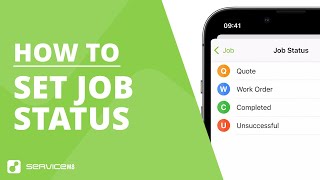
Understanding Job Statuses in ServiceM8 (2025)
Quote, Work Order, Completed and Unsuccessful explained

Overview and Demo, ServiceM8 UK
UK-focused introduction to the platform

ServiceM8 Launch Event 2025
Latest features and platform updates for 2025

Expert Tips on ServiceM8 for Trade Businesses
UpScale guide to unlocking efficiency and profits
Frequently asked questions
The full ServiceM8 app runs on iOS only. There is ServiceM8 Lite for Android which covers basic field tasks, but if you want the complete experience, you need an iPhone or iPad. The online dashboard works on any device with a browser.
Yes. Most of the businesses I work with are up and running within two to three hours. A full weekend gives you time to set up properly, customise your templates, build your services, and test a complete job cycle. By Monday you are ready to go live.
It is properly usable. Thirty jobs a month with quoting, invoicing, scheduling, accounting integration, online bookings, and AI assists. No credit card required. I have seen sole traders run on the free plan for over a year. The bonus job credits from card payments extend it further.
VAT is handled through the Xero or QuickBooks integration. Tax rates import from your accounting software automatically. CIS is not natively supported within ServiceM8 itself, so you would manage CIS reporting through your accounting package. For most sole traders, this is not an issue.
ServiceM8 has a comprehensive help centre with video guides for every feature. Their Getting Started Guide walks you through the entire process step by step. If you still get stuck, there is an active community on Skool called "ServiceM8 For Tradesmen" where other users share tips and answer questions.
You can import customer data via CSV, or add clients manually as they come through. Most sole traders switching from paper simply add each customer as they book their next job. Within a month or two, your regular clients are all in the system without any bulk data migration.
My verdict
I have helped hundreds of trades businesses set up ServiceM8 since 2020, and the pattern is consistent. A sole trader who commits a weekend to proper setup, following the steps in this guide, ends up with a system that saves them several hours of admin every week. The free plan is not a gimmick. It is a genuine, fully functional job management system that covers quoting, invoicing, scheduling, online bookings, and accounting integration at zero cost. You do not need to pay a consultant. You do not need to be technical. You need a Saturday, a Sunday, and a willingness to stop writing invoices on the back of envelopes.
Ready to go digital?
TrainAR Academy has more guides on running a smarter trades business. From automation workflows to financial management, we cover the tools and strategies that help sole traders work less and earn more.
Explore TrainAR Academy