
Quick Answer
Most one or two-person plumbing businesses lose 8 to 12 hours a week on admin: paper job sheets, chasing invoices, copying details between apps. This playbook walks you through four phases of digital transition, from job management software (ServiceM8 or Tradify) to cloud accounting (Xero), simple automations (Make.com), and better customer communication. Follow it start to finish and you will cut admin time in half within 90 days.

Table of Contents
 ServiceM8
 Xero
Xero Tradify
 Make.com
The Scale of the Problem
The UK plumbing and heating sector is worth over 24 billion pounds and employs more than 46,000 businesses. Yet a huge number of those businesses still run on paper diaries, carbon-copy invoices, and spreadsheets held together with hope. According to a 2024 ToolTime/Censuswide survey, 88% of tradespeople consider digital tools important for their work, but nearly half admit their day-to-day processes are still entirely manual.
That is time you are not spending on billable work. For a plumber charging 50 to 70 pounds an hour, those lost hours represent 400 to 840 pounds in missed revenue every single week. Over a year, that is 20,000 to 43,000 pounds left on the table because of admin.

This playbook exists to fix that. Not with vague advice about "going digital" but with specific tools, exact setup steps, and a realistic 90-day timeline that works for a one or two-person plumbing business. If you have not already done so, our automation audit playbook will help you identify exactly where your biggest time drains are before you start.
Why Plumbing Businesses Stay Manual
Before we get into the solution, it helps to understand why so many plumbing businesses resist change. It is not laziness. It is a mix of three genuine concerns.
1. "I don't have time to learn new software"
This is the big one. You are already working 10-hour days, fitting in quotes on evenings and doing invoices on Sunday mornings. The idea of spending more hours learning a new app feels impossible. The reality is that most job management tools take about 2 hours to set up properly, and the time you save starts from day one.
2. "My current system works fine"
It works, yes. But "fine" is costing you money. When your diary is in your head or on paper, you cannot send automated reminders, you cannot track which invoices are overdue at a glance, and you cannot prove what was agreed when a customer disputes a bill. Fine is not the same as efficient.
3. "Software is expensive"
A common misconception. ServiceM8 starts at 29 US dollars a month (roughly 23 pounds) for the whole business, not per user. Tradify Lite is 34 pounds per user per month. Xero Ignite is 16 pounds a month. If these tools save you even 3 hours a week of admin, the return on investment is massive.
The Real Cost of Staying Manual
A plumber charging 60 pounds an hour who spends 10 hours a week on admin is effectively paying 600 pounds a week, or 2,400 pounds a month, for the privilege of doing things the hard way. The software stack in this playbook costs under 80 pounds a month total.
The Four-Phase Playbook
This playbook breaks the transition into four manageable phases. Each phase builds on the last. Do not try to do everything at once; that is how digital transformations fail. Instead, spend 2 to 3 weeks on each phase before moving to the next.
- Phase 1, Job Management (Weeks 1-3): Replace your paper diary with a job management app. Every job, quote, and invoice lives in one place.
- Phase 2, Cloud Accounting (Weeks 4-6): Connect your job management tool to Xero so invoices, payments, and bank transactions sync automatically.
- Phase 3, Connecting Tools (Weeks 7-9): Use Make.com to automate the gaps between your apps, things like follow-up reminders and job status notifications.
- Phase 4, Customer Communication (Weeks 10-12): Set up automated booking confirmations, service reminders, and review requests to keep customers coming back.
Do You Need All Four Phases?
Not necessarily. If you are a sole trader doing 3 to 5 jobs a week, Phases 1 and 2 alone will transform your business. Phases 3 and 4 add polish and scale, and become more valuable as you grow or take on staff.
Phase 1: Job Management
The single biggest change you can make is moving from paper to a proper job management app. For plumbing businesses, two tools stand out: ServiceM8 and Tradify.
ServiceM8: Best for Sole Traders
ServiceM8 is built for field service businesses and it shows. The app is genuinely fast on-site. You can create a job, attach photos, send a quote, and convert to an invoice all from your phone while standing in a customer's kitchen. Pricing starts at 29 US dollars a month for the Starter plan (up to 50 jobs) and scales to 149 US dollars for Growing (unlimited jobs, online booking, asset management). Critically, it is priced per business, not per user, so you can add a mate or an apprentice without doubling the cost.
Tradify: Best for Small Teams
If you already have 2 to 4 people, Tradify is worth a serious look. It is built by tradespeople in New Zealand and has a strong following in the UK. Lite plan is 34 pounds per user per month; Pro drops to 28 pounds per user when you have 4 or more. The scheduling calendar is where Tradify really shines. Drag-and-drop job allocation, real-time GPS tracking of your team, and automatic timesheets make it much easier to manage a small crew.
Do Not Try to Use Both
Pick one job management tool and commit to it for at least 3 months. Switching back and forth between apps or running a "trial" of two at the same time just means double the data entry and none of the benefits.

Week 1 Action Plan
Sign up for a free trial (ServiceM8 offers 14 days, Tradify offers 14 days). Spend the first day adding your 10 most recent customers. On day 2, create a job for your next booking and run it entirely through the app: quote, job notes, photos, and invoice. By the end of the week, you should have completed 3 to 5 jobs through the app. If it feels clunky, push through it. The second week is always faster.
Phase 2: Cloud Accounting
Once your jobs and invoices live in a management app, the next step is connecting them to proper accounting software. Xero is the clear choice for UK tradespeople. It handles Making Tax Digital (MTD) for VAT, bank feeds from every major UK bank, CIS deductions for subcontractors, and integrates natively with both ServiceM8 and Tradify.
Why Xero Over QuickBooks or Sage?
All three work. But Xero has the strongest ecosystem of trade-specific integrations in the UK market. ServiceM8 has a native Xero integration. Tradify has a native Xero integration. Both sync invoices, contacts, and payments automatically. QuickBooks integrations exist but are less mature. Sage integrations are often clunky or require third-party middleware. For a detailed comparison of all three, see our Xero vs QuickBooks vs Sage breakdown.
Xero Pricing (UK, March 2026)
Xero restructured its plans in late 2025. The current UK lineup is: Ignite at 16 pounds per month (5 invoices, 20 bank transactions), Grow at 37 pounds per month (unlimited invoices and bills), Comprehensive at 50 pounds per month (adds multi-currency and project tracking), and Ultimate at 65 pounds per month (adds analytics plus). Most sole traders start on Ignite and move to Grow within 2 to 3 months. If you are VAT registered, go straight to Grow because the invoice limit on Ignite will frustrate you.
Xero Discount for New Customers
Xero frequently runs promotions offering 90% off for the first 3 months. Check their pricing page before signing up. The promo code DC23954633 has been active for partner referrals. Combined with a ServiceM8 or Tradify integration, your total software cost for the first 3 months can be under 30 pounds a month.

Setting Up the Integration
Both ServiceM8 and Tradify connect to Xero via OAuth. The setup takes about 10 minutes. In ServiceM8, go to Settings, then Add-ons, find Xero, and click Connect. Map your income account (usually 200, Sales) and your tax rate (20% Standard for most plumbing work). In Tradify, go to Settings, Integrations, Xero, and follow the prompts. Once connected, every invoice you raise in your job management app automatically appears in Xero within minutes.
Phase 3: Connecting Your Tools
Phases 1 and 2 give you a solid digital foundation. Phase 3 is where things get clever. Make.com is a visual automation platform that connects your apps and creates workflows that run without you lifting a finger. Think of it as digital plumbing for your software, connecting pipes between apps so data flows where it needs to go.
Why Make.com?
Make.com is more flexible and cheaper than Zapier for the kind of multi-step automations tradespeople need. The free plan gives you 1,000 operations a month, which is plenty to start. The Core plan at 10.59 US dollars a month gives you 10,000 operations. For a detailed walkthrough of connecting Tradify, Xero, Stripe and WhatsApp via a similar tool, check our complete small trades automation guide.
Three Automations Worth Building First
1. New Job Notification. When a new job is created in ServiceM8 or Tradify, Make.com sends you a summary to WhatsApp or Slack with the customer name, address, job description, and scheduled date. No more checking the app every 10 minutes.
2. Overdue Invoice Chaser. Once a week, Make.com checks Xero for invoices past their due date. For each one, it sends a polite reminder email to the customer and a notification to you. Chasing money is awkward; letting a robot do it is much easier.
3. Quote Follow-Up. If a quote in ServiceM8 or Tradify has not been accepted within 3 days, Make.com sends a friendly follow-up email: "Hi [Name], just checking if you had any questions about the quote I sent through. Happy to pop back round if anything needs clarifying." This alone can increase your conversion rate by 15 to 20 percent.

Tradify and Make.com Integration Note
Tradify does not have a native Make.com module as of March 2026, so you will need to use webhooks or the Tradify API via Make.com's HTTP module. ServiceM8 has better third-party integration support. If automation is a priority, factor this into your Phase 1 tool choice.
Phase 4: Customer Communication
The final phase focuses on the customer experience. Good communication is what separates a plumber people recommend from one they forget. This phase automates the touchpoints that build trust and generate repeat business.
Service Reminders
If you do boiler servicing or annual gas safety checks, automated reminders are pure gold. ServiceM8 has a built-in recurring jobs feature. Set the service interval (usually 12 months) and the system sends an email or SMS to the customer 2 weeks before the service is due. You get a notification too, so you can schedule it in. Tradify handles this through its scheduler. This is exactly the kind of automation that transformed a 15-person HVAC company in our HVAC digital transformation case study.
Quote Follow-Ups
We touched on this in Phase 3, but it bears repeating: the number one reason plumbers lose jobs is not price. It is that they never followed up. An automated follow-up 3 days after sending a quote, and another at 7 days if still unanswered, catches the customers who meant to say yes but got distracted.
Review Requests
After completing a job, ServiceM8 can automatically send a "How did we do?" email with links to your Google Business profile or Checkatrade page. Tradify does not have this built in, but Make.com can trigger a review request email 24 hours after a job is marked as complete. Good reviews are the best marketing a plumber can have, and most happy customers will leave one if you simply ask.
What Real Plumbers Say
Do not just take our word for it. Here is what actual tradespeople are saying about going digital.
Helpful Videos

ServiceM8 Setup Tutorial: Get Started in 30 Minutes
David List

How Lloyd Plumbing Runs His Business with ServiceM8
ServiceM8
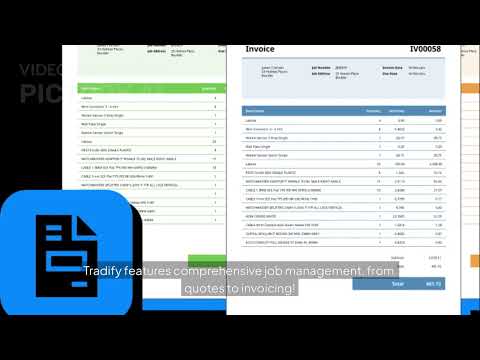
Tradify: Plumbing Business Management Made Simple
PixiNews

PB Plumber: How Tradify Changed My Business
Tradify

Tradify vs ServiceM8: Which Is Better for Trades?
Alpha Tradie

Xero Accounting Tutorial for Beginners 2026
Stewart Gauld

Make.com Tutorial for Beginners: Automate Everything
Kevin Stratvert

How to Automate a Plumbing Company
Nick Saraev
Manual vs Digital: Side by Side
Here is what the same weekly tasks look like before and after making the switch.
| Task | Manual Process | Digital Process |
|---|---|---|
| Scheduling | Paper diary, phone calls, hoping you wrote the right address | Drag-and-drop calendar, GPS directions, automatic reminders to customer |
| Quoting | Handwritten quotes, posted or emailed as a photo, no tracking | Professional PDF quotes from templates, sent instantly, tracked status |
| Invoicing | Carbon copy books, manual entry into spreadsheet, chasing payment by phone | One-tap invoice from job, auto-sent to Xero, payment tracking and reminders |
| Payment collection | Bank transfer or cheque, waiting days to clear, manual reconciliation | Card payment on-site via Stripe, auto-reconciled in Xero same day |
| Job records | Photos on phone mixed with personal snaps, notes on scrap paper | Photos, notes, and sign-off attached to job record permanently |
| Tax preparation | Shoebox of receipts, frantic January spreadsheet, accountant chasing you | Bank feeds auto-categorised, VAT return in 3 clicks, accountant has live access |
| Customer follow-up | Relies on memory, rarely happens, lost repeat business | Automated service reminders, review requests, quote follow-ups |
| Weekly admin time | 8 to 12 hours (evenings and weekends) | 3 to 4 hours (mostly during natural downtime) |
Our Verdict
Going digital is not about replacing what works. It is about freeing up the 8 to 12 hours a week you currently spend on admin so you can spend that time on billable work, with your family, or growing your business. The tools in this playbook, ServiceM8 or Tradify for jobs, Xero for accounting, and Make.com for gluing it all together, are tried and tested by thousands of UK tradespeople.
Start with Phase 1. Give it 2 weeks. The moment you send your first professional quote from a customer's kitchen and watch it convert to an invoice with one tap, you will wonder why you did not do it sooner. For a broader view of how trades businesses across every sector are making this shift, see our digital transformation roadmap for UK trades.

Frequently Asked Questions
For a sole trader: ServiceM8 Starter (29 USD, roughly 23 GBP) plus Xero Ignite (16 GBP) plus Make.com free plan equals under 40 pounds a month. For a 2 to 3 person team: Tradify Lite (34 GBP per user, so 68 to 102 GBP) plus Xero Grow (37 GBP) plus Make.com Core (roughly 9 GBP) equals 114 to 148 pounds a month. Both scenarios pay for themselves within the first week of recovered admin time.
Absolutely. In fact, most accountants prefer clients who use Xero because they can access your books directly without waiting for you to send spreadsheets. Ask your accountant if they are a Xero partner; many offer discounted rates for clients who use it.
Both ServiceM8 and Tradify are designed for tradespeople, not IT professionals. If you can use WhatsApp and Google Maps on your phone, you can use these tools. ServiceM8 has a free setup wizard and Tradify offers live onboarding calls to walk you through everything.
ServiceM8 works offline and syncs when you get back in range. You can create jobs, take photos, and fill in forms without any signal. Tradify also has offline capability for core functions. Xero is cloud-only but you rarely need it on-site since your job management app handles the field work.
Most plumbers report noticeable time savings within the first 2 weeks of Phase 1. By the end of Phase 2 (around week 6), the admin reduction is significant. The full 90-day playbook typically cuts admin time from 8 to 12 hours down to 3 to 4 hours per week.