

Quick Answer
A sole trader needs three tools: an accounting package, a basic job management app, and a phone. That costs about £50 a month. A five-person team needs scheduling, quoting, and integrations on top, which pushes you to £150-£400. Once you hit 20 engineers, you need a proper FSM platform with vehicle tracking and automated workflows, and the bill lands between £800 and £2,000 a month. The mistake most trades businesses make is buying the 20-person stack when they are still a two-person team, or worse, staying on the sole-trader stack long after they have outgrown it.
Table of Contents
- Why your software stack matters more than any single tool
- Stage 1: The sole trader (1 person, under £60/month)
- Stage 2: The small team (2-5 people, £150-£400/month)
- Stage 3: The mid-size operation (6-20 people, £500-£1,500/month)
- Stage 4: The scaling business (20-50+ people, £1,500-£4,000/month)
- Accounting software: the foundation every stack needs
- Automation tools: connecting your stack together
- Side-by-side comparison: FSM platforms by business size
- The five most expensive software stack mistakes
- What tradespeople are saying
- Recommended videos
- Frequently asked questions
- My verdict
 Tradify
 Fergus
 ServiceM8
 Commusoft
 BigChange
 SimPRO
 Xero
Xero n8n
n8nWhy your software stack matters more than any single tool
I have watched trades businesses spend thousands on the wrong software. Not because the software was bad, but because it was wrong for their size. A sole-trader plumber does not need a £80-per-user FSM platform with fleet tracking. A 15-person electrical firm cannot run on WhatsApp groups and a spreadsheet.
The trades industry is changing fast. The people coming through now are more tech-savvy, more business-minded, and more ambitious than ever before. Technology should extend human capability, not replace it. That is the principle behind this guide: matching the right tools to the right stage of your business.
Your software stack is the collection of digital tools that run your business. Accounting, job management, scheduling, invoicing, communication, automation. Get it right and you save 8-12 hours a week on admin. Get it wrong and you waste money, duplicate data entry, and frustrate your team.
We break down the ideal software stack for four business stages: sole trader, small team (2-5), mid-size (6-20), and scaling business (20-50+). Every recommendation includes UK pricing, real alternatives, and the trigger points that tell you when to upgrade. If you are already running digital tools but unsure whether your stack fits your size, skip to the comparison table.
Stage 1: The sole trader (1 person, under £60/month)

When you are on your own, simplicity wins. You do not need six apps fighting for your attention. You need three things: a way to send invoices that look professional, a way to track what you have quoted and where the jobs are, and a way to keep HMRC happy.
The sole-trader stack is about removing friction without adding complexity. Scale too quickly and the cracks show. Scale without the proper resourcing and you lose people and clients. At this stage, "proper resourcing" just means getting your admin under control so you can focus on earning.
Most sole traders I speak to waste 5-8 hours a week chasing invoices, rewriting quotes from scratch, and searching WhatsApp threads for customer details. That is a full working day, every week, spent on admin instead of billable work.
The recommended sole-trader stack
Accounting: Xero Starter (£15/month) or QuickBooks Sole Trader Plus (£10/month + VAT). Both are MTD-compliant and handle VAT returns. Xero has a slight edge for trades because more job management apps integrate with it natively. QuickBooks costs less if you are truly just tracking income and expenses.
Job management: Tradify Lite (£34/user/month) or Powered Now Business (£15/month). Tradify gives you quoting, scheduling, invoicing, and time tracking in one place. It connects to Gas Safe Register directly, which plumbers and heating engineers will appreciate. Powered Now is cheaper and works offline, making it strong for rural areas with patchy signal. ServiceM8 is another solid option, but its job-credit pricing model can penalise you as volume grows.
Communication: WhatsApp Business (free). At this stage, WhatsApp Business with quick replies and a product catalogue is all you need for customer communication. Set up auto-replies for out-of-hours enquiries.
Xero Starter (£15) + Powered Now Business (£15) = £30/month at the low end. Xero Starter (£15) + Tradify Lite (£34) = £49/month at the higher end. Both options include invoicing, basic job tracking, and MTD-compliant accounting. Compare that to the cost of a part-time bookkeeper at £200+/month.
When to upgrade from Stage 1
You need to move up when any three of these are true: you are quoting more than 15 jobs a week, you have hired your first employee or regular subcontractor, you are missing calls because you are on site, your invoice-to-payment cycle is longer than 14 days, or you need to schedule someone other than yourself.
Stage 2: The small team (2-5 people, £150-£400/month)

This is where most trades businesses hit their first real software decision. The tools that worked when it was just you start breaking when you add a second engineer. Suddenly you need to know who is where, what parts they have used, whether the customer has been invoiced, and if the job is actually finished or just "basically done."
The question at this stage is: when to use people and when to use technology. A good job management platform replaces the need for an office administrator until you hit about 8-10 engineers. That saves you £25,000-£30,000 a year in salary costs.
Growing from one van to a five-person team is one of the hardest transitions in trades. Your accounting package stays the same, but everything else needs to step up. You need real scheduling, real job costing, and real visibility of what your team is doing.
The recommended small-team stack
Accounting: Xero Standard (£30/month) or QuickBooks Essentials (£33/month + VAT). You need unlimited invoices now, plus bank reconciliation and multi-user access so your bookkeeper or accountant can log in without sharing your password.
Job management: Tradify Pro (from £28/user/month) or Fergus (from £39/user/month). At this stage, Tradify remains a strong choice, and the Pro tier gives you better reporting and team scheduling. Fergus pulls ahead on job costing visibility; you can see profit margins per job in real time, which matters when you have engineers using materials you have not tracked. Both integrate with Xero and QuickBooks.
Payments: Stripe (1.4% + 20p per transaction). Stop chasing bank transfers. Adding a "Pay Now" button to your invoices cuts your average payment time from 14 days to 3. Stripe integrates with both Tradify and Fergus.
Reviews: Google Business Profile (free). Automate review requests after completed jobs. Most FSM platforms can trigger a review request email or SMS when a job is marked complete.
Automation: Zapier Free (100 tasks/month). Connect your job management to your accounting and review platform. A simple three-step Zap that sends a review request after a completed job brings in 3-5x more Google reviews than asking manually. See our guide to essential Zapier automations for trades for ready-to-use workflows.
Before committing to any platform at this stage, check three things: does it sync invoices to your accounting package automatically? Does it have a mobile app your engineers will actually use? Does it let customers book or pay online? If the answer to any of these is no, keep looking. The Tradify + Zapier + Stripe growth stack article walks through a proven small-team setup.
Xero Standard (£30) + Tradify Pro 3 users (£84) + Zapier Free (£0) + Stripe (pay-per-use) = roughly £114-£180/month for a lean setup. With Fergus instead: Xero Standard (£30) + Fergus 3 users (£117) + Zapier Free (£0) = roughly £147-£250/month. Add a CRM or dedicated scheduling tool and you push towards £400.
Stage 3: The mid-size operation (6-20 people, £500-£1,500/month)
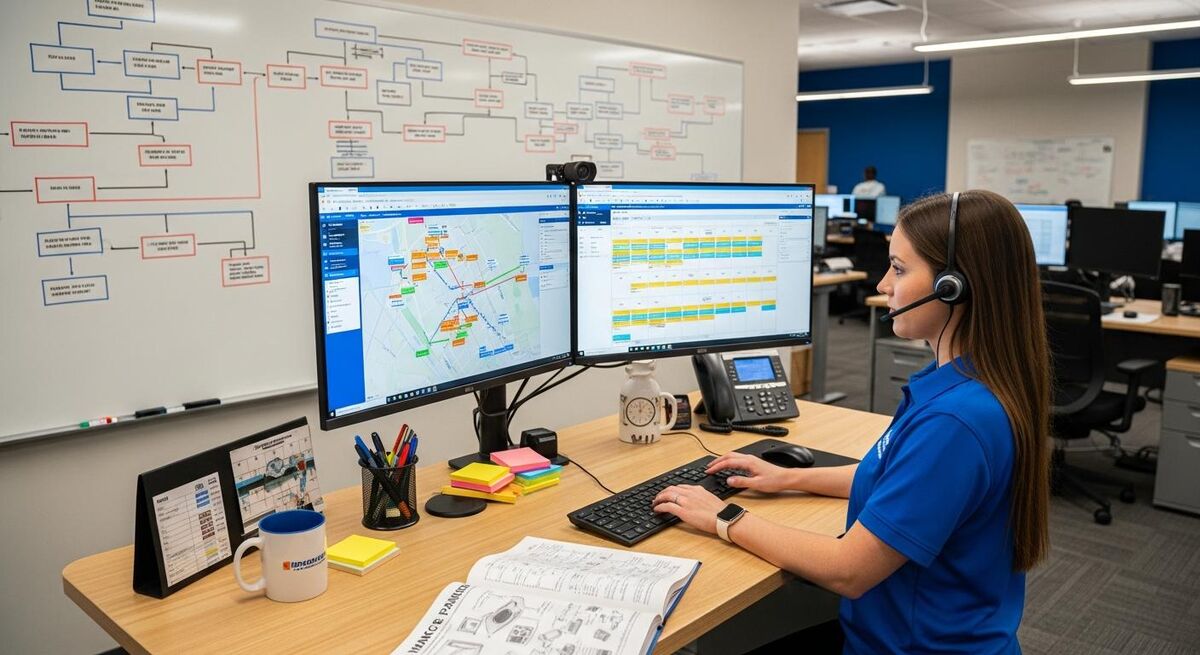
This is the stage where your software stack either saves your business or slowly strangles it. At 6+ engineers, you cannot manually schedule jobs, track vans, manage parts stock, handle compliance paperwork, and chase invoices. Something will slip. Usually it is cash flow.
The move from Stage 2 to Stage 3 is the biggest software investment you will make. You are graduating from a job management app to a full field service management (FSM) platform. The monthly cost jumps, but so does the return. A proper FSM platform at this stage should pay for itself within 3-4 months through reduced admin, faster invoicing, and fewer missed appointments.
This is also the point where your accounting software might need to upgrade. Sage becomes a real option at this stage because of its payroll integration, CIS handling, and the fact that many UK accountants still prefer it for construction businesses.
The recommended mid-size stack
Accounting: Xero Standard or Plus (£30-£42/month), Sage Standard (£39/month + VAT), or QuickBooks Plus (£56/month + VAT). The choice depends on your accountant. Sage has the strongest CIS and payroll features for construction businesses. Xero has the most third-party integrations. QuickBooks sits in the middle.
FSM platform: Commusoft (from approx. £55/user/month) or BigChange (from £79.95/user/month) or Joblogic (pricing on request). Commusoft is purpose-built for plumbing, heating, and electrical businesses, with strong PPM contract management and parts tracking. BigChange adds vehicle tracking and fleet management at the platform level, which removes the need for a separate tracker subscription. Joblogic is strong on compliance workflows and asset management, particularly for fire and security or facilities management firms.
The real cost of switching FSM platforms article breaks down what migration actually involves if you are already locked into a platform that is not scaling with you.
Automation: n8n Cloud (from £20/month) or Make.com (from £8.29/month). At this stage, you need proper workflow automation. Connecting your FSM to your accounting, sending automated customer updates, generating weekly reports. n8n gives you unlimited workflows on a self-hosted instance for free, or the cloud version starts at £20/month. Make.com is more visual and easier for non-technical users. Zapier's free tier will not cut it anymore as you will blow through 100 tasks in a day.
Our Commusoft + Sage + n8n automated P&L dashboard guide shows exactly how to wire these tools together for real-time financial visibility.
Communication: Dedicated business phone system + WhatsApp Business API. You need a proper phone system with call routing, voicemail-to-email, and the ability to track missed calls. Most FSM platforms offer this as an add-on or integrate with providers like Twilio.
At this stage, the biggest risk is tool sprawl. One team using Google Calendar for scheduling while another uses the FSM calendar. Engineers texting job updates instead of logging them in the app. Your bookkeeper exporting CSVs from the FSM and manually entering them into Sage. Every manual handoff between tools is a data leak. Before adding any new tool, ask: does this replace something, or does it add another layer?
Stage 4: The scaling business (20-50+ people, £1,500-£4,000/month)

At this point, your software stack is not a cost centre. It is your operating system. Every process that is not automated costs you money multiplied by the number of engineers running it. A five-minute manual entry on a job sheet costs nothing for one engineer. For 30 engineers, that is 2.5 hours of dead admin time per day.
Scaling at the right time with the right team and the right technology opens up the whole world. At this stage, AI and automation stop being nice-to-haves and become competitive advantages. You should be automating quoting, customer communications, job allocation, parts ordering, and financial reporting.
This is also where the enterprise FSM platforms start making sense. SimPRO and ServiceTitan are expensive, but at 20+ users, the per-head cost becomes comparable to mid-range options while offering far more depth in project management, inventory control, and business intelligence.
The recommended scaling stack
Accounting: Sage Plus (£59/month + VAT) or Xero Premium. You need unlimited users, advanced reporting, multi-currency if you source parts internationally, and rock-solid payroll. At this size, your accountant is a strategic partner, not just someone who files your returns. Give them proper tools.
FSM platform: SimPRO (pricing on request, typically £80-£120/user/month) or ServiceTitan (enterprise pricing) or Commusoft Growth tier. SimPRO handles complex project management, inventory tracking across multiple warehouses, and detailed job costing that breaks down labour, materials, and overhead per job. ServiceTitan brings AI-powered scheduling, dynamic pricing, and call tracking that tells you which marketing channels generate actual booked jobs. Both are overkill for a 5-person team. Both are essential at 25+.
ServiceTitan entered the UK market recently and pricing is not yet standardised, but expect enterprise-level costs. SimPRO has operated in the UK for years and has established UK support.
Automation: n8n self-hosted (free) + Make.com Professional (from £14.08/month). At this scale, you should be running 50-100+ automated workflows. Self-hosted n8n on a £10/month VPS gives you unlimited executions. Use Make.com for visual workflows that your operations team can build and maintain without developer help.
AI tools: Custom GPTs, AI dispatch, AI quoting. Build a custom GPT trained on your service manuals and parts catalogues for engineer support. Use AI-powered dispatch to optimise routes and job allocation. Automate first-response quoting for standard jobs. See our AI-first trades business guide for the full picture.
BI and reporting: Power BI or Google Looker Studio (both have free tiers). Connect your FSM and accounting data into a single dashboard. Track KPIs like first-time fix rate, average job value, engineer utilisation, and revenue per van per day.
The most expensive mistake I see is a 3-person team buying SimPRO or ServiceTitan because they "plan to grow." You will spend 6 months configuring a system built for 50 people when you should be out winning work. Buy for where you are now with one eye on the next stage. When you outgrow it, migrate. The switching cost is always less than the cost of running the wrong system for two years.
Accounting software: the foundation every stack needs

Your accounting software is the foundation of your entire stack. Everything feeds into it: invoices from your FSM, payments from Stripe, expenses from your receipt scanner, payroll from your HR system. If the foundation is wrong, every integration on top of it wobbles.
For UK trades businesses in 2026, the realistic choice is between three platforms.
Xero (from £15/month) dominates the small trades market. It has the most third-party integrations of any UK accounting platform, which means your job management app, payment gateway, and automation tools will almost certainly connect to it. Most cloud-first accountants prefer Xero. Its MTD compliance is solid, and the mobile app is genuinely useful for expense capture on site.
QuickBooks (from £10/month + VAT for Sole Trader Plus, £33/month + VAT for Essentials) is the main alternative. It has caught up with Xero on integrations and is slightly cheaper at the entry level. However, Intuit raised UK prices twice in 18 months through 2025-2026, which has pushed some users towards Xero or Sage.
Sage (from £18/month + VAT for Start, £39/month + VAT for Standard) is the legacy choice that still makes sense for construction businesses with CIS obligations, complex payroll, or accountants who have used Sage for decades. Sage Plus at £59/month + VAT offers unlimited users, which is competitive once you have 3+ people needing access.
| Feature | Xero | QuickBooks | Sage |
|---|---|---|---|
| Entry price (monthly) | £15 | £10 + VAT | £18 + VAT |
| MTD compliant | Yes | Yes | Yes |
| CIS support | Via add-on | Built-in | Built-in |
| Payroll included | Add-on (£7/month) | Standard tier+ | All tiers |
| Third-party integrations | 1,000+ | 750+ | 350+ |
| Best for | Sole traders, small teams | Budget-conscious starters | Construction, CIS-heavy |
Automation tools: connecting your stack together
The biggest waste in any software stack is duplicate data entry. Your engineer completes a job in the FSM app. Someone in the office re-enters the details into the accounting package. Someone else updates a spreadsheet. Someone sends the customer an email. That is four people touching the same data point.
Automation tools eliminate this. They connect your apps so data flows automatically from one to the next. Job completed in Tradify? Invoice appears in Xero. Payment received in Stripe? Customer gets a thank-you text and a Google Review request. Engineer logs excessive travel time? Operations manager gets an alert.
Three platforms dominate this space for trades businesses.
Zapier is the easiest to use and has the widest app library (7,000+). The free tier gives you 100 tasks per month, which covers a sole trader. The Professional plan at roughly £16/month (billed yearly) gives you 750 tasks and multi-step workflows. Good for beginners. Gets expensive at scale.
Make.com starts at roughly £8/month for 10,000 operations and offers far more complex workflows than Zapier at a fraction of the cost. The visual builder is intuitive. Most trades businesses find Make.com hits the sweet spot of power versus price. The automation playbook for small plumbing businesses walks through building your first Make.com workflows.
n8n is the most powerful and the cheapest at scale. Self-host it on a £10/month VPS and you get unlimited workflows, unlimited executions, and complete control. The trade-off is that it requires more technical knowledge to set up. Cloud-hosted n8n starts at roughly £20/month. For businesses above 10 people, n8n is the clear winner on value.
Do not try to automate everything at once. Pick the single process that wastes the most time, typically the invoicing-to-payment loop, and automate that first. Once you see it working, add the next one. Most trades businesses end up running 5-10 core automations that save 6-8 hours per week.
Side-by-side comparison: FSM platforms by business size
This is the table I wish someone had given me five years ago. Every platform listed is available in the UK with GBP pricing and UK-based or UK-hours support.
| Platform | Best for | UK price (per user/month) | Xero integration | Mobile app | Fleet tracking |
|---|---|---|---|---|---|
| Tradify | Sole traders, 1-10 people | From £28 | Yes | iOS + Android | No |
| Powered Now | Sole traders, offline-first | From £15 | Yes | iOS + Android | No |
| ServiceM8 | High-volume reactive, 1-15 | Job-credit model | Yes | iOS only | No |
| Fergus | Job costing focus, 2-15 | From £39 | Yes | iOS + Android | No |
| Commusoft | P&H, PPM contracts, 5-50 | From approx. £55 | Yes | iOS + Android | Via integration |
| BigChange | Fleet-heavy, 5-50 | From £79.95 | Yes | iOS + Android | Built-in |
| Joblogic | Compliance-heavy, 5-50 | On request | Yes | iOS + Android | Built-in |
| SimPRO | Complex projects, 15-200+ | From approx. £80 | Yes | iOS + Android | Via SimTrac |
| ServiceTitan | Enterprise, 20-500+ | Enterprise pricing | Via integration | iOS + Android | Built-in |
Note: Commusoft does not publicly list pricing. The figure above is an estimate based on industry reports and customer feedback. BigChange was acquired by SimPRO Group in 2024; both products currently operate independently.
The five most expensive software stack mistakes

1. Buying the enterprise stack at startup. SimPRO, ServiceTitan, and BigChange are brilliant platforms. For 20+ people. If you are a 3-person team paying £80/user/month for features you will not use for three years, you are burning £2,880/year on dead software. Start simple, upgrade when the pain is real.
2. Refusing to upgrade past spreadsheets. The opposite mistake. I have met 12-person firms running on Google Sheets, WhatsApp groups, and a paper diary. They think they are saving money. They are losing £15,000-£20,000 a year in missed jobs, slow invoicing, and duplicate admin. Our WhatsApp vs job management software cost comparison breaks down the true numbers.
3. Ignoring integrations. Your FSM does not talk to your accounting package. Your accounting package does not talk to your payroll. Every Friday, someone spends 4 hours manually reconciling data across three systems. Integration is not a luxury feature. It is the entire point of having a software stack.
4. Not training your team. You spend £500/month on Commusoft and your engineers still text job updates to the office manager. The software is only as good as the people using it. Budget 2-3 days for proper onboarding when you switch platforms, and assign one person as the internal champion who keeps standards up.
5. Paying for overlapping tools. Separate apps for quoting, scheduling, invoicing, and CRM when your FSM platform does all four. A standalone fleet tracker when BigChange includes one. A separate form builder when your FSM has digital forms built in. Audit your subscriptions quarterly and kill anything redundant.
What tradespeople are saying
Recommended videos

ServiceM8 vs Tradify vs Field Complete vs Fergus Compared
Software comparison guide

How Technology Transformed Our Business: CS Heating & Plumbing
Commusoft

SimPRO Review: Is This Field Service Software Right for You?
Software review channel

BigChange: The All-in-One Job Management System
BigChange
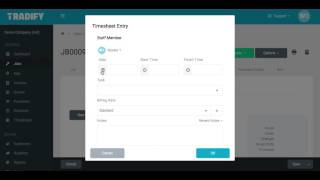
Getting Started With Tradify
Tradify

SimPRO Field Service Management Software Explained
SimPRO
What is ServiceM8: An Overview of the Software
ServiceM8

How Commusoft Transformed Our Plumbing and Heating Business
Will Anderson, C. Anderson and Sons
Frequently asked questions
Tradify or Powered Now. Tradify costs more (£34/month vs £15/month) but does more. If you value offline mode and you are just one person, Powered Now is the better deal. If you plan to hire within the year, start on Tradify so you do not have to migrate later.
Yes. Job management apps are good at scheduling, quoting, and invoicing. They are terrible at VAT returns, bank reconciliation, and tax reporting. Xero or QuickBooks handle the money side properly. Your FSM handles the job side. Connect them with an integration and never type the same number twice.
When you hit 6-8 engineers and start needing PPM contract management, vehicle tracking, or parts inventory. Tradify is honest about its sweet spot: 1-10 people. Beyond that, you need a platform that was built for multi-team dispatch.
It launched in the UK recently but pricing is not standardised yet and the UK feature set is still maturing. If you need a proven enterprise FSM today, SimPRO is the safer UK bet. Check ServiceTitan again in 12 months.
Somewhere between £500 and £1,200. That covers accounting (£30-£60), FSM platform (£400-£800 for 10 users), automation (£20-£50), and communication tools. If you are spending less than £500, you are probably doing too much manually. If you are above £1,500, audit for overlapping tools.
Zapier if you want simplicity and you are running fewer than 10 automations. Make.com if you want power at a reasonable price. n8n if you are technical or have someone technical on the team and want unlimited everything for the price of a cheap server. Most 5-15 person businesses end up on Make.com.
My verdict
The trades gave me everything. The discipline, the work ethic, the problem-solving mindset. Technology just gives you a new way to apply it. But technology only works when it matches where you actually are, not where you hope to be in three years. Start with the minimum viable stack for your current size. Integrate everything so data flows without human intervention. Upgrade when the pain of your current tools outweighs the cost of switching. And remember: the best software in the world does nothing if your team will not use it. Train your people, pick tools they will actually open every morning, and build from there. The digital transformation roadmap maps out the full journey if you want to see where all of this leads.