Quick Answer
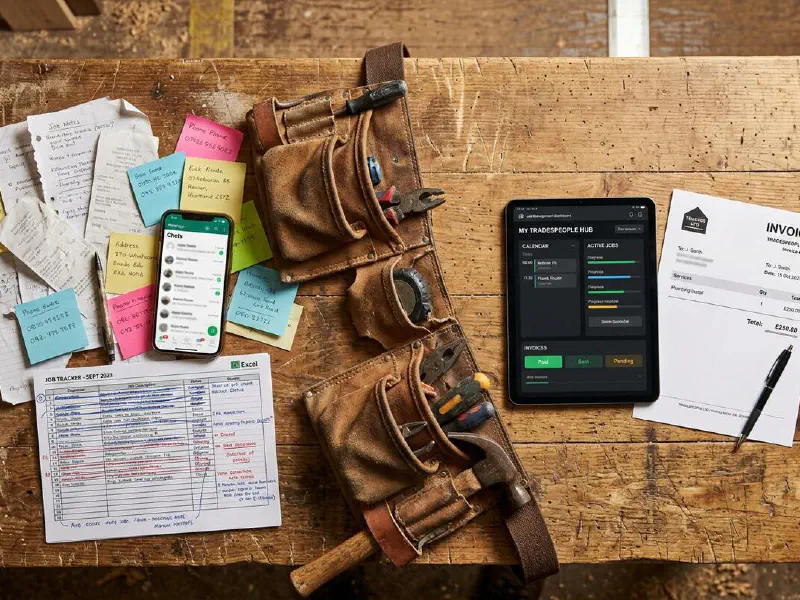
Switching FSM platforms typically costs a 5-person UK trades business between £3,000 and £12,000 when you factor in data migration, staff retraining, productivity loss, and dual-running subscriptions. The transition takes 4 to 12 weeks for small firms, 3 to 6 months for larger operations. About 83% of migration projects exceed their original budget or timeline. The good news: planning properly and running both systems in parallel for 8 to 12 weeks dramatically reduces the pain. Below, we break down every cost category with real numbers so you can budget accurately before committing.
Table of Contents
- The Six Platforms We Analysed
- Why Trades Businesses Switch FSM Platforms
- The Data Migration Minefield
- Hidden Costs Nobody Tells You About
- Staff Retraining: The Overlooked Budget Killer
- The Productivity Dip and How Long It Lasts
- Contract Traps and Exit Fees
- What Real Tradespeople Are Saying
- Switching Cost Calculator
- Your 12-Week Migration Plan
- Videos Worth Watching
- Frequently Asked Questions
The Six Platforms We Analysed
We looked at the six most popular FSM platforms used by UK trades businesses, from solo operators to 500-person operations. Each has different pricing models, contract terms, and migration complexity. Understanding these differences is critical before you commit to a switch.
 Commusoft
 ServiceM8
 BigChange
 Fergus
 Tradify
 Joblogic
| Platform | UK Price | Pricing Model | Contract | API Quality | Free Trial |
|---|---|---|---|---|---|
| Commusoft | ~£60-100/user/mo | Per user (min 4) | Annual | Full REST + webhooks | 14-30 days |
| ServiceM8 | $0-349/mo (USD) | Per account (unlimited users) | Monthly, no lock-in | Full REST + Addon SDK | 14 days |
| BigChange | £79.95-99.95/user/mo | Per licence | Up to 5 years | Full REST + webhooks | 14 days |
| Fergus | £39-45/user/mo | Per user | Monthly, no lock-in | Documented REST | 14 days |
| Tradify | £33-44/user/mo | Per user | Monthly, no lock-in | Limited (Plus plan only) | 14 days |
| Joblogic | From £45/user/mo | Per user | 30-day notice | Comprehensive REST | Demo only |
Pros of Switching
- Better features, mobile apps, or integrations that match your current workflow
- Lower per-user costs, especially moving from legacy per-licence pricing
- Improved field engineer experience with offline-capable apps
- Modern API access for automation with tools like n8n, Make, or Zapier
- Flexible monthly contracts instead of multi-year lock-ins
Cons of Switching
- Data migration risks: 83% of migration projects exceed budget or schedule
- 2-3 months of dual-running subscription costs during transition
- Lost productivity while staff retrain (up to 35 hours per person)
- Compliance records may not transfer automatically
- Integration rebuilds for accounting, payments, and calendar tools
Why Trades Businesses Switch FSM Platforms
Nobody switches FSM software for fun. It is always driven by pain. The UK FSM market is worth over £270 million and growing at roughly 14% per year, which means platforms are constantly launching new features to win customers from each other. But that growth also means businesses outgrow their current platform faster than ever.
The most common triggers we found from forum discussions and review analysis:
- Outgrowing the platform - Tradify hits a ceiling at around 20-30 employees. ServiceM8 is best for teams under 20. When you grow past that, you need something like Commusoft or BigChange.
- Missing features - No vehicle tracking, no compliance automation, no proper reporting. The gap between what was promised during the sales demo and what actually works.
- Poor mobile experience - Engineers in the field need fast, offline-capable apps. ServiceM8's Android app has been a consistent complaint from users.
- Integration problems - Your accountant uses Sage 50 but your FSM only syncs with Xero. Joblogic has the strongest Sage integration; most others focus on Xero and QuickBooks.
- Price increases - Several platforms have steadily increased subscriptions after sign-up, with no matching increase in value.

The Data Migration Minefield
Data migration is where most switching projects go wrong. According to Bloor Group research, 83% of data migration projects either fail outright or exceed their budgets and schedules. The average budget overrun is 14-30%, and the average schedule delay is 30-41% longer than planned.
For a UK trades business, your data typically includes:
- Customer records (names, addresses, contact details, site access notes)
- Job history (completed work, photos, certificates, notes)
- Financial data (invoices, quotes, payment records)
- Asset records (boilers serviced, certificates issued, warranty dates)
- Recurring job schedules and maintenance contracts
- Staff records, timesheets, and GPS data
What migrates easily and what does not
Customer contacts and basic financial records usually import cleanly via CSV. Commusoft offers CSV-based import of customers and work addresses. ServiceM8 can pull contacts directly from Xero or QuickBooks.
The painful bits? Notes, photos, dates, recurring work, and asset histories. ServiceM8 consultants recommend keeping a licence for your old system for 12-18 months during transition specifically because these records cannot be automatically migrated.
Common data migration failures
Up to 45% of migration failures are caused by legacy data format clashes with modern cloud platforms. Different FSM systems store identical information in completely different structures. Status codes that mean "completed" in one system might mean "invoiced" in another. Date formats, address structures, even how they store phone numbers can differ.
Data corruption is the biggest risk. Fields become invalid due to type mismatches, decimal handling errors can double financial amounts, and broken relationships between records cascade into integrity failures across your entire database.
Hidden Costs Nobody Tells You About
The subscription price is the cost vendors want you to focus on. But the real cost of switching includes at least six categories that never appear in the sales pitch.

1. Dual-running subscription costs
You will run both systems simultaneously for 2-3 months minimum. That means paying for two subscriptions. For a 5-person team on Commusoft (roughly £400/month) switching to Fergus (£225/month), that is £625/month for 3 months: £1,875 in overlap costs alone.
2. Integration reconnection fees
If you use Xero, Stripe, or other third-party tools, you need to reconnect and reconfigure each integration. Some may require paid setup assistance. Integration fees typically run £1,000-£5,000 depending on complexity.
3. Template and form recreation
Your branded quote templates, invoice layouts, job sheets, and safety forms do not transfer between platforms. Rebuilding these from scratch takes 10-20 hours of admin time.
4. Customer communication disruption
Automated appointment reminders, follow-up emails, and SMS notifications all need reconfiguring. During the gap, customers miss reminders and you miss follow-ups. One UK plumbing business reported managers spent 20+ hours per week fixing scheduling errors before their new system was fully configured.
5. Lost historical data access
Some platforms make it deliberately difficult to export your data. If you lose access to 5 years of job history, compliance records, and customer notes, the cost is immeasurable. Always verify data export capabilities before signing up.
6. Opportunity cost during transition
UK SMEs lose nearly 19 hours of productivity annually from IT downtime alone, equating to £7,500 per business. A platform switch is not just downtime; it is weeks of reduced capacity while your team learns new software instead of completing jobs.
Staff Retraining: The Overlooked Budget Killer
UK employers invest an average of £1,530 per employee per year on training (government figures). Software transitions eat into that budget significantly. The average training time for new software is 33-42 hours per employee.

Each platform handles onboarding differently:
- Commusoft provides a dedicated trainer for all new clients, with tailored sessions and an 8-week follow-up.
- ServiceM8 takes a self-service approach with their Learning Roadmap and 24/7 support. Certified partners offer dedicated migration assistance.
- BigChange includes training in their plan but the 3-6 month onboarding period suggests significant learning complexity.
- Fergus offers 24/7 support via live chat, phone, and email at no extra cost, with regional UK support teams.
- Tradify claims most teams are productive in 1-2 days, which aligns with their simpler feature set.
- Joblogic uses a demo-based evaluation with implementation support included.
The hidden training cost: while staff are being trained, they are not doing billable work. A 5-person team at £20/hour spending 40 hours on training costs £4,000 in lost productivity alone, before you even count the trainer's time.
The Productivity Dip and How Long It Lasts
Every platform switch creates a valley of reduced productivity. Employees lose nearly 7 hours per week dealing with complicated processes and fragmented tools during transitions. Software complexity drains an average of 7% of annual revenue from organisations, and during a transition period, that figure spikes.

Timeline of the productivity dip
- Week 1-2: Chaos. Staff are learning basics. Expect 30-40% reduced capacity. Double-booking incidents spike.
- Week 3-4: Basic workflows work but staff constantly reference guides. Capacity at 70-80% of normal.
- Week 5-8: Competence builds. Most daily tasks run smoothly. Capacity at 85-95%.
- Week 9-12: Full operational capability. Staff discover features that actually improve on the old system.
The key factor is training quality. Commusoft's dedicated trainer approach tends to compress the dip. Tradify's simplicity means a shallower valley but fewer advanced features once you recover. BigChange's 3-6 month onboarding period reflects its complexity as a 5-in-1 platform.
Companies waste around 20% of software spend because tools are underused, poorly implemented, or too difficult to navigate. The goal is not just to switch but to actually adopt the new platform fully. Employees interact with only 40% of features in new software applications on average.
Contract Traps and Exit Fees
This is where the switching cost discussion gets ugly. Not all FSM platforms make it easy to leave, and some actively make it expensive.
Contract length comparison
| Platform | Minimum Contract | Exit Notice | Early Exit Penalty | Data Export |
|---|---|---|---|---|
| Commusoft | Annual (12 months) | Before renewal | Remaining contract value | CSV export available |
| ServiceM8 | Monthly | None | None | API + accounting sync |
| BigChange | Up to 5 years | Before renewal | Full remaining contract | API + report exports |
| Fergus | Monthly | None | None | Reports + integrations |
| Tradify | Monthly | None | None | PDF/Excel export |
| Joblogic | Varies | 30 days | Varies | Full CSV/Excel/API |
The platforms with no lock-in (ServiceM8, Fergus, Tradify) make switching mechanically simple. You cancel and you are done. The risk sits with platforms offering long contracts at discounted rates. BigChange's contracts can run up to 5 years, and multiple Trustpilot reviewers have complained about the inability to exit early.
API quality directly affects your ability to extract data. ServiceM8's full REST API with Addon SDK gives you maximum control. Tradify's limited API (only available on the Plus plan at £44/user/month) means you are more dependent on manual exports. Joblogic offers the most comprehensive data export options with CSV, Excel, PDF, and API access.
What Real Tradespeople Are Saying
We scoured Trustpilot, Capterra, trade forums, and social media to find what real UK tradespeople say about switching FSM platforms. These are unedited quotes from verified users.
Switching Cost Calculator
Use this calculator to estimate what switching FSM platforms will actually cost your business. Enter your team size and current costs to get a realistic total.
Your 12-Week Migration Plan
Based on data from successful platform switches, here is a realistic 12-week timeline for a small to medium UK trades business.

Weeks 1-2: Preparation
- Audit your current data: how many customers, jobs, assets, and financial records?
- Document your current workflows: how do jobs flow from enquiry to invoice?
- List all integrations (accounting, payment, calendar, email) that need reconnecting
- Export a full data backup from your current system
- Sign up for the new platform's free trial and test with 10-20 real records
Weeks 3-4: Setup and configuration
- Configure the new platform: templates, job types, statuses, user permissions
- Rebuild your quote and invoice templates to match your branding
- Set up accounting integration (Xero, Sage, QuickBooks) and test a sample invoice
- Import customer data via CSV and verify 20 random records for accuracy
- Train office staff first (they will support field engineers later)
Weeks 5-8: Parallel running
- Run both systems simultaneously for all new jobs
- Start field engineer training in small groups (2-3 at a time)
- Move one team to the new system while others stay on the old one
- Track errors and issues daily; fix them before rolling out to more staff
- Gradually migrate active recurring jobs and maintenance contracts
Weeks 9-12: Full transition
- Move all staff to the new platform for new jobs
- Keep the old system in read-only mode for historical data access
- Run a final data quality check: are all active customers, assets, and contracts present?
- Cancel the old platform (or downgrade to the cheapest tier for archival access)
- Maintain old system access for 6-12 months for compliance and reference
Videos Worth Watching
These videos cover real switching experiences, platform comparisons, and practical tips from tradespeople who have been through the process.
Moving to ServiceM8? Watch this First
Hazel Whicher · 4,346 views
Tradify Vs ServiceM8! What's Best for My Business?
Alpha Tradie · 7,572 views

The Right Questions to Ask When Choosing Software
Commusoft · 584 views
How ServiceM8 Changed Our Game: Real Talk for Electricians
Electrical Innovations · 4,984 views
Tradify Job Management Software Explained
Artisan Electrics · 29,293 views

Fergus Review: Job Tracking, Pricing & Pros/Cons
The Handy Manual · 1,986 views
Is FSM Software Right For My Business?
Commusoft · 1,205 views

Best Field Service Management Software 2025
Speak About Digital · 2,389 views
Frequently Asked Questions
For a small trades business (under 10 employees), expect 4-12 weeks. For larger operations with complex data and multiple integrations, 3-6 months is realistic. The timeline depends heavily on data volume, integration complexity, and staff training needs. Running both systems in parallel for 8-12 weeks is strongly recommended.
Customer contacts and basic financial records usually migrate well via CSV import. However, job notes, photos, certificates, asset histories, and recurring schedules often require manual re-entry. Different platforms store data in fundamentally different structures, making automatic transfer unreliable for complex records. Always test a subset of data before committing to a full migration.
Tradify at £33/user/month is the cheapest full-featured option. ServiceM8 offers a free tier (1 user, 30 jobs/month) and starts at $29/month (USD) with unlimited users on paid plans. Fergus starts at £39/user/month. The cheapest option depends on team size: ServiceM8's flat pricing benefits larger teams, while per-user pricing is cheaper for solo operators.
BigChange offers contracts up to 5 years, which multiple reviewers have flagged as problematic. Commusoft uses annual contracts. ServiceM8, Fergus, and Tradify all operate on monthly billing with no lock-in. Always read the full contract terms before signing, and avoid multi-year commitments until you have thoroughly tested the platform.
AI-assisted migration tools are emerging but are not yet FSM-specific. General tools like Datafold's Migration Agent can cut timelines by 30-40% and reduce post-migration errors by half. On the platform side, ServiceM8 leads with AI features (Smart Writing Helper, AI Phone Agent). Joblogic received £100M+ investment for AI development. For now, the best approach is AI-assisted data cleaning before migration rather than AI-driven migration itself.
Gas safety certificates, electrical test results, and other compliance documents stored in your current FSM may not transfer automatically. You are legally required to maintain access to these records for specific periods (e.g., landlord gas safety records for 2 years). Always keep read-only access to your old system for at least 12-18 months post-switch, and manually verify that critical compliance data is accessible in your new platform.