Quick Answer
Yes, you can use a free, self-hosted AI agent to handle customer enquiries on WhatsApp around the clock. OpenClaw is an open-source autonomous AI agent that connects to WhatsApp and responds to customers while you are on the tools. It has persistent memory, so it remembers returning customers, and it costs roughly £8-26 per month in AI model fees. You own the data, nothing goes to a third-party cloud, and getting it running takes under an hour.
Table of Contents
- What is an AI agent (and why it is different from a chatbot)?
- The missed message problem
- Why WhatsApp is the right channel
- How OpenClaw works
- What your AI agent handles for you
- Getting OpenClaw running: step by step
- Self-hosted vs cloud: the cost breakdown
- Security: what you need to know
- Watch: AI agents for business in action
- What the community thinks
- Frequently asked questions
What is an AI agent (and why it is different from a chatbot)?
 OpenClaw
 WhatsApp
Most tradespeople who have tried AI for customer service tried a chatbot. They set up a scripted flow, it broke the moment a customer asked anything unexpected, and they binned it inside a week.
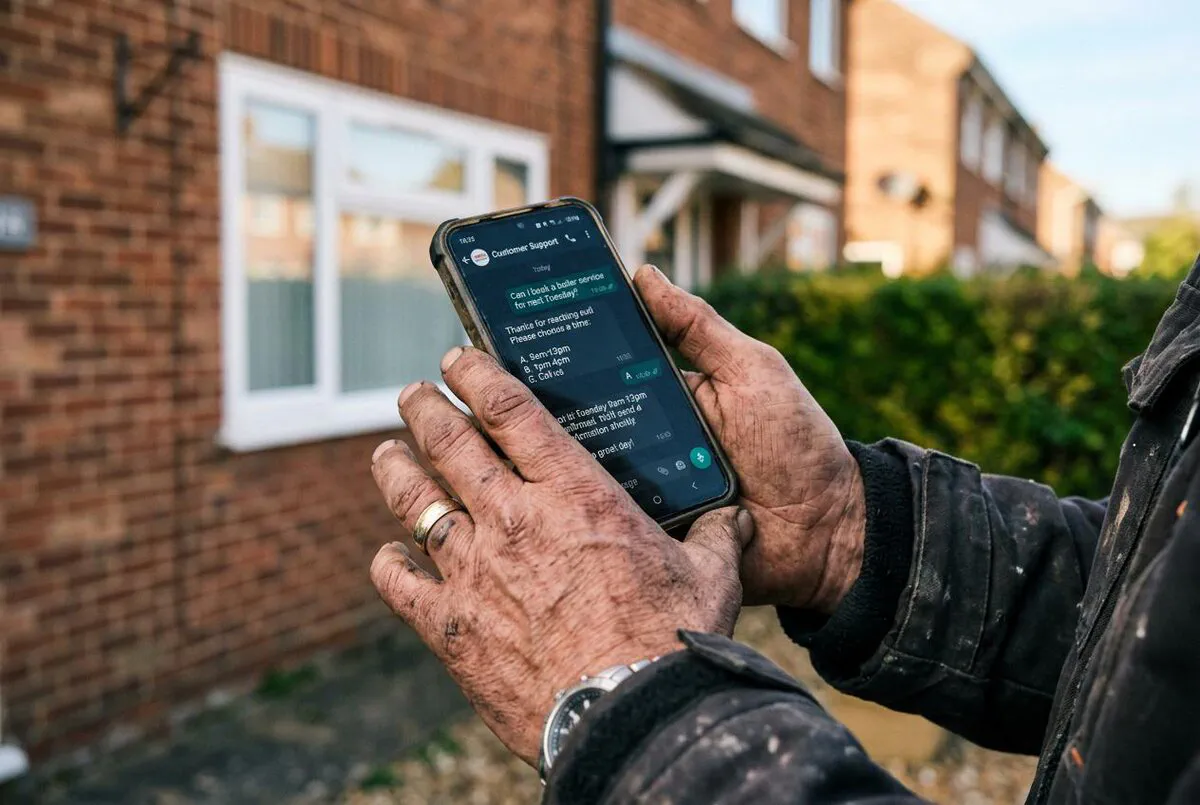
An AI agent is different. A chatbot follows a decision tree. An AI agent reasons. It reads an incoming message, thinks about it, decides what to do, does it, and responds, all without a script. If someone asks your plumbing business about a combi boiler swap at 11pm on a Sunday, a chatbot either fails or gives a generic response. An AI agent can say something like: "We cover boiler replacements in BS3 and BS4. Our next available slot is Tuesday between 9am and 1pm. Want me to pencil that in?"
OpenClaw is one of the first open-source platforms that makes this accessible to small businesses. It went viral in January 2026, gaining over 180,000 GitHub stars in just a few weeks. The reason it caught on so fast was simple: it works, and it is free.
AI agent vs chatbot: the key differences
Chatbot: scripted responses, breaks on unexpected questions, no memory between sessions, needs reprogramming for anything new.
AI agent: reasons freely, handles unexpected questions, remembers context from previous conversations, learns from your instructions rather than scripts.

The missed message problem
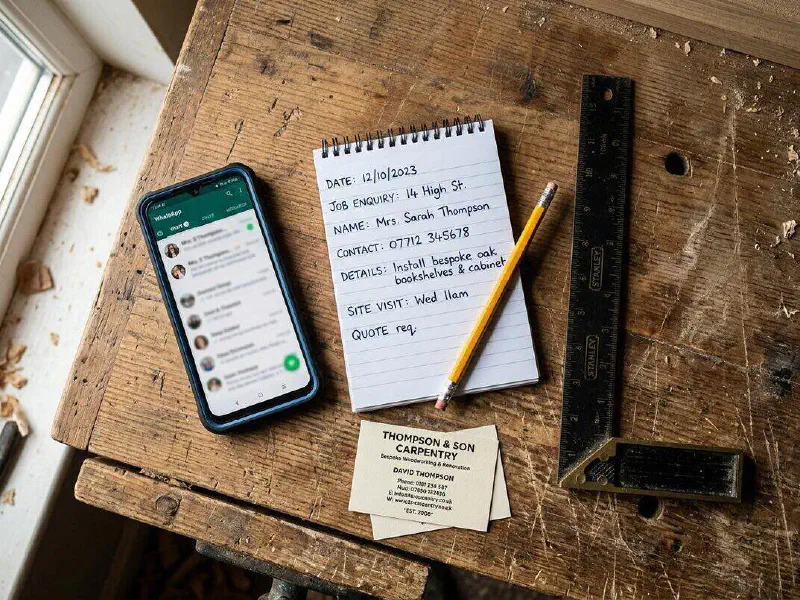
The problem with being a tradesperson is that your phone goes off when you are halfway up a ladder or under a sink. You miss a call. You tell yourself you will ring back. You forget. By the time you remember, the customer has already booked someone else.
This is not a willpower problem. It is a structural one. The nature of trade work means your hands and attention are occupied at exactly the moment customers want to reach you. The hours when work is quiet, early morning and late evening, are exactly the hours when homeowners are searching for a plumber or electrician.
One contractor on Reddit put it bluntly: "If I don't get an answer or call back within 15 mins I've already called 2-3 competitors and am talking with them already." That is the window you have. Fifteen minutes. An AI agent working through WhatsApp closes that window completely.

Why WhatsApp is the right channel
You could set up an AI agent on email, on your website chat, or on Telegram. WhatsApp is still the better choice for UK trades businesses.
Over 40 million people in the UK use WhatsApp. Most use it every day. When a message arrives on WhatsApp, it gets opened. The 95-98% open rate is not a marketing statistic; it is how people actually use the app. Compare that to email, where a third of messages go unread entirely.
More practically: customers already have WhatsApp. They do not need to download an app or create an account. They message you the same way they message their friends. That low friction is the whole point. A UK startup called Grange Labs, working specifically with tradespeople, found that WhatsApp messages got customer responses in under two minutes from people who had ignored email follow-ups for days.
WhatsApp Business API vs the free app
OpenClaw connects to WhatsApp through the free WhatsApp Business app using a local pairing method, so you do not need a paid WhatsApp Business API account. This works for sole traders and small firms. If you are handling very high volumes (100+ messages a day), the paid API gives more reliability; for most trades businesses the free route is sufficient.
How OpenClaw works
OpenClaw sits on a computer, usually your laptop, a Raspberry Pi, or a cheap cloud server. It runs as a background process, always listening. When a message arrives on WhatsApp, OpenClaw receives it, thinks about how to respond using an AI model (Claude from Anthropic is the recommended choice), and sends a reply.
The intelligence comes from three things. First, the AI model itself, which can reason and write naturally. Second, your SOUL.md file, a plain text document where you describe your business, your prices, your service area, and how you want to communicate with customers. Third, the persistent memory system, which records what happened in previous conversations. If a customer messaged you last month about a leak and messages again today, OpenClaw remembers the context.
Here is a typical sequence when a customer messages outside business hours:
- Customer sends WhatsApp message: "Hi, I need a quote for replacing a bathroom radiator, I'm in BS5."
- OpenClaw reads the message: It identifies this as a quote request and checks your SOUL.md to confirm you cover BS5.
- OpenClaw responds in your voice: "Hi, thanks for getting in touch. Yes, we cover BS5. A standard bathroom radiator swap usually runs between £180-£260 depending on pipework access. I can book a free 20-minute survey if you'd like. Next available is Thursday morning. Shall I pencil that in?"
- Customer confirms: OpenClaw notes the booking request and sends a confirmation with contact details and a reminder 24 hours before.
- You see it in the morning: A new lead in your notes, customer details captured, and someone who already feels looked after.

| Scenario | Without AI Agent | With OpenClaw |
|---|---|---|
| 9pm enquiry from new customer | Missed. Customer books competitor by morning. | Responded in under 60 seconds. Lead captured. |
| Repeat customer with a question | No memory of previous jobs. Starts from scratch. | OpenClaw references past conversations. Customer feels remembered. |
| Quote request during a job | Phone rings, you ignore it. Lead lost. | Handled automatically. Price range given, survey requested. |
| Customer asking your opening hours | Delayed response or none at all. | Instant correct answer, every time. |
| Follow-up after a job | Rarely happens. Customer feedback lost. | Automated thank-you message. Google review request sent. |
What your AI agent handles for you
Properly configured, an OpenClaw agent running on WhatsApp can take over most of the customer-facing admin that currently interrupts your work. Here is what works well in practice:
Booking enquiries. A customer asks if you are free on a particular date. The agent checks your calendar integration (Google Calendar works out of the box with an OpenClaw skill) and offers available slots. No phone call needed.
Pricing ballparks. You put rough price ranges in your SOUL.md for common jobs. The agent quotes those ranges and makes clear that exact prices need a site visit. This filters out tyre-kickers while giving genuine customers something concrete to work with.
Service area checks. You define your coverage postcodes. The agent tells customers immediately whether you cover their area instead of letting them find out after a back-and-forth.
FAQ responses. Gas Safe registration number, NICEIC certificate, payment methods, whether you supply materials or labour-only: anything you get asked repeatedly goes in the SOUL.md and gets handled automatically.
After-job follow-ups. The agent can message customers 48 hours after a job is completed, check if everything is working properly, and if they reply positively, send a direct link to leave a Google review.
Lead capture on-site. When you genuinely cannot respond, the agent holds the conversation, captures the key details (name, address, job type, urgency), and presents you with a clean summary when you are free.
What AI agents should NOT handle
Complex fault diagnosis, Gas Safe compliance queries, and any situation involving potential safety risk should always come to you directly. Configure your agent to flag these immediately: "I'm going to get our engineer to call you directly about this one." Never let an AI agent give technical safety advice. Put this instruction explicitly in your SOUL.md.
Getting OpenClaw running: step by step
You need a computer that stays on (a Raspberry Pi, an old laptop, or a £4/month cloud server all work), Node.js version 22 or newer, and an API key from Anthropic or OpenAI. The whole setup takes under an hour for someone comfortable with a terminal.
- Install Node.js 22+: Download from nodejs.org for your operating system. Run
node --versionto confirm it installed correctly. You need v22 or newer. - Install OpenClaw: In your terminal, run
curl -sS https://install.openclaw.ai | bashon macOS or Linux. On Windows, enable WSL2 first, then use the same command. - Run the setup wizard: Type
openclaw installand follow the prompts. Choose Anthropic Claude as your AI provider, enter your API key, and select WhatsApp as your primary channel. - Write your SOUL.md: This is the most important step. Open
~/.openclaw/workspaces/default/SOUL.mdand write a plain-English description of your business: what you do, where you cover, your rough price ranges, your opening hours, payment methods, and how you like to talk to customers. - Connect WhatsApp: When the wizard asks you to pair WhatsApp, open WhatsApp on your phone, go to Linked Devices, and scan the QR code in the terminal. Your business number is now connected.
- Test it: Send a WhatsApp message to your business number from a different phone. You should get a response within a few seconds. If you do not, check the logs at
~/.openclaw/openclaw.log.
Writing a SOUL.md that actually works
Think of SOUL.md as briefing a new admin member on their first day. Include: your company name, the trades you cover, postcodes you work in, standard price ranges (e.g. "boiler service: £90-£120, radiator replacement: £180-£260"), your Gas Safe or NICEIC registration number, payment methods you accept, that you cannot give exact quotes without a site visit, and your preferred tone. The agent reads this document before every response. The more detail you put in, the better it performs.

Self-hosted vs cloud: the cost breakdown
OpenClaw has two routes: self-hosted (free software, you pay for AI model API calls) and the managed OpenClaw Cloud at roughly £31/month ($39/month).
For most trades businesses, self-hosted makes sense. The software is free. The only ongoing cost is the AI model API. Using Claude Haiku (the budget tier), a typical trades business handling 20-30 customer conversations per day will spend roughly £6-10 per month on API calls. Using Claude Sonnet (better quality responses), that rises to around £15-25 per month. Add a £4/month cloud server and you are looking at total costs of £8-30 per month.
The OpenClaw Cloud version (£31/month) makes sense if you want a managed setup with no terminal work, automatic updates, and pre-configured WhatsApp connection. It is the easier route for anyone who does not want to touch a command line.
Security: what you need to know
OpenClaw is open source and has been reviewed by a lot of people since its viral launch in January 2026. The core software is safe. However, there are some things worth knowing before you deploy it for customer-facing use.
First, the ClawHub skills marketplace has had issues. Around 12% of community-submitted skills have historically contained malicious code. Only install skills from the official verified list at clawhub.dev, not from random GitHub repositories or forum posts.
Second, your SOUL.md file contains business information. Keep the machine running OpenClaw on an encrypted drive if possible. Do not put your SOUL.md in a public code repository.
Third, set a strong authentication token in your openclaw.json configuration before you open any ports to the internet. The default configuration binds to localhost only, which is the safe default. If you need remote access to manage the agent from elsewhere, use a VPN like Tailscale rather than exposing the port directly to the internet.
Keep your API key out of WhatsApp
Your Anthropic API key gives access to your billing account. Store it only in your openclaw.json config file. Never share it in a WhatsApp message (including to your own agent), never put it in a screenshot you share online, and rotate it every few months. If you think it has been compromised, go to console.anthropic.com and revoke it immediately.
Watch: AI agents for business in action

AI Customer Support Agent for Tradespeople: 3 Easy Wins
Kalagi Services
Three practical wins you can set up this week

WhatsApp Bot Ghosting Crisis: How AI Recovers 40% Lost Revenue
Tradefixa
Trades-specific: recovering lost leads via WhatsApp
OpenClaw on Mac Mini: The £635 AI Employee for Business?
Mark Loman | Practical AI
UK-focused review with real pound-sterling numbers
How OpenClaw Runs My Entire Business (Step by Step)
David Ondrej
Full walkthrough of using OpenClaw to automate a business
OpenClaw Tutorial: Set Up in 15 Minutes for Beginners
Charlie Chang
Best beginner setup tutorial available
The Wild Rise of OpenClaw
Fireship
The story of how OpenClaw went viral and why it matters
I Built a WhatsApp AI Agent on a Real Business Number
Dhiraj S
Practical end-to-end build using WhatsApp Business
What Happens When a Customer Needs to Speak to You Directly?
Scott Vallance
How AI agents handle escalation to the human owner
What the community thinks
Frequently asked questions
No coding required. You need to be comfortable running a couple of commands in a terminal and editing a plain text file. If you have ever installed software from a command line, you can do this. The setup wizard handles most of the technical configuration. The main thing you write yourself is the SOUL.md file, which is just plain English describing your business.
That depends on how you configure it. You can instruct the agent in your SOUL.md to always identify itself as an AI assistant when asked directly, which is the honest approach. Many business owners give the agent a name ("Sarah from [Company Name]") to make the experience feel more natural. Customers are generally fine with AI handling admin as long as they can reach a human for anything serious.
Your SOUL.md should always frame prices as estimates: "Our typical range for this type of work is X to Y, subject to a site visit." The agent should never quote a firm fixed price. Include a disclaimer in your SOUL.md that all prices are subject to confirmation after a site survey. Review the pricing section whenever your costs change significantly.
Include your active hours in your SOUL.md. For messages arriving outside those hours, instruct the agent to acknowledge receipt but not attempt to book slots until morning: "Thanks for getting in touch. We will get back to you first thing tomorrow." Customers feel acknowledged without creating unrealistic expectations about 3am bookings.
OpenClaw can connect to anything with an API through its custom skills system. There are community skills for Google Calendar, Gmail, and several CRMs already on ClawHub at clawhub.dev. For trades-specific software like Tradify, ServiceM8, or Jobber, you would need a custom skill or a bridge tool like n8n. The marketplace is growing fast, so check there first before building anything custom.