

Quick answer
An AI agent is a piece of software that reads incoming messages, drafts a sensible reply, and keeps a memory of every customer it has spoken to. Plug it into WhatsApp and it answers the late-night enquiries you are sleeping through. The combination of an open-source agent runtime like OpenClaw and the channel your customers already use turns missed calls into booked jobs without you touching a phone after six.
Table of contents
- What an AI agent actually is
- Why customer communication is your biggest leak
- The stack: OpenClaw, WhatsApp, and your job software
- A practical setup, from first message to first booking
- Why persistent memory changes the game
- What to automate and what to keep human
- Security, GDPR, and the bits that bite
- What it actually costs
- What the community is saying
- Recommended videos
- Frequently asked questions
- My verdict
What an AI agent actually is

An AI agent is not a chatbot. A chatbot follows a script. You write the script, the customer types something, and the script picks the closest matching answer. The minute the customer asks a question you did not anticipate, it falls over.
An agent is different. It is a language model wired into your messaging channels, your calendar, and a memory store. It reads the message, decides what the customer wants, and either answers, asks a follow-up, or hands the conversation to you. The decision is made on the fly, not from a flowchart.
For a trades business that matters. Your customers do not all ask the same question. Some want a price, some want to know if you handle Vaillant boilers, some have a leak under the sink and want help right now. A scripted bot guesses and gets it wrong. An agent reads the actual message and behaves like a sensible apprentice who has read every job you have ever quoted.
 OpenClaw
 WhatsApp
 Claude
 ChatGPT
Why customer communication is your biggest leak
I have sat with a lot of trades owners and looked at their numbers. The biggest leak is almost never pricing. It is response time. When a customer messages on a Sunday evening and nobody replies until Tuesday, that customer has called three other firms by Monday lunchtime. The job is gone before you have even read the message.
The figures come from the WhatsApp Business platform's own UK research, AI sales agent benchmarks, and trades-specific data published by AI receptionist providers. The percentages move a few points either way depending on whose data you read. The point stays the same. Half your work is happening when you are not looking, and the firm that replies first wins.
The interesting bit is what the speed gap costs. Research from sales operations teams puts the difference between a one-minute reply and a one-hour reply at a 391 percent uplift in conversion. That is not a typo. The customer who messages you is, at that moment, the warmest lead you will ever get. By the morning they are someone else's job.
Ten missed enquiries a week, each worth £200 to £500 in average job value, is £2,000 to £5,000 of revenue walking past the door. Capture half of those and an agent has paid for itself by the end of the first month. Most owners I show this to do not believe the number until they look at their own missed-call log.
The stack: OpenClaw, WhatsApp, and your job software

There are two ways to build this. The cheap way uses managed services. The flexible way uses open source. I will walk you through the open-source path because it is the angle nobody has documented for trades, and because the price tag is hard to argue with.
The runtime is OpenClaw. It is a self-hosted agent framework that connects a language model to messaging channels. The repo crossed 368,000 GitHub stars in spring 2026 and has become the default tool for people building personal agents. You point it at an API key for Claude, GPT-5, or Gemini, or run a local model through Ollama if you would rather keep everything on your own machine.
The customer channel is WhatsApp. OpenClaw connects through the Baileys library, which is an open-source implementation of the WhatsApp multi-device protocol. The agent runs as a linked device on your business WhatsApp account, the same way the WhatsApp Web app runs on your laptop. No Meta approval, no per-message fees, no waiting list. Worth flagging early that Baileys is not the official WhatsApp Business API. If your volume is enterprise-scale you will want the official route. For a typical trades firm with a few hundred enquiries a month, Baileys works.
The third piece is your job management software. ServiceM8, Tradify, Commusoft, Joblogic, all of them have APIs the agent can call. When the customer says "yes, book me in", the agent creates the job, checks your calendar, and sends back a confirmation. We covered the broader stack in our software stack guide, and the same logic applies here. The agent is the front desk; the FSM tool is the diary.
A practical setup, from first message to first booking
Here is the rough sequence. Each step is shorter than it sounds because the OpenClaw team have done the hard plumbing for you.
- Get a server. A £30 a month VPS from Hetzner or DigitalOcean is plenty. Or run it on an old laptop in the office. OpenClaw needs Node.js 22 or newer and a few gigabytes of RAM.
- Install OpenClaw. One command. The docs at docs.openclaw.ai walk you through it. Most people are running in twenty minutes.
- Add an LLM provider. Sign up for Anthropic, OpenAI, or Google AI Studio. You drop the API key into the config file. You can switch providers later by changing one line.
- Link WhatsApp. Run the channels login command and scan a QR code with the business WhatsApp on your phone. Same flow as WhatsApp Web. The agent is now an extra linked device on your number.
- Write a system prompt. This is the single most important step. The system prompt tells the agent who you are, what services you offer, your pricing rules, your geographic coverage, when to hand over to a human, and what to never say. Spend an evening on this and revisit it weekly for the first month.
- Connect your FSM. OpenClaw has tools for calling external APIs. Wire it to your job management software so it can create jobs and check the diary. Tradify, ServiceM8, and Commusoft all expose the endpoints you need.
- Set the safety rails. Use the dmPolicy and allowFrom settings to control who can talk to the agent. For a first run, allowlist your own number and a friendly customer. Open it up to the public once you trust the answers.
For the first week, run the agent in suggest mode. It drafts a reply and pings you to approve before sending. You will be surprised how many drafts are exactly what you would have written. Once your hit rate is over 90 percent on the routine stuff, let it send unattended overnight.
Why persistent memory changes the game

The thing that turns an agent from a glorified out-of-office reply into a member of staff is memory. Without it, every conversation starts from scratch and the customer has to repeat the address, the boiler model, and the fact that they prefer texts to calls. With it, the agent picks up where the last conversation left off, even if that was six months ago.
OpenClaw's Active Memory plugin, added in spring 2026, runs a quick query before every reply. It pulls anything relevant from past conversations and the customer file, then the model writes the response with that context in mind. The effect is that the agent remembers Mrs Patel's boiler is a Vaillant Ecotec Plus from 2018, that her husband prefers an evening appointment, and that the last job was a thermostat replacement in February. Three months later when she messages about a noise, the agent does not start with "can I take your address please".
That is the difference between automation that feels like a robot and automation that feels like the firm has finally got organised. For repeat customers the gain is enormous. We dig into the wider revenue case for repeat work in our planned maintenance contract playbook, and the same principle applies here. The customer who feels remembered does not shop around.
What to automate and what to keep human
This is where most owners get it wrong. They try to automate everything and end up with an agent that talks customers out of jobs. Or they automate nothing and waste the technology. The line sits in a sensible place.
Automate these:
- First reply on every channel, every time. Acknowledge the message within thirty seconds.
- Qualifying questions. Postcode, type of property, what the problem looks like, urgency.
- Routine pricing for known jobs. Boiler service, fixed-price small jobs, callout fee.
- Calendar offers. Two or three time slots the customer can pick from.
- Booking confirmations and reminders the day before.
- Post-job follow-up. The review request, the Google link, the next-service nudge.
Keep these human:
- Quotes over a few hundred quid. A real engineer needs to read the photo and think.
- Complaints. Never let an agent handle a complaint. It is the fastest way to a one-star review.
- Emergencies. The agent can triage, but a person rings back within minutes.
- Anything safeguarding-related. Elderly customers, vulnerable adults. Hand straight to you.
The most reliable way to keep the agent in its lane is to be explicit in the prompt. Mine reads, in plain English, "If the customer mentions a price over £400, a complaint, a flood, a gas smell, or sounds upset, immediately reply 'I will get the owner to call you within ten minutes' and notify me." The agent obeys. It does not improvise around the rule.
Security, GDPR, and the bits that bite
An honest section, because the agent space moved faster than the security advice in 2026 and there are real risks worth understanding.
First, prompt injection. A customer can deliberately or accidentally send a message that contains instructions, and a poorly fenced agent will follow them. Security research from Imperva and others showed that hidden instructions in shared vCards, location pins, and document attachments could trick agents into running commands or leaking data. The fix is straightforward but it has to actually be done: never let the agent execute arbitrary code, never give it write access to anything sensitive, and run it with the smallest possible set of tools enabled. OpenClaw's default config is more permissive than a trades use case needs. Trim it.
Second, GDPR. The conversations contain personal data and the agent's memory store contains a lot more of it. You are the data controller. The model provider is the data processor. You need a privacy notice that explains you use automated messaging, a way for customers to opt out, and a retention rule that deletes conversation history after a sensible period. Twelve months is reasonable for most trades firms. The ICO's guidance on automated decision-making applies to you whether you read it or not.
Third, the WhatsApp angle. Baileys works against the consumer WhatsApp protocol. It is widely used and stable, but it is not officially sanctioned by Meta. Accounts have occasionally been flagged for unusual activity. The risk is small for a trades firm sending a hundred replies a day and is much higher for marketing-style mass messaging. Do not use the agent for cold outreach. It is a customer service tool, not a broadcast tool.
Start with an allowlist of your own number plus a handful of trusted customers. Watch every reply for a week. The number of edge cases you will catch this way is the difference between an agent that helps and one that quietly burns goodwill.
What it actually costs

The all-in monthly cost for a typical small trades firm sits between £40 and £120. The breakdown:
| Line item | Cost | What you get |
|---|---|---|
| VPS hosting | £10 to £30 | Hetzner CX22 or DigitalOcean droplet; plenty for a few hundred conversations a month |
| LLM API usage | £20 to £60 | Anthropic Claude or OpenAI GPT-5 at typical message volumes; lower with a smaller model |
| OpenClaw runtime | £0 | Open source, no licence fees |
| WhatsApp connection | £0 | Baileys is free; uses your existing WhatsApp business number |
| FSM integration | Already paid | You pay your job management software anyway; the API access is included |
Compare that to a managed AI receptionist, which sits at £150 to £400 a month and rises on volume, or a human virtual assistant at £600 to £1,200 a month for part-time hours. The open-source route is cheaper. It also gives you control of the data and the prompt, which matters more than the saving for some owners. The bills are easy to model out using the same approach we used in our quote to invoice playbook.
The thing the spreadsheets miss is the jobs you would not have won without it. The Sunday-evening enquiry that turns into a Tuesday boiler service is pure upside. None of the costing assumes that revenue. When you do, the payback runs to days, not months.
What the community is saying
Recommended videos

Plumbing Company WhatsApp AI Chatbot Powered by xAI Grok 4.2
Chatic Media

This AI Bot Made My Plumbing Business 10X More Profitable!
Tradie Web Guys

How I Built a ChatGPT Chatbot for a Plumbing Company
Marketing With Dev

How to Build a WhatsApp Chatbot for Free (No Coding)
Joren Wouters
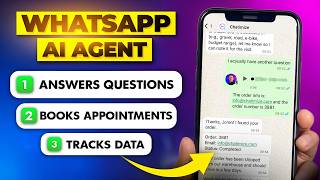
How to Create Ultimate WhatsApp AI Agent (Voice, Image, Texts)
Joren Wouters

The #1 Way Plumbers Should Use AI Right Now (Plus 3 Bonus Strategies)
Plumber SEO Webmasters
Frequently asked questions
Tell them. Put a one-liner in the first reply that says something like "Hi, this is Joe's Plumbing assistant, I can answer most questions and book you in. If you would rather speak to a person, just say so." Customers do not mind a bot. They mind being deceived. Be upfront and the trust holds.
The technical install is half an afternoon. The system prompt is the work. Plan on a full weekend to get a first version live, then a couple of hours a week for the first month tuning the responses based on real conversations.
Build a price ceiling into the system prompt. Anything above the ceiling triggers a handover. You can also have it quote a range rather than a fixed number, and confirm in writing only after a human review. We almost never let the agent send a final binding number.
Yes, with Ollama and a local model on the same server. The quality drop is noticeable but the cost is zero on top of the hosting. For a side project or a low-volume firm it is workable. For anything customer-facing, a paid Claude or GPT-5 model is worth the £20 to £60 a month.
Modern models handle most major languages well. If your customer base includes Polish or Romanian families, the agent will reply in their language naturally. Add a note to the system prompt saying which languages you actively support so it does not promise services in a language you cannot follow up in.
Rare, but possible if you push volume. The fix is to stay well under WhatsApp's normal rate limits and never use the agent for cold outreach. Keep a backup channel like SMS or email so a suspension does not knock you off the air. If you do hit a block, Meta usually restores within a day after a short appeal.
It is the opposite. A one-person firm has the most to gain because the owner is on the tools all day and cannot answer messages. The agent works as a part-time office staffer who never asks for a wage. Scaling rules for the team-of-five stage are covered in our scaling playbook.
My verdict
I am sceptical of most tech that gets pushed at trades owners. This one is different. The math is simple, the tools are mature, and the customer reaction is positive when you tell them upfront. Start small, allowlist one customer, watch the replies for a week. By the end of the month you will not understand how you ran the firm without it. A practitioner first, technologist second view: this is technology extending what one person can do, which is the only kind worth bothering with.