
Quick Answer
Three formats do most of the work: the before-and-after, the time-lapse, and the short educational clip. Film them on your iPhone, edit in CapCut on the same phone, post to TikTok, Instagram Reels, and Facebook. Five minutes a job. Around eighty percent of trades still don't post video, so the bar is low and the upside is real. Consistent posting, vertical 9:16 framing, captions burned in, and a hook in the first two seconds is the whole playbook.
Table of Contents
- Why video pays off for trades right now
- The three formats that actually work
- Your iPhone is the only kit you need
- The five-minute filming workflow
- Editing in CapCut: free vs Pro
- Hooks, captions, and the first two seconds
- A posting schedule that won't burn you out
- Common mistakes that kill reach
- AI tools that save the most time
- What tradespeople are saying
- Recommended videos
- Frequently asked questions
- My verdict
 TikTok
 Instagram Reels
 Facebook Reels
Why video pays off for trades right now

I'll be plain about this. The trades are the last industry to take short-form video seriously, and that gap is the opportunity. When eight in ten plumbers, sparks, and joiners are not posting video, the few who do get distributed by the algorithm without having to bid against anyone for the impression.
Look at the engagement numbers from Sprout Social's 2026 video report. TikTok sits at a 5.53% average engagement rate. Instagram Reels at 2.35%. YouTube Shorts at 1.98%. For comparison, a static Facebook post hovers around 0.07%. The platforms are openly subsidising video reach because that's what keeps users on the app.
The other thing worth saying. The cost of producing a short-form video has collapsed. A 2019 plumber needed a camera, a tripod, a microphone, and Adobe Premiere. A 2026 plumber needs an iPhone in their van pocket and a free app. Same output. None of the friction.
The compounding effect
One video a week is fifty-two a year. Even if half flop, you've got twenty-six pieces of content showing your face, your work, and your standards. That is a body of evidence the next customer is going to scroll through before they pick up the phone.
I am not selling you on becoming an influencer. I'm telling you what we've watched happen in our own network. The engineers we work with through our platform comparison who post regularly book more local jobs at higher margins. The ones who don't, don't. It is not subtle.
The three formats that actually work
Most trades who try video get stuck because they overthink the content. They want to make a documentary about their business. They want to write a script. They want a logo and music and an intro card. None of that matters. Three formats do the heavy lifting. Pick the one that fits the job in front of you.
1. The before-and-after
This is the one. It's the single highest-performing format on TikTok, Reels, and Facebook for trades content. Take a vertical clip of the scene at the start of the job. Take a second vertical clip at the end. Cut them together with a hard transition in the middle. That's it.
The data is unambiguous. Before/after formats increase watch time by 52% compared with single-shot footage. The reason is curiosity. The viewer wants to see the reveal. They will sit through ten seconds of mess to get to fifteen seconds of clean.
Best jobs for this format: bathroom installs, kitchen swaps, boiler replacements where the old one looked rough, garden patio work, decorating, rewires where you can show messy cable runs becoming neat ones.
2. The time-lapse
iPhone has a built-in time-lapse mode in the camera app. Prop the phone on something stable, hit record at the start of a stage, and let it run. A two-hour boiler installation becomes a thirty-second video.
What makes time-lapses work is they compress visible skill. The viewer sees the messy middle of a job, the methodical sequencing, the moment everything clicks into place. That is the part most customers never see and the part that builds trust faster than any testimonial.
One stand, one phone, one stage
You don't need to time-lapse the whole job. Pick one chunk that has visible progress. The first-fix pipework on a bathroom, the patio laying, the tiling, the floor levelling. Twenty minutes of real time, thirty seconds of video, plenty of progress on screen.
3. The short educational
You point the camera at yourself or at the work. You answer one question your customers ask all the time. "Why is my radiator cold at the bottom?" "What's the difference between Type B and Type C breakers?" "How long should a boiler last?" Thirty to forty-five seconds. One question, one answer, walk away.
The educational format is the lowest performing of the three on raw views but the highest on customer trust. People who save these videos for later end up in your DMs three months later asking for a quote. They've watched ten of your clips before they ever message you. By the time they call, you're already the trusted name.
Your iPhone is the only kit you need
I get this question constantly. "What camera should I buy? What microphone? What tripod?" The answer is none of the above. You already have what you need.
The iPhone 14 onwards shoots 4K at 30fps natively. The iPhone 16 Pro adds 4K at 120fps Dolby Vision. Both are dramatically more than enough for short-form vertical video. Vertical video on social compresses anyway. Anything above 1080p is invisible to the viewer.
Set your camera up once and forget about it:
- Settings, Camera, Record Video. Choose 4K at 30 fps. Higher frame rates are for slow-mo only.
- Settings, Camera, Formats. Set to High Efficiency. Smaller files, same quality.
- Settings, Camera. Turn on Grid. The rule-of-thirds lines help you frame anything you film.
- Settings, Camera, Record Video. Turn on HDR Video. Better dynamic range for the lighting you'll meet on jobs.
- Camera app, Photo, swipe to Video. Tap and hold the orange shutter to lock the focus and exposure before filming.
Two cheap accessories are worth the money. A small clip-on phone tripod with bendy legs, the kind that wraps around a pipe or a ladder rung. Around twelve quid from Argos. And a magsafe mount for the dashboard of your van for the driving talk-to-camera clips. Maybe twenty-five quid for a decent one. That is the entire kit list.

The five-minute filming workflow
This is the workflow we recommend to every engineer in our network. It fits inside the natural rhythm of a job and adds about five minutes to the day.
Before you start the work:
- Wide vertical of the scene. Ten seconds. Phone held vertically. Show the mess, the broken kit, the room as it is. This is your "before" footage and it costs nothing.
- One detail shot. Ten seconds. The part that is going to change. The corroded valve. The pre-2005 fuse board. The cracked tile.
During the job:
- One time-lapse of the messiest stage. Prop the phone up. Hit time-lapse. Let it run for twenty to ninety minutes. You'll forget about it after thirty seconds.
- One five-second clip of you doing something skilled. Cutting in a copper joint, terminating cable, levelling a tile. Just five seconds.
At the end:
- Wide vertical of the finished work. Ten seconds. Same angle as the before shot if you can manage it. The reveal.
- One talking head, optional. Twenty seconds, straight to camera. "Just finished a full bathroom rip-out in Wandsworth, here's how it came out." That is the entire script.
Total filming time across the whole job: under five minutes. You will not even notice you've done it.
Editing in CapCut: free vs Pro
CapCut is the editor most short-form creators use. It is owned by ByteDance, the company that owns TikTok, which is why the integration is so clean. It is free to start. The interface is laid out specifically for vertical video.
The free tier is genuinely enough for most trades. Multi-track editing, basic transitions, music, automatic subtitles up to ten minutes per video, text overlays, speed adjustment for time-lapses. You can post finished videos straight to TikTok with no watermark from the free tier.
The two paid tiers are CapCut Standard at $9.99 a month and CapCut Pro at $19.99 a month. Standard removes the watermark from videos exported outside of TikTok (which the free tier adds). Pro unlocks 4K export, unlimited-length auto captions, AI tools including auto background removal, and the full premium template library.
| Feature | CapCut Free | CapCut Standard ($9.99/mo) | CapCut Pro ($19.99/mo) |
|---|---|---|---|
| Multi-track editing | Yes | Yes | Yes |
| Auto captions | 10 min limit | 10 min limit | Unlimited |
| Watermark on export | Yes outside TikTok | None | None |
| 4K export | No | No | Yes |
| AI background removal | No | Limited | Full |
| Premium templates | Limited | Limited | Full library |
| Best for | Most trades | Cross-platform posters | Daily creators |
Start free, upgrade only if you need to
I'd stay on the free tier until the watermark genuinely bothers you, which usually means you're posting beyond TikTok every day. If you're only on TikTok, the free tier is permanently fine. Standard at $9.99 is the upgrade that makes sense for ninety percent of trades. Pro is for daily creators.
Hooks, captions, and the first two seconds
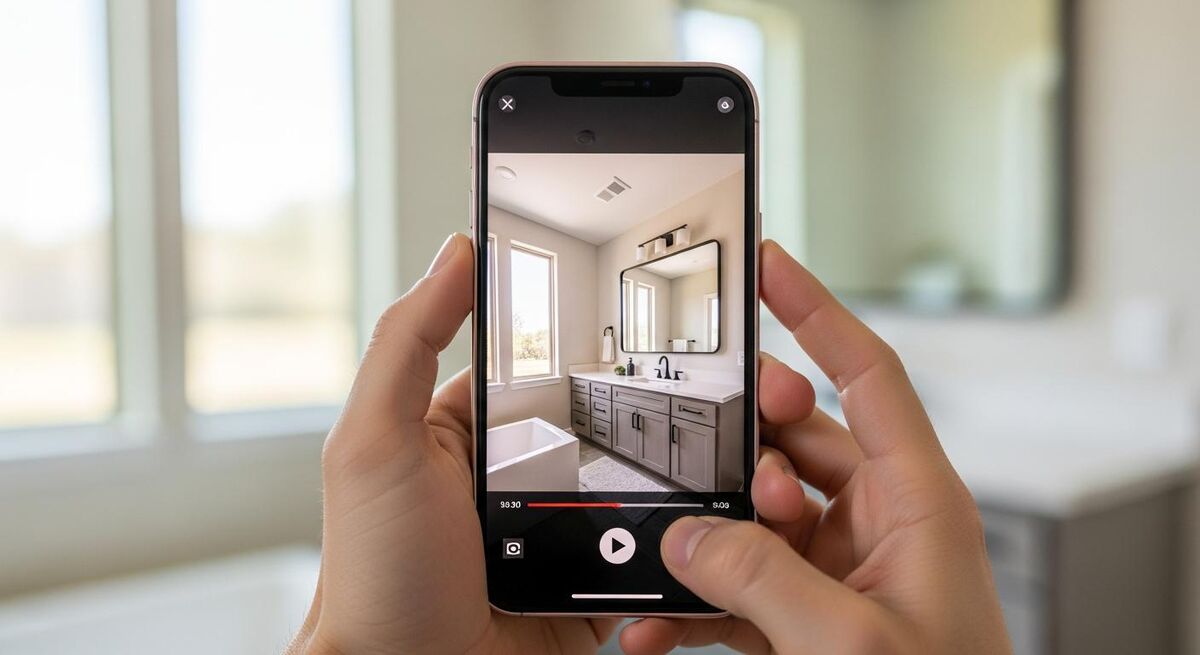
The TikTok algorithm watches the first two seconds of your video and decides whether to push it. If half the viewers swipe away in the first two seconds, the video dies. If most stay, it gets distributed.
That means the opening frame is the whole game. Three things must happen in the first second. Something on screen has to move or change. A face or a finished piece of work has to be visible. A text overlay has to tell the viewer what they're about to see.
Good hooks for trades:
- "This boiler hasn't been serviced in 14 years."
- "The customer thought they had a leak. They didn't."
- "Watch what happens when I open this consumer unit."
- "Two hours from this to this."
Bad hooks (these will tank you every time):
- "Hi guys, today I'm going to show you..."
- "Hope everyone is having a great Monday..."
- "In this video we're going to be talking about..."
Burn the caption into the video itself. Eighty percent of TikTok and Reels watchers scroll with sound off. If your message lives in your audio track, it never reaches them. CapCut's auto-captions feature does this in two taps. Place the text in the top half of the screen so it sits above TikTok's caption bar and the like-comment-share column.
The safe zone
The bottom 250 pixels of every TikTok video are covered by TikTok's own caption bar. The right 120 pixels are covered by the action column. Put your text in the central safe zone. Anything in the corners gets clipped on a real phone screen.
A posting schedule that won't burn you out
The honest answer most trades won't like. Three videos a week minimum, posted to TikTok, Instagram Reels, and Facebook Reels. Same video, three platforms. That is the floor for the algorithm to take you seriously.
The realistic answer that still works. One video a week, posted to all three platforms. It will take you longer to see results, three to six months instead of ninety days, but it is sustainable inside a busy van diary and you'll still build a body of work that compounds.
A realistic content calendar for a one-van trade:
- Monday morning. Post Friday's job. Before-and-after format. Two minutes to edit, thirty seconds to caption.
- Wednesday lunchtime. Post Tuesday's time-lapse. CapCut auto-template, add music from the platform's library.
- Friday afternoon. Post one educational clip. Talk to camera in the van between jobs.
Cross-post everything. The same vertical video works on TikTok, Reels, Shorts, Facebook, and LinkedIn. Don't reinvent the post for each platform. Same caption, same hashtags, same thumbnail. The audiences barely overlap. If you're already running paid ads, use the same videos as your ad creatives. They will outperform your static image ads.
Common mistakes that kill reach
I see the same handful of mistakes from every trade who tries video and gives up after a month. Avoid these and you will not be in that group.
Mistake 1: Filming horizontal
Horizontal video has its place. Short-form social is not that place. Vertical 9:16 fills the screen on every phone. Horizontal video gets cropped or shrunk and the algorithm reads it as a quality signal that the content does not belong on the platform. View counts drop 35% in most studies.
Mistake 2: Adding intro cards
A two-second logo intro card is a two-second swipe-away invitation. If your face or your work is not on screen in the first frame, you are losing half your viewers before the content has started.
Mistake 3: Trying to write a script
Scripts make trades sound stilted and corporate. Talk like you'd talk to a customer who's just asked you a question. Half-finished sentences and all. Authenticity outperforms polish on short-form every time.
Mistake 4: Posting once, then giving up
Most first videos flop. The algorithm needs ten to twenty videos from a new account before it has any signal about who to show them to. Judge your performance after three months, not three posts.
Mistake 5: Filming the customer's face without permission
The customer's house, their stuff, and their face all need a quick verbal "do you mind if I film this for our socials?" at the start. Most will say yes. The few who say no would have caused you a problem down the line.
AI tools that save the most time
This is where 2026 video marketing genuinely is different from 2024. The AI features inside CapCut and the platforms themselves have collapsed the editing time to almost nothing.
Auto captions. CapCut transcribes your audio in seconds. The accuracy is around 95% for clear English. You'll spend less than a minute correcting any errors. This was the single biggest time sink in 2023 and is now a single tap.
Background music selection. CapCut's AI now matches recommended music to the mood and pace of your footage. Stop scrolling through audio libraries. Pick one of the three suggestions and move on.
Auto background removal. The Pro tier removes the background of a clip cleanly enough for a talking head. Useful if you're filming in a messy van and want to look slightly less chaotic.
AI script generation. Don't use this. The output sounds like every other AI-generated video on the platform and gets buried by the algorithm. Stick to your own words.
Scheduling. Meta's Business Suite schedules Instagram and Facebook posts for free. TikTok has its own scheduler inside the desktop app. Schedule a week of content on Sunday evening in twenty minutes. The rest of the week, you don't touch it.
If you're already running AI tools elsewhere in the business, the same workflow logic applies. Use AI to handle the lead response when the videos start bringing inbound enquiries. Otherwise the work that the videos generate will go to your competitor who answers the phone.
What tradespeople are saying
Recommended videos

CapCut Beginner Tutorial (2026)
Matt Loui

CapCut Tutorial for Beginners: Full Editing Guide
Metics Media
CapCut Complete Beginner's Guide in Under 11 Minutes
ZoCo Marketing
CapCut Video Editing Using Phone: Full Course
Lerin Nic
Learn CapCut Video Editing 2026: Full Beginner Course
Canice Obi

iPhone Video Settings for Social Media
Tyler Stalman
Frequently asked questions
For most trades who post three vertical videos a week with proper hooks and captions, ninety days is the realistic timeline. For one video a week it stretches to six months. The accounts that never get there are usually the ones that post inconsistently or quit after the first few flops.
No, but it helps. Pure work footage performs well on TikTok. Adding your face once a week, ideally a thirty-second talking-head clip in the van, builds the parasocial trust that turns viewers into customers. If you genuinely hate being on camera, work footage alone will still work, just slower.
Post the same vertical video to all three: TikTok, Instagram Reels, and Facebook Reels. Same file, same caption, three platforms. You'll work out which one your local audience lives on within the first ten posts. For most trades it's TikTok for reach and Facebook for actual booked jobs, with Instagram in the middle.
Add Shorts once you're consistent on the other three. It is the lowest engagement of the four platforms but the highest searchability. Old Shorts surface in Google when someone searches "how to fix X" months later. Good long-tail SEO play, weaker short-term reach.
Not at the start. The free tier covers everything you need. Upgrade to Standard at $9.99 a month once the watermark on cross-posted videos becomes a daily annoyance, usually around the three-month mark when you're posting consistently. Pro is overkill for most trades unless you're producing more than one video a day.
Ask before you film. Most will say yes. For the ones who say no, point the camera at the work and not at the room. You can show a boiler, a consumer unit, or a kitchen tap without ever showing a face or anything identifying. Tradesperson-and-work is plenty of content on its own.
Yes, but keep it to three or four. The platforms have moved away from hashtag-driven discovery toward content-based recommendations, but hashtags still help the algorithm categorise your video. Use one location tag (#London, #Manchester, etc.), one trade tag (#plumbing, #electrician), and one or two specific tags relevant to the job in the clip.
It brings both, in roughly that order. Followers come first, then DMs from local people asking for quotes, then booked jobs. The conversion from view to booking is slow but reliable. A typical trade running consistent video sees their first inbound paying job within sixty days and a steady stream of two to four enquiries a week by month six.
My verdict
An iPhone, five minutes, and a free editor
That is the entire stack. Three formats: before-and-after, time-lapse, educational. Three platforms: TikTok, Reels, Facebook. One video a week, posted to all three, captions burned in, hook in the first two seconds. Eighty percent of trades aren't doing this. The ones that do are taking their share of the market and a bit of everyone else's. The kit cost is zero. The time cost is five minutes a job. The reason most trades don't is that they think they need to look like a professional creator. You don't. You need to look like a tradesperson who films their work. That is the whole game.