
Quick Answer
WhatsApp Business is free. It runs on your existing phone. It lets you reply faster, look more professional, and keep customer chats out of your personal account. Set it up properly with a separate business number, a labelled inbox, quick replies for the questions you answer every week, and a catalogue of your services with real photos. Most UK trades will never need the paid API. The free app does the job.
Table of Contents
- Why WhatsApp matters for trades right now
- The three versions, and which one you need
- Step-by-step setup on your phone
- Building a business profile that wins jobs
- Quick replies and away messages
- Labels for a trades inbox that does not lose jobs
- Using the catalogue as a portable portfolio
- Marketing on WhatsApp without being a nuisance
- Where AI fits, and where it does not
- What tradespeople are saying
- Recommended videos
- Frequently asked questions
- My verdict
 WhatsApp
 Meta Business Suite
Why WhatsApp matters for trades right now
Most of the customers I meet now reach out by message before they ever ring. It is faster for them. It is faster for us. And it leaves a written trail, which is useful when someone forgets what they agreed.
The numbers back this up. WhatsApp has roughly 41 million UK users, about 73% of UK internet users, according to Infobip's 2026 statistics review. Across 22 markets, 73.3% of consumers say they prefer messaging a business over calling. A ToolTime survey of 1,000 UK tradespeople placed messaging apps, with WhatsApp at the top, in the three most-used digital tools across every trade. 21% of those tradespeople said keeping up with customer comms was a major business challenge.
That last number is the one that matters. The pressure to reply quickly has gone up. WhatsApp is where the pressure is loudest. Setting up the business app properly, with the right structure behind it, is one of the cheapest ways to take that pressure off.
The three versions, and which one you need
There are three official products. Most UK trades only ever need one of them.
WhatsApp Business app. Free. Designed for sole traders and small firms. Runs on one phone with up to four linked devices (tablet, second phone, laptop on WhatsApp Web). It includes a business profile, a 500-item catalogue, labels, quick replies, away messages, and basic stats. This is what 9 out of 10 trades businesses will use. Download it from the Apple App Store or Google Play.
WhatsApp Business Premium. A paid upgrade to the free app for sole traders who need more linked devices or a few extra messaging tools. Useful if you have an office assistant on a laptop and a separate person handling the van. Most one-person businesses can skip it.
WhatsApp Business Platform, the API. Built for businesses sending thousands of messages a month through a connected platform. Per-message pricing applies. UK marketing template messages are about £0.038 each. Utility messages, like a booking confirmation triggered by your job software, are roughly £0.013. Service messages inside a 24-hour customer reply window remain free. Most trades will never touch this. It is for software-led operations where your CRM or field service tool sends messages automatically.
Step-by-step setup on your phone
The biggest mistake I see is people trying to run their business off their personal WhatsApp. It is shared with their wife, their five-a-side group, their dad. Stop that today. Get a separate business number.
You have three options for that number. A second SIM in a dual-SIM phone (most trades vans already run two SIMs). A cheap pay-as-you-go SIM from any UK network. Or a virtual number from a UK provider like Hoxton Mix, which keeps your personal mobile off public-facing listings. Any of them work. WhatsApp Business will not accept a number already used for personal WhatsApp, so the new SIM has to be new to the app.
- Download the WhatsApp Business app from the App Store or Google Play. It is free.
- Open the app and read through the terms. Tap Agree and continue.
- Enter your dedicated business number and verify it by SMS or voice call. You will get a six-digit code.
- Restore from a backup if you have one, or start fresh. Fresh is cleaner for a new business setup.
- Allow contact and photo permissions when prompted. The app needs both to function properly.
- Set up your business profile, which is the next section.
- Turn on automatic backups to Google Drive (Android) or iCloud (iPhone). Daily backup is fine.
If you already have personal WhatsApp on the same phone with a different number, you can keep both apps installed and switch between them. Two icons, two numbers, two inboxes. That is exactly what you want.
Building a business profile that wins jobs
This is the screen your customer sees before they decide whether you look real. Treat it like the home page of your website. Most trades rush through it. Spend twenty minutes on it instead.
Fill in every field the app gives you:
- Business name. Use your trading name as customers know it, not your limited company name. "Elite Plumbing & Heating" beats "Elite Plumbing & Heating Services Ltd".
- Profile photo. Use your logo, not a selfie. Square crop. White or light background reads best in the chat list.
- Category. Pick the closest match (Plumber, Electrician, Builder, Roofer, and so on). It helps customers searching directories.
- Description. 139 characters. Keep it specific. "Gas Safe heating engineer covering Hertfordshire and north London. Boiler swaps, breakdowns, and annual services." beats "We are a friendly local firm".
- Address. If you have a workshop or trade counter, list it. If you work from home, list your service area instead and skip the postcode.
- Hours. Real hours, not aspirational ones. Customers notice when you say 24/7 and you do not reply at 11pm.
- Website. Your own site if you have one. If not, your Google Business Profile URL works.
- Email. A monitored one. Not the one you forgot the password to.
Verification is optional and not available for the free app, only the API. Do not worry about chasing the green tick. A complete, accurate profile reads as trustworthy without it.
Quick replies and away messages
This is where the free app pays for itself. Quick replies are saved messages you trigger with a shortcut. Away messages are sent automatically when someone messages you outside your hours.
You can save up to 50 quick replies. Each one has a shortcut starting with a slash. Examples that earn their keep for trades:
- /hours: "Thanks for getting in touch. We work 7am to 5pm Monday to Friday. I will come back to you in the morning."
- /quote: "Thanks for the photos. To send a proper quote I need your postcode, the boiler make and model, and rough age. Send those over and I will price it up today."
- /eta: "On my way. Should be with you in about 25 minutes. I will message again when I am five minutes out."
- /payment: "Payment by bank transfer to Sort 04-00-04 Acc 12345678 ref [job ref]. Or I can send a Stripe card link if easier."
- /review: "Glad you are happy. If you have two minutes, a Google review really helps a small business. Link: [your URL]."
- /gas: "I am Gas Safe registered, reg number 123456. You can check me on the public register at gassaferegister.co.uk."
Write your top six. Use them this week. Add more as you spot the patterns.
Away messages are equally simple and equally underused. Set one to go out between 5pm and 7am, plus all day on weekends. Keep it human:
"Thanks for the message. I am on the tools or done for the day. I read everything that comes in here and will reply tomorrow morning. If it is a genuine emergency (leak, no heat, no power), call 07XXX XXXXXX."
A welcome message goes out the first time someone messages you. Use it to set expectations: who you are, what you cover, when you reply.
Labels for a trades inbox that does not lose jobs
Without labels, a busy trades inbox turns into 200 unread chats by Friday. With labels, every chat has a job stage and you can filter by status in two taps.
The default labels are fine for retail, useless for trades. Replace them. A clean trades label set looks like this:
- New enquiry: anyone who has not yet been quoted
- Quoted: priced and waiting for them to confirm
- Booked: date in the diary
- On-site: job in progress this week
- Invoice sent: work done, waiting for payment
- Paid: cash in, job closed
- Review chase: paid customers I am about to ask for a review
- Warranty: existing customers under boiler or workmanship warranty
On Android, hold a chat to label it. On iPhone, swipe and tap Label. You can add multiple labels to one chat. Once a week, filter the inbox by Quoted and chase anyone who has gone quiet. That single ten-minute habit recovers more jobs than any marketing.
Using the catalogue as a portable portfolio
The catalogue feature lets you list up to 500 items, each with photos, a description, and a price (or "POA"). It sits inside your business profile. Customers can scroll it, tap an item, and ask about it without leaving the chat.
For a trade, do not list products. List services and recent jobs:
- Combi boiler swap (like-for-like): photos of a tidy install, "From £2,400 including 10-year warranty"
- System power flush: before-and-after photos of the water clearing, "From £495"
- Smart thermostat fit: photos of the finished install, "£295 including the Tado kit"
- Bathroom refit: a project gallery from one recent job, "From £6,500"
- Annual boiler service: a short description of what is included, "£99"
Use real photos. Customers can spot a stock image. The minimum resolution is 640 by 640 pixels, you can add up to 10 photos per item. Take 30 minutes one Sunday and load your last ten finished jobs. You now have a portable portfolio you can send to anyone who asks for examples of your work.
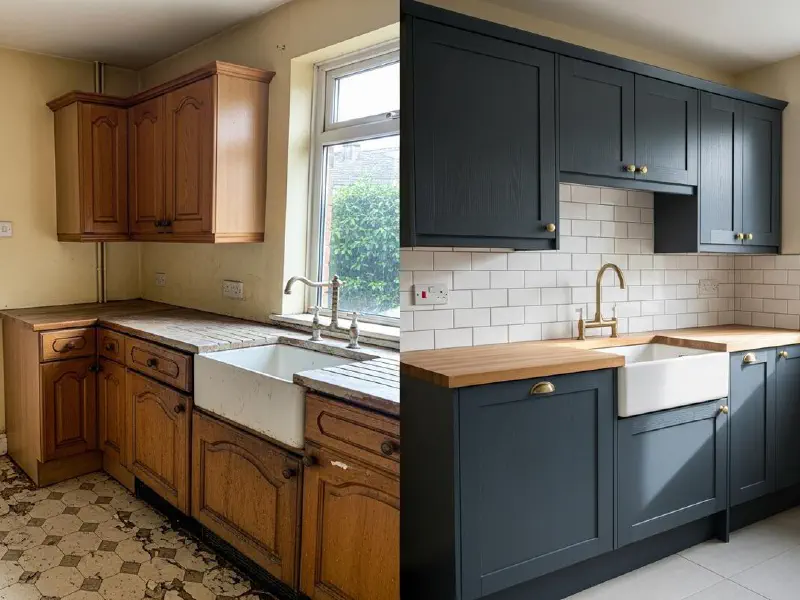
If you are still building up before-and-after shots, our guide on before-and-after photography for trades walks through the angles and lighting that make jobs look professional in catalogue thumbnails.
Marketing on WhatsApp without being a nuisance
Here is the line I draw, and you should draw a sharper one: do not broadcast unsolicited messages. Cold-blasting offers to people who have not opted in is illegal under PECR in the UK, and even if it were not, it is a fast way to get reported and banned.
What works on WhatsApp for trades is opt-in marketing to people you already know.
1. Service reminders. Once a year, send your boiler-service customers a friendly message in their service month. "Hi Mrs Davies, it is May again, time for your annual service. Want me to book you in for the 14th or 21st?" Conversion is high because it is timely, personal, and useful.
2. Warranty follow-ups. Six months after a job, message customers to ask if everything is still running well. It catches small issues before they escalate and gets you a review opportunity.
3. Limited offers to past customers. A power flush special, a TRV upgrade bundle, a winter boiler-check round. Send it only to a labelled list of customers who have bought before and have not opted out.
4. Status-update broadcasts. Like Instagram Stories but in WhatsApp. Post a 24-hour photo of a finished job. Only contacts who have you in their phone see it. No-one feels spammed, but past customers see proof you are still active.
Compared to lead-platform marketing, where a guide to Checkatrade, Rated People, and MyBuilder sets out the costs, WhatsApp marketing to existing customers is almost free and has a much higher response rate. The trade-off is that you have to be the one starting good relationships in the first place.
Where AI fits, and where it does not

AI now does three useful things alongside WhatsApp Business. None of them require the paid API for a one-person shop. All of them require you to stay in control of the final reply.
1. Drafting messages. Tools like ChatGPT, Claude, and Gemini are excellent at first-draft replies. Paste in the customer message and the rough job details, ask for a polite, plain-English reply with a clear next step. Read it. Edit it. Send it. You stay in your own voice but get there in 30 seconds instead of five minutes. Our guide on AI-generated marketing content for trades covers the workflows in more detail.
2. Drafting ad copy. If you run Facebook or Instagram ads with a "click to message on WhatsApp" call-to-action, AI is good at generating six variations of the headline and the first message. Run two or three at once. Keep the winners.
3. Triaging the inbox. Paste a batch of overnight messages into an AI and ask it to sort them into urgent (no heat, leak, no power), quote requests, and admin. Five minutes a morning instead of an hour. Reply yourself.
What AI should not do for a small trade business is pretend to be you. An auto-replying chatbot that books jobs without your input will quote the wrong thing, agree to the wrong time, or annoy a customer who can tell something is off. The first reply is the part of the relationship that wins or loses the job. Do that bit yourself.
What tradespeople are saying
Recommended videos

How To Use WhatsApp for Business (2026): Easy Tutorial
Tutorials by Manizha & Ryan
How To Use WhatsApp Marketing for Business: Full Tutorial (2026)
Tutorials by Manizha & Ryan

WhatsApp Business Marketing Tutorial 2026
Simplilearn
Using Labels & Quick Reply in WhatsApp Business App
Joyform

The Complete WhatsApp Business Tutorial (2025 Updated)
Favour Kemjii Okoro
WhatsApp CRM Full Tutorial for Beginners (2026)
Rishabh Gupta
Frequently asked questions
No. WhatsApp will log you out of one and into the other if you try. Use a second SIM or a virtual number for the business app and keep your personal number on personal WhatsApp.
Yes. The mobile app is free with no monthly fee, no per-message charge, and no advertising. The only paid version is the API, which is for businesses sending thousands of messages a month through a platform, and is billed per message.
You can send a PDF up to 100MB attached to any chat. Most trades send a PDF quote from their job software (Tradify, Joist, Powered Now, AccountsIQ, and so on) directly into the WhatsApp chat. The customer can sign or approve in writing in the same thread.
You can be reported and banned if you send unsolicited bulk messages, especially to people who have never contacted you. Stick to opt-in customers, give an easy way to stop, and keep volume reasonable. A few dozen service reminders a month is fine. Cold-blasting hundreds of strangers is not.
The green tick is only available to large brands through the API and Meta verification. The free app cannot get it. Do not waste time chasing it. A complete profile, real photos, and clear hours do the trustworthy job.
Use WhatsApp Web at web.whatsapp.com or the desktop app. Scan a QR code from the phone once and you are linked. The business app supports up to four linked devices, so a phone, a tablet, a laptop, and a second phone all sync.
Not directly in the UK. WhatsApp Payments is only live in a handful of countries. The workaround most UK trades use is sending a Stripe, GoCardless, or SumUp payment link into the chat. The customer taps it, pays, and you both get the receipt in writing.
Set your away message to direct genuine emergencies to a callable number. That is the right place for a 2am leak, not a WhatsApp message that may sit unread until morning. WhatsApp is for first contact and follow-up, not for emergency response.
My verdict
If you do nothing else this month, install the free app, move your business chats off your personal WhatsApp, set six quick replies, label your inbox, and write an away message. That is a half-day of work and it pays for itself the first time you recover a quoted job that would otherwise have gone cold. The paid API is for software-led operations sending thousands of messages a week. Almost no sole trader needs it. The free app, used properly, is enough.