

Quick Answer
When I was running Elite Heating and Plumbing, I discovered that connecting your software together is one of the biggest time savings you will ever make. I came at this from the trades side, not the tech side, and that made all the difference. Zapier connects your job management, accounting, email, and SMS tools so they talk to each other without you lifting a finger. These 10 Zaps are the ones every trades business should have running.
Table of Contents
- Why Zapier works for trades businesses
- How Zapier actually works (60-second version)
- Zap 1: New customer welcome email
- Zap 2: Job completed, review request sent
- Zap 3: Overdue invoice SMS reminder
- Zap 4: New lead to Google Sheets log
- Zap 5: Quote accepted, job auto-created
- Zap 6: Daily job summary email
- Zap 7: Payment received, thank-you SMS
- Zap 8: New enquiry auto-response
- Zap 9: Photo upload to cloud backup
- Zap 10: Weekly cash flow spreadsheet update
- What it actually costs
- My verdict
- Zapier for Trades: What UK Business Owners Say
- Zapier Automation Tutorials and Demos
- Zapier for Trades FAQ (2026)
Why Zapier works for trades businesses
If you had told me when I was fitting boilers that I would one day be recommending automation tools, I would have laughed. But nobody gets into the trades to spend three hours a night on email follow-ups and invoice chasing. Yet that is exactly where the time goes. Zapier sits between the apps you already use and makes them pass information to each other automatically.
ServiceM8 marks a job as done. Zapier spots it. Gmail sends the customer a review request. Xero logs the invoice. Google Sheets updates your tracker. You do nothing. That is the pitch, and honestly, it delivers. For a deeper look at connecting ServiceM8 and Xero specifically, see our zero-touch invoice pipeline guide.
 Zapier
 ServiceM8
 Xero
Xero Gmail
Gmail Twilio
 Google Sheets
Zapier connects to over 7,000 apps. That means whatever combination of job management, accounting, CRM, and communication tools you use, there is probably a ready-made connection waiting. No coding. No IT contractor. Just pick your trigger, pick your action, and turn it on.
Free tier reality check
Zapier's free plan gives you 100 tasks per month and now supports multi-step Zaps. That is enough to test one or two automations. If you want a free self-hosted alternative, our n8n automation stack guide covers seven workflows at zero monthly cost. For higher task volumes, the Starter plan at $19.99/month (around £16) billed annually gives you 750 tasks per month. Tasks only count on actions, not triggers, filters, or formatter steps.
The trades gave me everything. The discipline, the work ethic, the problem-solving mindset. But the admin nearly buried me. The best automation is the kind you forget is running. A well-configured Zap works quietly in the background, handling the repetitive tasks so you can focus on the work that actually needs your hands and your skills.
How Zapier actually works (60-second version)
Every automation in Zapier is called a "Zap". A Zap has two parts: a trigger (something happens) and one or more actions (Zapier does something in response).
- Pick your trigger app: This is the app where something happens first. ServiceM8 marks a job complete, a new row appears in Google Sheets, or a form gets submitted.
- Pick your action app: This is what Zapier does in response. Send an email via Gmail, create an invoice in Xero, or fire off an SMS through Twilio.
- Map your fields: Tell Zapier which data goes where. Customer name from ServiceM8 becomes the "To" field in Gmail. Job total becomes the invoice amount in Xero.
- Test and turn on: Zapier runs a test with real data. If it works, flip it on. It runs in the background from then on.
Zapier checks for new triggers every 1 to 15 minutes depending on your plan. The free plan polls every 15 minutes. Paid plans check every 1 to 2 minutes. If you need instant triggers, use webhooks (available on paid plans).
Zap 1: New customer welcome email

A new customer books a job. You mean to send them a confirmation email with your T&Cs, parking instructions, and what to expect. But you are mid-job on site and it slips your mind, so it never happens. This is the first Zap I would set up for any trades business, because first impressions matter more than most people realise.
Trigger: ServiceM8 → New Job Created
Action: Gmail → Send Email
When ServiceM8 logs a new job, Zapier pulls the customer name, email, job type, and scheduled date. It fires a personalised welcome email from your Gmail with all the details they need. You can include your logo, directions to the property, and a link to reschedule if needed.
Pro tip: use Gmail templates
Write your welcome email once as a Gmail template. In the Zap action, select "Send Email" and paste your template text with Zapier merge fields like {customer_name} and {job_date}. Every email looks personal without you typing a word.
Zap 2: Job completed, review request sent
The problem
Google reviews are gold for trades businesses, but asking for them in person feels awkward, and you always forget to follow up.
The Zap
Trigger: ServiceM8 → Job Status Changed to "Completed"
Action 1: Delay → Wait 2 hours
Action 2: Gmail → Send Email with review link
Two hours after you mark a job complete, the customer gets a friendly email asking them to leave a Google review. The delay is important; it gives them time to inspect the work before you ask. Include a direct link to your Google Business review page to make it dead simple. If you want to see how quoting and review requests fit into a broader automation stack, our Tradify-Xero-Stripe-WhatsApp automation guide covers the full pipeline.
Zap 3: Overdue invoice SMS reminder
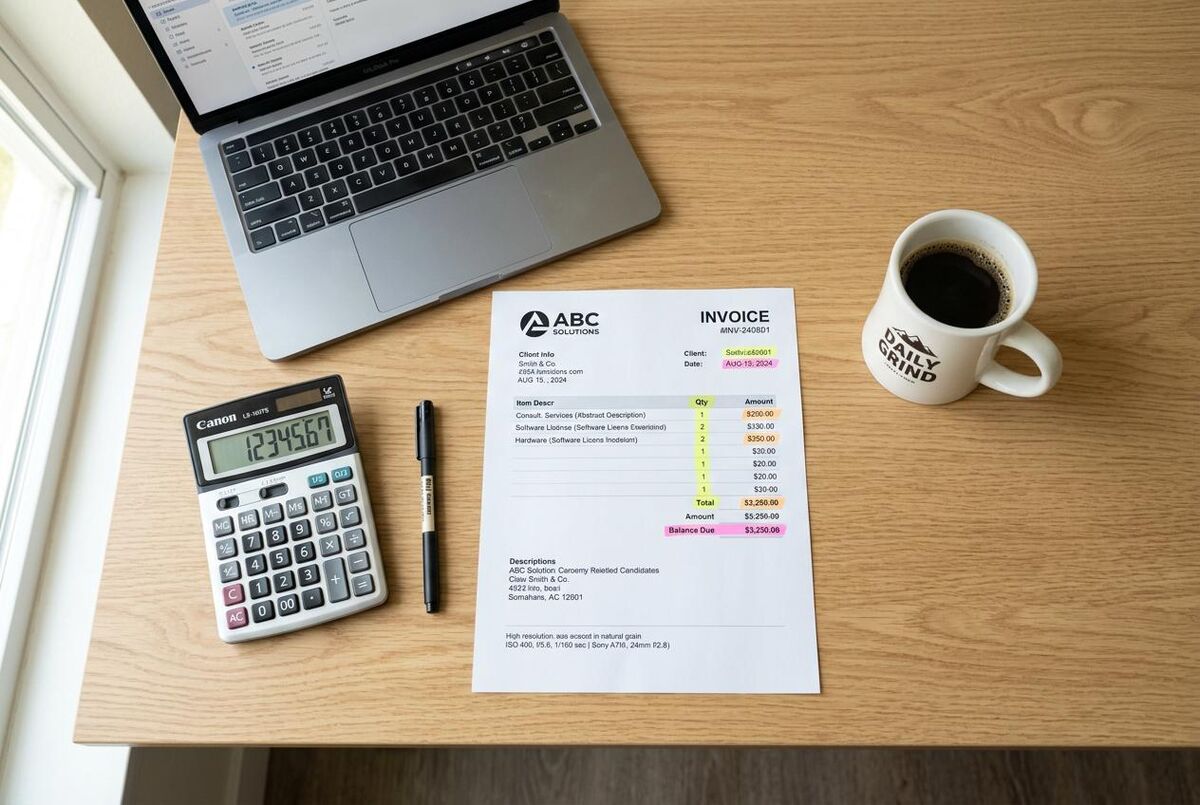
Chasing late payments is painful. You feel like a debt collector instead of a skilled professional. Half the time, customers just forgot. Being proactive beats being reactive, and that applies to payments as much as anything else. Automated reminders handle the chasing so you do not have to, and the quick wins in automation almost always sit in the communication gaps. If you are not sure where to start, have a look at our automation audit playbook.
Trigger: Xero → Invoice Overdue
Action: Twilio → Send SMS
When an invoice passes its due date in Xero, Zapier sends a polite SMS reminder via Twilio. Something like: "Hi {name}, just a reminder that invoice #{number} for £{amount} is now overdue. Pay online here: {link}. Thanks, {your_business}." Texts get opened within minutes. Most customers pay the same day.
Twilio costs extra
Twilio charges per SMS sent (roughly 4p per message in the UK). For a typical trades business sending 20-30 reminder texts a month, expect to spend £1-2 on top of your Zapier subscription. That is nothing compared to the cash flow improvement from getting paid on time.
Zap 4: New lead to Google Sheets log
Scraps of paper in the van are not a CRM
Leads come in from your website form, Facebook, phone calls, and word of mouth. Half of them end up on scraps of paper in the van. You lose track of who enquired about what. If you are still weighing up whether to use WhatsApp and spreadsheets or proper job management software, we compared the real cost of each approach.
How to set it up
Trigger: Google Forms / Typeform / Website Webhook → New Submission
Action: Google Sheets → Create New Row
Every enquiry lands in a Google Sheet automatically. Name, phone number, email, job description, date submitted. You can sort by date, filter by job type, and never lose a lead again. This works with any form tool that connects to Zapier.
Zap 5: Quote accepted, job auto-created
Customer accepts a quote. You need to create a job in ServiceM8, block out the diary, and maybe create an invoice in Xero. Three different apps, three lots of manual entry. This Zap eliminates all of it. Set the trigger to ServiceM8 → Quote Accepted, then chain two actions: ServiceM8 → Create Job from Quote and Xero → Create Draft Invoice. The moment a customer clicks "Accept", Zapier creates the job and drafts an invoice with the quote details pre-filled. If you need a professional template for those invoices, grab our free UK VAT-ready ServiceM8 invoice template. All you do is schedule the work and send the invoice when you are ready. For tips on writing quotes that actually get accepted in the first place, see our guide on using ChatGPT to write quotes that win jobs.
Zap 6: Daily job summary email

The 6am lifesaver
You start each morning opening ServiceM8, checking your calendar, cross-referencing your van stock list. It takes 15 minutes before you even start the engine. This Zap removes all of that.
Trigger: Schedule → Every Day at 6:00 AM
Action 1: ServiceM8 → Find Jobs for Today
Action 2: Gmail → Send Digest Email
At 6 AM every morning, Zapier pulls today's jobs from ServiceM8 and sends you a summary email. Customer names, addresses, job descriptions, any notes. You read it over your first coffee and know exactly what the day looks like.
Zap 7: Payment received, thank-you SMS
A customer pays an invoice. They get a generic Xero receipt. No personal touch, no encouragement to book again. This tiny Zap changes that. Set it to trigger on Xero → Payment Received, with the action being Twilio → Send SMS. When Xero registers a payment, Zapier sends a quick thank-you text: "Thanks for the payment, {name}! If you ever need us again, just reply to this number or call us on {phone}." Simple, personal, and it keeps your number in their phone for next time.
Zap 8: New enquiry auto-response
The problem
Someone fills out your website contact form at 9 PM on a Tuesday. You are on the sofa watching telly. They do not hear back for 12 hours and call someone else.
The Zap
Trigger: Website Form → New Submission
Action: Gmail → Send Email
Within minutes of a form submission, the enquirer gets an email: "Thanks for getting in touch with {your_business}. We have received your enquiry about {job_type} and will get back to you within 24 hours. In the meantime, here is our availability calendar." That instant response stops them shopping around. For an even smarter approach using AI to qualify and route leads automatically, read our guide to AI-powered lead response with ChatGPT and WhatsApp.
Speed matters
Research from the MIT Lead Response Management Study shows that responding to a lead within 5 minutes makes you 21 times more likely to qualify that lead compared to waiting 30 minutes. An auto-response buys you that crucial window.
Zap 9: Photo upload to cloud backup
Why this saves your Friday afternoons
Job photos live on your phone until it runs out of storage or you accidentally delete them. If there is ever a dispute about the work, the evidence is gone. Losing photos costs you time, credibility, and potentially money in disputes.
Trigger: ServiceM8 → When a job status changes to Completed
Action: Google Drive → Upload File to Folder
When a job is marked as completed in ServiceM8, Zapier copies attached files to a Google Drive folder organised by job number. Note that ServiceM8's Zapier integration does not have a dedicated photo upload trigger, so this workaround catches photos at job completion. For real-time photo backups, you can use ServiceM8's webhook API or set up a scheduled check through a tool like n8n. Either way, your before, during, and after photos end up safely backed up off your phone. No more scrolling through 3,000 camera roll photos looking for that one shot of the boiler flue from last month.
Zap 10: Weekly cash flow spreadsheet update
The problem
You have no idea how much money came in this week without manually checking Xero, cross-referencing outstanding invoices, and tallying up expenses.
The Zap
Trigger: Schedule → Every Monday at 7:00 AM
Action 1: Xero → Get Bank Summary
Action 2: Google Sheets → Update Row
Every Monday morning, Zapier pulls your bank balance and invoice totals from Xero and drops them into a Google Sheet. Over the weeks, you build a running cash flow tracker without ever opening a spreadsheet yourself. Your accountant will love you for it.
What it actually costs

Let us talk money. Zapier uses task-based pricing. A "task" is one action step in a Zap that runs successfully. Triggers, filters, and formatter steps are free and do not count.
| Plan | Monthly cost (annual billing) | Tasks/month | Zap complexity | Best for |
|---|---|---|---|---|
| Free | £0 | 100 | 2-step only | Testing the waters |
| Starter | $19.99/mo (around £16) | 750 | Multi-step, paths, filters | Most sole traders |
| Team | £104/mo | 2,000 | Shared Zaps, 25 users | Growing businesses (5+ staff) |
| Enterprise | Custom | Unlimited | Everything + SSO, SCIM | Large operations (50+ staff) |
For a typical one-person trades business running all 10 Zaps above, you will use roughly 300-500 tasks per month. The Starter plan at $19.99/month (around £16) covers that easily. That works out to about 53p a day for automation that saves you an hour or more.
The bar chart above shows approximate monthly tasks per Zap for a business handling 20-30 jobs a month. Photo backup is the biggest consumer because it fires for every photo uploaded.
ROI reality
At around £16/month, Zapier costs roughly £192 a year. If these 10 Zaps save you 5 hours a week at £30/hour, that is £7,800 a year in reclaimed time. The return is roughly 40:1. Even if you only set up three of these Zaps, the numbers stack up. If you are ready to go further, our digital transformation roadmap lays out a phased plan for automating your entire operation.
My Verdict
Zapier is the simplest way for a trades business to automate the admin that eats into your evenings. It does not require coding skills, the free tier lets you test before you pay, and the Starter plan at $19.99/month (around £16) pays for itself within the first week of use. Start with Zaps 1, 2, and 3. Once those are running, add the rest.
Best for: Sole traders and small teams using ServiceM8, Xero, Gmail, or Google Sheets who want to stop doing repetitive admin manually.
Time saved: 5+ hours per week across all 10 Zaps. Most of that comes from automated emails, SMS reminders, and lead logging.
Money saved: Roughly £7,800/year in reclaimed time at £30/hour. Overdue invoice reminders alone can recover thousands in late payments annually.
Setup time: Under 30 minutes for all 10 Zaps if you follow this guide step by step. Most individual Zaps take 2-3 minutes.
Zapier for Trades: What UK Business Owners Say
Zapier Automation Tutorials and Demos
These videos walk you through Zapier setup, from your first Zap to advanced multi-step automations.

Automate Everything with Zapier AI Agents
Kevin Stratvert

3 Zapier Automations EVERY Business Needs!
Zapier

How to use Zapier to Automate Tasks
Trades Marketing Mastery

Send Automated Emails Using Gmail and Zapier
Guide With Samuel

How To Integrate Xero With Zapier
Kriss Guides

Follow up on meetings via SMS - Twilio + Zapier
inperson

ServiceM8 Process Automations
Stephanie Campanella

Build Your First Lead Automation (No Code!)
Zapier
Ready to automate your trades business?
Explore more automation guides, tool reviews, and free templates built specifically for UK trades professionals.
Browse the AcademyZapier for Trades FAQ (2026)
No. If you can use a smartphone, you can use Zapier.
Zapier supports over 7,000 apps including ServiceM8, Fergus, Jobber, Housecall Pro, and most other trades tools. Check zapier.com/apps to see if yours is listed. If it is not, you can often use webhooks as a workaround.
The free plan (100 tasks/month, multi-step Zaps included) costs nothing and is enough to test a couple of automations. For higher task volumes, the Starter plan starts at $19.99/month (around £16) when billed annually. That covers 750 tasks per month, more than enough for a typical sole trader.
Zapier has a 99.9% uptime track record. If a Zap fails (because an app is temporarily unavailable, for example), Zapier automatically retries the task. Paid plans include autoreplay, which re-runs failed tasks once the issue is resolved. You get email alerts for any failures.
Yes. Zapier has a mobile-friendly web interface and you can set up, edit, and monitor Zaps from your phone's browser. There is no dedicated app, but the website works well on mobile. Your Zaps run in the cloud whether you are online or not.
That depends entirely on what you value. Zapier is easier to learn and has more app integrations (7,000+ vs 3,000+), which makes it the obvious starting point for most tradespeople who just want things to work. Make, on the other hand, is noticeably cheaper per task and far more powerful for complex branching workflows. I have used both, and my honest take is that Zapier wins on convenience while Make wins on value for money once you outgrow simple automations. If budget is tight but you are comfortable with a steeper learning curve, Make is worth a serious look.